AI Search Local Business: Get Recommended Near Me
A practical guide to helping AI tools understand your services, service areas and reputation, and helping nearby customers take the next step.
On this page
- What does AI search visibility mean for a local business?
- Before you start: gather the facts and access
- Step 1: Define the work you want to be recommended for
- Step 2: Make every business profile accurate and complete
- Step 3: Build a review process that stays genuine
- Step 4: Plan location pages around real service coverage
- Step 5: Design the page so people and crawlers can understand it
- Step 6: Add structured data as supporting context
- Step 7: Check how AI tools describe your business
- Step 8: Build a sensible maintenance routine
- Common mistakes that waste time
- A practical checklist before you publish
- How to prioritise if you have limited time
- Wrap-up: make the business easy to verify and choose
AI search local business visibility comes from making your business easy for search tools to verify and easy for people to choose. Start with accurate business profiles, genuine recent reviews and useful location pages on your own website. Then check what AI tools actually say about you and fix the gaps, rather than assuming one change will guarantee a recommendation. If you want a starting point, request a free AI search audit and compare what the tools find with the information customers see on your website.
This guide is for local service businesses such as plumbers, electricians, HVAC companies, clinics and local professional firms. The goal is not to trick an AI system into mentioning you. It is to make the facts about your business consistent, specific and useful enough that a search engine can understand them and a customer can confidently contact you.
What does AI search visibility mean for a local business?
AI search visibility is how easily AI-powered search experiences can find, understand and present reliable information about your business in response to a local question. A customer might ask for a licensed electrician who can attend in a particular suburb, or a clinic that offers a specific service and accepts new patients. The answer depends on what information the tool can retrieve and how well that information fits the request.
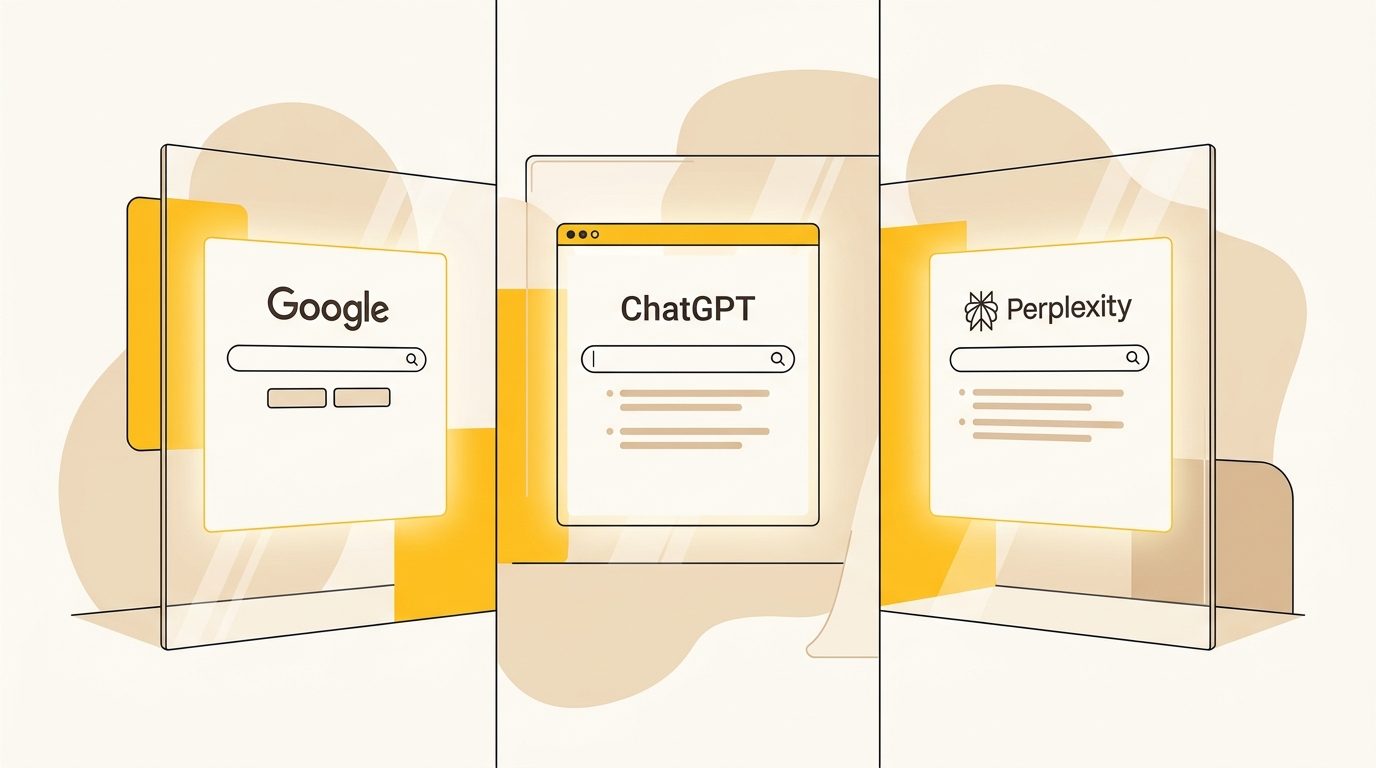
There is no single directory or universal AI ranking to optimise for. Google’s AI experiences, ChatGPT Search, Perplexity and other tools can use different indexes, retrieval systems and sources. Search Engine Journal explains how AI Overviews answer local searches and aggregate information from across the web. Your Google Business Profile is important to Google’s ecosystem, but you should not assume every assistant reads the same profile data in the same way. Your website and other reputable public listings help make your business identifiable beyond one platform.
Think of visibility as a chain. A tool needs to discover information about you, connect it to the right business, decide whether it answers the user’s request, and present it in a useful way. A broken link, vague service description or conflicting phone number can weaken that chain. Clear design helps both the retrieval system and the person deciding whether to call.
Local search is also still local. A well-written page cannot make a business nearby if it is outside the customer’s area. AI recommendations do not replace proximity, availability, eligibility or a customer’s own judgement. Your job is to communicate your real coverage and capabilities clearly.
Before you start: gather the facts and access
Do not begin by writing pages or asking customers for reviews. First collect the information you need to represent the business accurately. That avoids publishing claims your team cannot support and gives you a reliable source of truth across profiles and pages.
Gather:
- Your exact trading name, primary phone number, website address and public business address or service-area setup.
- The services you actually provide, with preferred names, common customer wording and any important exclusions.
- The suburbs, towns or regions you genuinely serve, plus any travel or call-out limits.
- Current opening hours, emergency availability, appointment options and holiday-hour process.
- Licence, registration or professional credentials that customers can verify, including the issuing authority where relevant.
- The profile URLs and login access for Google, Bing, Apple Maps and the directories that matter in your country and industry.
- A list of real customer reviews and the process your team uses to request them and respond.
- Analytics and search access, if available, including Google Search Console, website analytics and call or form tracking.
Assign one person to maintain these facts. If the phone number or opening hours change, that person should know which profiles and pages need updating. Keep a simple spreadsheet with the platform, public URL, login owner, last checked date and any correction still needed. This is more useful than assuming every listing will update itself.
Choose a short measurement period before making changes. Record the number and quality of enquiries you currently receive, the pages that bring organic traffic, branded searches and the questions customers ask on calls. If you cannot measure every enquiry source, start tracking the basics now. A rise in AI mentions is not meaningful if the leads are irrelevant or the phone stops ringing.
Step 1: Define the work you want to be recommended for
A business cannot be a strong match for every nearby query. Decide which services and customer situations you want to be understood for. Begin with the services that are profitable, well-delivered and realistically available in the areas you serve.
Make a service-to-area table. Include the service, the customer’s likely wording, the locations covered, hours or response conditions, and evidence you can show. For example, a plumbing company might list hot-water repair, emergency leak repair and planned installations separately. Do not bundle them under a vague label such as plumbing solutions if customers search for and describe them differently.
| Service | Customer wording | Area and conditions | Proof to publish |
|---|---|---|---|
| Emergency leak repair | Burst pipe or active leak | Suburbs covered, only if dispatch is available | Service details, hours, real examples or reviews |
| Hot-water repair | Hot-water system not working | State whether all brands or system types are handled | Supported system types and qualifications |
| Planned installation | Replace an old unit | Explain assessment and quote process | Installation process and relevant credentials |
Use customer language, but do not copy a competitor’s service list. Ask your team what callers say, review real enquiry forms and note the wording customers use in feedback. If you offer a service only in limited circumstances, state the conditions. An accurate limitation is better than a broad promise that creates a poor enquiry or disappointed customer.
This step is also a design decision. A clear service structure gives your website meaningful navigation, distinct page headings and sensible paths to contact. It makes it easier for a visitor to find the right service without scanning a long list of unrelated phrases.
Step 2: Make every business profile accurate and complete
Profiles are public reference points that can confirm your identity, contact details, hours, categories and service offering. Start with the platforms that matter most to your customers and the search experiences they use. For many local businesses, that means checking Google Business Profile, Bing Places and Apple Business Connect, then prioritising relevant industry and local directories.
For each profile, check:
- The business name matches your real-world name. Do not add extra service or suburb keywords to the name unless they are genuinely part of it.
- The primary category describes the main business. Add secondary categories only when they accurately represent work you provide.
- The phone number and website link work. Use a contact route that a potential customer can access without logging in.
- The address or service area is represented correctly. Follow each platform’s rules for businesses that travel to customers or do not receive visitors at their address.
- Opening hours, special hours and appointment details are current.
- Services, descriptions, photos and booking links give customers useful information rather than repeated slogans.
- Ownership and verification are handled by the business, not an unknown third party.
Do not make every description identical if the platform asks for different information. Keep the facts consistent, but write a useful description for each audience and format. Use direct language: what you do, who you help, where you work and how a customer can arrange service. Avoid stuffing every suburb into a profile description.
Profile completeness does not guarantee an AI recommendation. It reduces avoidable ambiguity and helps customers verify you. If one listing says you close at five and another says you are open all night, a customer has to work out which is current. Some systems may also interpret that inconsistency as uncertainty.
For trades businesses, we have a page on designing websites for trades that looks at the needs of this type of service business. Use it alongside the profile checks, not as a substitute for keeping the public listings up to date.
Step 3: Build a review process that stays genuine
Reviews help customers assess the experience of working with you. They can also contain useful detail about the services, locations and situations customers associate with your business. That does not mean you should script reviews or ask customers to add particular keywords. Invite honest feedback and let customers describe their experience in their own words.
Set up a repeatable process. After a completed job or appointment, send a polite request through an approved channel. Make the request easy to act on, but do not offer a reward for a positive review or pressure someone who has had a poor experience. Follow the review platform’s current rules, which can differ. If you receive a complaint, take it seriously and move private details out of the public conversation.
A useful response is specific, calm and privacy-conscious. Thank the reviewer, acknowledge the service they refer to and explain how the customer can follow up if needed. Do not disclose personal or sensitive information. For healthcare and other regulated fields, check professional privacy obligations before replying to any review that could identify a patient or client.
Freshness matters to consumers. BrightLocal’s 2026 Local Consumer Review Survey reports that many people pay attention to recent reviews when choosing local businesses. Treat the survey as consumer research, not a promise that a particular review count or rating will make an AI tool recommend you. The practical point is simpler: a steady, ethical request process gives future customers a more current picture than a burst of reviews followed by silence.
Track review themes as well as star ratings. Are customers repeatedly mentioning punctuality, clean-up, clear quotes or a particular service? Those themes may help you improve operations and explain your strengths on your website. Do not turn a handful of reviews into a sweeping claim. Use verifiable, permission-appropriate testimonials and keep the original review linked where possible.
Step 4: Plan location pages around real service coverage
A location page is a page on your website that explains what you do in a specific area. It should answer a real local customer’s questions, not exist just to repeat a suburb name. One page listing dozens of suburbs in tiny footer text is difficult for people to use and gives little context about what service is available where.
Start with the locations that matter commercially and operationally. You may need one strong service-area page if your coverage is compact. A separate page can make sense where customers have distinct needs, travel arrangements differ, or you have genuine local information to share. Do not create a thin page for every suburb simply to catch searches.
A useful page answers:
- Which services can a customer request in this area?
- Do you attend the location, and are there any limits on availability?
- How does a customer book, request an estimate or speak to the team?
- What should someone expect before, during and after the service?
- Which credentials, guarantees or processes can you substantiate?
- What questions do customers in this area commonly ask?
Use local details only when they are real and useful. Explain a relevant coverage boundary, a local appointment process or a service condition. Do not invent a local office, team, customer story or neighbourhood expertise. If your team serves a suburb from a nearby base, say so plainly rather than implying you have a storefront there.
A good page has a clear hierarchy. The main heading tells the visitor what service the page covers and where. Short sections explain the service, important conditions and next steps. Use descriptive subheadings, lists and a contact block. Put the main phone or enquiry action where it is easy to find, especially on mobile. A designer should make the key action visually obvious without hiding the information needed to make a decision.
Build pages around distinct user needs, not a formula that changes only the suburb name. Google’s guidance on helpful content is a useful principle even when you are considering AI search: publish information for people, not pages made mainly to manipulate search placement. Search engines and AI tools can change; useful, accurate pages have a stronger reason to remain valuable.
Step 5: Design the page so people and crawlers can understand it
Design is not a finishing layer applied after SEO. Information architecture, visual hierarchy and page behaviour determine whether visitors can find important facts and whether those facts are available in the page content.
Make the first screen specific
The first screen should quickly tell a visitor what the business does, where it works and what to do next. A heading such as Licensed electricians serving Brisbane’s inner north is more informative than a general slogan such as Powering your future. Use a concise supporting paragraph for the main service, coverage and a genuine point of difference. Add a clear call button or quote action.
Do not crowd the hero with every qualification, suburb and service. Give the highest-priority facts visual prominence, then arrange detail in sections below. On a small phone screen, oversized graphics, background video or a layered menu can push the phone number and service information out of view. Design the mobile layout around a customer who may be searching while stressed or in a hurry.
Use real text and meaningful headings
Keep essential service, location, contact and availability information in readable page text. If a critical fact appears only inside an image, animation or interactive element that does not load until a user action, it may be harder for people and automated systems to access. Modern search crawlers can process some JavaScript, but that is not a reason to make core information depend on complex interaction.
Use one clear page title and a logical heading hierarchy. Headings should label the section that follows, not just provide a large decorative font. Break up long paragraphs. Use a table when it genuinely clarifies service coverage or options, and use lists for steps or requirements. Scannable content helps a visitor find an answer and makes the page’s subject easier to interpret.
Make contact friction low
Show a working phone link on mobile and keep the enquiry form short. Ask only for information needed to respond. For an urgent service, do not make a customer complete a long questionnaire before seeing a phone number. For a considered service, explain what happens after the form is sent and when the team normally responds, if you can meet that commitment.
Visual trust is part of conversion. Use real team, work and location photography where you have permission. Show licences, insurance or professional credentials accurately. Keep typography, colours and photography consistent across the website and profiles so customers can recognise the same business. These choices help people feel they have reached the right provider; they do not independently guarantee better rankings or citations.
Step 6: Add structured data as supporting context
Structured data is code that describes information on a page in a format search engines can process. For a local business, relevant Schema.org types may help describe the organisation, address, phone, opening hours and services. It is a supporting layer, not a shortcut to being included in AI answers.
The key rule is that structured data must match visible, current information. If the page says one set of hours and the markup says another, correct the source rather than adding more code. Do not add star ratings, service locations, prices or credentials that you cannot substantiate. Markup does not make an untrue claim true.
A developer or SEO specialist can review which type fits your business and how to represent service areas. Depending on the business, the relevant type may be a general LocalBusiness type or a more specific subtype. Make sure each page describes the page it is on, and that business identity details are consistent across the site. Do not assume every property suggested in a tutorial is currently supported by every search product.
Google’s structured data documentation explains that structured data can help Google understand page content, while eligibility for a search feature is not a guarantee that the feature will appear. That distinction matters for AI visibility too. Treat markup as a way to clarify facts, and keep the visible design useful even if a search engine never shows a rich result.
If the site is built with a page builder or a JavaScript framework, test the published page, not just the editing screen. Check that the relevant information loads without needing a user to click through tabs or menus. The objective is accessible, usable page content, not a particular technical trend.
Step 7: Check how AI tools describe your business
Once the foundations are in place, test a small, repeatable set of real customer questions. Use the tools available in your market, such as Google’s AI search features, ChatGPT Search and Perplexity. Features and source availability can change, so note the tool and date rather than treating one result as permanent.
Write prompts that represent actual customer needs. For example:
- Find a licensed electrician for a switchboard upgrade in [suburb].
- Which local clinics offer [specific service] and how do I book?
- Who repairs [system or equipment] in [town], and do they provide emergency call-outs?
- What should I check before choosing a [service] in [area]?
Use the same questions again later. Record whether your business appears, what sources are cited, whether the information is correct, which competitors appear and what a customer would still need to know. Do not treat a single answer as a ranking report. Results can differ based on location, wording, availability and the system’s retrieval at that moment.
When an answer is wrong or your business is missing, trace the issue. Research into what sources ChatGPT uses for local businesses shows how models reference regional portals and third-party directories when direct website data is missing. Is your profile out of date? Is the service absent from the website? Does a directory list a former phone number? Does your location page make the coverage unclear? Is there no reliable evidence for a claim you want the tool to repeat? Fix the source information first. Then rerun the same prompt and record what changed.
The free AI search audit can help you review how your business is represented across AI search. If you want broader support, DesignFIT’s website service combines design and website decisions with the goal of helping a business communicate clearly and convert more effectively. Keep your review tied to practical outcomes: accurate recommendations, qualified enquiries and a better experience for visitors.
Step 8: Build a sensible maintenance routine
Local information changes. Opening hours shift, staff leave, services are added and service areas are adjusted. A profile or page that was correct last year may now confuse customers. Put a small recurring review in the calendar and assign an owner.
A basic monthly check can cover:
- Whether phone numbers, booking links, hours and key services are still correct.
- Whether the main business profiles and important directories show the same core facts.
- Whether new reviews have been handled and recurring customer concerns have reached the right person.
- Whether website forms and click-to-call links work on a mobile device.
- Whether the location pages still reflect real coverage and availability.
- Whether any major AI answer or search result is repeating an outdated claim.
A deeper quarterly review can check search queries, landing-page performance, enquiry quality and the coverage of your service pages. Look at the complete journey, not only impressions. If a page receives visitors but does not generate appropriate enquiries, review the message, service fit, trust information and contact flow. If there are few visits, check discoverability and whether the page answers a real query before adding more content.
BrightLocal’s Local AI Visibility resource describes tools for observing local AI visibility. You can use monitoring software if it fits your needs, but a tool cannot make inaccurate profiles accurate or create a valuable service page for you. Start with a repeatable manual baseline if you are not ready to pay for another platform.
Common mistakes that waste time
Treating one AI answer as a final verdict
Answers can change across prompts and dates. A single successful mention does not prove durable visibility, and one omission does not prove your business is invisible everywhere. Track a small set of relevant questions over time and investigate patterns.
Creating a page for every suburb
Many near-identical pages can make the website harder to navigate and provide little distinct value. Create a location page when you can say something useful and accurate for that location. If you cannot, improve a broader service-area page instead.
Adding keywords to every sentence
Repeated suburb names make copy harder to read and do not establish that you genuinely serve the area. State coverage naturally, then give people information they need to choose you.
Chasing reviews instead of addressing service issues
A review campaign cannot fix late arrival, confusing estimates or a poor follow-up process. Read feedback for operational themes. Improve the customer experience and invite genuine feedback consistently, rather than trying to manufacture a preferred review profile.
Treating schema or llms.txt as a magic switch
Structured data can clarify facts, but does not force an AI tool to cite you. An llms.txt file is an optional way to provide a concise site index for some AI-related workflows; it is not a replacement for useful, crawlable pages or accurate profiles. Design and maintain the core website first. For a deeper discussion, read Do You Need an llms.txt File for Business?.
Publishing claims you cannot prove
Do not say best-rated, fastest or available 24/7 unless you can substantiate the claim and meet the promise. A mismatch can cost trust, create complaints and lead to wasted enquiries. Clear conditions are more useful to a customer than a bold but uncertain claim.
A practical checklist before you publish
Use this checklist for your main service page or location page:
- The page identifies the service and the real area covered.
- The service description reflects what the team actually does.
- Hours, availability, contact details and credentials are current.
- A customer can see how to call, book or request a quote on mobile.
- Important information is readable text, not only an image or hidden interaction.
- Headings and sections make the page easy to scan.
- Local details are useful and true, not just inserted for search.
- Any reviews or testimonials are genuine and represented responsibly.
- Structured data, if used, matches visible information.
- The page loads, links work and the form reaches the right person.
- You have recorded a baseline for enquiries and the AI questions you will retest.
How to prioritise if you have limited time
If you can do only one thing this week, verify the most important business profile and make sure the phone number, hours, category and website link are right. If the basics conflict across platforms, new content will not resolve the uncertainty.
Next, improve the page for the service that matters most to the business. Make its service area, eligibility, availability and contact path explicit. Then establish a genuine review request and response process. These are practical improvements for customers even if no AI system changes its recommendation immediately.
If your website needs a larger rethink, do not begin by commissioning dozens of pages. Map your services, customer journeys and locations first. Decide which pages help a customer choose, what each page needs to prove and where the main conversion action belongs. A structured brief can reduce rework and help a designer prioritise the decisions that affect trust and enquiries. You can explore the DesignFIT project pricing to understand the available ways to scope website work.
Wrap-up: make the business easy to verify and choose
AI visibility for a local business is built from clear, consistent public information. Keep profiles accurate, earn genuine reviews through a sound customer process, and publish useful location pages that describe real services and coverage. Design the pages so the important facts and next steps are easy to find on a phone, and make sure the underlying content is accessible and accurate.
No profile, review count, schema field or page layout guarantees a recommendation. The useful test is whether customers and search tools can confidently establish who you are, what you do, where you work and how to contact you. Start with the free AI search audit to identify the most important gaps, then prioritise the fixes that will improve both discoverability and the customer experience.
Key takeaway
Make your business easy to verify and choose by keeping profiles accurate, reviews genuine and location pages clear, useful and honest.
Questions people ask
How do I get my local business recommended by ChatGPT?
There is no guaranteed way to make ChatGPT recommend a business. Make your services, coverage, contact details and credentials easy to verify on your website and reputable public listings, then check what the tool cites and correct inaccurate information.
Do I need a separate page for every suburb I serve?
No. Create a suburb page only when you can provide genuinely useful, accurate information for customers there. A strong service-area page is better than many near-identical pages that only swap the suburb name.
Do online reviews help with AI search visibility?
Reviews help prospective customers understand other people’s experiences, and their detail can clarify what services customers associate with your business. Ask for honest feedback without scripting it, and respond in a way that protects customer privacy.
Does adding local business schema guarantee AI citations?
No. Structured data can help describe information on a page, but it does not guarantee that a search feature or AI tool will show or cite your business. Keep the visible page accurate and useful, whether or not markup is used.
Is llms.txt necessary for local businesses?
No. It may offer a concise index of important pages for some AI-related workflows, but it is optional and does not replace accurate profiles, useful website content or clear location pages.