How an Ad Testing Site Protects Your Brand and SEO
A practical setup guide for testing campaign landing pages without confusing your main website, analytics or brand.
On this page
- What an ad testing site is, and what it is not
- What you need before building one
- Step 1: Choose the right kind of separation
- Step 2: Connect a branded subdomain to the landing page platform
- Step 3: Decide how the test page should appear in search
- Step 4: Give campaign measurement its own home
- Step 5: Design a page for the campaign, not for the CMS
- Step 6: Check the experience before sending paid traffic
- Step 7: Run the test with a question, not just a new design
- Step 8: Keep the experiment from becoming a permanent mess
- Common mistakes to avoid
- When should you build an ad testing site?
- A practical launch checklist
- Wrap-up: separate the experiment, not the customer experience
An ad testing site gives your team a separate place to build and test paid campaign landing pages. Set it up on a branded subdomain, keep test pages out of search results with a crawlable noindex instruction, and send their analytics to a separate GA4 property. This protects your main site’s reporting and reduces avoidable SEO risks, while keeping campaign design focused on one audience and one action.
The goal is not to hide a poor page from scrutiny or to guarantee that experiments can never affect your brand. It is to give campaign work a controlled environment, with clear rules for tracking, search visibility, design and handover. If you are planning paid campaign creative and landing pages together, see how DesignFIT approaches ads and campaign design.
What an ad testing site is, and what it is not
An ad testing site is a live, campaign-focused website or set of landing pages used to test paid traffic experiences separately from your main marketing site. It can use a landing page platform, a separate CMS installation or a dedicated build, connected to a branded subdomain such as try.example.com or offers.example.com.
It is not the same as a private development staging site. A staging site is usually for internal review before launch. An ad testing site must be available to real visitors who click your ads, so it needs production hosting, working forms, privacy information and reliable measurement. Do not password-protect a page that is meant to receive public ad traffic.
It is also not automatically a separate brand. The landing page should still use recognisable brand elements, accurate claims and a trustworthy domain. The separation is primarily technical and operational: a different publishing environment, a deliberate search indexing policy and a distinct measurement setup.
A subdomain is often a practical choice when the landing page platform is hosted outside your main CMS. It can keep campaign releases away from the main site’s templates and deployment process. But a subdomain is not a force field. Search engines, users and ad platforms can still associate it with your business, and a badly designed campaign can still damage trust.
What you need before building one
Start with a short setup brief. It will save time later, especially when a landing page builder, analytics specialist and media buyer are all involved.
Gather the following before choosing a platform:
- The campaign goal: for example, a qualified enquiry, a booked consultation or a completed purchase. Name the action that matters to the business, not just the easiest event to record.
- The audience and offer: who the page is for, what they are being promised and what they should do next.
- The destination domain: choose a subdomain that is clear, memorable and appropriate for customers, such as
go.example.comoroffers.example.com. - Access to DNS: someone needs permission to add or update the records that connect the subdomain to the landing page platform.
- Analytics ownership: decide who controls the main GA4 property, the test property, Google Tag Manager and Google Ads conversion actions.
- Brand assets and rules: logo files, approved colours and type, photography, tone of voice and any mandatory disclaimers.
- A measurement plan: list the primary conversion, useful secondary actions and the reporting view the team will use to judge the experiment.
- A page owner: one person responsible for approving copy, checking forms, monitoring the live page and turning it off when the test ends.
Write down the baseline you are protecting. This may include the main site’s organic landing pages, GA4 reports, active conversion actions and key brand pages. A baseline is useful because it helps you notice a real change after launch instead of assuming that every reporting difference was caused by the test.
If the campaign page will be built as part of a wider website system, consider how it should fit with your website design and development approach. For a small test, a dedicated landing page platform may be quicker. For a long-running campaign or a complex product journey, a more integrated build may be easier to govern.
Step 1: Choose the right kind of separation
There are three common ways to publish a campaign landing page. The right one depends on the amount of design freedom you need, how frequently the team will publish and who maintains the main website.
| Setup | Best suited to | Main benefit | Main thing to manage |
|---|---|---|---|
A folder on the main site, such as example.com/campaign/ |
A small number of pages that use the main CMS and design system | One site and one publishing environment | Test changes share the main site’s code, templates and analytics setup |
A branded subdomain, such as try.example.com |
A separate landing page platform or faster campaign releases | Separate publishing environment under a recognisable brand domain | DNS, search controls, analytics and cross-domain journeys need deliberate setup |
| A separate root domain | A genuinely separate brand or legal entity | Strongest visual and operational distinction | Extra brand trust work, domain management and possible ad destination checks |
For most businesses testing campaign pages rather than launching a new brand, start by evaluating a branded subdomain. It gives the team room to use another platform without putting experiments into the main CMS. Keep the URL easy to recognise. A generic platform URL can look unfamiliar to customers, and Google Ads has policies for destination requirements and destination mismatch. Check the current Google Ads destination requirements before publishing, and do not assume that a branded subdomain guarantees approval.
A subdomain does not mean that your main SEO is completely insulated. Search engines can crawl both sites, and the quality of the page still matters to visitors and advertising platforms. The practical benefit is that campaign content, publishing and measurement can be managed separately, not that the campaign becomes invisible to every system.
When should you use a folder instead?
A folder can be the right choice when your existing CMS already supports quick, safe landing page publishing and the page needs to share the main site’s navigation, account area or checkout. It can also make sense when the page is an enduring service page with a genuine organic search role, rather than a short-term paid experiment.
The trade-off is control. A new page in the main site may inherit global scripts, navigation, templates and analytics settings. Those shared components are useful when consistency matters, but they can make rapid experimentation riskier. Agree on the rules for publishing, tracking and indexing before creating the page.
Step 2: Connect a branded subdomain to the landing page platform
Choose your platform before changing DNS. The platform will provide instructions for connecting a custom domain, which may include adding a CNAME record or another DNS record. Follow those instructions exactly. The record value and verification process vary by platform, so do not copy DNS settings from a different provider or guess at the values.
A simple setup process looks like this:
- Select a short, clear subdomain. Avoid names that imply a different company or make the offer sound misleading.
- Add the custom domain inside the landing page platform.
- Ask the person managing your domain to add the DNS record provided by the platform.
- Complete the platform’s domain verification and enable HTTPS.
- Publish a temporary test page, then check the page on desktop and mobile using the final subdomain.
- Confirm that the page works with and without a trailing slash, and that any intended redirects go to the correct page.
- Keep a record of who owns the domain connection and how to remove it when the campaign ends.
Do not send paid traffic until the final URL loads securely and consistently. Check for certificate warnings, platform preview URLs, broken images, missing fonts and redirect loops. A page that looks right inside the editor can behave differently on its live domain.
If the platform offers a preview link, use it for internal review, not as the final destination in ads. The public campaign URL should be the branded address you have tested. Confirm the ad’s display URL and final URL against the current platform policy and the requirements of each advertising channel.
Step 3: Decide how the test page should appear in search
Most short-term paid landing pages should not compete with your permanent organic pages. A campaign page may use a narrow offer, a stripped-down layout or copy written to match one ad group. That can be suitable for paid traffic but thin or duplicative as a long-term search result.
For a page that should stay out of Google’s index, use a noindex instruction in the page’s HTML or an X-Robots-Tag HTTP response header. Google explains how to block search indexing with noindex. A typical HTML instruction is:
<meta name="robots" content="noindex, follow">
The page must be crawlable so Google can read that instruction. Do not block the page in robots.txt and expect Google to see its noindex tag. Google’s robots meta tag documentation explains how page-level directives work. Check the live page source or response headers after publishing, because some builders apply search settings differently.
A canonical tag is not a substitute for noindex when your aim is to keep a substantially different test page out of search results. A canonical tells Google which URL you consider the preferred version of similar or duplicate content. Google treats canonicalisation as a signal, not a guaranteed command. Read Google’s guide to canonical URLs and how they are selected before using a canonical on a campaign variant.
Use this simple decision:
- Short-term page for paid traffic only: make it crawlable and apply
noindex. - Permanent page with distinct value for organic search: assess it as an SEO page, with useful content, clear internal links and an intentional place in your site structure.
- Near-duplicate page that should consolidate with a preferred page: consider canonicalisation, but check that the content is genuinely similar and confirm Google is recognising the intended canonical.
- Private draft for internal review only: use platform access controls or authentication. Do not treat
noindexas a privacy or security control.
After publishing, inspect the page’s source and use Search Console’s URL inspection tools if you have access. Check that the noindex instruction is present, that the page is not blocked from crawling and that any old test URLs have been removed or redirected appropriately. Search engine systems can take time to process changes, so avoid promising an immediate removal from results.
Step 4: Give campaign measurement its own home
A common analytics mistake is to send every experiment into the main GA4 property and hope to separate it later with filters or report comparisons. GA4 data streams within a property feed data into that property’s reporting. A separate stream by itself should not be treated as a separate reporting database.
For cleaner reporting, create a separate GA4 property for the ad testing site, or use another measurement design that your analytics owner has documented and tested. Set the landing page’s tag to send data to the intended test property. Do not install both production and test measurement IDs by accident. Duplicate tags can inflate events and make conversion counts difficult to trust.
Before launch, write a basic event map:
| Event or action | Example use | Recommended treatment |
|---|---|---|
| Page view | Understand paid landing page visits | Record in the test reporting environment |
| Form start | See whether visitors begin the form | Treat as diagnostic, not automatically as a business conversion |
| Form submit | Measure completed lead forms | Check that it fires once and only after a successful submission |
| Qualified lead | Identify leads that meet your criteria | Record only when your team can reliably define and send the signal |
| Purchase or booked appointment | Measure the outcome the campaign is meant to create | Reconcile against the business system where possible |
A button click is not the same as a qualified lead. A submitted form is not necessarily a sale. Decide which event is the primary conversion based on the campaign’s actual business objective, then keep softer actions as secondary measures. This makes it less likely that an advertising platform will optimise towards an easy but low-value interaction.
A separate GA4 property does not, on its own, control what Google Ads uses for bidding. Google Ads can use conversion actions set up in Ads, or conversions imported from analytics, depending on your configuration. Review the conversion actions and goals inside the ad account before launch. Check that the primary action reflects the outcome you want the campaign to find, and that an experimental micro-conversion has not accidentally become the main bidding signal. Google’s documentation for setting up website conversion measurement in Google Ads is a starting point; verify the current settings in your own account.
How should you handle a visitor who moves between the subdomain and main site?
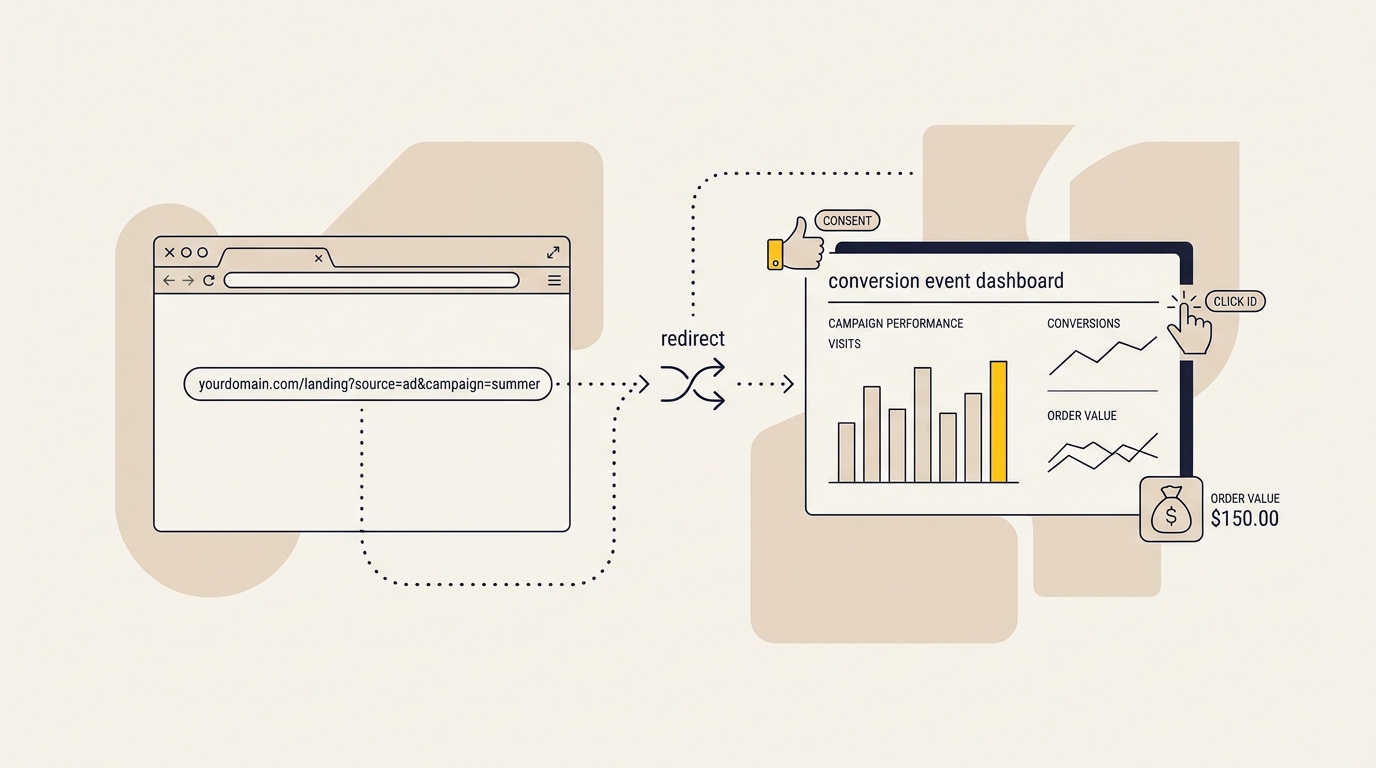
If the campaign page sends visitors to the main website to book, sign in or complete checkout, plan that handoff before launch. Otherwise, a person may appear as a new session or the referral source may be confusing in reporting. The exact configuration depends on your tags, domains and consent setup.
Ask your analytics owner to test the journey end to end. Use a test click from the ad URL, move from the landing page to the main site and complete a test conversion. Check whether the campaign source and session information are preserved as intended, whether unwanted referral traffic appears and whether the conversion is counted once. Do not assume that installing the same tag on both domains automatically produces reliable cross-domain reporting.
Keep the campaign property and the production property clearly labelled. Name events consistently, document the measurement IDs and record which tags are installed on each domain. A short tracking map is more useful than relying on a team member’s memory.
Step 5: Design a page for the campaign, not for the CMS
The best reason to separate campaign pages is not to make them look radically different. It is to make a focused design decision based on the visitor’s reason for arriving. The landing page should continue the promise made by the ad, explain the offer clearly and make the next step easy to understand.
Start with a message match check:
- Write down the search term, audience or ad message that brought the visitor to the page.
- Put the matching problem or benefit in the headline, using the visitor’s language where it is accurate.
- Explain what is included and who the offer is for.
- Support the claim with relevant proof, such as a clear process, suitable credentials or real customer feedback you have permission to use.
- Make one primary action visually prominent and repeat it where it helps the page flow.
- Remove links and sections that distract from the decision, but keep the information a cautious customer needs to trust you.
A stripped header can reduce distractions, but removing every route to useful information can make a business feel less credible. Retain a visible company name or logo, contact details where appropriate, privacy information and any required terms. For healthcare, legal and other regulated sectors, check that claims, qualifications and disclaimers meet the rules that apply to your business.
Use hierarchy to make the page scannable. A visitor should be able to identify the offer, understand its value and find the next step without reading every paragraph. On mobile, check that buttons are easy to tap, forms do not feel endless and key details are not hidden beneath oversized imagery. Review real device layouts rather than trusting the page builder’s responsive preview alone.
A form is part of the design, not a backend detail. Ask only for information that you need at this stage. Explain what happens after submission and provide useful error messages. Test every field, confirmation state and notification route. If a form sends a lead to a sales inbox or CRM, confirm that the person responsible can see and respond to it.
Build a visual system that allows variation without losing recognition. Keep the logo, core colours, type choices and image style aligned with the main brand unless there is a documented reason to test a change. If you want to test a different offer or layout, change one meaningful element at a time where practical. That makes the result easier to interpret and limits the risk of publishing an off-brand page by accident.
For a broader campaign, coordinate the page with the ad itself. DesignFIT’s website and landing page work can help align the page structure, brand presentation and conversion path instead of treating the landing page as a disconnected template.
Step 6: Check the experience before sending paid traffic
Use a launch checklist with someone who did not build the page. A fresh reviewer is more likely to notice a broken button, confusing offer or missing confirmation.
Page and brand checks
- Does the headline match the ad and make the offer clear?
- Can a visitor identify the business behind the page?
- Are claims, pricing, eligibility and terms accurate?
- Does the page look right on common mobile and desktop widths?
- Are logo files, fonts and images loading correctly?
- Is there a clear primary action, and does it work?
- Are contact, privacy and other required details available?
Form and conversion checks
- Submit a test form and confirm that it reaches the right person or system.
- Check required fields, validation messages and the success state.
- Verify that the conversion event fires only after a valid completion.
- Confirm that a refresh or repeat click does not create a false extra conversion.
- Test booking, checkout or external links through to the intended end point.
Search and technical checks
- Confirm the page uses the intended branded subdomain and HTTPS.
- Check that the page is not accidentally blocked by
robots.txtif it relies on a page-levelnoindextag. - Confirm that the
noindexinstruction is present on the live version. - Review canonical settings and remove unintended links to preview URLs.
- Check that there are no broken pages, redirect loops or platform branding that you did not intend to show.
Measurement and advertising checks
- Confirm the correct GA4 measurement ID is installed.
- Confirm the production and test properties are not both receiving the same page events unless that is a deliberate, documented choice.
- Check that events are named and counted as intended.
- Review Google Ads conversion actions and primary goals.
- Test the campaign landing page from the final ad URL.
- Make sure the ad’s destination and display information comply with the relevant advertising policies.
Google recommends creating useful, accessible pages for visitors as part of its technical requirements and search essentials. Passing this checklist does not guarantee an ad approval, a particular Quality Score or a search outcome. It does reduce common implementation errors before you spend on traffic.
Step 7: Run the test with a question, not just a new design
A new page is not automatically an experiment. Before launch, state what you want to learn. For example: “Visitors from this campaign will be more likely to book when the page explains the process before asking for their details.” That is more useful than “We want to see if a new design performs better.”
Agree on the comparison before the test begins:
- Which audience and campaign will send traffic?
- What is the current page or experience being compared?
- What is the primary outcome: qualified leads, sales, bookings or another defined action?
- Which supporting signals will help explain the result, such as form starts or completion rate?
- Who will check the quality of leads and the accuracy of tracking?
- What is the review date, and who can pause the campaign if something breaks?
Avoid changing the headline, offer, page layout, form length and audience at the same time if you want to understand what caused a difference. In real campaigns, several factors can change together, but record those changes and avoid claiming that one design element caused the outcome when the test cannot isolate it.
Do not judge a page on a few early clicks. The volume of traffic and conversions needed to make a useful comparison depends on the campaign, the outcome and how much variation you are trying to detect. We cannot give a reliable universal threshold without those details. If the data is limited, treat the result as directional and combine it with lead quality, sales feedback and usability observations.
Check the page during the test, not only at the end. Watch for form failures, unusual changes in traffic, incorrect event counts and customer questions that reveal a confusing offer. Keep a simple change log with the date, the page version and what was changed. It makes the results easier to interpret and helps prevent an old variant from being mistaken for the current one.
Step 8: Keep the experiment from becoming a permanent mess
Campaigns end, but test pages often remain online because nobody owns the clean-up. Before launch, define what happens when the campaign finishes.
At close, decide whether each URL should be retired, redirected or developed into a permanent page. If it is no longer needed, remove it from ads and internal campaign documents, then apply the appropriate removal or redirect plan. Do not redirect every old landing page to the homepage by default. A redirect should take a visitor to a relevant destination, and its treatment should be checked against the page’s content and ongoing business needs.
Also remove unused tags, test integrations, temporary audiences and outdated offers. Reconcile the experiment’s conversion data with the business outcome where possible. Record what was tested, what you learned and what should be reused. If a campaign idea becomes part of your permanent website, review the page as a proper organic and brand destination rather than simply removing its noindex instruction.
Maintain a small register of campaign pages with their owner, platform, URL, launch date, tracking property, indexation setting and end-of-campaign plan. You do not need a complex governance tool. A shared document is enough if it stays accurate and someone is responsible for updating it.
Common mistakes to avoid
Blocking the page in robots.txt instead of using noindex
If Google cannot crawl a page, it may not be able to read a page-level noindex instruction. Keep the page crawlable when you need Google to see the instruction, and do not use indexing controls as a privacy measure.
Assuming a canonical tag guarantees exclusion
Canonicalisation is useful for consolidating similar URLs, but Google may select a different canonical. For a radical paid page that should not appear in search, use the appropriate noindex setup and verify it on the live page.
Putting test traffic into production reporting without a plan
A separate stream inside a property is not the same as separate property-level reporting. Decide where each page sends data, check for duplicate tags and document what is included in leadership dashboards.
Telling bidding systems to optimise for the wrong action
A click or form start may help you diagnose a page, but it may not represent business value. Review which conversion actions are primary in the ad account and make sure the campaign’s optimisation goal matches the outcome you actually want.
Treating the subdomain as a different, disposable brand
People still need to trust the business behind the page. Keep the identity, offer and claims consistent, and avoid using a URL or design that could make the page look unrelated or deceptive.
Sending traffic before testing the full journey
A page view is not a completed test. Check the form, notification, CRM handoff, booking or checkout, conversion tracking and mobile experience before increasing spend.
Leaving the page live after its offer expires
An old page can create confusion for customers and staff. Assign an owner and an end-of-campaign action before launch, then follow through.
When should you build an ad testing site?
A separate campaign environment is worth considering when your team needs to publish frequently, use a different landing page platform, test focused campaign layouts or avoid sending every change through the main website release process. It is particularly useful when several campaigns need different messages but should still sit under a recognisable business domain.
A separate site may be unnecessary when you have one evergreen service page, a stable CMS process and no need to isolate publishing. In that case, improving the existing page may be simpler and may better support your organic strategy. Do not create a second environment just because it sounds more sophisticated. Choose it when the separation solves a real workflow, measurement or design problem.
If the decision involves a larger redesign or ongoing campaign system, compare the ongoing build, review and maintenance needs with the project scope. You can see DesignFIT’s website design pricing and selected website and brand work when planning what support might be appropriate.
A practical launch checklist
Before paying to send traffic to your ad testing site, confirm each item:
- The page has a clear campaign goal, audience and offer.
- The branded subdomain is connected to the chosen platform and uses HTTPS.
- The ad destination is checked against the current platform policies.
- The page is designed for the campaign while remaining recognisably connected to the brand.
- The page has the right search treatment, with a crawlable
noindexinstruction if it should stay out of search. - GA4 tracking is sent to the intended property, with no accidental duplicate production tag.
- Primary ad conversion actions represent the desired business outcome.
- Forms, booking or checkout paths and confirmation messages have been tested.
- The page has been reviewed on mobile and desktop.
- A person owns monitoring, reporting and end-of-campaign clean-up.
Wrap-up: separate the experiment, not the customer experience
An ad testing site is most useful when it creates operational freedom without making visitors question who they are dealing with. Use a branded subdomain when separate hosting helps your team work safely, keep paid-only pages out of search with a crawlable noindex instruction, and route measurement deliberately so test activity does not blur your core reporting.
Then give the page the same care as any public-facing brand experience. Match the ad’s promise, make the next step obvious, test the full conversion journey and assign someone to review and retire the page. If you want help designing a campaign landing page and the supporting creative, talk to DesignFIT about your ads project.
Key takeaway
Separate the publishing and measurement of experiments, but keep every ad testing site clear, trustworthy and recognisably part of your brand.
Questions people ask
Should PPC landing pages be indexed by Google?
Usually not if the page is a short-term paid campaign variant with little value for organic search. Let Google crawl it and use a `noindex` instruction; if the page is a useful, permanent destination for searchers, assess it as an SEO page instead.
Is a subdomain or subfolder better for an ad testing site?
A subdomain is often practical when a separate landing page platform or publishing workflow is involved. A folder can suit a page that belongs in the main CMS and should share its navigation, templates or organic search role.
Does a separate GA4 data stream isolate ad test data?
Not by itself. Data streams within a GA4 property feed that property’s reporting, so decide whether the test needs its own property and verify exactly where each page sends events.
Does `noindex` stop people from accessing a campaign page?
No. `noindex` is an instruction about search indexing, not a privacy or access control. Use authentication or other access controls for private drafts, and keep public ad pages available to campaign visitors.