Stop Spam Leads in Google Ads: Form Fix Checklist
Use this checklist to filter fake enquiries, protect conversion data and make it easier for genuine local customers to contact you.

On this page
- 1. Diagnose the spam before changing the campaign
- 2. Make the form useful to people and harder to abuse
- 3. Add layered bot checks without punishing customers
- 4. Fix conversion tracking before it teaches the wrong lesson
- 5. Review campaign settings that can affect lead quality
- 6. Send qualified lead outcomes back to Google Ads
- 7. Correct conversions that were recorded by mistake
- 8. Monitor the right metrics after launch
- 9. A practical rollout checklist
- Which fixes should you prioritise?
Spam leads in Google Ads are often a tracking and form-design problem as much as a traffic problem. The fix is to filter suspicious submissions, send only meaningful outcomes into bidding, and keep the form easy for real customers to use. Start with the DesignFIT ads service if you need help reviewing the ads and the landing page together.
A fake form fill can look like a successful conversion in your reports even when nobody can be reached or served. If Google Ads uses that action for automated bidding, it can give the system a misleading signal, making it vital to protect Smart Bidding from spam. Google describes Smart Bidding as using auction-time signals to optimise towards the conversion goals you set, so the quality of those goals matters.
Use the checklist in order. First establish where the spam enters. Then improve the form and validation, fix what counts as a conversion, and review campaign settings. Avoid adding every possible blocker at once: a form that stops bots but also turns away good customers is not a win. For more on the visitor experience, see our guide to lead form design rules.
1. Diagnose the spam before changing the campaign
Before you edit forms or bidding, find out whether the issue is bot submissions, poor-fit enquiries, tracking errors or a mix of all three. Proven approaches on how to reduce fake leads in Google Ads begin with isolating bot behaviour from human error. A pattern is a clue, not proof. For example, submissions arriving at night may be automated, but a customer can also enquire outside business hours.
- Define what counts as spam. Separate bots, duplicate enquiries, fake contact details, out-of-area requests and genuine but unsuitable leads; each problem needs a different fix.
- Export recent leads from your CRM or inbox. Review the actual names, emails, phone numbers, postcodes and messages rather than relying only on Google Ads conversion totals.
- Label a useful sample. Mark each lead as valid, spam, duplicate, unreachable, out of area or not a fit; consistent labels help reveal which problem is most common.
- Compare submissions with booked work. Check whether the apparent increase in conversions also produced more calls, appointments, estimates or sales; a conversion spike alone does not prove better performance.
- Record when each enquiry arrived. Look for repeated bursts or unusual patterns, but treat timing as a reason to investigate rather than an automatic reason to block a visitor.
- Check the source and landing page. Compare campaign, ad group, search term, network and landing page where the data is available; this can point to a specific weak link.
- Check for duplicates and retries. A customer may submit twice after seeing no confirmation, while an integration may create duplicate records; fix these differently from automated attacks.
- Compare Ads, analytics and lead records. Differences can come from consent settings, attribution, tag configuration or platform definitions, not only from fake traffic.
- Test the enquiry path yourself. Submit a test from a phone and desktop, then confirm the lead appears once, reaches the right person and records the expected source.
- Create a baseline before making changes. Save current lead counts, valid-lead rates, booked appointments, spend and form completion; otherwise you will not know whether a fix helped.
Read the pattern, not just the conversion rate
A rising conversion rate alongside flat booked work is a warning sign. So is a cluster of incomplete messages or contact details that repeatedly fail validation. But do not label a campaign or audience as fraudulent based on one weak signal. Check several clues together and keep a record of what you changed.
Bot activity is a real web-wide issue, with security research confirming that malicious bots account for a significant share of web traffic, but broad web traffic statistics do not tell you what percentage of your own paid enquiries are fake. Imperva's 2025 Bad Bot Report discusses automated traffic at a global level; use your own lead and campaign records to diagnose your account.
2. Make the form useful to people and harder to abuse
A good lead form is not the longest form or the one with the most security prompts. It asks for enough information to route and respond to an enquiry, with a clear visual order and minimal effort on a small screen. We cover the wider page decisions in our guide to service page design that turns visitors into enquiries.
- Keep only fields that help respond or qualify. Remove questions your team does not use; every extra field adds work for a genuine customer without automatically deterring a capable bot.
- Ask for the service needed. A short choice such as “What do you need help with?” can distinguish your service lines and give your team useful context before calling.
- Ask for a postcode or service location when geography matters. Explain why you need it and validate it against areas you actually serve; do not collect location data just because it might be interesting.
- Use a single-column layout on mobile. A clear top-to-bottom sequence is easier to scan, tap and complete than multiple columns squeezed onto a narrow screen.
- Put labels above the fields. Persistent labels remain visible after someone starts typing, unlike placeholder-only instructions that disappear and can cause errors.
- Make required fields obvious. Tell people which details are needed and which are optional; unclear requirements create avoidable errors and repeated attempts.
- Use the right input types. Set email and telephone fields to suitable input types so mobile devices can offer relevant keyboards and browsers can provide basic validation.
- Show a useful example, not a rigid format trap. If you need a phone number or postcode, state an accepted format and allow reasonable variations such as spaces or country codes.
- Explain what happens after submission. A line such as “We’ll call to discuss your request” sets expectations and can reduce irrelevant enquiries.
- Use a specific submit button. “Request a quote” or “Book a consultation” tells people what happens next more clearly than a generic “Submit”.
- Make errors visible beside the affected field. Say what needs fixing in plain language and preserve the information the person already entered.
- Confirm success clearly. Show an on-page success message or reliable confirmation page; otherwise a real customer may submit again because they are unsure it worked.
- Do not make a CAPTCHA puzzle your first design response. Start with validation, server-side checks and sensible form structure; use an interactive challenge only when the risk justifies its extra effort.
- Test the form with one hand on a real phone. Check text size, tap targets, keyboard behaviour, scrolling and error recovery; a form can look fine in a desktop preview and still be awkward to use.
- Review accessibility as part of form quality. Make sure labels, instructions and errors are available to assistive technology and that the form can be completed with a keyboard.
- Keep privacy language close to the form. Explain how the business will use enquiry details and link to the privacy policy; do not ask for sensitive information you do not need.
Reducing unnecessary fields is supported by usability research, though the exact right number depends on the task and the business. Baymard's research on checkout form fields looks at how field count and form design affect completion. Its checkout findings should not be treated as a universal lead-form benchmark, but the practical lesson applies: ask for information that serves a clear purpose.
Choose a form shape that fits the job
A one-step form usually works well when the request is simple and the customer knows what they need. A short multi-step form can help when you need to qualify a complex job, but it is not a guaranteed bot filter. If you split a form, show progress, keep each step short, explain why you ask each question and make the back button work without wiping entered details.
- Use one step for a simple callback request. Name, contact method and a short description may be enough when staff can qualify the enquiry by phone.
- Use a second step only when it genuinely helps routing. For example, first ask which service is needed, then show the relevant contact questions; extra steps without a useful purpose add friction.
- Do not hide the total effort. If customers need several steps, indicate how many and avoid revealing a long list of new questions after they begin.
- Measure starts and completions separately. If people start but do not finish, inspect the step where they leave before adding more fields or stricter controls.
3. Add layered bot checks without punishing customers
No single front-end trick stops every automated submission. A basic scraper may fill a hidden field, while a more advanced bot can behave more like a browser. Use layers, validate submissions on the server, and monitor whether the controls reject genuine customers too.
- Add a honeypot only if your form platform supports it safely. A honeypot is a field hidden from normal visitors but checked by the server; submissions that fill it can be flagged or rejected.
- Do not rely on a hidden field alone. Some bots ignore it and some assistive technologies may encounter poorly hidden fields; test keyboard and screen-reader behaviour before launch.
- Use a minimum completion-time signal cautiously. A form completed implausibly fast can be flagged for review, but do not treat a single time threshold as proof of fraud or automatically block every fast user.
- Measure time on the server where possible. Browser-only timing can be manipulated; combine it with other checks and keep the user-facing behaviour calm.
- Validate fields on both the browser and server. Browser checks improve immediate feedback, while server-side validation prevents requests from bypassing the page interface.
- Check email and phone formats, not whether a person is genuine. Syntax validation catches obvious errors, but a correctly formatted address or number can still be false or disposable.
- Use disposable-email blocking only when it fits your service. Blocking broad email domains can reject legitimate customers; maintain a small, reviewed list and provide another way to enquire.
- Rate-limit repeated requests carefully. Slow down bursts from the same source where technically appropriate, but account for shared networks and legitimate repeat attempts.
- Consider a managed bot check if simpler layers fail. Compare the vendor's current privacy, accessibility, cost and performance documentation before selecting a service; do not assume every CAPTCHA behaves the same way.
- Test the chosen control with real users and devices. Check that it does not block mobile visitors, assistive technology or people using privacy tools, and that the form still submits successfully.
- Keep a fallback route. Provide a phone number or another contact option if a verification service fails or someone cannot complete the form.
- Avoid collecting extra personal data as a security workaround. More sensitive fields increase the responsibility to protect the data and can reduce trust without proving the lead is genuine.
The goal is proportionate protection. Turnstile, reCAPTCHA and other services change over time, and their exact implementation weight or pricing depends on the product and setup. Check the vendors' current official documentation before committing to one rather than relying on old performance comparisons or unverified script-size claims.
4. Fix conversion tracking before it teaches the wrong lesson
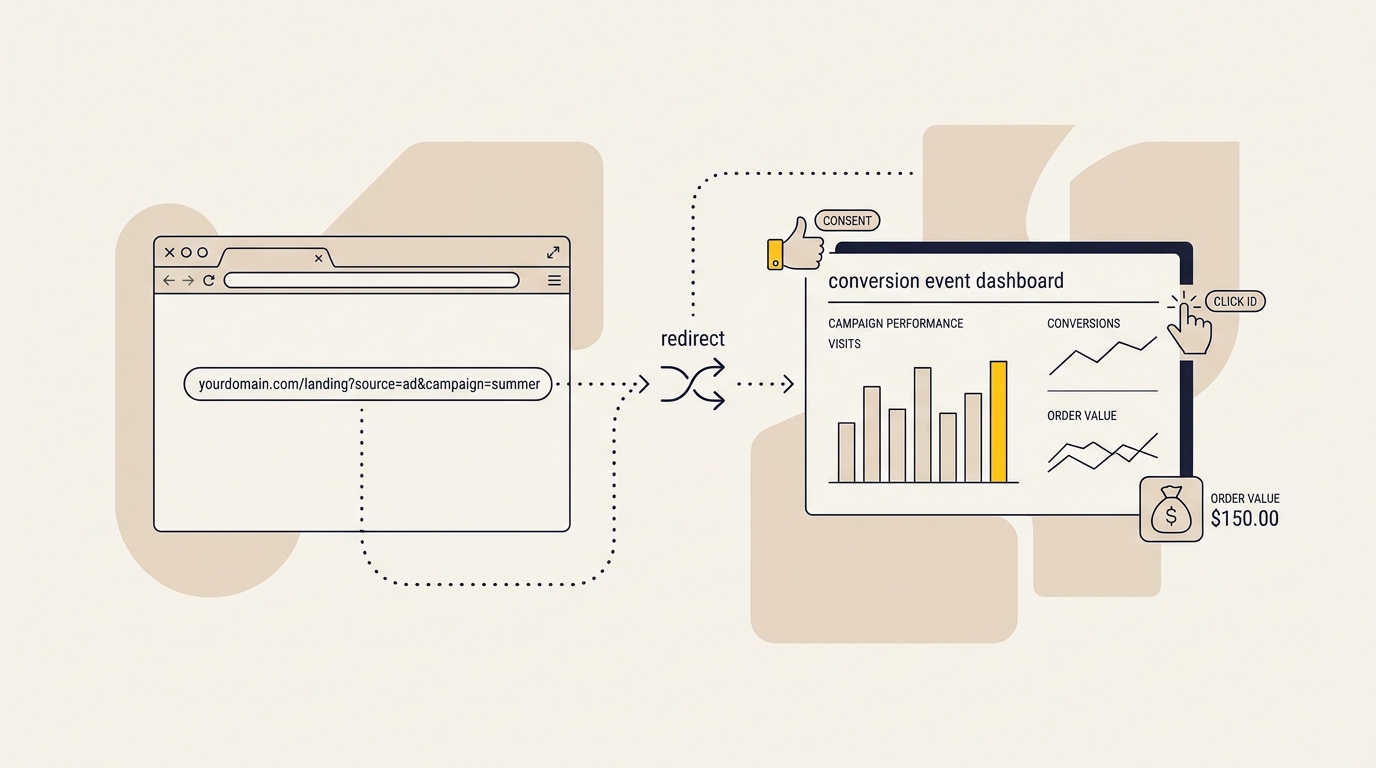
A button click is not the same as a received enquiry. The conversion should represent a completed, valid action, not an attempt to submit a form. Following verified steps on how to fix spam conversions and fake leads in Google Ads ensures only legitimate enquiries reach the ad platform. Google explains how Smart Bidding uses conversion goals; if a low-quality action is treated as success, campaign reporting and optimisation can both become less useful.
- Remove conversion firing from the submit-button click. A click can happen even when the form fails validation, the network request errors or the server rejects the submission.
- Fire only after a successful response. Trigger the event once the server confirms the enquiry was accepted, or use a success page that can only be reached after a valid submission.
- Prevent duplicate events on refresh. A thank-you page should not count again every time it is reloaded; use an event or session design that avoids repeated conversion recording.
- Do not count visits to the form as leads. Form views, button clicks and starts can be useful diagnostic events, but they should not be confused with completed enquiries.
- Test tags in a controlled session. Confirm that invalid submissions do not count, successful submissions count once, and refreshes or back-button use do not create extra conversions.
- Check that analytics and Ads use consistent event definitions. The numbers may still differ due to attribution and platform rules, but both systems should be measuring the intended action.
- Review which conversion actions are Primary. Use Primary actions for outcomes you want the campaign to optimise towards; retain useful diagnostic actions as Secondary when appropriate.
- Check campaign-specific goals as well as account goals. A campaign can use a goal configuration that differs from the account default, so verify the setting at the campaign level too.
- Do not assume every Secondary action is invisible. Secondary actions can remain useful in reporting, but check the columns and goal settings you use so the team understands what is included.
- Use one clear lead goal per campaign where possible. Combining weak micro-actions with qualified enquiries can make performance harder to interpret and may direct optimisation towards the wrong outcome.
- Keep raw form submissions for diagnosis if needed. You can measure them separately from the Primary bidding goal, then compare raw submissions with verified or qualified leads.
- Document the event name and trigger. A short tracking map should state what counts, where it fires and which systems receive it; this makes future tag changes safer.
If a lead is valuable only after a person checks it, the eventual qualified status may be a better bidding signal than the initial form fill. Do not switch goals without confirming you can send enough reliable data and that the conversion action is configured correctly. Google also provides guidance for lead generation in Performance Max, including the importance of choosing appropriate goals for lead campaigns.
5. Review campaign settings that can affect lead quality
A form fix cannot solve every traffic-quality issue. Tackling spam leads in paid search requires reviewing campaign setup alongside on-page defences. Review the settings and search terms that influence who sees your ads, but change one meaningful factor at a time so you can tell what improved the results.
- Check location options, not just the map target. Confirm the campaign's location setting matches whether you want people physically in your service area or people showing interest in it.
- Use location exclusions for places you do not serve. Check that exclusions are current and specific enough; an overly broad exclusion can remove valuable nearby customers.
- Review actual lead postcodes against target areas. A map setting does not replace checking where customers are located and whether your service team can reach them.
- Inspect search terms regularly. Add relevant negatives for searches that clearly cannot become customers, such as unrelated services, jobs or free resources, where appropriate.
- Do not block broad terms based on one spam lead. Look at a repeated pattern and the value of real enquiries before excluding a query or keyword.
- Review Search Partners separately. Compare lead quality and spend for this traffic where reporting allows; opt in or out based on evidence and the campaign's needs.
- Check Display expansion and network settings. Confirm the campaign is reaching only the networks you intend and review placement or traffic quality where the campaign type exposes those details.
- For Performance Max, use the controls available for that campaign type. Do not assume settings from a standard Search campaign apply; review the current Google Ads interface and official guidance.
- Check devices and time patterns, then verify them. If a device or time period has consistently poor qualified-lead rates, test a measured adjustment rather than assuming all activity in that category is invalid.
- Avoid major bidding changes while tracking is broken. Fix measurement first; otherwise you cannot judge whether a bid strategy is reacting to real customers or flawed events.
- Keep a change log. Record the date, setting, reason and observed effect for each material change so you can reverse a harmful change quickly.
Do not expect campaign exclusions to stop a bot that can submit through a valid visit. They can reduce irrelevant or low-quality traffic, but form validation and conversion integrity address different parts of the problem. If you manage campaigns for a trade business, our trades industry page explains the kind of service-business context a landing page needs to make clear.
6. Send qualified lead outcomes back to Google Ads
A CRM can connect the ad click to what happened after the form was submitted. This is often called offline conversion tracking: a business sends a later outcome, such as a qualified lead or completed sale, back to the ad platform. It is more setup than counting form fills, but it can make the reported outcome closer to the value the business cares about.
- Capture click identifiers when consent and implementation allow. Store available identifiers such as GCLID, GBRAID or WBRAID with the enquiry record; do not assume every visit will contain every identifier.
- Preserve the identifier through the form journey. If a visitor moves between pages or uses a multi-step form, confirm that the identifier remains linked to the final lead.
- Send the identifier to the CRM with the lead. Keep it in a dedicated field rather than burying it in notes, and restrict access to staff who need it.
- Use clear lead statuses. Define stages such as new, contacted, qualified, booked, won and lost so that sales staff apply them consistently.
- Choose a status that is useful and repeatable. “Qualified” should have a written definition, such as service fit and valid contact details, rather than being an informal feeling.
- Send the later outcome only when it is real. Do not upload a lead as qualified simply because it was submitted; wait until it meets the agreed criteria.
- Check the upload method and required fields. Google documents offline conversion import troubleshooting; follow the current requirements for the method you use.
- Consider enhanced conversions for leads where appropriate. These use customer-provided data in a privacy-protective matching process when configured correctly; confirm current requirements, consent and data handling with your implementation team.
- Test with a small set before automating at scale. Verify that the lead, click information, time and conversion action match, and that errors are visible to whoever maintains the integration.
- Track upload failures and delays. An integration that silently stops sending qualified outcomes can make the bidding signal incomplete even when the CRM process is working.
- Limit access and retention. Keep only the customer and campaign data needed for the defined purpose, and follow applicable privacy obligations for your location and industry.
Offline conversion tracking needs a dependable CRM process. A small business with inconsistent lead statuses may get more value first from clean form tracking and disciplined qualification than from a complex integration. If you have a CRM workflow already, add the connection as a measured next step, not a substitute for fixing the form.
7. Correct conversions that were recorded by mistake
If a fake lead has already counted, first check whether the conversion action supports an adjustment and whether you have the information needed to match the original event. Google describes conversion adjustments for changing or retracting eligible conversions. Follow the current instructions for your conversion source and adjustment type; do not rely on a spreadsheet template or time window copied from an old setup.
- Identify the specific false conversion. Keep the original event details and CRM record so you can distinguish it from a genuine lead with a similar timestamp.
- Confirm the action is eligible for adjustment. Website tags, imported conversions and other sources can have different requirements; check the applicable Google documentation before attempting a correction.
- Use a retraction only for an event that should not count. A retraction removes the conversion's contribution rather than changing a genuine lead into a different quality stage.
- Use a value adjustment when the lead remains real but its value changed. Do not use a value change to disguise a fake event; choose the adjustment that reflects what actually happened.
- Keep a record of the reason and date. This lets you audit later changes and explain differences between CRM records and Ads reporting.
- Do not expect an instant campaign reset. Conversion corrections and bidding systems do not necessarily change performance immediately; focus on preventing future bad signals too.
8. Monitor the right metrics after launch
Spam prevention is an ongoing process. Review the quality of leads alongside the numbers in the ad account, and watch for false positives after each change. A control that appears to reduce spam may simply have reduced all submissions. If you want unified reporting across web analytics and CRM data, D23 offers managed Apache Superset dashboards so you can interrogate your pipeline numbers directly.
- Measure valid-lead rate. Divide leads that meet your definition of valid by total submitted leads; keep the definition consistent from week to week.
- Measure qualified leads and booked jobs separately. These show whether the enquiry pipeline is improving beyond the first form event.
- Compare cost per qualified lead, not only cost per form fill. This aligns campaign review more closely with the outcome the business can sell or deliver.
- Track form completion and error rates. If spam falls but genuine completion also collapses, revisit the new friction or validation rule.
- Review false positives with the team. Ask staff to flag legitimate customers rejected by a filter and include a recovery path for those cases.
- Break down performance by landing page and campaign. A site-wide average can hide one page or campaign with a particular problem.
- Check mobile performance after adding scripts. Re-test loading, form interaction and error handling on real devices; a security tool should not make the form feel broken.
- Review search terms and lead records together. The campaign report tells you what people searched; the CRM shows whether those visitors became useful enquiries.
- Schedule a regular review. Weekly checks may suit active campaigns with frequent leads; lower-volume accounts can use a less frequent review, provided issues are not left unexamined.
- Keep a before-and-after period. Compare similar periods and note other changes, such as budget, landing page edits or seasonality, that might explain the difference.
9. A practical rollout checklist
Use this sequence to avoid changing five things at once and losing track of what worked.
- Day one: audit a sample of leads and the current conversion setup. Confirm the spam patterns and identify whether the tag counts clicks, attempts or successful submissions.
- Next: fix the event trigger and test it. Make sure successful enquiries count once and failed attempts do not count as leads.
- Then: improve the form itself. Remove unnecessary questions, make the mobile flow clearer and add server-side validation for the fields you genuinely need.
- Add proportionate bot controls. Start with low-friction layers, test them with real people and add a managed challenge only if evidence shows it is needed.
- Review campaign settings and search terms. Correct geography and remove clearly irrelevant traffic without making broad exclusions based on assumptions.
- Agree on a qualified-lead definition with whoever answers enquiries. If lead quality is the bidding goal, the sales process needs to label it consistently.
- Connect CRM outcomes where the data and process are ready. Test imports carefully and monitor failures before relying on them for optimisation.
- Review the results after enough data has accumulated. Compare valid leads, qualified leads, bookings and spend, not just the raw conversion count.
Which fixes should you prioritise?
| Situation | Start with | Why |
|---|---|---|
| The Ads conversion count is higher than successful form records | Check the tag trigger and duplicate events | A tracking error can inflate results without any bot traffic. |
| The form has lots of fields and low completion | Simplify the questions and improve mobile layout | More friction can turn away real customers without stopping sophisticated automation. |
| Spam is confirmed, but leads still count as conversions | Separate raw submissions from Primary bidding goals | Automated bidding should not treat an unverified attempt as the business outcome. |
| Most leads are outside your service area | Review location options, exclusions and postcode checks | Clear service boundaries help both the ad settings and the form qualify enquiries. |
| You can reliably label leads in a CRM | Test offline qualified-lead imports | Later outcomes can give the campaign a more meaningful signal than a basic form fill. |
| You are unsure what is failing | Label leads and compare the full journey | Diagnosis prevents a costly fix for the wrong problem. |
For help reviewing the page design, tracking path and campaign landing experience together, explore DesignFIT's website design service. If you are ready to discuss the campaign and enquiry journey, contact DesignFIT as the next step.
Key takeaway
Stop spam leads in Google Ads by counting verified customer outcomes, not just form attempts, and keep every protection easy for genuine customers to pass.
Questions people ask
Should I remove Form Submit as a Primary conversion action in Google Ads?
If the event counts failed, duplicate or clearly unqualified submissions, stop using that raw event as the main bidding goal while you fix tracking. You can keep it for diagnosis and use a verified or qualified lead as Primary when your tracking process can measure that outcome reliably.
Why did fake form submissions increase after I turned on Smart Bidding?
A timing change does not prove Smart Bidding caused the spam. Check whether the conversion action is firing on button clicks or failed submissions, then compare the campaign's traffic, settings and lead records before changing bids.
Does Google refund money spent on spam form clicks?
A spam form submission by itself does not prove the ad click was invalid, so do not assume it will be refunded. Review the click and billing information in your account and contact Google Ads support if you believe the traffic itself was invalid.
Can I retract a fake conversion so Google Ads stops using it?
Google Ads supports conversion adjustments for eligible conversion actions, including retractions. Check the current requirements for your conversion source and keep the original event details; a correction is not a substitute for preventing the same event from being counted again.
Is Cloudflare Turnstile better than Google reCAPTCHA for stopping spam?
There is no best option for every form. Compare current vendor documentation for privacy, accessibility, cost and performance, then test the chosen control with real customers and monitor whether it blocks legitimate enquiries.