AI Chatbot Website Design That Builds Trust
A useful website assistant needs more than a chat widget: it needs clear answers, verified information and an easy route to a person.
On this page
- What is an AI website assistant?
- Start with the visitor’s job, not the technology
- Design the assistant’s persona around its job
- Make the first screen useful
- Design for mobile before desktop
- Make human handoff a core feature
- Ground answers in information you trust
- Protect the boundary between help and advice
- Choose a build approach that fits the job
- Design a safe path from answer to action
- Test the assistant before launch
- Measure whether it is helping
- A pre-launch checklist for AI chatbot website design
- The design decisions are the product
AI chatbot website design is the work of shaping how a website assistant looks, speaks, answers questions and connects visitors with your team. The best assistants are not simply friendly or technically clever. They make it easy to get a useful answer, understand its limits and take the next step, whether that means reading a service page or talking to a person.
That takes deliberate decisions about the assistant’s role, tone, layout, knowledge and handoff. If you are planning a custom assistant, DesignFIT’s chat experience design service can help turn those decisions into a useful, branded experience rather than another generic widget.
What is an AI website assistant?
An AI website assistant is a chat interface that uses artificial intelligence to interpret questions and produce replies using information it has been given or can retrieve. A visitor might ask about your services, opening hours, delivery, eligibility or how to book. The assistant responds in natural language instead of asking the visitor to navigate a fixed menu.
A traditional rule-based chatbot follows prewritten rules. For instance, it might show a list of topics and return a saved answer when someone selects one. A generative AI assistant can form new responses to different wordings of a question. That flexibility can make it feel more helpful, but it also introduces a risk: it may produce a confident answer that is not true.
The design challenge is to make the flexibility useful without making the assistant seem more capable or authoritative than it is. The goal is not to keep visitors chatting for as long as possible. The goal is to help them do something they came to the site to do.
Start with the visitor’s job, not the technology
Before choosing a model, widget or integration, decide what job the assistant should do. A clear job gives you a way to judge its answers, its interface and its business value. Without one, the chat can become a vague catch-all for questions the rest of the website has not answered clearly.
Write the role as a short statement. For example: This assistant helps prospective customers understand our services, find relevant information and request a conversation with our team. That is more useful than saying it should answer anything about the business.
Then list the questions a visitor needs answered before they can move forward. A professional services firm might hear questions about its services, project process, timing, pricing approach and who it works with. A clinic might need to help visitors find services, understand how to make an appointment and know where to direct urgent concerns. The assistant’s role and safety boundaries will differ by business.
Separate questions into three groups:
- Answer directly: The answer is approved, stable and clearly documented, such as your location or the steps for requesting a consultation.
- Guide to a page or action: The visitor needs more detail, a product list, a form, a booking flow or information that is easier to understand in its full context.
- Refer to a person: The answer depends on the visitor’s circumstances, requires judgement, is not documented or could create risk if it is wrong.
This grouping is a basic service map. It helps prevent the assistant from answering questions simply because it can generate a plausible response. It also helps your team decide what information needs to be added to the website itself. If visitors repeatedly ask the same basic question, a better page may solve the problem for everyone, including people who never open chat.
Design the assistant’s persona around its job
A chatbot persona is the set of traits and behaviours that shape how the assistant communicates. It is not a fictional biography. It should express your brand while making the assistant’s purpose and limits clear. Nielsen Norman Group details these persona traits in its research on the dimensions of AI chatbots.
Choose a few useful traits, such as concise, calm, practical and professional. Then translate each trait into a behaviour. Concise means answer the question without a long introduction. Calm means do not use exclamation marks to paper over uncertainty. Practical means offer a relevant next action. Professional means use plain, respectful language without pretending to be a staff member.
A vague instruction such as be warm and helpful gives an AI little direction. One visitor may get a long, chatty reply; another may get a terse one. More concrete guidance is easier to test. For example: Start with the direct answer. Keep the first response brief. Use a short list when it makes steps easier to scan. Link to the page with more detail. If the answer is not in the approved information, say so and offer a way to contact the team.
A website assistant is often used like a search tool, not like a social companion. Visitors may type fragments such as pricing, do you serve Perth, or change my booking. They usually do not need a greeting exchange before the answer. Nielsen Norman Group’s guidance for designing site AI chatbots discusses how chatbot interactions should fit the task and the user’s expectations. Its article on getting to the point in site AI chatbots is also a useful prompt to favour direct answers over conversational padding.
A simple answer pattern
Use a repeatable structure so visitors can scan replies quickly:
- Answer: Give the direct response first.
- Context: Add a short explanation or the condition that matters.
- Next step: Link to the right page or offer a human contact option.
For example, a visitor asks whether your team works with new businesses. A helpful answer might say: Yes, we work with businesses preparing to launch as well as established teams. The right scope depends on what you need to launch and what is already in place. See our product and interface design service or tell us about your project.
This answer is direct, but it does not claim every new business is a fit. It gives a relevant path forward without forcing the visitor to ask another question just to find the page.
Be transparent about AI identity
Tell visitors clearly that they are speaking with an AI assistant. Put that information where they will see it before or when they begin the conversation, not in a policy page they are unlikely to open. A label such as AI assistant is clearer than a name that could make visitors think they are speaking to a human employee.
Transparency is part of good interaction design. It lets visitors calibrate their expectations: the assistant may provide fast help, but it may not understand every situation or have authority to make decisions. Avoid claiming that the assistant is a specialist, adviser or representative unless that description is accurate and supported by appropriate controls.
Make the first screen useful
The first view of the chat can either help a visitor begin or give them an empty box and no clue what to ask. A welcome message should explain what the assistant can help with in a sentence. Then show a small set of useful suggested questions or actions.
Good suggestions reflect real visitor intent, such as:
- What services do you offer?
- How does the project process work?
- Can I speak with someone?
For an online store, suggestions might focus on delivery, returns or product selection. For a clinic, they might point to services and appointment information. Do not choose suggestions because they sound clever. Choose them from support enquiries, sales conversations, site-search terms, analytics and the pages visitors need to reach.
A suggested prompt is a shortcut, not a replacement for free text. People should still be able to type their own question. If the assistant handles only the prepared prompts well, it is a narrow menu with an AI label.
Place the chat without obstructing the site
A chat launcher should be visible enough to find but should not compete with the page’s main action. An auto-opening chat can cover content or interrupt a visitor who is already reading. On mobile, that can obscure navigation, a booking button or a checkout control.
Use a clear text label such as Ask our AI assistant when space permits. An unexplained sparkle or speech-bubble icon may not tell a visitor what will happen when they tap it. Check the launcher against the site’s existing visual hierarchy: the most important call to action should remain the most important one.
When chat opens, make the close control obvious and preserve the visitor’s place on the page. The interface should not punish someone for deciding they do not need it. Make keyboard use, focus states, readable type and contrast part of the design, not polish to add at the end.
Design for mobile before desktop
Many visitors will see the assistant on a phone, where the screen is small and the keyboard takes up space. A desktop chat panel shrunk to fit a phone can leave too little room for the conversation and make scrolling awkward.
Choose a mobile layout deliberately. A full-screen view or bottom sheet can give the conversation enough space, provided the visitor can still tell that they are in chat and can close it easily. Keep the message composer visible when the keyboard opens. Check what happens to long answers, links, forms and the handoff option when the viewport is narrow.
The response itself is part of mobile interface design. A large paragraph pushes earlier content out of view and makes it harder to find the useful detail. Ask for short answers, use lists for steps and provide a link for depth. Do not impose an arbitrary word limit without testing: a short response that omits a necessary condition is not better than a longer, clear one.
Test realistic questions, not just the neat examples in a design file. Try a typo, a one-word prompt, a follow-up question, a pasted block of text and a question that needs a person. See whether the chat maintains context and whether the visitor can still reach the underlying page content.
Make human handoff a core feature
Human handoff is the process of moving a conversation from the AI assistant to a person. It is not a failure state. It is an essential route for questions that need judgement, sensitive information, account access or a reliable answer the assistant cannot provide.
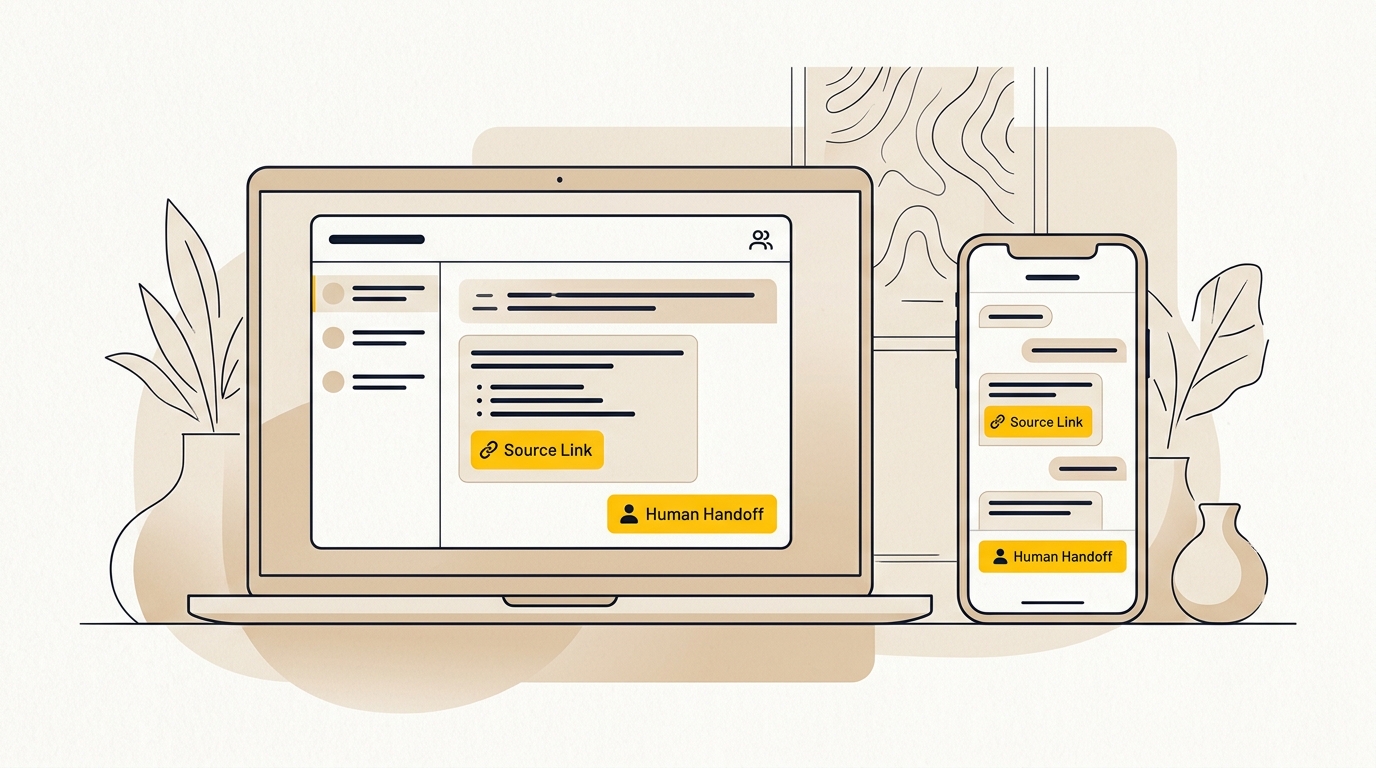
Make the option easy to find. A visitor should not have to use a special phrase, fail several times or prove they are frustrated before they can ask for a person. Offer a visible contact or talk to our team action, and recognise direct requests such as can I speak to someone.
Set clear handoff triggers. For example, transfer or offer a human when:
- The visitor asks to speak with a person.
- The assistant cannot find an approved answer.
- The visitor is asking for a decision that depends on individual circumstances.
- The assistant has misunderstood the question more than once.
- The topic involves a complaint, an urgent matter or sensitive personal information.
- The visitor is ready to book, purchase or discuss a project with your team.
A confidence score is a system’s estimate that a response or retrieved source is relevant. It can help a technical team detect uncertain answers, but it is not proof that an answer is correct. Do not use a score as the only handoff rule. A confident-sounding model can still be wrong, and a simple keyword request for a person should not have to pass a technical threshold.
Do not make visitors repeat themselves
A handoff is only helpful if the person receiving it has enough context to continue. A context summary is a short, structured account of what the visitor asked and what has happened so far. It might include the visitor’s goal, the relevant page or service, questions already answered and the reason the assistant is escalating.
Ask only for information the human team needs. If the visitor has already explained the problem, do not send them to a blank contact form and make them start again. Where your systems allow it, pass the conversation or a clear summary into the team’s inbox or customer management system. A customer relationship management system, often called a CRM, is software businesses use to track customer and prospect interactions.
Be clear about what happens next. If the team is available in live chat, say so. If the assistant sends a message for a later reply, set an honest expectation without promising a response time you cannot meet. If there is no live human coverage, offer the best available alternative, such as a contact form or phone number.
The handoff should preserve visitor choice. Do not collect a phone number or email address as a condition of reaching a person unless it is genuinely needed for that contact route. Explain why you need the information and what will happen with it. Avoid asking for sensitive details in a public chat when a secure channel is more appropriate.
Ground answers in information you trust
Grounding is the practice of limiting an AI response to information from approved sources. It matters because generative AI can produce plausible text that is not supported by the business’s actual policies, prices or services. Engineering reliable site-specific AI chatbots requires maintaining strict quality boundaries around accuracy, scope and authority.
One common approach is retrieval-augmented generation, shortened to RAG. RAG means the system searches a collection of approved information, retrieves relevant passages and gives them to the language model to help form an answer. The model is still generating the response, so retrieval helps but does not guarantee correctness.
Start with a source set your team can maintain. This could include service descriptions, product information, published policies, booking instructions and approved answers to common questions. Each item should have an owner and a review date. Remove duplicate or contradictory versions. A chatbot cannot reliably resolve a disagreement between two old documents just because both are in its knowledge base.
Treat important commercial facts with extra care. Prices, inclusions, availability, warranties and timing can change. Decide which system is the authoritative source for each fact. If a price is only available after a consultation, the assistant should say that rather than estimate. If a detail is not documented, the correct answer is that it cannot verify it.
A useful fallback might be: I cannot confirm that detail from our current information. I can connect you with the team so they can give you an accurate answer. The wording should be calm and useful. Do not make the assistant apologise at length or guess just to avoid admitting a gap.
Show where an answer comes from
A citation is a reference that lets a reader check the source behind a statement. In a chat interface, a compact source link beneath an answer can help a visitor open the relevant service, policy or help page. The link should lead to the information that supports the response, not simply to the homepage.
Source links also create a practical design test. If you cannot identify a page that supports an answer, ask whether the assistant should give that answer at all. Nielsen Norman Group’s discussion of explainable AI explores ways to help people understand AI outputs. For a business assistant, a plain link to the underlying policy or service page is often more useful than a technical explanation of how the model works.
Do not use citations as decoration. A source link must genuinely support the claim. If the answer combines several facts, provide the relevant source or rework the reply so the visitor can see which details are covered. Test what happens when the cited page changes or disappears.
Protect the boundary between help and advice
Some questions are easy to answer from published information. Others require an expert to understand the visitor’s situation. The boundary depends on your business and the consequences of an error.
For example, a clinic assistant may help someone find a service page or explain how to request an appointment. It should not diagnose a condition based on a few chat messages. A legal firm’s assistant may explain how to contact the firm or summarise published service information. It should not imply that a visitor has received legal advice. A store assistant may point to a returns policy but should not promise an exception unless an authorised person has approved it.
Write these boundaries down in plain language. Include them in the assistant’s instructions and test them with realistic prompts. Add a separate path for urgent or safety-related situations where appropriate. A disclaimer alone does not make an unsafe interaction safe; the assistant must also avoid giving the inappropriate answer and direct the person to a suitable next step.
Collect the minimum information needed to help. If the assistant asks for personal details, make the reason clear at the point of asking. Do not invite visitors to paste payment details, passwords, health information or other sensitive material into a general-purpose chat unless you have designed and approved a suitable process for handling it.
Choose a build approach that fits the job
A hosted support platform, a custom assistant and a simple guided chat flow each suit different needs. The right choice depends on how much control you need over the experience, what systems must connect and who will maintain the information.
| Approach | Often suits | Design trade-off |
|---|---|---|
| Guided or rule-based chat | A small set of predictable questions and actions | Easier to control, but can feel restrictive when visitors ask something unexpected |
| Hosted support platform | Teams that need chat, ticketing and staff workflows in one service | Faster to start, but the interface and behaviour may be less flexible |
| Custom AI assistant | A distinctive brand experience or specialised website flow | More control, but requires design, integration, testing and ongoing ownership |
A hosted platform is not automatically a poor fit, and a custom build is not automatically better. Compare the visitor experience and operating requirements, not just the feature list. Will staff be able to update content? Can the assistant pass context into the tools the team already uses? Can you control its visual design, answer sources and escalation behaviour?
If you are considering Claude, Anthropic publishes information about its Claude models and pricing. Pricing, model names and capabilities can change, so check the current vendor documentation before estimating a project. Intercom publishes its current Fin AI Agent and product pricing. Treat that as a starting point for comparison, then check what is included in the plan you would actually use.
A responsible cost estimate includes more than model usage or a software subscription. Allow for interface design, development, connecting approved information, setting up the human workflow, privacy and security review where needed, testing, monitoring and content maintenance. The initial build is only part of the work. Someone must own updates when a policy changes, a service is renamed or the assistant gives a poor answer. To compare typical project scopes and ongoing retainer commitments, review our pricing.
Design a safe path from answer to action
The assistant should help visitors progress through the same journey as the rest of the site. That may mean reading a detailed service page, finding a relevant product, completing a booking request or contacting a person. Keep these actions clear and connected to the conversation.
A useful next step is specific. Instead of saying explore our website, link to the relevant page and explain what the visitor will find there. Instead of asking every visitor to book a call, offer that option when they show intent or ask a question that benefits from a conversation.
Avoid turning every chat into a lead form. If the assistant asks for an email address before giving basic information, visitors may see the conversation as a sales gate. Let people get useful answers without surrendering contact details when those details are not necessary.
For a business buying or commissioning a custom experience, DesignFIT’s product and interface design service can help map the interaction, screens and system connections. The chat experience should fit the rest of the digital product, including its information hierarchy, brand and conversion paths.
Test the assistant before launch
A good test plan covers the ordinary, the ambiguous and the risky. Do not test only questions that are written neatly or copied directly from your approved pages. Real visitors may be brief, misspell words, change direction or ask questions with missing context.
Build a test set with examples from real customer conversations and site-search queries, removing personal information first. Include:
- Common questions with a clear, approved answer.
- Questions with several possible meanings.
- Requests about information that is not in the source material.
- Outdated or conflicting facts to see whether the assistant makes a safe choice.
- Direct requests for a human.
- Follow-up questions that refer to something said earlier.
- Questions that require a boundary or referral.
- Mobile tests involving links, long answers, forms and the keyboard.
Review each response for more than factual accuracy. Is the answer relevant? Is the first sentence useful? Is the source appropriate? Does the assistant overstate certainty? Is the next step understandable? Can a visitor leave chat or speak with a person? A response can be accurate and still fail because it is hard to scan or sends the visitor to the wrong page.
Keep a record of failures and assign an owner to fix them. Some issues need better source content. Others need a more precise instruction, a changed handoff rule or a redesigned interface. Do not treat every failure as a prompt-writing problem. If the source information is missing or the product journey is confusing, changing a few words in the system prompt will not solve it.
Measure whether it is helping
A high chat-open rate does not prove the assistant is useful. Track measures connected to the job you set for it. These may include whether visitors find the right information, reach a suitable human, complete a booking or take another intended action.
Pair quantitative measures with conversation review. For example, track questions the assistant could not answer and review a sample of conversations to understand why. The cause might be missing content, poor search retrieval, an unclear button or a visitor who actually needed a person. Keep the review process respectful of privacy and only retain the information your team needs.
Define what counts as a successful outcome before launch. An interaction ending without another message does not necessarily mean the visitor got a good answer. They may have left because the assistant helped, or because it failed. Likewise, a conversation handed to a person is not automatically a failure if a human was the right route.
Use what you learn to improve the whole website. If people often ask what a service costs, make sure the pricing approach is clear on the relevant page, even if exact prices depend on scope. If visitors cannot tell which service applies to them, improve the navigation and service descriptions. The assistant can reveal gaps in the wider experience, but should not become a patch for a site that is difficult to understand.
A pre-launch checklist for AI chatbot website design
Before publishing, check that:
- The assistant has one clearly defined job and a list of questions it should not handle.
- Visitors are told clearly that the assistant uses AI.
- The writing style is specific, concise and consistent with your brand.
- Suggested prompts reflect real visitor needs and lead to useful outcomes.
- The chat works on mobile, keyboard and assistive technologies.
- Approved source information has an owner and a review process.
- The assistant says when it cannot verify an answer instead of guessing.
- Important answers link to the page that supports them.
- Visitors can ask for a person without being trapped in a loop.
- Handoffs preserve useful context and set honest expectations.
- Your team knows who monitors conversations and updates the system.
- You have tested ordinary questions, edge cases and unsafe requests.
- You have defined success in terms of visitor outcomes, not chat volume alone.
The design decisions are the product
An AI assistant is not just a model with a chat window around it. Its persona sets expectations. Its answer structure determines whether information is easy to scan. Its sources affect whether visitors can check a claim. Its handoff determines whether a difficult question becomes a helpful human conversation or a dead end.
Start small. Give the assistant a defined role, a reliable set of information and a visible route to a person. Test it with real visitor questions, watch where it struggles and improve both the chat and the pages around it.
If you are planning an assistant for your website, talk to DesignFIT about designing the chat experience.
Key takeaway
A website assistant earns trust when it gives direct, verifiable answers and makes the path to a person easy.
Questions people ask
How do you design an AI chatbot for a website?
Start by defining the visitor task the assistant should support and the questions it must hand to a person. Then design its tone, first screen, mobile layout, approved information sources and escalation path, and test the experience with real questions before launch.
What is the difference between a rule-based chatbot and an AI website assistant?
A rule-based chatbot follows predefined choices and replies, while a generative AI assistant can create responses to a wider range of questions. The extra flexibility needs stronger source controls and testing because an AI assistant can produce unsupported answers.
How can I stop my website chatbot from making up prices?
Give it an approved source for pricing and instruct it not to estimate when the information is missing or conditional. Test price questions, keep the source current and send visitors to a person when an accurate quote depends on their circumstances.
How should an AI chatbot transfer a conversation to a human?
Make the human option easy to find and trigger it when a visitor asks, the assistant cannot verify an answer or the issue needs judgement. Pass a concise summary of the visitor’s goal and what has already been discussed so they do not have to start again.
Should a website chatbot disclose that it is AI?
Yes. Label it clearly before or at the start of the conversation so visitors understand who or what is answering and can set reasonable expectations.


