B2B Website Design That Generates Qualified Leads
A practical guide to designing the pages B2B buyers check before they book a sales call.
On this page
- What does B2B website design need to do?
- Why do buyers check your site before contacting sales?
- The five pages buyers check before booking a call
- How to design the path from research to enquiry
- How to measure whether the website is creating better leads
- Common reasons B2B websites fail to generate qualified leads
- How to plan a B2B website redesign
- A practical checklist before you publish
- What to remember about B2B website design
B2B website design generates qualified leads when it helps the right buyers understand what you do, trust your evidence and take a sensible next step. That means designing the pages people inspect before a sales call, not just polishing the homepage. Start with the buyer’s questions, then use layout, content and proof to answer them clearly. If you are planning a rebuild, see how DesignFIT approaches website design around performance, not decoration.
What does B2B website design need to do?
B2B website design is the planning and design of a business to business website, including its content, page structure and visual system, to help organisations evaluate and act on a supplier. A good site supports the whole decision, from first impression to internal approval and enquiry. It is both a marketing channel and a sales tool.
A qualified lead is a person or organisation that appears to fit your target market and has a real reason to discuss your offer. The website cannot qualify every lead on its own, but it can help visitors recognise whether your service suits their needs, budget, timing and level of complexity. It can also give your sales team useful context before a first conversation.
That distinction matters. A website can generate many form submissions while producing little usable pipeline. If the message is vague, the proof is thin or the form asks for too much too soon, people who are a poor fit may enquire while good prospects quietly leave to compare another supplier.
The design job is to reduce uncertainty for the right buyer. Clear page hierarchy helps visitors find the answer they came for. Specific proof makes claims easier to assess. A useful call to action gives them a next step that matches their readiness. These are design decisions because layout, type, contrast, navigation and interaction determine how easily the evidence can be found and understood.
Why do buyers check your site before contacting sales?
Many B2B buyers want to research suppliers without speaking to a salesperson at the start. Gartner reported in March 2026 that 67% of surveyed B2B buyers preferred a rep free buying experience. That does not mean sales has no role. It means your website may be doing important evaluation work before the first conversation. Read Gartner’s survey announcement.
This is especially important when several people have a say. Research from Forrester on realities about B2B buying networks shows that multiple stakeholders evaluate each purchase. A marketing lead may assess the service and fit. Finance may look for a clear investment and business case. Operations may want to understand implementation effort. Technology, legal or procurement teams may need to check integrations, data handling or contractual details. One generic page rarely answers all of those questions well.
Buyers are also comparing your website with what they hear later from your team. As detailed in Forbes on how B2B buyers decide before you know they are looking, shortlists are often formed during early independent research. If the site promises one thing and the sales call describes a different scope, delivery model or price expectation, confidence can drop. A useful website sets accurate expectations so sales can build on what the buyer already understands.
Research from 6sense describes B2B buyer behaviour and the way buyers form shortlists during their evaluation. The practical lesson is not to assume that a prospect will discover your value only when sales speaks to them. Make your strongest evidence and clearest explanation available while they are comparing options. See the 6sense B2B Buyer Experience Report.
The five pages buyers check before booking a call
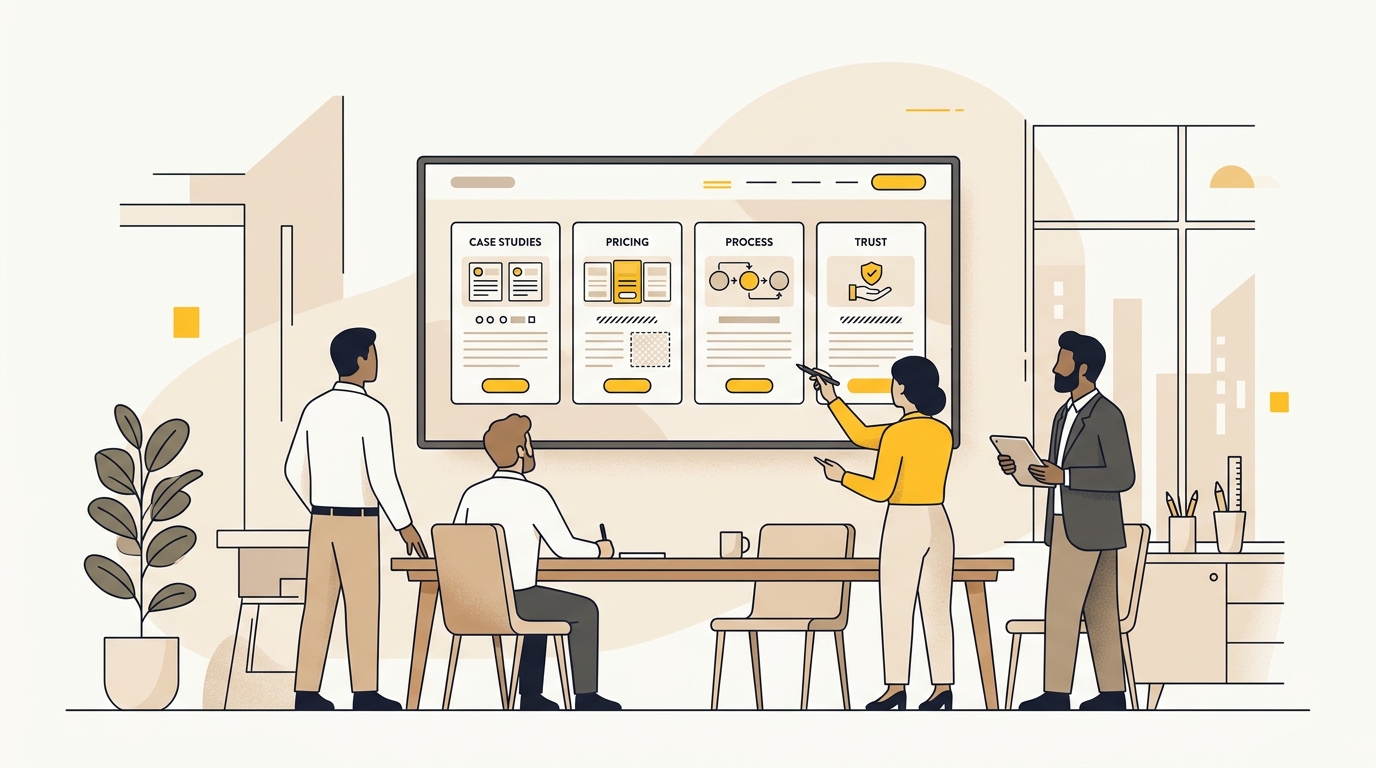
The exact pages differ by offer, but most B2B buyers need to answer five broad questions: Have you solved a similar problem? What exactly do you do? Can we afford and justify it? What will working with you involve? Can we trust you with the work?
Treat these as a connected evaluation path, not five isolated pages. A case study should lead naturally to the related service. The service page should explain the process and link to relevant proof. Pricing information should help a buyer decide whether a conversation is worth having. Shared navigation and repeated page patterns make this path easier to follow.
1. Case studies: can you prove the work?
A case study is a structured account of a client’s problem, the work completed and what changed. It is more useful than a gallery of attractive outcomes because it explains why the work mattered and how it was delivered.
Start with the buyer’s question, not your own project history. A visitor wants to know whether you understand their situation, whether the work resembles what they need and whether the outcome was worthwhile. Organise each case study so those answers are visible without reading every line.
A useful structure is:
- Context: Identify the type of organisation and the situation. Share only details the client has approved.
- Challenge: Explain the problem in concrete terms. For example, the team may have had several services but no clear way to distinguish them online.
- Approach: Describe the key decisions, constraints and work involved. Explain why the chosen approach fit the problem.
- Outcome: Report verified results, if the client has approved them and you can support them. If you do not have reliable numbers, describe the delivered change plainly instead of inventing a metric.
- Relevance: Say who the work is a good example for and link to the related service or next step.
Design the page to support skimming. Put a concise summary near the top, use descriptive subheadings and break up long text with diagrams, images or short callouts where they add information. A small set of strong projects, presented consistently, usually tells a clearer story than a large grid of unexplained thumbnails.
Use specific, verifiable client quotes when permission is in place. Identify the person’s role accurately and make the quote relevant to the work. Do not add a headshot, title or endorsement that the client has not authorised. If confidentiality prevents naming a client, say so and provide other useful context, such as sector, organisation size or project type, only where it is safe and accurate.
A portfolio helps the buyer assess your standard of work, but a well designed case study does more: it shows your judgement. You can explore our selected client work and case studies to see how structured proof clarifies capability. That matters for professional firms, where expertise can be difficult to evaluate before a conversation. See how professional services businesses can present their expertise online.
2. Service pages: what are you actually offering?
A service page explains the problem you solve, who the service is for, what is included and what the buyer can do next. It should make your offer easier to understand than a list of internal service names.
Start with the customer’s situation. A headline such as a service label may be accurate but too broad to help someone decide. Add a short explanation of the business problem you address, the audience you work with and the result the service is intended to support. Be precise about what you can influence and avoid promising an outcome you cannot guarantee.
Then answer the practical questions buyers need to resolve:
- What is included, and what is outside scope?
- What information or access will you need from the client?
- Who will do the work and who will be the main contact?
- What decisions will the client need to make?
- What happens after the work is delivered?
- Which systems, locations or types of organisation are a good fit?
The page’s visual hierarchy should mirror the buyer’s thought process. Put the core offer and audience first, then the explanation, evidence and delivery details. Use subheadings that make sense when skimmed on their own. Avoid hiding important limits or qualifications in small text at the bottom.
For complex services, use a simple diagram to show how the parts fit together. A clear sequence or service map can make a complicated offer easier to grasp than several paragraphs of internal terminology. Keep the diagram labelled and readable on a phone. If the graphic requires a long explanation, simplify it.
3. Pricing and investment: is this worth discussing?
A pricing page helps a buyer judge whether your offer may fit their budget and whether a conversation is worth the effort. It does not always need to show one fixed price. For custom work, you can explain how fees are shaped and give useful scope boundaries without pretending every project costs the same.
A buyer generally needs a budget signal, not false precision. If you can publish a price or range responsibly, explain what it covers, what may change the cost and whether taxes or third party expenses are included. If you cannot provide a meaningful range, explain why and show the main factors that determine a quote, such as number of page types, content needs, integrations or approval complexity.
A useful pricing page might include:
- The types of engagement available and who each suits.
- A clear description of included work and common exclusions.
- Factors that affect scope and investment.
- How a proposal is prepared and what information you need.
- A lower commitment action, such as requesting a scope checklist.
- A direct action for buyers who are ready to discuss a project.
Do not make someone complete a long qualification form just to learn basic scope information. Forms have a place, but a high friction gate can discourage a suitable buyer who is still gathering information for colleagues. Share enough context first, then ask for only the information needed to route or prepare a useful response.
Pricing design is also a sales alignment tool. When your page sets honest expectations, your team can spend less time correcting misunderstandings and more time discussing fit. If the fee depends on discovery, say what discovery covers and what the buyer will receive from it.
4. Process pages: what will working together involve?
A process page explains how a project moves from the first conversation to delivery and what the client needs to contribute along the way. It helps reduce delivery uncertainty, especially when the work involves several teams, approvals or technology partners.
Show the sequence in plain language. For each phase, describe the purpose, the key activity, the client’s role and the output. A simple step by step layout is often more useful than a decorative timeline that lists only phase names. If timing varies by project, explain the factors that affect it rather than publishing a fixed schedule that may not apply.
For example, a web design engagement might include discovery, content and information architecture, design, development, review, launch and ongoing improvement. Define terms like information architecture, which is the way pages and content are organised so people can find what they need. Explain what a review stage means, including how feedback is gathered and who approves it.
A good process page should also explain handoffs. Who supplies copy and images? Who checks claims and legal details? How are feedback rounds handled? Who owns decisions if several stakeholders disagree? These details help a buyer estimate the internal effort involved and identify risks early.
Where technology is involved, name the systems you genuinely support and distinguish experience from a guarantee. If a project needs a third party platform, explain who is responsible for licensing, configuration and support. A neat grid of software logos is not a substitute for explaining how the system fits the client’s workflow.
Offer useful resources without making every item a lead capture. A short process overview or project preparation checklist can be shared internally and help a buying group discuss the work. Keep the document consistent with the website and make sure it is accessible and up to date.
5. About, trust and risk: who are we trusting with this?
The About page should show who is responsible for the work, what they bring and how they operate. Buyers are assessing more than personality. They may need confidence that the people they meet are the people who will deliver, that expertise is relevant and that the working relationship will be practical.
Use real, approved team photography where possible. A considered portrait or working image can make the people behind a service easier to recognise. Avoid stock photos that imply a team, office or capability you do not have. If your business works remotely, describe that honestly rather than staging a false office image.
Replace abstract values with observable practices. Instead of saying that you value collaboration, explain how client feedback is handled. Instead of saying you are strategic, show how research informs decisions. If senior staff lead the work, state how clients access them and what that means during delivery. Specific operating details are more useful than broad claims.
For services handling sensitive data or complex systems, provide a clear route to relevant security, privacy and compliance information. State only the standards, certifications and controls that apply to your organisation. A badge is not proof by itself. Explain what it covers, who it applies to and how a buyer can request further documentation.
Do not claim compliance with a standard simply because your website uses a security feature or because a supplier does. If you do not have a formal certification, explain the controls you can verify and make it easy for a qualified buyer to ask further questions. Accuracy protects both trust and your team.
How to design the path from research to enquiry
A good B2B website does not force every visitor down the same path. Some people are ready to discuss a project. Others need to compare approaches, share proof with a colleague or understand whether the service is in scope. Give each visitor a next step appropriate to their level of readiness.
Make the next step visible, not aggressive
A call to action is the instruction that tells a visitor what to do next. Use clear labels such as discuss a project, view related work or request a scope conversation. Avoid vague labels that do not tell the visitor what will happen after they click.
Place the primary action where it is easy to find after the visitor understands the offer. Repeat it at sensible points on long pages, especially after evidence or process information. Repetition should support the page, not turn every section into a sales demand. A low commitment option can help people who are interested but not ready to talk.
Use one main action per page where possible. If every button is equally prominent, the visitor has to work out which one matters. Secondary actions can still be available, but give them less visual weight through size, colour or placement.
Make forms feel proportionate
A contact form should ask only for details that help your team respond well. Name, work email and a short description may be enough for an initial conversation. Add fields only when the answer changes who responds, what preparation is required or whether the enquiry is a fit.
Explain what happens after submission. Tell people whether they will receive an email, when they can expect a response if you can commit to that, and what information is useful to include. Do not promise a response time your team cannot consistently meet.
Keep labels visible and specific. Placeholder text is not a reliable replacement for a label because it can disappear as someone types. Provide clear error messages and make the form usable with a keyboard. On mobile, make controls large enough to select and avoid layouts that require sideways scrolling.
If you ask a qualifying question, make it easy to answer. A budget field could offer ranges or an option such as not sure yet. A required question with no suitable answer can wrongly exclude a potential fit. Use form data to improve routing, not to punish people for being early in their research.
Keep page design legible and predictable
Visual hierarchy is the arrangement of content so a visitor can tell what matters first, second and third. Use heading size, spacing, contrast and placement consistently. A page with one clear headline, informative subheadings and readable body text is easier to scan than one that treats every sentence as equally important.
Typography affects both readability and perceived credibility. Choose typefaces that remain legible at common screen sizes and use a restrained set of sizes and weights. Body copy should not be squeezed into an unnecessarily wide line or reduced to tiny text to fit more information above the fold.
White space is the empty area around elements. It gives sections room to be understood and helps separate ideas. It is not wasted space, but it must be balanced with useful content. A sparse page with little substance still leaves buyer questions unanswered.
Use imagery to explain, demonstrate or humanise. Product screens, diagrams, project photographs and annotated examples can all help when they are genuine and relevant. Decorative imagery should not compete with the message or make the page slower to use. Provide meaningful alternative text for informative images so people using screen readers can understand their purpose.
Responsive design means a page adapts to different screen sizes and input methods. Do not simply shrink the desktop layout. Check that menus, tables, diagrams, forms and calls to action remain understandable on a phone. Many buyers may begin research on one device and return later on another, so the experience should remain consistent.
How to measure whether the website is creating better leads
A website redesign should be evaluated against business goals, not just whether the new pages look polished. Before changing the design, agree on what a useful lead means and how your organisation will recognise one.
Track a small group of measures that connect website behaviour to sales outcomes:
| Measure | What it tells you | What to check |
|---|---|---|
| Qualified enquiry rate | How many enquiries meet your agreed fit criteria | Use the same definition in marketing and sales |
| Page to enquiry rate | How often visitors to a page take an intended action | Compare similar traffic sources and page purposes |
| Form completion rate | How often people who begin a form complete it | Check errors, field burden and mobile usability |
| Sales acceptance | Whether sales considers an enquiry worth pursuing | Record a consistent reason when it is not accepted |
| Opportunity progression | Whether website sourced leads move to later sales stages | Agree on attribution rules with the sales team |
| Search landing page quality | Whether relevant organic visitors reach useful pages | Review landing pages, search intent and enquiry quality |
A conversion rate is the share of visitors who complete a chosen action. It is useful only when the action is meaningful and the traffic is relevant. More form submissions do not automatically mean more qualified leads. If an ad campaign attracts people looking for a different service, a higher conversion rate may still produce poor pipeline.
Use analytics to find where the journey breaks. If visitors land on a service page but do not explore proof or process information, check whether those links are visible and relevant. If many people start a form but do not finish it, test whether a field is unclear or unnecessarily demanding. If leads arrive but sales rejects them, compare the page promise with the real service and tighten the qualification information.
Use a customer relationship management system, often called a CRM, to record how an enquiry moves through sales. A CRM stores contact and opportunity information. Connect the form to it carefully so source, page and campaign details are retained where consent and your setup allow. Agree on field names and definitions with sales before launch. Poorly structured data can make a polished dashboard misleading.
Do not treat every change as a proven improvement after one or two enquiries. B2B traffic and deal cycles can be uneven. Combine analytics with sales feedback, call notes and buyer interviews. If you test a page, change one important thing at a time where practical, record the reason for the test and allow enough relevant traffic to interpret the result cautiously.
If you need help connecting visual decisions, page structure and measurement, explore DesignFIT’s website service. The objective is not a design trend for its own sake. It is a site that supports a clearer buyer decision and gives your team better conversations to continue.
Common reasons B2B websites fail to generate qualified leads
Sending every campaign to the homepage
A homepage is an overview, not a universal landing page. If a paid campaign promotes one specific service, send people to a page that continues the same message and answers the questions raised by the ad. A mismatch forces visitors to search for the promised offer and can waste campaign spend.
Leading with company language instead of buyer needs
Statements about being innovative, leading or full service are hard to assess unless the page explains what they mean in practice. Lead with the buyer’s problem and describe your method in terms they recognise. Keep technical details, but explain them in plain language.
Publishing proof without context
A logo strip, award badge or large result number may catch attention, but it does not explain what was done or whether the example is relevant. Add the context, method and source of any result you publish. If the evidence is limited, present it honestly rather than dressing it up as a universal promise.
Hiding important scope information
If scope, assumptions or delivery steps are only explained on a sales call, prospects may make the wrong comparison or opt out before asking. Publish the information that helps people assess fit. Keep confidential or case specific details for a later stage, but do not use secrecy to avoid explaining the offer.
Using design that makes everything compete
Too many colours, effects, cards and calls to action make the page harder to interpret. A strong visual system gives the most important information the clearest emphasis. Use consistent components so visitors can recognise patterns, while allowing layouts to change when the content needs a different treatment.
Measuring volume but not lead quality
If reporting stops at clicks and form fills, the team may optimise for the wrong audience. Review what happens after the enquiry. Ask sales which leads fit, what information was missing and where the website set an inaccurate expectation. Feed those findings into the page design and campaign targeting.
How to plan a B2B website redesign
A redesign starts with a business question, not a mood board. Before choosing a platform or visual style, establish what the site needs to change and what evidence will show whether it is working.
- Set the business goal. Choose a practical outcome, such as improving the quality of enquiries for a particular service or making a complex offer easier to evaluate.
- Review current evidence. Look at analytics, search landing pages, sales questions, form submissions and customer feedback. Separate what you know from what you are assuming.
- Map buyers and their questions. Identify the roles involved and the concerns they need resolved. Use this to decide which pages, evidence and navigation paths matter most.
- Audit the content. Keep, update, combine or remove pages based on usefulness and accuracy. Do not carry forward pages simply because they already exist.
- Set the information architecture. Information architecture is the organisation and naming of pages and content. Make the main routes easy to understand, and avoid burying key evidence several clicks deep.
- Design page templates and components. A template is a repeatable page structure. Components are reusable elements such as proof cards, process steps or calls to action. Reuse creates consistency, but do not force every page into an identical pattern.
- Write and design together. Content affects page length, hierarchy and interaction. Drafting the important messages early helps designers make layouts that fit real information rather than placeholder text.
- Test with real users and internal teams. Ask people unfamiliar with the project to find a case study, understand scope or locate the next step. Ask sales and delivery teams to check whether the site sets accurate expectations.
- Check the experience before launch. Review mobile layouts, keyboard navigation, form delivery, links, page titles, redirects and analytics. A design is not complete if its key interactions fail.
- Plan ongoing improvement. Assign an owner for updating case studies, checking service details and reviewing lead quality. Set a regular review cadence that your team can maintain.
The right scope depends on how many distinct audiences, services and page types the business needs, as well as content readiness, integrations and approvals. Reviewing typical website redesign costs in Australia shows how scope directly affects investment. If you are budgeting an overhaul, our small business website redesign cost guide breaks down realistic price bands and project phases. A small site with one clear service may need a different approach from a firm with several markets, complex case studies and CRM routing. Avoid comparing proposals only by page count. Ask what research, content support, design system, development, testing and post launch support are included.
For a practical view of how projects are scoped, review DesignFIT’s pricing information. The useful comparison is not simply the cheapest total. It is whether the work covers the decisions that your buyers need the website to make easier.
A practical checklist before you publish
Use this checklist to review the pages your prospective buyers are most likely to inspect:
- Can a first time visitor explain what you do and who it is for after a quick scan?
- Does each service page describe scope, fit and the next step?
- Can a buyer find relevant proof without relying on a sales call?
- Do case studies explain the challenge, approach and verified outcome?
- Is pricing or the logic behind a custom quote explained honestly?
- Can a buyer understand how delivery works and what their team contributes?
- Are team, privacy, security and compliance claims accurate and easy to verify?
- Do buttons describe what happens next?
- Are forms proportionate, readable and usable on mobile and with a keyboard?
- Can you connect an enquiry to its source and understand whether sales considers it qualified?
- Does your site make the same promise as your ads, proposals and sales conversations?
What to remember about B2B website design
A B2B website that generates qualified leads is built around the decisions buyers must make before they talk to sales. Case studies prove relevance, service and pricing pages define fit, process pages reduce uncertainty, and clear trust information helps a buying group assess risk. Design makes those answers findable through a deliberate hierarchy, readable content, useful paths and proportionate calls to action.
If your site attracts attention but does not help the right prospects take the next step, review the buyer pages before redesigning everything. Start with the pages most closely tied to evaluation, then connect their performance to what sales sees in the pipeline. You can also request a free AI search audit to see how search engines and AI assistants currently represent your business. When you are ready to improve the system, talk to DesignFIT about a website built to perform.
Key takeaway
Design B2B website pages around the questions buyers need answered before a call, then measure whether those answers lead to better qualified enquiries.
Questions people ask
What makes a B2B website effective at generating leads?
It makes the offer, fit, evidence and next step clear to the people involved in the decision. Strong page hierarchy and useful proof help suitable buyers assess you, while accurate scope information helps discourage poor fit enquiries.
What pages should a B2B website have before going to market?
At minimum, make it easy to find clear service information, relevant case studies, a credible About page and a contact route. Add pricing guidance, process details and security or compliance information when buyers need those to assess your offer.
Should a B2B company put pricing on its website?
Publish a price or range when it can represent your offer accurately, and explain what is included. If custom scope makes a single price misleading, describe the factors that shape the investment and what happens during scoping.
Why does a B2B website get traffic but few sales calls?
Visitors may be landing on generic pages that do not match their search or campaign, or they may not find enough proof, scope or pricing context to decide. Check landing page relevance and ask sales whether incoming leads understand the offer and fit.
How does website design influence a B2B buying committee?
A clear website lets different stakeholders find the information relevant to their role, such as outcomes, delivery details or risk information. Consistent messaging also helps prevent confusion between what marketing promises and what sales explains.


