Cheap Website Hidden Costs: What to Check Before You Rebuild
A low upfront price can cost more later when a site needs rebuilding, loses enquiries or takes too much time to maintain.
On this page
- What are the cheap website hidden costs?
- Start with the full cost, not the invoice
- Cost one: paying for the same website twice
- Cost two: enquiries that do not turn into leads
- Cost three: slow pages and oversized images
- Cost four: trust lost before the visitor reads everything
- Cost five: forms, bookings and broken handoffs
- Cost six: maintenance that becomes a recurring repair bill
- Cost seven: search visibility and hard-to-understand content
- When should you patch the current website instead of rebuilding?
- How to check a website proposal before you sign
- How to calculate whether a better website is worth it
- A practical checklist for business owners
- The real test of a low-cost website
A website can be cheap to launch and expensive to rely on. The cheap website hidden costs usually come from needing a rebuild sooner than expected, missing enquiries because the site makes it hard to act, and spending time or money fixing avoidable technical problems. Before you commission another site, use a website audit to find out which problems are actually affecting your visitors and business.
A low price does not automatically mean a poor website, and a high price does not guarantee a good one. The useful question is whether the site does the job you need, whether you can maintain it, and what the full cost will be over the time you plan to use it.
What are the cheap website hidden costs?
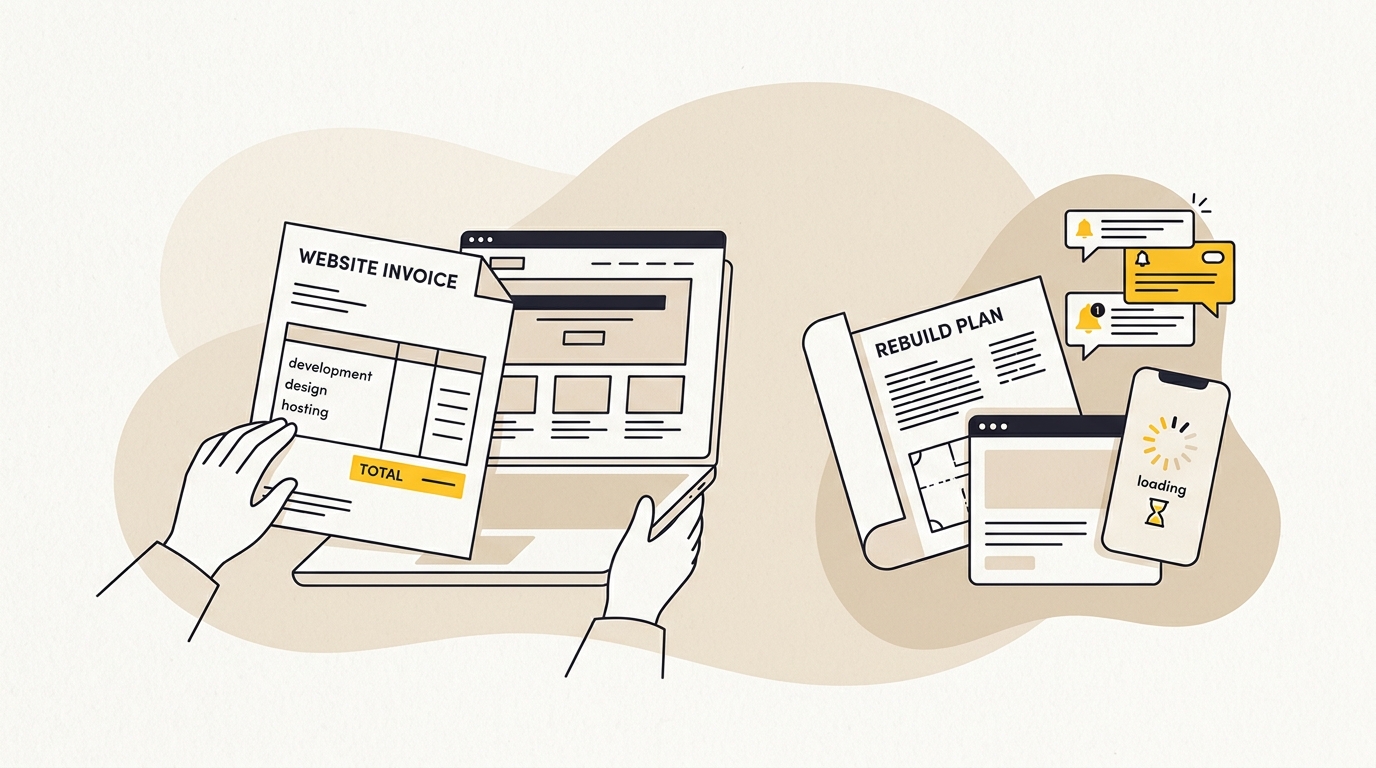
A cheap website hidden cost is an expense or business loss that is not obvious in the original quote. It can be a second build, developer time, missed calls, wasted advertising spend, or time spent working around a system that cannot support your business. The first invoice is only one part of the cost.
Think of a website as a business tool with a working life, not a one-off graphic. Its layout, words, images, forms and technical structure all affect whether a visitor understands your offer, trusts the business and can take the next step. A site that looks acceptable in a screenshot may still be difficult to use on a phone, slow to load or awkward for your team to update.
This is why a useful comparison is not cheap versus expensive. It is the total cost of two options over a realistic period. One option might be a $900 site that needs replacing in a year. Another might be a more considered build that costs more at the start but is easier to adapt. The right answer depends on your goals, expected changes and the actual quote, not a rule that every small business needs a custom-built site.
Start with the full cost, not the invoice
The simplest way to compare proposals is to write down all the costs you expect to carry. Include the initial build, required subscriptions, content preparation, maintenance, future changes and the likely cost of replacing the site. Add your own time where you will be doing the work.
Use this basic model:
Total website cost = initial build + ongoing platform and support costs + repair and change costs + replacement cost + business impact of problems.
The last item is hard to calculate precisely. It includes things like enquiries that never arrive, customers who cannot find key information, or staff time spent manually moving information from a form into another system. Do not pretend you know the exact amount if you do not have the data. Make an estimate, label it as an estimate, and compare it with what your analytics and enquiry records show.
For example, imagine a business pays $800 for its first site and later needs a $6,000 rebuild. Its direct website spend is $6,800 before maintenance, content work, subscriptions or any lost business are counted. That is an illustration, not a typical price or a prediction. The point is that a very low first invoice does not make the final total low if the site must be replaced.
A small business website redesign cost guide can help you think through what belongs in a rebuild budget. Data on website redesign cost in Australia shows how quickly initial estimates change once scope expands. When comparing proposals, ask each supplier to separate design, content, development, migration and ongoing support rather than hiding everything in one total.
Cost one: paying for the same website twice
A rebuild becomes likely when the original website cannot adapt to the business. Perhaps the company adds a service, opens another location, changes its booking process or starts running campaigns. If every change requires a workaround, the site may have been built around the launch date rather than the business’s next stage.
That does not mean every small site needs complex architecture. A simple brochure site may be exactly right for a new business with a small number of services. The problem is paying for a site that appears flexible but is not. A page builder with reusable sections can be a practical choice; a pile of inconsistent page layouts and special-case code can make ordinary updates risky.
Before approving a build, ask what happens when you need to:
- Add a new service or location.
- Change a price, staff member or opening hour.
- Create a campaign landing page.
- Connect a form to your booking or customer system.
- Move the site to another provider.
- Export your content and customer data.
Ask for a demonstration of how a non-technical team member will make a routine edit. If the supplier says the site is easy to manage, but only they can safely change a heading, image or page section, find out why. You might still choose a managed arrangement, but it should be an explicit choice with a clear cost and response time.
Also ask which parts are standard platform features and which are custom. A content management system, or CMS, is software that lets you create and edit website content. A CMS can make updates easier, but it does not automatically make a site scalable. The page structure and editing experience still need to be designed thoughtfully.
Cost two: enquiries that do not turn into leads
A visitor can leave without contacting you even when your business is a good fit. They may not understand what you offer, be unsure what happens after they enquire, or fail to find a working contact option. These are design and content problems, not just marketing problems.
A website’s visual hierarchy is the order in which its design signals what matters most. Size, spacing, contrast, position and wording can make the main offer and next action clear, or make visitors work to find them. If a page gives the logo, several competing buttons, a rotating banner and a long block of introductory copy equal visual weight, the visitor may not know where to focus.
A useful service page usually answers practical questions in a clear sequence: who the service is for, what problem it solves, what is included, why the business is credible, and how to take the next step. The exact order depends on the service. A clinic, a law firm and a home renovation business do not need identical page designs because their customers have different questions and risks.
Consider a hypothetical clinic receiving 1,000 relevant visits in a month. If 1% of those visitors submit a suitable enquiry, that is 10 enquiries. If a redesign improves the rate to 2%, that would mean 20 enquiries from the same traffic. This example does not claim that a redesign will double conversion. It shows how a small change in the percentage can matter, and why you should measure the current rate before spending money.
A conversion rate is the share of visitors who complete a chosen action, such as submitting an enquiry form or making a purchase. Track the action that matters to your business, not just total visits. If your website receives traffic but produces few enquiries, check whether the traffic is relevant, whether the offer is clear, whether the action works on mobile, and whether submissions reach the right person.
For e-commerce, a confusing product page or checkout can also interrupt a purchase. Baymard Institute tracks cart abandonment research, but its figures concern online shopping and should not be treated as a benchmark for every service-business enquiry form. The useful lesson is to inspect your own friction: ask for only information you need at that stage, explain delivery and returns clearly, and learn how to reduce cart abandonment. See Baymard’s research on cart abandonment for the e-commerce context.
Cost three: slow pages and oversized images
Page speed is the time and responsiveness a visitor experiences while a page loads and becomes usable. A slow page can frustrate people, especially when they are on mobile or using a poor connection. It can also weaken the experience of a paid campaign: you pay to bring someone to the page, then make them wait before they can understand the offer.
The cause is often not one mysterious technical issue. A large hero image, too many fonts, unnecessary animations, third-party scripts or a poorly configured theme can all add weight or delay. Looking at the business case for website speed highlights how delay directly damages retention. A hero image is the large visual commonly placed near the top of a page. If it is a multi-megabyte photograph displayed far smaller than its original size, the design has not been properly prepared for the web.
Deloitte and Google’s Milliseconds Make Millions study reported conversion changes associated with a 0.1-second improvement in mobile site speed across the businesses and sessions they studied. Those findings are useful evidence that speed can influence behaviour, but they are not a promise that every small business will get the same result. Read the Deloitte and Google study and treat its results as context, then measure your own site.
Portent’s analysis of page speed and conversions also found a relationship between faster load times and stronger conversion rates in the data it examined. Again, this is not a forecast for your website. It is a reason to test speed as part of the experience, alongside clarity and usability. See Portent’s page-speed and conversion analysis.
Design choices influence speed. A designer can specify image dimensions and formats, avoid decorative effects that add little value, choose a sensible number of type styles, and ensure the main call to action appears without waiting for a large background video. A developer can then implement those choices without loading unnecessary features.
A Core Web Vital is one of Google’s user-experience measures for loading, responsiveness or visual stability. Cumulative Layout Shift, or CLS, measures unexpected movement in a page layout as it loads. When a button shifts just as a visitor taps it, the person may hit the wrong control. Reserve space for images and embeds, and test pages on mobile rather than relying only on a fast office connection.
Cost four: trust lost before the visitor reads everything
A site communicates credibility through more than its logo. Consistent type, readable contrast, useful photography, clear contact details and a coherent page structure all help people judge whether a business feels dependable. Poor design does not prove that a business is poor, but it can make a visitor hesitate before they learn what the business does.
Research by Lindgaard and colleagues examined how quickly people form visual appeal judgements of websites. The study is often cited for the finding that these judgements can happen in about 50 milliseconds. That does not mean someone makes a complete decision about hiring you in that time. It does mean the first visual impression arrives quickly, so the basics matter: legible type, a clear offer, an appropriate visual tone and a page that appears intentionally made.
A study on first impressions of website visual appeal gives useful background, but do not turn its result into a guaranteed conversion formula. Your own audience, service and traffic source matter. If you have returning customers, they may judge the site differently from a first-time visitor arriving from an advertisement.
Trust also comes from evidence. For a service business, that might be staff qualifications, a clear process, relevant case examples, genuine reviews or an explanation of what happens after a first call. For an online shop, it may include accurate product details, delivery terms, payment information and an easy route to customer support. Generic stock photos cannot replace evidence that relates to your actual business.
Avoid trying to solve a trust problem by adding every possible badge, testimonial and button. Too many elements can make a page feel cluttered. Choose the strongest relevant proof, position it near the decision it supports, and make it easy to verify.
Cost five: forms, bookings and broken handoffs
A form is part of a customer journey, not a box to place at the bottom of a page. If it asks for information that is not needed, uses unclear labels or fails to explain what happens after submission, people may abandon it. If it sends enquiries to an old email address or does not connect to the team’s workflow, leads can be lost even when the form appears to work.
Test the whole process from a visitor’s point of view. Submit a real test enquiry on a phone and desktop. Check the confirmation message, email delivery, CRM or booking destination, and the team’s follow-up process. Repeat this after a major site update. A green success message is not proof that the enquiry arrived where it should.
Use the smallest set of fields that lets your team respond appropriately. A complex service may need a little context before a consultation, but do not ask for a full brief when a name, contact detail and short message are enough to begin. A single-column form is often easier to follow on a phone than a layout that jumps between columns.
A call to action, or CTA, is a prompt that asks the visitor to take a specific next step. Make the main CTA concrete. Book an appointment, request a quote or call the team says more than a vague button such as Learn more, if that is the action you want the person to take. Keep the wording consistent between the page and the action it opens.
Cost six: maintenance that becomes a recurring repair bill
Every website needs some form of maintenance. The amount depends on the platform, integrations, update frequency and who is responsible for the site. Maintenance might include software updates, backups, checking forms, renewing services and fixing issues after a change. It is not automatically a sign that a site was built badly.
The hidden cost appears when nobody knows what needs maintaining, or when routine changes repeatedly break the site. On WordPress, for example, themes and plugins may need updates. A plugin is an add-on that gives a WordPress site extra functionality. Plugins can be useful, but each one introduces another dependency to understand and keep compatible. Checking whether plugin bloat is slowing down your WordPress website is an important step before adding extra features.
Patchstack’s WordPress security report discusses vulnerabilities across WordPress core, themes and plugins. Its findings are a reminder to manage add-ons carefully, not proof that every plugin is unsafe or that a site should avoid them all. Review the Patchstack State of WordPress Security report before making claims about the scale or source of vulnerabilities.
Ask your supplier for a simple inventory: platform, theme, plugins, subscriptions, integrations, backup process and person responsible for updates. Find out whether support includes updates only, or also monitoring and repair when something breaks. Get the price and response expectations in writing. A low monthly fee may cover one thing; it may not cover urgent fixes or content changes.
Do not treat the phrase zero maintenance as a credible promise without an explanation. Even a small static site needs someone to renew its domain, review its content and make sure key links and forms still work. The aim is not to avoid every future cost. It is to make the costs visible and manageable.
Cost seven: search visibility and hard-to-understand content
A website can look polished but leave search engines and people unsure what each page is about. Clear headings, descriptive page titles, useful copy and a logical set of links help visitors understand the offer. They also make it easier for search engines to interpret the page.
A semantic heading structure uses headings to show the order and relationship of the page’s sections. An H1 is normally the main heading, H2s introduce major sections, and H3s can break down a section further. These are not simply font-size controls. If headings are chosen only because they look a certain way, the page can end up with a confusing outline.
Structured data is code that describes information on a page in a format search engines can process. For example, it may identify a business, service or location. Structured data can help machines interpret information, but it does not guarantee a search position or citation in an AI answer. The most important first steps are still accurate, useful content, clear page structure and consistent business information.
Ask who is responsible for preserving your existing search visibility when the site changes. If URLs change, a 301 redirect can direct an old address to a relevant new one. A migration plan should list existing pages, their new destinations, important metadata and redirects. Skipping this work can make it harder for visitors and search engines to find the pages they already know.
Do not accept a promise that a redesign will automatically rank higher. Ask for a specific explanation of what will improve: for example, clearer service pages, better mobile usability, faster image delivery, or preserved URLs. Then decide how you will measure the change after launch.
When should you patch the current website instead of rebuilding?
A website problem does not always justify a full rebuild. If the platform is supported, the site works on mobile, the main pages are clear and the issue is limited to a broken form or outdated information, a focused repair may be the sensible option.
A rebuild is more worth considering when several foundational problems overlap: the site cannot support your current services, the editing system is unreliable, key pages are difficult to navigate, the design no longer suits your customers, or updates repeatedly cause errors. A redesign may also be appropriate when you are changing your offer or brand and the current structure cannot explain the new direction.
Use this decision table as a starting point, not an automatic rule:
| Situation | Likely next step | What to confirm |
|---|---|---|
| One form is broken, but the rest of the site works | Repair and test the form | Confirm where submissions should go and test delivery end to end |
| The site is hard to update, but its structure still fits | Improve the editing setup | Ask for a demonstration and a written estimate for the change |
| Several pages are unclear or hard to use on mobile | Audit the journey and prioritise improvements | Check analytics, device experience and customer questions |
| The platform blocks new services or integrations | Compare a rebuild with a platform change | Include data, redirects, training and ongoing support in the estimate |
| Traffic arrives but qualified enquiries are low | Diagnose before redesigning | Review traffic quality, page clarity, form completion and follow-up |
The cheapest useful next step may be a diagnosis rather than a new website. A performance, user experience and AI search audit can help separate fixable issues from structural ones. If the audit shows that the foundations need changing, review DesignFIT’s website design and redesign service and compare the scope with the current site.
How to check a website proposal before you sign
A proposal should help you understand what will be made, how decisions will be made and what happens after launch. If you cannot tell what you are buying, ask for a clearer scope before comparing the price.
1. Check whether discovery is included
Discovery is the early work used to understand the business, audience, goals and constraints before design starts. It can include reviewing analytics, existing pages, competitor experiences and the questions customers ask. The right amount depends on the project, but there should be some way to establish what the website needs to achieve.
Ask the supplier what they need to know before proposing page layouts. If the whole plan is based on you sending a logo, text and a list of pages, the supplier may be building what you requested without checking whether it solves the real problem. That might be fine for a very small, clearly defined job. For a site that needs to bring in leads, it is worth agreeing on the audience and main action first.
2. Ask how page structure and content will be handled
A website is not just a set of screens. Information architecture is the way pages and content are grouped and ordered so people can find what they need. Ask who decides the page list, navigation and content hierarchy. Find out whether copywriting is included, supplied by you or edited by the designer.
If you are responsible for writing, get the content requirements early. Ask for page outlines, word-count guidance where useful, and examples of the information each page needs. This prevents a common delay: the design is ready, but nobody has prepared the content it depends on.
3. Request evidence for speed and mobile testing
Ask what devices and page types will be tested, and what happens if the site feels slow or elements move while loading. A specific test plan is more useful than a vague promise of a fast website. Ask which images, fonts, animations and third-party tools are included, because those can affect performance after launch.
No supplier can promise the same loading experience on every device and connection. They can explain the choices they will make, test representative pages and show you the results. Get a baseline of the current site if you are redesigning so you can compare like with like.
4. Check ownership, access and handover
You should know who owns the domain, hosting account, design files, content and any paid subscriptions. Make sure you receive the logins and permissions you need. If an account is held by the supplier, clarify what happens if you stop working together and how you can transfer it.
Ask what training or documentation is included. If your staff will update opening hours, staff bios or service details, have them practise before the site launches. Confirm who is available for problems after launch and how support is priced. You can also review DesignFIT’s pricing information to understand how to compare project scope and ongoing work.
5. Make launch and migration part of the scope
A site launch is more than publishing the new design. A launch plan may include checking forms, analytics, mobile layouts, page titles, redirects, accessibility basics and links. Ask who checks each item and when. Make sure somebody has responsibility for the final approval.
For an existing site, keep a copy of important page addresses and content before changes begin. Confirm that old URLs with traffic or links will either stay in place or redirect to a relevant destination. If a supplier says there is no need to consider redirects, ask how they reached that conclusion.
How to calculate whether a better website is worth it
Use your own numbers where possible. Start with monthly relevant visits, completed enquiries, qualified enquiries and the share of enquiries that become paying customers. For online shops, include orders and average order value. If these figures are not available, install appropriate measurement before deciding that the website is the cause.
Then estimate the cost of the current problem. For example, count how many leads the team thinks are missed because a form fails or because a phone number is difficult to find. Mark those as estimates until you can verify them. Do not use the total number of visitors as if every visitor were ready to buy.
Compare the expected cost of keeping the site with the cost of fixing or replacing it. Include staff time, subscriptions, support and likely migration work. Then ask what would need to improve for the project to make sense. That could be fewer manual steps for staff, more completed bookings, a page that supports a new service, or simply a site your team can keep accurate without calling a developer for every edit.
A return calculation is a decision aid, not a guarantee. Exploring whether a website redesign is worth it requires looking at actual business outcomes. If a rebuild costs $6,000, it does not follow that the site will earn $6,000 back. The investment only makes sense if the expected business benefit, reduced operating friction or avoided future expense is worth the cost and risk to you.
A practical checklist for business owners
Before choosing a patch, redesign or new build, check the following:
- Can a first-time visitor explain what the business offers after looking at the first screen?
- Is the main next step clear, and does it work on a phone?
- Do forms, booking links and phone numbers reach the correct person or system?
- Are service pages written around customer questions rather than broad claims?
- Can your team make routine updates without risking the whole layout?
- Do you know which platform, theme, plugins and paid services the site depends on?
- Is there a named person responsible for updates, backups and checking forms?
- Are ownership, access, support and exit arrangements clear?
- Is there a plan for page addresses, redirects and analytics during a rebuild?
- Does the proposal explain how design decisions support your business goals?
If you answer no to several questions, do not assume that you need the most expensive option. Use the answers to scope the work. You might need a targeted usability fix, clearer content, a better form flow or a full redesign. A good diagnosis makes the next dollar more likely to go toward the real problem.
The real test of a low-cost website
A low-cost website can be a sensible starting point when the business needs a simple presence, has a limited budget and understands what the platform can and cannot do. It becomes costly when the business expects more from it than it was designed to deliver, or when nobody has budgeted for maintenance and change.
The design work is not decoration added after the technical choices. Page hierarchy helps people understand what matters. Image and layout decisions affect loading and usability. Forms shape the path from interest to enquiry. Content structure helps both people and search tools interpret the offer. Each decision can make the site easier or harder to use, maintain and improve.
Count the full cost: build, upkeep, staff time, fixes, replacement and the business impact of friction. Use evidence from your own website where possible, and treat industry studies as context rather than a promise of results. Before commissioning another build, start with a DesignFIT website audit to identify what is holding your current site back and what is worth fixing first.
Key takeaway
A cheap website is only good value if it stays useful, maintainable and clear enough to help customers take the next step.
Questions people ask
Why is my cheap website getting traffic but no enquiries?
Traffic alone does not mean the right people are arriving or that the page makes the next step clear. Check visitor sources, mobile usability, the offer, trust signals and whether test form submissions reach your team.
How much should a small business website cost?
There is no single right price because scope, content, integrations, migration and ongoing support vary. Compare what each proposal includes, then account for maintenance and the cost of future changes rather than judging by the first invoice alone.
Can a slow website affect enquiries and sales?
Yes, slow pages can make it harder for visitors to use the site, particularly on mobile, and research has found links between speed and conversion behaviour. The effect on your business depends on your audience and site, so test performance and measure your own enquiry or sales rate.
How do I know whether to fix my website or rebuild it?
A targeted repair may be enough when the platform and page structure still fit your needs and the problem is limited. Consider a rebuild when several core issues overlap, such as an unsuitable platform, an unreliable editing setup, unclear journeys and repeated breakages.


