Data-Driven Web Design: How Search Data Shapes Every Page
Learn how search, competitor and AI visibility data can shape a website that is easier to find, use and act on.
On this page
- What is data-driven web design?
- What information should shape a website design?
- How does search data influence page layout?
- Why does navigation need search and customer evidence?
- How does competitor research affect design decisions?
- What does AI search visibility have to do with design?
- How data changes the design of an individual page
- Data should shape the experience, not just the copy
- How does performance data influence visual design?
- What metrics should you use to judge a redesign?
- What does a data-driven design process look like?
- How can you tell if a studio really uses data?
- Common mistakes when using data in design
- When is data-driven web design most useful?
- The takeaway for owners comparing design studios
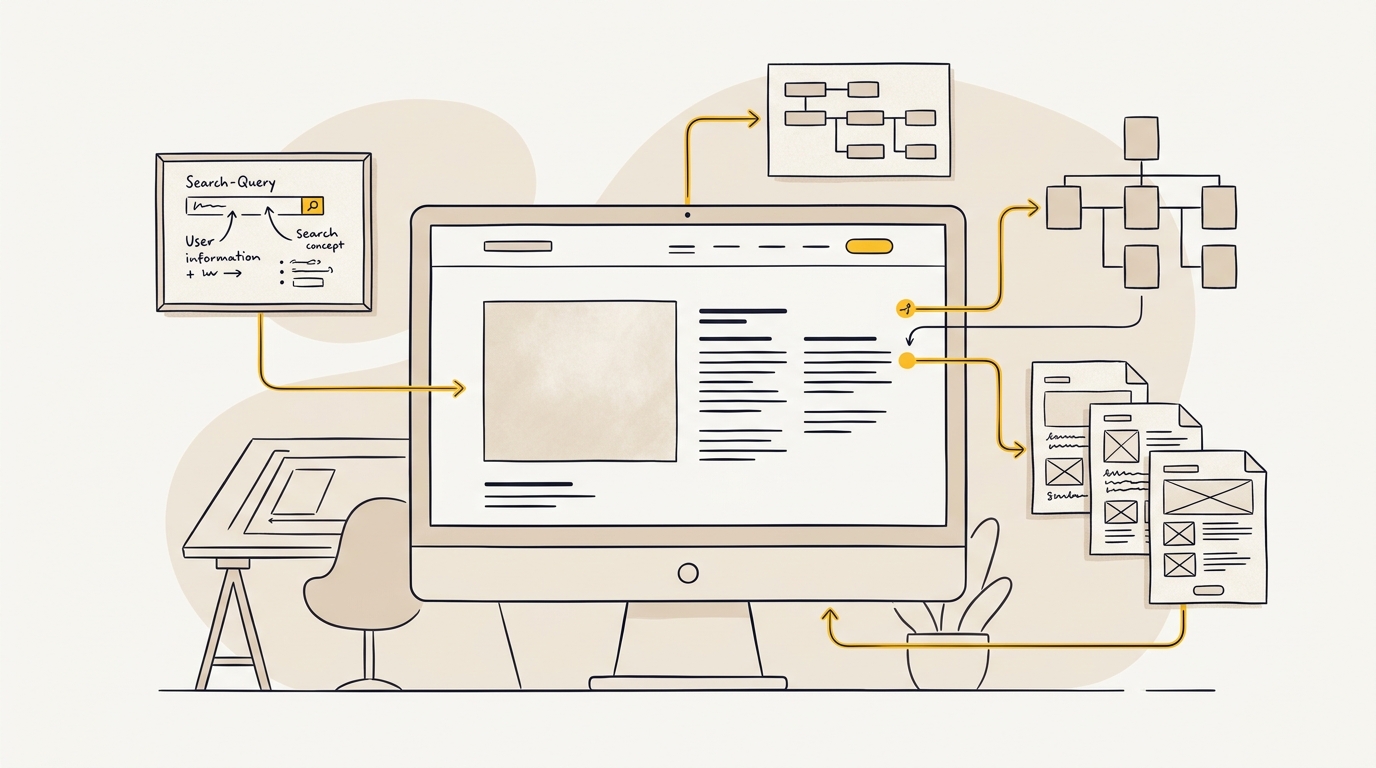
Data-driven web design uses evidence about what people search for, what they need and how they use a website to shape its pages and visual hierarchy. It helps a business decide what to say first, which pages to build and how people should move from a search result to an enquiry or sale. It does not replace creative design. It gives design decisions a clearer purpose.
If you are comparing studios, look for a process that connects research to concrete choices about your site, not a report that sits beside a design. DesignFIT’s website design service starts with that principle: pretty is not enough if a visitor cannot quickly understand what you offer and what to do next.
What is data-driven web design?
Data-driven web design is the practice of using evidence, such as search demand, user behaviour and competitor visibility, to guide a website’s structure, content and interface. A designer still makes judgement calls about brand, tone, imagery and layout. The evidence helps those calls answer a real customer need rather than only an internal preference.
A simple example: a clinic believes visitors mainly want to read about its philosophy. Search research shows that people commonly look for a particular treatment, its cost and whether the clinic is nearby. The design response might be to make treatment pages easier to find, put location and booking information in clear positions, and give each service a page that answers those questions. The evidence informs the design; it does not dictate a single visual style.
Traditional design work can begin with moodboards and a preferred layout, then add search optimisation near launch. Data-driven work brings search and audience evidence into the early decisions. That changes the questions asked before a homepage is drawn:
- What problem is the visitor trying to solve?
- Which service, product or location are they looking for?
- What do they need to know before contacting or buying?
- Which page should answer that need?
- What should be most prominent on that page?
These questions matter whether the site is for a local service business, an online shop, a hotel or a software company. They matter especially when you are investing in a redesign and need the new site to do more than look different.
What information should shape a website design?
A useful website design process brings together several kinds of evidence. No single dashboard tells you exactly what to build. Each source gives a different view of the customer and the business.
| Evidence | What it can tell you | Design decisions it can inform |
|---|---|---|
| Search demand | The phrases people use and the subjects they want to understand | Page topics, headings, navigation labels and landing pages |
| Search intent | The reason behind a query, such as comparing, learning or buying | Page format, content depth and the next action to offer |
| Competitor visibility | Which topics and pages competitors appear for | Gaps to investigate, points of difference and useful page types |
| Website analytics | How visitors arrive and what they do on your existing site | What to retain, simplify, move or measure after launch |
| Customer conversations | The language, questions and concerns customers express | Page copy, proof points, FAQs and form fields |
| AI search visibility | Whether AI search tools mention or cite your business and what sources they use | Clear factual content, supporting pages and consistent business details |
Search demand means the subjects and phrases people search for. Search intent means what they are trying to accomplish when they search. A phrase such as emergency dentist near me suggests a different need from how does teeth whitening work. The first search may call for a clear location, availability and booking route. The second may need a helpful explanation, risks and a route to related services.
The distinction affects design. If a page answers an informational question, a large booking button at the top may not be enough to build confidence. If a visitor is ready to compare providers, hiding service details below a long brand story may make the page harder to use. Matching the page to the intent helps the visitor find the information needed for their next decision.
How does search data influence page layout?
Search data can help a designer decide what belongs on a page, what order it should appear in and how much emphasis it deserves. It is not just a list of keywords to insert into copy. It is a way to understand the questions visitors bring with them.
A designer might group related searches into themes. For a commercial cleaning company, those themes could include office cleaning, end-of-lease cleaning, service areas, pricing and how often a business needs a cleaner. The site structure can then give important themes their own pages, rather than squeezing every service into a single general page.
On an individual page, the same evidence may influence the sequence of information. A page for a specific service could lead with a plain description, who it is for and where it is available. It might then explain what is included, how the process works, what affects price and how to get a quote. That order answers practical questions before asking the visitor to take action.
The hero section: tell people they are in the right place
The hero is the first prominent area of a page, usually containing a headline, short explanation and primary action. Search intent can help determine what that headline needs to communicate. A visitor who arrives from a search for a specific service should not have to decode a poetic slogan to find out whether the business provides it.
Imagine a visitor searching for wedding accommodation in the Blue Mountains. A headline about making memories may be warm, but it does not confirm the location or the type of stay. A more useful headline can still feel distinctive while quickly stating the offer. Supporting copy can then explain what makes the experience different, and a visible button can lead to availability or enquiry information.
This is not an argument for making every headline sound generic. It is a reminder to make the offer clear before asking a visitor to appreciate the brand story. Good typography, photography and spacing can make a direct message feel premium without obscuring its meaning.
Headings and content hierarchy: make the page easy to scan
A heading hierarchy is the organisation of page headings from the main topic to its supporting sections. A clear hierarchy helps a person scan and understand a page. It also makes the content structure easier for search systems and assistive technologies to interpret.
Search questions can suggest useful sections. If customers commonly ask how a service works, what it costs and how long it takes, those questions may deserve clear sections rather than being buried in a paragraph. A comparison table may be more helpful than several pages of prose when the visitor needs to compare options.
The design work is to make that structure readable. The designer chooses heading sizes, line lengths, spacing, contrast and responsive behaviour so the page remains comfortable to scan on a phone as well as a larger screen. Search research identifies the information needs; design makes those needs legible.
Why does navigation need search and customer evidence?
Navigation is the set of menus and links that helps visitors understand what a website contains and move between its pages. Good navigation uses labels people can predict. A visitor should not have to guess what a business means by an internal phrase such as The Experience when they are looking for its services or pricing.
This connects to information scent, a usability idea describing how people use cues in labels and links to judge where to go next. Nielsen Norman Group explains information scent and how people follow these cues. When a navigation label resembles the visitor’s goal, it gives a stronger clue about what the link contains. When it is vague, clever or unfamiliar, the visitor has less reason to choose it.
Search terms can help test whether a proposed menu label reflects how customers talk. They should not be copied into navigation mechanically. A menu can become cluttered if every phrase is treated as a separate category. The designer needs to group related topics in a way that is both understandable and practical for the business.
For an online shop, that may mean organising products by the categories shoppers expect rather than by the company’s internal product codes. For a professional service, it may mean listing the main services directly instead of hiding them under a broad label such as Expertise. The best structure depends on what customers need to find and how many distinct offers the business has.
Navigation problems are common even on established websites. In its ecommerce benchmark, Baymard Institute reports that 61% of desktop sites and 65% of mobile sites provide a poor or mediocre homepage and category-navigation experience. The figures describe the sites in its benchmark, not every business website. They do underline why navigation should be designed and tested rather than treated as a decorative detail.
Build navigation around tasks, not the org chart
A company’s internal structure is rarely the clearest map for a customer. A visitor does not necessarily know which team owns a service or how the business groups its work. Organise pages around the visitor’s likely tasks: choosing a service, checking locations, comparing options, finding useful advice or contacting the business.
A practical process is to list the main customer questions and pages, group related items, then test the labels with someone who has not worked on the project. Ask them where they would go to find a particular answer. If the response is uncertain, revisit the label or grouping before the menu is built.
Not every page belongs in the main navigation. Some supporting articles, policies and detailed resources can sit in a footer or be linked contextually from relevant pages. The goal is not to display everything at once. The goal is to make important destinations easy to find without making the menu feel like a sitemap.
How does competitor research affect design decisions?
Competitor research is a structured look at how other businesses in a market explain their offers, organise their pages and appear in search. It is not an instruction to copy their websites. It helps a business see what customers may already expect, where the market is crowded and where a more useful experience could stand out.
A useful comparison includes more than colour palettes and homepage screenshots. Review which services or products have dedicated pages, what information appears on those pages, how pricing or process is explained, and what proof is offered. Search results can also reveal the formats appearing for a topic: a local landing page, a guide, a product category or a comparison page.
The design implication is a decision about what to clarify or do differently. If several competing clinics explain the same treatment but none explain what a first appointment involves, that could be a useful content gap to investigate with the business and its customers. If every local competitor makes booking difficult to find, a simpler booking path may become a meaningful point of difference.
A competitor gap is only a hypothesis. The fact that another site does not cover a topic does not prove that your customers need it or that it will bring qualified visitors. Check it against search intent, customer conversations and business priorities before adding pages. This prevents a redesign from becoming a larger collection of content with no clear purpose.
What does AI search visibility have to do with design?
AI search visibility describes whether a business and its content are surfaced, mentioned or cited by AI-powered search experiences. These include answer systems that may summarise information from multiple sources. Their results and citation behaviour can change, so a design process should treat AI visibility as an area to monitor, not a guaranteed outcome.
The same page qualities that help a person understand an offer can also make facts easier to identify: specific headings, plain explanations, clear service details and consistent business information. A useful service page should not make a visitor infer what the business does from a slogan. It should state the service, who it is for, where it is available and how to take the next step.
Research reported by Search Engine Land found that many Google AI Overview citations pointed to pages deeper than the homepage. BrightEdge’s analysis, as reported by Search Engine Land, estimated that 82.5% of citations came from pages at least two clicks from the homepage. This is a finding from a particular analysis, not a promise that deep pages will be cited or that every site needs the same structure.
The practical lesson is to avoid relying on the homepage to explain everything. A business may need detailed, useful pages for its important services, products, locations or customer questions. Those pages need to be easy to reach through navigation and internal links, and they need enough substance to stand on their own.
Structured data is code that labels information on a page in a format that search systems can interpret. For example, it can describe a local business or a product. It may help systems understand the information, but it does not guarantee a search feature or an AI citation. Design still matters because the visible page must be accurate and useful to people.
SearchFIT can support this part of the process by helping businesses assess and improve visibility across AI search tools. It is most relevant when AI answers are already an important discovery route for a business, or when the owner wants a clearer view of how the business is represented. Explore SearchFIT’s AI search optimisation, and keep the website itself as the authoritative source of clear, current information.
How data changes the design of an individual page
The best way to understand data-driven design is to follow the evidence into a page. Consider a fictional physiotherapy clinic that wants more suitable enquiries. Its research shows that potential patients search by condition, treatment and location, and often want to know whether a practitioner treats their particular issue.
A generic website might put all services on one page, with a general contact button. A more considered design could give high-priority treatments dedicated pages, use plain names in navigation, and explain the conditions each service may help with. It could put location, appointment details and a clear booking action where visitors can find them. These are illustrative decisions, not a claim about a real clinic or a guaranteed increase in bookings.
The design team would then decide how to make those pages feel like the same brand. A shared layout can provide consistent positions for headings, practical details and calls to action. Photography, colour, type and illustrations can distinguish the clinic without making each page behave differently. Consistency helps visitors recognise the site as they move between related pages.
For ecommerce, the relevant decisions may be different. Search demand can reveal how shoppers describe products, while analytics may show that visitors use filters or search boxes to narrow their choices. The designer can then examine category labels, product-card details, filter controls and product page content. Baymard’s research on ecommerce search query types is a useful reminder that shoppers use different kinds of queries, so one search experience may need to support more than exact product names.
A product page should make the information needed to decide visible: what the item is, what options are available, what it costs and what happens after purchase. The precise details depend on the product. The design challenge is to make essential information easy to see without overwhelming the page or pushing the buying action too far out of reach.
Data should shape the experience, not just the copy
It is easy to mistake data-driven design for adding search phrases to headings. That is only a small part of the work. The more important question is what the evidence changes about the experience.
If research shows that people compare two service options, the page may need a comparison section with consistent criteria. If customers need to know whether a business serves their suburb, the location information should be prominent and accurate. If a product has important sizing choices, those controls need to be easy to understand on mobile. Each decision affects layout, hierarchy and interaction, not just wording.
The same applies to calls to action. A call to action is a prompt to take a next step, such as book an appointment, request a quote or add to cart. Research can help identify the likely next step, but the designer must make the action visible, understandable and appropriate to the visitor’s readiness. A person reading an introductory guide may need a related service page before they are ready to complete a long enquiry form.
Forms are part of design too. If a business needs information to respond properly, ask for it. But each field adds effort, so the team should consider whether it is needed at that stage. A form that asks for details the business does not use can create unnecessary friction. A form that asks too little may make it difficult to follow up. The right balance depends on how the business handles leads.
How does performance data influence visual design?
A website can look polished and still feel slow or frustrating. Large images, complex animation and scripts that power interactive features can affect how quickly a page appears and responds. These are design and build considerations because the visual choices often determine how much must load and how the interface behaves.
Core Web Vitals are a set of measurements Google uses to assess aspects of page experience. Interaction to Next Paint, or INP, measures how responsive a page is to interactions during a visit. Google replaced First Input Delay with INP as a Core Web Vital on 12 March 2024. Google’s guidance describes an INP of 200 milliseconds or less as good, between 200 and 500 milliseconds as needing improvement, and above 500 milliseconds as poor. These are assessment thresholds, not a guarantee of rankings or sales.
The design implications are practical. A decorative carousel may not be worth adding if it makes the main message harder to see or the page slower to respond. A large menu needs careful behaviour on touch screens. Images should be selected and prepared for their display size, and interactions should have a clear purpose. Animation can add character, but it should not get between the visitor and the information they came to find.
Performance is not the designer’s responsibility alone. Development choices, third-party tools, hosting and content all contribute. A good studio should make performance visible during the project and explain trade-offs. For example, if a feature adds a script or a large asset, the team can decide whether its value to the visitor justifies the cost.
What metrics should you use to judge a redesign?
Choose measures that match the business goal. A redesign for a clinic might focus on qualified appointment enquiries. An online store might care about product discovery and completed purchases. A B2B company might want more relevant consultation requests. A high number of page views is not automatically a useful outcome if the right people are not taking meaningful next steps.
A measurement plan should define what counts as a result before the new site launches. Depending on the business, it might track:
- Organic visits to important service, product or location pages.
- Enquiries or purchases completed through the website.
- Which pages visitors use before contacting the business.
- Form starts and completions, where tracking is set up correctly.
- Search queries and pages that gain or lose visibility.
- Mobile usability and page performance indicators.
- The quality of enquiries, based on the business’s own follow-up process.
Compare like with like. Seasonal demand, advertising activity, business changes and search algorithm updates can all affect website results. A before-and-after comparison can be informative, but it does not prove that design alone caused a change. Where possible, note other changes made during the same period and look at the data over a sensible period rather than reacting to a few days of fluctuation.
Not every business has clean historical data. Tracking may be incomplete, the old site may have changed often, or enquiry sources may not be recorded. In that case, establish a reliable baseline before launch. A studio should explain what it can measure, what it cannot and what needs to be configured by the business or its analytics provider.
What does a data-driven design process look like?
A sound process moves from evidence to decisions, then tests whether those decisions work. The exact sequence varies by project, but owners should be able to see the connection between research and design.
1. Set the business goal
Start with the outcome the website needs to support. Be specific: more bookings for a particular service, more sales from a product range, or better-qualified enquiries from a defined market. A broad goal such as make the website better is difficult to prioritise or measure.
2. Review what already exists
Look at the current site, search performance, analytics and customer feedback if those sources are available. Identify pages that already attract relevant visitors, questions that keep coming up, and points where visitors seem to struggle. Preserve useful content and search equity rather than assuming that a redesign means starting from zero.
3. Research demand and intent
Group relevant searches by customer need and stage of decision. Separate people seeking general information from those comparing options or ready to contact a provider. This helps distinguish the role of a guide from a service landing page and stops one page from being expected to answer unrelated needs.
4. Map pages and navigation
Turn the research into a proposed sitemap: a list of the pages the site needs and how they relate. Decide which subjects need a dedicated page, which can be sections on a broader page, and how visitors will find them. This is where keyword research becomes information architecture, the practical organisation of a site’s content.
5. Prioritise page content
For each important page, define its audience, intent, key questions, evidence and next action. A page brief might say that the visitor is comparing treatments, needs to understand suitability and appointment steps, and should be able to book or ask a question. This gives the designer a useful basis for layout.
6. Design the hierarchy and interactions
Create a page structure that gives the most important information the clearest position. Decide how headings, images, proof, forms and calls to action work together. At this point, the design can express the brand while keeping the visitor’s task in view.
7. Check the design against the evidence
Before build, ask whether a visitor can tell what the business offers, find the relevant information and understand the next step. Review designs on mobile, check the page labels and content against the research, and test key journeys with people who were not involved in making the site.
8. Measure after launch and improve
Launch is the start of learning, not the end. Check tracking, search visibility, enquiries and performance. If a high-priority page is attracting visitors but not helping them act, investigate the page and the quality of the traffic before changing the design. Make targeted improvements based on evidence rather than changing several things at once without a reason.
How can you tell if a studio really uses data?
When comparing design studios, ask how research will affect the pages and what decisions it will help the team make. A studio that uses data should be able to explain the route from an observation to a design choice. It should also be honest when evidence is limited or a recommendation is a hypothesis that needs testing.
Useful questions to ask include:
- What search, customer or analytics research is included in the project?
- How will you decide which pages the site needs?
- How will you protect the useful content and search visibility we already have?
- How will search intent influence the layout of key pages?
- What will you measure after launch, and who will set up the tracking?
- How do you test navigation and page designs with actual users?
- What will happen if the research conflicts with our preferred layout?
Look for clear deliverables, not just the phrase data-driven. A proposal might describe a discovery phase, a sitemap, priority page briefs, a measurement plan and a review of key user journeys. The detail depends on the project scope. You should be able to see what work is included and what is not.
It is also reasonable to ask about price and timing. Research takes time, and project scope affects both. DesignFIT’s pricing page can help you understand the studio’s approach to project investment, while DesignFIT’s comparison page offers context for weighing a studio against other options. For more on budgeting a rebuild, see the small business website redesign cost guide.
Common mistakes when using data in design
Treating every keyword as a page
A long keyword list can become an oversized sitemap if every phrase gets its own URL. Group searches that express the same need, then create pages only where there is a clear difference in audience, intent or useful content. Too many thin pages can make the site harder to navigate and harder to maintain.
Copying competitors without understanding their audience
A competitor may have a page, feature or menu because its business model is different. Use competitor research to generate questions, not copy decisions. Check whether the idea is relevant to your customers and whether your business can support the promise it makes.
Designing for a metric instead of a person
A higher click rate on a button does not necessarily mean a better experience if the visitor is misled or the resulting enquiries are unsuitable. Metrics need context. Pair them with business outcomes and customer feedback so the design supports useful actions, not just activity.
Making the homepage do every job
A homepage introduces the business and helps visitors orient themselves. It cannot provide all the detail for every service, product, location and question. Give important offers the pages they need, and use navigation and contextual links to help visitors move between them.
Assuming AI systems reward a technical checklist
Structured data, clear page structure and accurate information can support machine understanding, but no checklist guarantees a citation. Keep the core aim on useful, trustworthy pages for people. Treat AI visibility as something to monitor and improve alongside search, referrals and direct enquiries.
Removing content without checking its value
A redesign can accidentally delete pages that bring in relevant search visitors or answer an important customer question. Review existing pages before consolidating or removing them. If a URL must change, plan the redirect and confirm that the replacement serves the same need.
When is data-driven web design most useful?
It is especially useful when a business is investing in a redesign, entering a new market, adding services or products, or struggling to understand why website traffic does not become enquiries. It can also help when the site has grown page by page and the navigation no longer reflects how customers think.
It is not necessary to build a large analytics programme before making a sensible improvement. A small business can begin with customer questions, the site’s existing search and enquiry data, and a focused review of competitors. The important thing is to connect each design decision to a real need and to make clear what evidence supports it.
If your business has little search demand for a new offer, the right decision may be to test the proposition through customer conversations or campaigns before building a large section of the site. If the offer is established and people already search for it, a dedicated page may be a better investment. Data helps clarify those options; it does not remove the need for business judgement.
The takeaway for owners comparing design studios
Data-driven web design means using evidence to decide what a website says, how its pages are organised and where visitors should go next. Search demand can reveal customer questions. Competitor research can show expectations and gaps. Analytics can point to problems on the existing site. AI visibility can highlight whether your business information is clear and discoverable.
The value comes when those observations change the design: clearer navigation, more useful service pages, a better-ordered homepage, easier actions and a site that is simpler to use on mobile. The visuals still matter. They should make the message more compelling and the experience more trustworthy, not hide what the visitor needs.
If you want to understand how your business appears in AI search before planning your next website decisions, start with DesignFIT’s free AI search audit.
Key takeaway
Use search and customer evidence to decide what each page needs to do, then use design to make that next step clear.
Questions people ask
What is data-driven web design?
Data-driven web design uses evidence such as search demand, customer questions, website behaviour and competitor visibility to guide a website’s pages and interface. It supports creative judgement by giving design choices a clearer connection to customer needs and business goals.
How does keyword research influence a website’s layout?
Keyword research can reveal what people want to know and whether they are learning, comparing or ready to act. That can influence which pages a site needs, the order of information on each page, navigation labels and the calls to action visitors see.
Can good UX design improve organic search rankings?
Good user experience can make pages easier to understand and use, while clear content and site structure help search systems interpret them. No design change guarantees higher rankings, because search visibility depends on many factors beyond the interface.
Why is my website getting traffic but not enquiries?
Possible causes include attracting visitors with the wrong intent, unclear service information, weak trust signals, a confusing next step or a form that creates too much effort. Check which pages and searches bring visitors, then review the relevant journey before changing the whole site.
How can I tell if a design studio uses data?
Ask what research is included, how it will affect the sitemap and page layouts, and what will be measured after launch. A capable studio should explain the connection between evidence, design decisions and the business goal, while being clear about uncertainties.


