Data-Driven Website Redesign: What to Measure First
Use search, behaviour, performance and AI visibility data to decide what your new website should change, keep and improve.
On this page
- What to measure before a data-driven website redesign
- What you need before you start
- Step 1: Define what a successful redesign must do
- Step 2: Find the search demand and pages you must protect
- Step 3: Map how visitors behave on important pages
- Step 4: Measure conversion paths and lead quality
- Step 5: Check speed, stability and mobile usability
- Step 6: Audit URLs, page structure and internal links
- Step 7: Establish an AI search visibility baseline
- Step 8: Turn the findings into design requirements
- Step 9: Prepare the measurement and launch plan
- Step 10: Review results without blaming the design too early
- Common mistakes to avoid
- A practical pre-redesign checklist
- Wrap-up: let the evidence shape the experience
A data-driven website redesign starts with a baseline: what people search for, where they land, what they do, where they drop off and how well your site performs. Measure those things before changing the design, then use the findings to set priorities for page structure, content, navigation and calls to action. That is how you make a site look better without losing the parts that already bring in business.
The point is not to collect every possible metric. It is to connect useful evidence to a design decision. If mobile visitors miss your main service CTA, change the mobile hierarchy. If organic traffic depends on a handful of older pages, protect their URLs and content. If product-page visitors reach checkout but leave, investigate the buying flow before commissioning a new visual style.
If you are planning a project, DesignFIT’s website design service focuses on design that performs, not appearance alone. The measurement steps below will help you brief a redesign team, whether you hire a studio or do the initial audit in-house.
What to measure before a data-driven website redesign
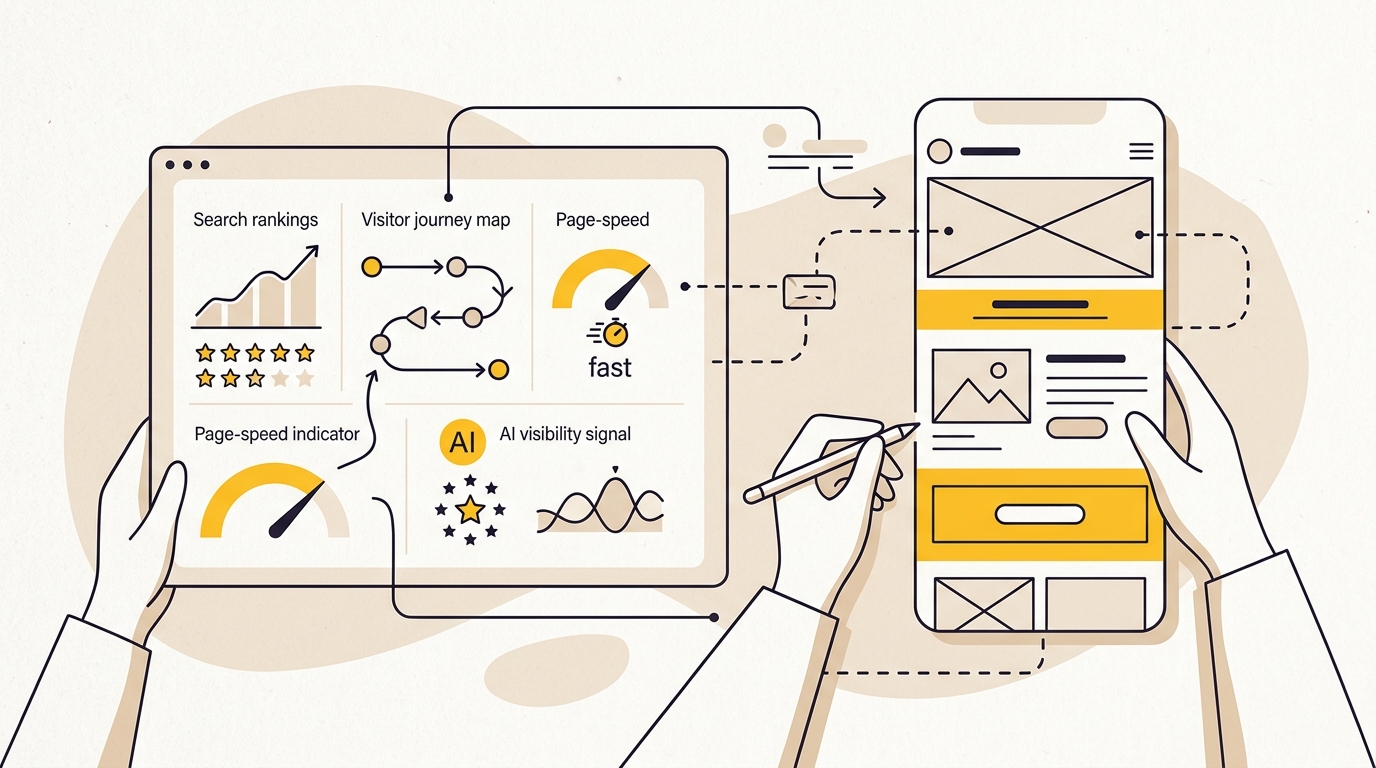
Before redesigning, establish a baseline in five areas: organic search and page performance, user behaviour and conversions, site speed and stability, site structure and URL health, and visibility in AI-powered search. Add business context such as lead quality, average order value or the number of qualified enquiries where you can measure it reliably.
A baseline is a record of how the current site performs before changes. It gives you a fair comparison after launch and helps separate a design problem from a tracking problem, a seasonal change or a change in advertising spend. Without one, teams often judge the redesign by whether it looks more modern, rather than whether it helps visitors complete important tasks.
Use a period long enough to include your normal business cycle. For many small businesses, reviewing the last 12 months of search and analytics data helps reveal seasonal patterns. If you have less data, use what is available and write down the limitation. Do not present a short or unusual period as a complete picture.
| Area to baseline | Questions it answers | Design decisions it can influence |
|---|---|---|
| Search demand and landing pages | Which pages and queries already bring relevant visitors? | Page templates, headings, navigation, content retention |
| User behaviour | Where do visitors hesitate, miss information or leave? | Layout, CTA placement, forms, menus and page flow |
| Conversions and lead quality | Which journeys produce useful enquiries or sales? | Form design, proof placement, checkout and next steps |
| Performance | Which pages feel slow or unstable, especially on mobile? | Image choices, animation, fonts, scripts and component design |
| AI search visibility | Does a clear, accurate description of the business appear in AI answers? | Page clarity, semantic structure, evidence and schema planning |
| Site structure | Which URLs, links and pages carry value? | Information architecture, redirects and migration plan |
What you need before you start
You do not need a large analytics team or an expensive research stack. You do need access to the current website, a record of the main business goals, and the tools that already collect your site data. Ask your web developer, previous agency or marketing lead for access early. Getting access during a redesign can be harder than expected, especially if accounts belong to a former supplier.
Gather these items before the audit:
- Google Search Console and Google Analytics 4 access, if installed.
- A list of the website’s important goals, such as qualified enquiry, booked appointment, purchase or quote request.
- Current sitemap, page list and URL redirects, if available.
- Sales or CRM information that helps distinguish qualified leads from low-quality form submissions.
- Any heatmaps, session recordings, customer surveys or support questions you already collect.
- A list of active marketing campaigns, major promotions and known seasonal periods.
- A person who can explain how the business actually handles an enquiry or order after it reaches the site.
Decide who owns the measurement work and who can approve changes. A designer can interpret layout and interaction evidence, but may need your team to explain whether a lead is valuable, whether a service is profitable or which questions sales hears repeatedly. Bring those people into the review before the design is locked.
For a view of how a redesign project can be scoped, compare your findings with the small business website redesign cost guide. The more clearly you define the pages, integrations and outcomes involved, the easier it is to estimate time and cost.
Step 1: Define what a successful redesign must do
Start with a business outcome, not a design preference. “Make the site feel premium” may describe a brand ambition, but it does not tell the team what the site should help a visitor do. Translate it into a visitor task and a measurable outcome, such as making the service offer easier to understand, increasing completed quote requests or helping shoppers find the right product.
Write down the primary conversion for each audience. A clinic may want a suitable patient to book or call. A law firm may want a prospective client to understand its practice areas and submit a relevant enquiry. An online store may prioritise completed purchases, while also tracking add-to-cart and checkout starts to diagnose friction.
Keep a small set of measures. A useful redesign scorecard might include:
- Qualified enquiries or completed purchases.
- Conversion rate for the main journey, with the calculation defined.
- Organic clicks and impressions to important landing pages.
- Mobile performance for key templates.
- Completion rate for a key form, booking flow or checkout.
- A qualitative measure, such as whether visitors can find pricing or understand the service.
Record the definition next to every metric. “Conversion rate” can mean a purchase, a form submission, a phone click or any configured event. If the old site counts one thing and the new site counts another, the comparison is misleading. Check that conversion events fire once, that internal staff visits are handled consistently, and that consent settings do not create a sudden tracking break.
Also agree on what should not get worse. Examples include preserving organic entry pages, keeping critical content accessible, maintaining a usable mobile menu and not increasing the time it takes staff to publish an update. These guardrails make design trade-offs clearer. A visual flourish that slows the site or pushes a high-value action out of view may not be worth keeping.
Step 2: Find the search demand and pages you must protect
Search data shows how people already discover your business. In Google Search Console, review performance by page and query. Look at clicks, impressions, click-through rate and average position, but interpret them together. A page with many impressions and few clicks may need a clearer title and description. A page with fewer visits may still attract the exact type of customer you want.
Use a consistent period, then identify:
- Landing pages with meaningful organic clicks or enquiries.
- Queries that reveal a service, product, location or customer need.
- Pages with impressions but weak click-through, where the search result may not match the page promise.
- Pages that attract visitors but rarely lead to a useful next step.
- Content that answers pre-sale questions and supports trust, even if it does not directly convert.
Export the page and query data before the redesign. Make a simple inventory with the current URL, page purpose, primary query themes, traffic or enquiry evidence, and the planned destination in the new site. This becomes a working content and migration map, not just an SEO spreadsheet.
Do not assume that low-traffic pages have no value. A page may support a long sales cycle, answer a question customers ask before calling, or receive traffic from a campaign that only runs occasionally. Ask the sales or service team before removing it. If you combine two pages, decide which URL will remain and how the useful content will be preserved.
Keep URL changes to a minimum unless there is a clear reason to change them. If a URL must change, map the old page to the closest relevant new page and plan a permanent redirect. Avoid sending a set of unrelated old URLs to the homepage. That can confuse visitors and search engines, and it does not preserve the meaning of the original page.
A redesign can coincide with ranking and traffic movement while search engines process changes. Search Engine Journal explains the idea of a migration hangover and how to reduce migration risk. Treat migration planning as part of design, not a last-minute technical handover.
The design implication is practical: search demand should influence navigation labels, page names, headings and content hierarchy. If customers search for a specific service, do not bury it inside a vague “solutions” section because that label looks cleaner in a mock-up. Build a design that makes the page easy to find and the offer easy to understand.
Step 3: Map how visitors behave on important pages
Analytics can show what people did, but it rarely explains why. Start with the most important templates: homepage, key service or product pages, contact or booking pages, and checkout if you sell online. Compare mobile and desktop separately. A page can appear effective overall while its mobile experience loses potential customers.
Look at behaviour in the context of a task. Can a new visitor tell what the business offers? Can they identify who the service is for? Can they see what to do next? Can they find proof, pricing guidance or contact details when they need them? These are design questions that raw page views cannot answer on their own.
Use behaviour tools carefully. Heatmaps can show where people click or how far they scroll. Session recordings can reveal repeated hesitation, form errors or an element that appears clickable but does nothing. If you use recordings, make sure the tool’s privacy controls are set appropriately and avoid collecting sensitive information in fields or recordings.
Look for patterns, not a single dramatic recording. A visitor might click a non-interactive graphic once by accident. If many visitors click the same element, the visual design may be signalling an action that is not available. Either make the element work as expected or change its appearance so it no longer looks like a button.
Common signals and potential design responses include:
| Signal in the current site | What to investigate | Possible design response |
|---|---|---|
| Visitors leave a service page without reaching its CTA | Is the offer clear? Is the next step visible and relevant? | Improve the heading hierarchy, bring the CTA and proof into a logical sequence |
| People repeatedly click a non-link | Does the styling imply an interaction? | Make it a real link or remove the false visual cue |
| Visitors stop before key evidence or FAQs | Is the page too long, repetitive or poorly structured? | Reorder sections, add scannable headings and surface decision-critical details earlier |
| Form starts are common but submissions are not | Are fields unclear, excessive or difficult on mobile? | Reduce unnecessary fields, clarify labels and show what happens after submission |
| Mobile visitors use the menu repeatedly before leaving | Are labels vague or the menu difficult to scan? | Rename categories and simplify the navigation hierarchy |
Do not treat scroll depth as a verdict that everything below a certain point should be deleted. A visitor may scroll less because the answer is already clear, or more because the page is confusing. Scroll data needs to be paired with task importance, click behaviour, conversion paths and customer questions.
For high-value journeys, watch a small number of recordings and write down the friction you actually see. Keep a short evidence log: page, device, observed behaviour, likely cause, and the design question to test. This prevents a team from turning an isolated observation into a sweeping redesign rule.
Step 4: Measure conversion paths and lead quality
List the steps between a visitor’s first landing page and the outcome that matters. For a service business, that might be landing page, service page, contact form and confirmation. For an online shop, it may include product page, cart, checkout and order confirmation. Confirm that analytics can measure each step before you compare the current and redesigned experience.
A funnel helps you locate where a journey loses people. It does not automatically explain the cause. If many visitors view a product but few add it to a cart, investigate product information, price clarity, photography, shipping expectations and the visibility of the purchase action. If people start a form but do not submit it, inspect the actual form experience on mobile and desktop.
For lead generation, do not count every submission as a success. Ask the team that handles enquiries which leads are relevant, which are incomplete and which are outside the service area or budget. If possible, connect form submissions to a CRM outcome, or at least review a sample of enquiries with the sales team. This helps prevent a redesign from optimising for easy-to-get but low-quality contacts.
For e-commerce, checkout deserves close attention because small interface decisions can add friction at the point of purchase. Baymard’s checkout usability research examines how users handle checkout design and where usability problems arise. Use the research as a prompt to inspect your own flow, not as a promise that any single change will produce a particular uplift.
Test your current journey yourself, especially on a phone. Try it as a first-time visitor, without relying on autofilled details or knowledge of your own business. Note the fields that are genuinely necessary, where errors appear, whether costs are clear before the final step, and whether the confirmation explains what happens next.
The design outcome should be a simpler, more reassuring path, not merely fewer screens. A form with fewer fields can still be confusing if the labels are vague. A one-page checkout can still be difficult if the page is crowded or the order summary is hard to review. Use evidence to decide which information belongs at each stage and how the interface should guide the visitor.
Step 5: Check speed, stability and mobile usability
Measure performance on the existing site before designing elaborate interactions for the new one. Google’s Core Web Vitals are field measures of loading experience, responsiveness and visual stability. Google documents the current “good” thresholds as Largest Contentful Paint (LCP) at 2.5 seconds or less, Interaction to Next Paint (INP) at 200 milliseconds or less, and Cumulative Layout Shift (CLS) at 0.1 or less. Check the official Core Web Vitals guidance for definitions and current details.
Use PageSpeed Insights to review field data where available and its diagnostic suggestions. Remember that a lab test and real-user field data are not the same thing. Lab results are useful for diagnosing a page under a controlled test; field data reflects real visits and can vary by device, network and audience. If a page has no field data, do not assume that its lab score describes every visitor’s experience.
Measure the pages people actually use, not only the homepage. Include a representative service page, a long article, a product page, a form and any high-value landing page. Check mobile first, then desktop. A technically light homepage does not prove that a filter-heavy product page or embedded booking flow performs well.
Translate a performance problem into a design constraint before mock-ups are approved. For example:
- If a large hero image is the main loading cost, use a more efficient crop or a smaller visual treatment rather than adding another decorative image.
- If a carousel delays interaction or hides key information, test a static layout that exposes the content sooner.
- If webfonts cause visible movement, plan font loading and fallback behaviour with the developer.
- If a menu or filter feels sluggish, question whether it needs complex animation or multiple layers of interaction.
- If third-party scripts slow a page, decide whether each one is essential to the visitor journey.
A design can look fast in a static Figma file and still become slow in a browser. Ask the design and development team to test real components as they are built, including image loading, font behaviour, menus, filters, forms and consent tools. Catching a heavy pattern early is usually easier than removing it after every page uses it.
Performance is part of the visual design brief. It influences the size and number of images, how much motion to use, how content appears while loading, and whether the mobile experience has been treated as a primary layout rather than a compressed desktop page.
Step 6: Audit URLs, page structure and internal links
Before changing navigation, create a crawl or page inventory of the existing site. Record each important URL, status, title, page type, canonical destination if known, and internal links. This gives your team a record of what exists and helps spot pages that are hidden from the main menu but still attract visitors.
A crawler can help find broken links, redirect chains, missing titles and pages that are difficult to reach. Screaming Frog describes its SEO Spider crawler and its site-audit capabilities. You do not need to become an SEO specialist to use a crawl as an inventory, but have an experienced person interpret technical findings before acting on them.
Then compare the current structure with how customers think about the business. Group pages by audience task, service or product, not by internal department names. Navigation labels should make sense to a first-time visitor. If users need to know your organisational chart to find a service, the information architecture is probably serving the business internally rather than helping customers.
Check how many steps it takes to reach important pages. A page that sits several levels deep may still be useful, but visitors should not have to guess which menu category contains it. Consider contextual links within relevant pages, especially when a visitor is likely to need a related service, case example or next step.
Build an explicit redirect map before launch. It should include every old URL that is changing, the chosen new destination and the reason for the mapping. Test the map on the staging site and again after launch. Also check that internal links point directly to the new URL rather than sending visitors through an avoidable redirect.
This is where design and preservation meet. A cleaner menu is valuable only if it does not hide important content or erase the paths that already work. Keep the customer task visible, preserve useful page depth and make the new structure understandable to both people and search systems.
Step 7: Establish an AI search visibility baseline
AI search visibility is whether a business is described, mentioned or cited in answers from tools such as ChatGPT, Perplexity, Gemini or Google’s AI experiences. It is not a single stable ranking. Different prompts, locations, models and dates can produce different answers, so treat your results as a repeatable snapshot rather than a universal score.
Start by writing a small set of realistic prompts that customers might use when comparing options. Include your service, location, audience and the problem you solve. For example, a local buyer might ask for providers in a particular city, while a founder might ask which type of studio suits a certain project. Keep the prompts consistent so you can compare future checks.
For each prompt, record:
- Whether the business is named, and how it is described.
- Whether the answer is accurate about services, locations and specialities.
- Whether the website is cited as a source.
- Which other organisations or sources appear.
- The model or search product, prompt wording, location if relevant, and date checked.
Do not overread a single result. An AI tool may not mention a business even when the site is well designed. The answer can depend on available sources, the exact prompt and the model’s behaviour. The useful question is whether your business information is clear and consistent, and whether the pages that substantiate your claims are accessible and useful.
Review the website content from the point of view of a reader who has never heard of the company. Is it immediately clear what you do, who you serve, where you operate and what makes your service relevant? Are prices, process, qualifications or product details presented plainly where appropriate? Specific, well-structured content is easier for people to evaluate and gives search systems clearer information to interpret.
Use semantic headings, descriptive page titles, internal links and structured data where appropriate. Structured data should accurately reflect visible page content; it is not a shortcut to a recommendation or citation. Do not add claims, ratings or credentials that cannot be verified. A redesign should also avoid making essential information available only after a complex interaction if it can be presented clearly in the page itself.
DesignFIT offers a free AI search audit if you want a starting point for checking how your business appears. For background on a commonly discussed technical file, read whether a business needs an llms.txt file. Treat that as one part of a wider visibility review, not as a replacement for clear pages, useful information and accurate business details.
Step 8: Turn the findings into design requirements
The audit only becomes useful when it changes the brief. For each important finding, write down the evidence, the visitor problem, the design response and the measure you will review after launch. This keeps the conversation focused on what the design needs to do, not on competing opinions about colour or style.
Use a table like this:
| Evidence | Visitor problem or opportunity | Design requirement | How to review after launch |
|---|---|---|---|
| Search Console shows a service page earns relevant visits | The page may not guide visitors to an enquiry | Preserve the page’s search intent and add a clear, relevant next step | Organic landing visits and qualified enquiries |
| Mobile recordings show repeated menu use before exit | Visitors may not understand the navigation labels | Simplify mobile categories and make key actions obvious | Mobile navigation use and completion of key journeys |
| Form users abandon after a particular field | The field may be unclear or unnecessary | Clarify the label, explain why it is needed or remove it if not essential | Form completion and lead quality |
| Performance testing shows layout movement | Content shifts while loading, making the page harder to use | Reserve space for images and plan stable font behaviour | Field CLS and manual mobile checks |
| AI answers misstate the service offer | The site may not explain the offer consistently | Rewrite key pages with precise service and audience descriptions | Repeat the same prompt set and check site accuracy |
Separate requirements into three groups: must preserve, must improve and worth testing. “Must preserve” might include valuable landing pages, essential integrations or a high-performing booking path. “Must improve” should address a clear obstacle, such as an unclear service hierarchy. “Worth testing” is for ideas with plausible value but limited evidence.
Avoid treating every metric as a design instruction. A high bounce rate does not automatically mean the page is bad. Someone may find an answer and leave satisfied, or they may leave because the page failed. An attractive heatmap does not prove that a page converts. Combine the numbers with the visitor task, customer feedback and business outcome before you change the structure.
If the findings call for brand changes as well as a new website, make sure the identity can work across the site and other customer touchpoints. DesignFIT’s brand design service can help when the redesign needs a clearer visual system, not just a new page template.
Step 9: Prepare the measurement and launch plan
Before development begins, confirm that the redesigned site will keep the tracking needed to assess its performance. Document each event, where it should fire and what counts as a completed outcome. Include form submissions, booking confirmations, purchase steps and phone or email actions if those matter to the business.
Ask the team to test tracking in a staging environment where possible. Check that events do not fire on a button click if the actual form submission fails. Test confirmation pages, payment journeys and any third-party booking systems. A beautiful new form is not useful if the measurement records a success before the visitor has completed it.
Prepare a pre-launch checklist:
- Export Search Console and analytics baselines for the chosen period.
- Save the current page and URL inventory.
- Confirm the redirect map and test changed URLs.
- Check titles, headings, internal links and canonical settings on key pages.
- Test forms, calls to action, booking steps and checkout on mobile and desktop.
- Review performance on representative page templates.
- Confirm analytics events and conversion definitions.
- Check that staging pages are not accidentally exposed as the live version.
- Assign someone to monitor search, conversions, errors and customer feedback after launch.
Do not wait for a monthly report to spot a broken form. Test the main journeys as soon as the site is live and repeat the checks after key changes. Compare equivalent periods where possible, and annotate campaigns, promotions, holidays or tracking changes that affect the data.
Step 10: Review results without blaming the design too early
After launch, check that the site works before asking whether it performed better. Confirm that pages load, forms submit, phone links work, analytics records the right events and redirects land on the intended pages. A technical or measurement error can look like a sudden conversion problem.
Then compare the new site with the baseline using the same definitions and comparable periods. Review by page type, device and source where possible. If total enquiries move, ask whether the change happened across all channels or only one. If mobile conversions fall while desktop stays steady, inspect the mobile layout and flow rather than changing the whole site based on a blended average.
Give search engines time to process a site migration, but do not use that as a reason to ignore a sharp or continuing problem. Check whether key pages are indexed, whether redirects work, whether important content was removed and whether analytics is reporting correctly. Use Search Console and your crawl to distinguish a normal transition from a fixable launch error.
Review qualitative evidence alongside performance. Ask people who handle sales or support whether enquiries are better informed, whether customers mention missing information, and whether the new site answers common questions. Read form notes and support conversations for patterns. Numbers can tell you where to investigate; customers can explain what they expected to find.
Keep a decision log after launch. For each adjustment, note what you changed, why, when, and what result you will look at. Avoid changing headlines, layout, forms and tracking all at once if you want to understand which change affected the outcome. A redesign is not finished when the site launches; the baseline gives you a way to make informed improvements rather than reverting to subjective tweaks.
Common mistakes to avoid
Redesigning from taste alone. Stakeholder preferences matter, but they are not evidence of what customers need. Use them to set brand direction, then use search, behaviour and business data to shape page hierarchy and journeys.
Deleting pages because they look old. A dated design does not mean a page has no value. Check search data, enquiries, links and sales-team knowledge before you remove or merge content. Preserve the useful information and map the URL carefully.
Optimising for more traffic instead of better outcomes. A redesign that attracts more visitors but fewer suitable enquiries may not be a success. Track the quality of leads or orders, not only visits and form counts.
Treating a heatmap as a usability test. Heatmaps show patterns in clicks or scrolling, not what every visitor intended. Use them to identify a question, then inspect the page, recordings and customer tasks before choosing a solution.
Making the desktop design first and squeezing it onto mobile. Mobile visitors may use different navigation, have less patience for dense forms and interact with touch targets. Design the key mobile tasks deliberately and test them on real devices.
Adding features without considering their cost. Carousels, animation, chat widgets and third-party scripts all have a job to do. If a feature does not improve the visitor journey, it may add complexity, slow a page or compete with the main action.
Changing URLs without a migration map. A new page structure can be sensible, but every valuable old URL needs a deliberate destination. Record and test redirects before launch.
Judging AI visibility from one prompt. AI answers vary. Record a consistent set of prompts, dates and products, and focus on whether your business information is accurate and well supported on the site.
A practical pre-redesign checklist
Before approving the new design, make sure you can answer these questions:
- Which business outcome is the redesign meant to improve?
- What are the primary visitor tasks for each important audience?
- Which pages and queries currently bring useful organic visitors?
- Which pages, URLs and content must be preserved or redirected?
- Where do visitors struggle in the main mobile and desktop journeys?
- Which forms, bookings or checkout steps lose people, and what evidence supports that diagnosis?
- What are the current performance issues on the page templates that matter?
- Can analytics measure the same outcomes before and after launch?
- What does the business say about lead or order quality?
- Does the site explain the offer clearly enough for customers and search systems to understand it?
- Who will test the site and monitor the first period after launch?
If you cannot answer every question, that does not mean you must delay the entire project. It means you should mark what is unknown and avoid pretending that assumptions are facts. Some gaps can be filled with a focused audit, a customer interview, a page review or better analytics configuration before development starts.
Wrap-up: let the evidence shape the experience
A data-driven website redesign begins by understanding what the current site already does well and where it makes important tasks harder. Measure search demand, visitor behaviour, conversions, speed, URL health and AI visibility, then connect each finding to a design decision. Preserve earned value, simplify real points of friction and make the next step clear for the right visitor.
The best redesign is not the one with the most dramatic visual change. It is the one where the visual system, content hierarchy and technical build work together to make the business easier to understand and act on. If you are ready to turn your baseline into a practical design brief, explore DesignFIT’s website design service and take the next step.
Key takeaway
Measure what visitors need and what the business values before changing the design, then make every major design decision answer a real finding.
Questions people ask
What metrics should I baseline before a website redesign?
Start with organic clicks and landing pages, key conversions, visitor behaviour on important page templates, mobile performance and URL health. Include lead or order quality where you can, because more submissions do not necessarily mean better business results.
How do I keep SEO rankings when redesigning my website?
Record valuable pages and queries, preserve useful content and avoid changing URLs without a clear reason. For every URL that does change, map it to the most relevant new page with a permanent redirect, then test the redirects and monitor Search Console after launch.
Why can organic traffic drop after a website redesign?
Common causes include removed or substantially changed content, broken redirects, pages that cannot be crawled, changed internal links and launch errors. Compare affected URLs and queries with your pre-launch baseline before deciding whether the movement is a temporary transition or a fix that needs attention.
How can I tell whether the new website design is working?
Compare the new site with the old baseline using the same conversion definitions and, where possible, comparable periods. Review outcomes by page type, device and traffic source, and check lead quality, user feedback and technical tracking rather than relying on total traffic or appearance alone.


