Design System Marketing Website: Save After Launch
A reusable design system turns each new marketing page from a bespoke build into a faster, more consistent assembly job.
On this page
- Why new marketing pages become expensive
- What is a design system for a marketing website?
- What should a marketing design system include?
- How do reusable components save money after launch?
- Which design decisions affect page performance?
- Do design systems limit creative freedom?
- Marketing design systems and product design systems
- How to build a system without over-engineering
- What commonly goes wrong?
- Is a design system worth it for your business?
- The practical takeaway
A design system for a marketing website is a set of shared design rules and reusable page parts that helps a team create new pages without starting from scratch. It can reduce repeated design and development work, but only when its components are useful, documented and connected to the way your team publishes pages. The return is not automatic: it depends on how often you make pages and how much work the system genuinely replaces.
If your business regularly launches campaign pages, product pages or location pages, DesignFIT’s website design service can help shape a site around the pages you need to create and the actions you want visitors to take. The important question is not how many components you can build. It is which repeated design decisions are slowing your team down or making your pages less effective.
This guide explains the basics, what to include, how to estimate the cost benefit, and how to start without turning a practical marketing tool into a large internal project.
Why new marketing pages become expensive
A new website launch often feels like the finish line. The brand is in place, the main pages look polished, and the team can finally send traffic to the site. Then the requests arrive: a paid campaign needs a focused landing page, sales wants a page for a new audience, a product launch needs its own story, and the search team wants pages for different services or locations.
If there is no shared system, each request creates a small design project. Someone has to decide on the layout, spacing, colours, heading sizes, buttons, form treatment, mobile behaviour and trust elements. A developer or site editor then rebuilds those choices, sometimes by copying an older page and changing it until it almost fits.
This is the blank-canvas tax. It is not just the time spent drawing a new page. It includes finding the right old files, checking whether a copied section is still current, fixing styles that were changed locally, reviewing responsive layouts, and correcting differences after the page goes live.
Those small tasks also create design debt. As SaaS Factor notes in their breakdown of reducing design tech debt, design debt is the future work caused by inconsistent or rushed design decisions. One page has a different button shape, another uses an old logo, and a third has a different mobile heading size. Each mismatch may seem minor, but together they make the site harder to update and less coherent.
The visitor experiences the same fragmentation differently. They may move from an ad with one promise to a page with different language, visual style or call to action. That gap can make a business feel less trustworthy. Consistency does not guarantee a conversion, but it helps the page feel like a clear continuation of the message that brought the visitor there.
What is a design system for a marketing website?
A design system for a marketing website is a maintained set of visual rules, reusable interface parts, page sections and usage guidance for creating and improving public-facing web pages. It is more than standard brand guidelines, a page template or a folder of design files. It connects how the site looks with how the team builds, edits and publishes it.
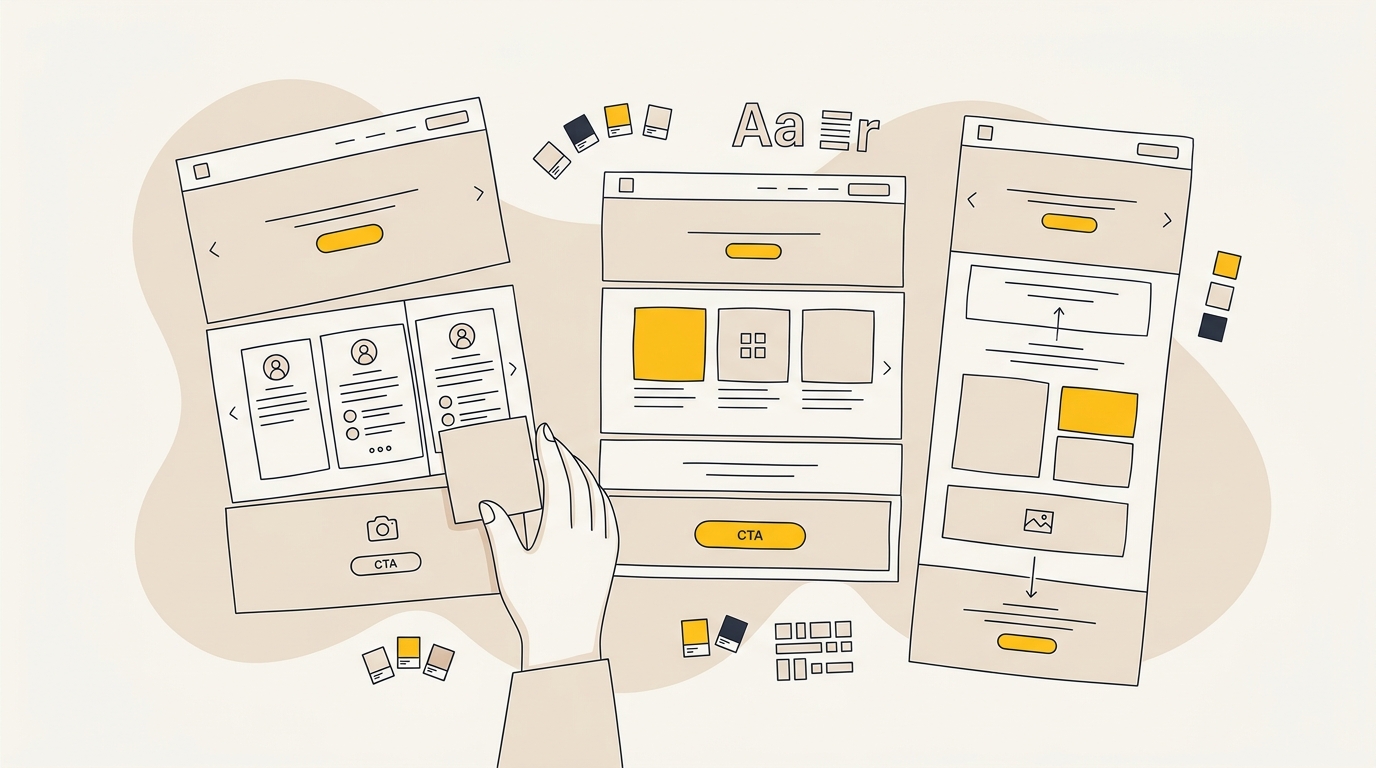
A useful system usually has four connected layers:
- Foundations: the core visual and structural rules, such as colours, typography, spacing and breakpoints.
- Components: small interface elements used across pages, such as buttons, form fields and navigation.
- Sections or modules: larger reusable page blocks, such as a hero, testimonial strip or feature comparison.
- Guidance and governance: instructions for choosing, editing and maintaining those parts.
A design system may live across Figma, a content management system (CMS) and the website’s code. A CMS is software that lets a team manage website content, often without editing code directly. The connections do not have to be fully automated. The essential part is that the design files and published components describe the same system and do not drift into separate versions.
Zeroheight’s overview of design system value describes the wider purpose of a system as shared, reusable foundations and guidance. For a marketing team, that purpose becomes practical: people can make a new page using approved pieces, while still choosing the message and combination that suit the campaign.
How is a design system different from a UI kit?
A UI kit is a collection of interface elements, often in a design file. It might contain buttons, cards and form fields, but it does not necessarily explain how to use them or include working versions in the website.
A marketing design system goes further. It explains what the parts are for, defines how they behave at different screen sizes, and gives the team a way to use them in the CMS or codebase. A design file that is never updated when the live website changes is a reference library, not a dependable working system.
How is it different from a page template?
A page template is a starting layout for a particular page type. For example, a product landing page template might include an introduction, benefits, proof and a contact form. A design system supplies the reusable foundations and sections that can make several templates consistent.
Templates answer, “What is the usual structure for this type of page?” Components answer, “What are the approved, reusable ways to build each part?” Most marketing teams need both. Too few templates leave editors guessing about page structure; too many rigid templates make it hard to respond to a genuinely different campaign.
What should a marketing design system include?
Build the system around the decisions your team repeats. It does not need to contain every possible page or every visual idea. The goal is to make common work easier without forcing every message into the same shape.
1. Brand foundations and design tokens
A design token is a named value for a repeated design decision. Instead of assigning a new colour or spacing value by eye every time, the system uses a shared name such as brand-primary, space-medium or heading-large.
Useful foundations can include:
- Brand and functional colours, including contrast rules for text and controls.
- Font families, heading and body styles, line heights and responsive type behaviour.
- Spacing and layout rules, such as a consistent content width and spacing scale.
- Image guidance, including aspect ratios, cropping, treatment and when to use illustrations.
- Breakpoints, which are the screen widths at which a layout changes to suit a different device.
Tokens make global changes easier. If a brand colour changes, a token-based system gives the team a controlled place to update it. If every page has its own near-match colour, the same change becomes a search-and-fix exercise with more room for mistakes.
Foundations also protect hierarchy. A headline should look like a headline because of its role, not just because someone enlarged a random text block. Clear roles help visitors scan the page and give editors fewer styling decisions to make.
2. Functional interface components
A component is a reusable interface element with a defined appearance and behaviour. Common marketing components include buttons, text links, form fields, navigation, accordions, badges and testimonial cards.
For each component, decide what states it needs. A button, for example, may need default, hover, keyboard-focus, pressed and disabled states. A form field may need empty, completed, error and confirmation states. These details matter because a component is not finished when it looks good in a static screenshot. It also needs to be understandable and usable when someone interacts with it.
A call to action (CTA) is the action you want a visitor to take, such as booking a consultation or requesting a quote. A system can define a primary and secondary button style so that the most important action is visually clear. It should not make every button look equally important. If every element competes for attention, the design has not created hierarchy.
3. Reusable page sections
A section is a larger block that helps tell the page’s story. Common examples include:
- A hero section with a headline, supporting copy and a clear next step.
- A social proof section with a customer quote, rating or named organisation.
- A benefit or feature section with text and supporting imagery.
- A comparison table, pricing explanation or process overview.
- A frequently asked questions section and a closing CTA.
The section should be flexible in the ways that matter. A hero might support a headline and a single button in one campaign, then a headline, short proof point and two choices in another. Flexibility does not mean offering an unlimited number of controls. It means giving editors a few tested options that work within the brand and the layout.
A section library should also explain its job. A testimonial section is not merely a place to fill space. It should address a real concern with a relevant, approved customer statement. A feature comparison should help someone distinguish options, not create a dense wall of text that is hard to read on a phone.
4. Content and publishing guidance
Reusable design cannot solve unclear content. A system should guide editors on the information each section needs, how much copy it can hold, and what evidence belongs there. A short instruction such as “Use one specific customer outcome and name the customer only with approval” can prevent a generic, low-trust proof section.
Guidance can cover heading order, descriptive link text, image alt text, metadata, internal links and page-specific checks. Metadata is information such as a page title and search description that helps describe a page in search results. This does not mean every page should be mechanically optimised for a keyword. It means editors should know which information is expected and who checks it.
The system needs an owner or a clear ownership process. Someone should decide how new components are requested, tested, documented and reviewed. Without that responsibility, the library can collect duplicate versions and eventually become harder to use than the blank canvas it replaced.
How do reusable components save money after launch?
The financial benefit comes from reducing repeated work. In their analysis of design system ROI, Netguru points out that initial build time pays dividends only through sustained reuse. The initial system takes time to design, build, test and document. After that, each suitable page can reuse some of the work already completed. Whether the total cost goes down depends on the number of pages, the complexity of each page and how much of the work the system actually removes.
A simple way to think about the calculation is:
First-year system cost = setup cost + (number of pages × average assembly cost) + maintenance cost.
Compare that with:
One-off approach cost = number of pages × average bespoke build cost.
These are planning formulas, not industry price benchmarks. Check DesignFIT's website design pricing for practical project baselines. Use your own design, development, review and publishing costs. Include the time spent by internal staff, not only invoices from an agency or freelancer. If an editor spends half a day waiting for fixes and approvals, that delay has a cost even when no separate bill arrives.
An illustrative example, not a market price
Imagine a team expects to make 24 comparable campaign pages in a year. For planning only, assume each bespoke page takes 12 hours across design, development and review. Assume the reusable system takes 80 hours to plan and build, each assembled page then takes three hours, and the team values that combined work at $120 per hour.
Under those assumptions, the bespoke approach uses 288 hours, or $34,560 of time. The system approach uses 80 setup hours plus 72 hours for page assembly, totalling 152 hours, or $18,240. The model suggests a difference of 136 hours, or $16,320, before maintenance and other costs.
Those figures are only the result of the assumptions above. They are not a promise or a general estimate of what a system costs. If the business creates only a few pages, if each page needs custom functionality, or if the component library takes much longer to build, the system may not pay back in the first year. If the team produces many similar pages, the same setup may be used repeatedly.
The useful exercise is to replace the assumptions with your own tracked hours. Record how long the last few pages took, including content changes, design review, mobile checks, developer questions and publishing. Then estimate which tasks the system would remove and which tasks would still be needed.
Research on design systems can help explain why reuse matters, but it should not be treated as a guaranteed saving for every company. For example, Sparkbox’s design system ROI study examines developer efficiency in a defined context. A team should read the study’s methods and compare the task with its own workflow before applying any finding to its budget.
Likewise, Forrester’s Total Economic Impact study for Figma Dev Mode is an economic analysis of a particular product and set of organisations. It can prompt useful questions about reuse and handoff, but it is not a forecast of savings for every marketing website. Your own page volume, CMS, team capability and approval process determine the local result.
Savings are not only about building pages faster
Fewer repeated builds can create other benefits. A shared button or form can be corrected once and then updated across pages that use it. A consistent section can make reviews quicker because people are comparing the message and evidence, rather than reopening settled decisions about spacing or styling.
The team may also reduce avoidable implementation errors. If a developer does not have to reconstruct the same form layout for every campaign, there are fewer opportunities for the design and live page to diverge. The value depends on the quality of the component and how reliably the team uses it. A bad component reused everywhere spreads the same problem more efficiently.
A system also makes experimentation more manageable. A marketing team can change a headline, offer, image or section order while keeping other design variables stable. That makes it easier to understand what changed. It does not prove that the new version caused a different result by itself, but it gives the team a more controlled way to learn.
Which design decisions affect page performance?
A marketing system should not be built only to make pages look similar. Its design decisions can affect how visitors understand the offer, how easily they act and how reliably the site works across devices.
Page hierarchy helps visitors find the point
Hierarchy is the order in which the design signals what matters most. A clear page might lead with the audience and outcome, follow with a short explanation, show relevant evidence and offer a next step. Typography, spacing, position and contrast all help express that order.
The component should support the content rather than dictate it. If every page is forced into a huge headline, a stock image and three feature cards, the team may end up with repetitive pages that do not suit the offer. Give editors a small number of meaningful layout choices and explain when each choice works.
Semantic headings create structure
A semantic heading is a heading that is marked up according to its role in the page structure, rather than chosen only for its visual size. In HTML, headings commonly use levels such as H1, H2 and H3. As Conversion Factory details in their guide to heading hierarchy, the level represents the relationship between sections, not a preset font size.
A page builder should let the editor select the correct visual style while preserving the appropriate heading level. For example, a section may need a smaller-looking heading that is still an H2 because it introduces a main section. Styling and semantics should not be tied together in a way that encourages editors to choose an incorrect heading level just to get the desired appearance.
A logical heading structure can make a page easier to scan and navigate, including for people using assistive technology. It also makes the content’s organisation clearer to software that reads the page. Do not promise that headings alone will produce better rankings or AI citations. Search visibility depends on many factors, including useful content, technical accessibility and how clearly a page answers a genuine query.
Accessibility should be part of the component
Accessibility means designing and building a site so people with different abilities can use it. For a marketing component, that can include sufficient text contrast, keyboard access, visible focus, clear field labels, understandable error messages and layouts that remain usable when enlarged.
These details are easier to check when the component is designed and tested once, rather than rediscovered on every page. But a component being labelled accessible does not make every use accessible. Editors can still enter vague link text, upload an image without useful alternative text, or place a long message in a layout that becomes difficult to read on mobile.
Treat accessibility as a shared responsibility. The designer defines sensible visual and interaction rules. The developer checks implementation. The editor supplies clear content. The team tests the live page with real devices and, where appropriate, assistive technology. A system can support that work; it cannot replace it.
Responsive behaviour protects the mobile experience
Responsive design means a layout adapts to the screen and device being used. A desktop section with two columns may need to stack on a phone. A long navigation menu may need a different interaction. A comparison table may need a carefully designed mobile alternative rather than shrinking until it is unreadable.
Specify what each reusable section does at smaller widths. Test the longest likely heading, the largest number of cards and the most demanding image crop. Testing only with short placeholder copy can hide real layout problems. A component that looks tidy in a design file may break when a marketer adds the approved copy and the actual campaign image.
Performance begins with the implementation
Core Web Vitals are a set of Google measures related to loading, interactivity and visual stability. A reusable design system does not automatically improve them. The code, images, fonts, scripts, hosting and page content still matter.
A system can help by encouraging shared, well-built components and consistent image rules. It can also hurt if it loads every possible feature on every page, adds heavy effects or creates layers of unnecessary code. Ask the development team to consider what each component loads, whether it can be used without unnecessary scripts, and how large images are prepared.
Visual stability matters too. If images have no reserved dimensions, content can shift as they load. If a page inserts elements unexpectedly, visitors may lose their place or tap the wrong control. Build predictable image containers and test real content in the finished page rather than relying on a static mock-up.
Brand consistency supports trust
Brand consistency means that the company feels recognisably the same across its website, ads, emails and other customer touchpoints. A system can help maintain consistent typography, colour, voice and proof even when different people create pages.
Consistency is not sameness. A product launch may need a bold visual treatment, while a high-intent service page may need a calm layout and detailed evidence. Both can still use the same brand foundations. The aim is to make the business recognisable while giving each page enough room to communicate its particular offer.
Webflow’s guidance on design systems for marketing teams explores how reusable website patterns can support marketing teams. The practical lesson is to design the system around how people actually create and maintain pages, rather than handing over a component library and expecting it to organise itself.
Do design systems limit creative freedom?
A useful design system limits repetitive, low-value decisions, not the ideas that make a campaign distinctive. It can standardise button behaviour and form spacing while leaving room for a unique message, campaign image, narrative sequence or interactive feature.
The system becomes restrictive when every page must use the same sequence of sections, the same image treatment and the same number of words. That is not flexibility; it is a template being mistaken for a strategy. A campaign for an established customer may need detailed product evidence. A campaign for a new audience may need more explanation and reassurance.
To protect creative range, define approved variations and a way to request an exception. An exception is not a failure if it solves a real communication problem. Record why the team needed it, test the result and decide whether it reveals a reusable pattern worth adding to the system.
Adobe’s article on scaling a product design system for marketing interfaces is useful context for this distinction. Marketing interfaces may share foundations with product interfaces, but their goals and content needs can differ. A system should connect related experiences without pretending that every screen serves the same purpose.
Marketing design systems and product design systems
A product design system supports the interface people use inside a product, such as a SaaS dashboard. A marketing design system supports public pages that explain, position and sell that product. The two can share brand colours, typography, accessibility principles and some basic components, but they often need different layout patterns.
A product interface may prioritise frequent tasks, dense information and predictable controls. A marketing page may need to explain a problem, establish credibility, compare options and guide a visitor towards a decision. Copy length, imagery, page rhythm and calls to action can be different because the visitor’s needs are different.
Trying to make the marketing site look exactly like the product can flatten the brand story. Trying to make the product behave like a campaign page can make everyday tasks harder. Agree on shared foundations, then let each system have the components and guidance that suit its users.
If the work spans both public-facing pages and in-product experiences, DesignFIT’s interface and app design service can help address the product side of that relationship. The boundary should be a deliberate design decision, not a source of drift between teams.
How to build a system without over-engineering
Start with the repeated work that is slowing the team down. Do not begin by trying to document every design decision the company has ever made. A smaller, useful system that editors trust is more valuable than a large library that nobody opens.
Step 1: Audit the pages you already have
Collect the pages the team uses most often: key landing pages, product or service pages, lead forms, campaign pages and location pages if relevant. Look for repeated sections and recurring problems. Where does the team copy and paste? Which parts regularly need developer help? Where do different pages give the visitor conflicting information?
Do not just count visible elements. A section that appears on many pages may still need different content or behaviour each time. The strongest candidates for reuse are patterns with a consistent job and a small number of meaningful variations.
Step 2: Record the workflow and its friction
Ask the people who request, design, build, approve and publish pages what slows them down. A marketer may say the page takes too long, while the actual delay is waiting for copy approval or product evidence. A system that only fixes the layout will not solve that problem.
For a few recent pages, record the stages, people involved, revisions, handoffs and defects. Note which decisions repeat and which are genuinely unique. This gives you a baseline to compare after the system is in use and helps distinguish design savings from improvements in the broader process.
Step 3: Define the page types and section jobs
List the page types the business needs, such as paid campaign landing pages, product feature pages, industry pages or event pages. Write down the visitor’s question and the intended next step for each type.
Then define the sections that can help answer those questions. Avoid adding modules because they look impressive in a presentation. Every module should have a clear purpose, content requirements and useful variation options. If no one can explain when to use it, it may not need to be a component yet.
Step 4: Build the foundations and essential components
Set the typography, colour, spacing and responsive rules before producing a large page library. Then build the components the audit showed you use most, such as buttons, forms, navigation and common proof or content sections.
Test each component with real copy and imagery. Check mobile behaviour, keyboard focus, error states, long labels and unusual but plausible content. This is the point to discover whether the design is genuinely flexible enough for marketing work.
Step 5: Connect the design file to the CMS or code
Agree on names and usage rules across design and development. A component called Customer proof in Figma should be recognisable to the person selecting it in the CMS. The two versions should not have conflicting options or different rules for spacing and content.
Consider editor permissions. Some systems allow editors to change any colour, margin or layout setting. That flexibility can quickly undermine consistency. Give editors control over the content and the choices they need, while protecting the underlying structure that requires design or development expertise.
This does not mean locking every decision. If marketers cannot create a useful page without asking a developer to make a small, safe change, the system may be too rigid. Test the editing experience with the people who will use it, not only with the person who built it.
Step 6: Pilot with a real page
Choose an upcoming page that is representative, but not the most complex page in the business. Build it with the system, then observe where the editor gets stuck, which components are missing and what needs custom work.
Review the published page on mobile and desktop. Check the message, form behaviour, headings, images, metadata and links. Ask whether it feels like the right page for its audience, not merely whether it uses the approved components. Update the system based on what the pilot revealed.
Step 7: Measure the outcome and maintain the library
Compare the pilot and later pages with your baseline. Measure the hours required, the number of handoffs, revision rounds, publishing delays and post-launch fixes. If the system is meant to support conversion, review relevant page analytics too, but avoid treating one result as proof that the components caused it.
Choose an owner or a small review group to manage requests and improvements. Remove outdated components, improve confusing guidance and document meaningful changes. The system should develop with the business, but changes should be deliberate enough that teams know which version to use.
What commonly goes wrong?
Building too many components before testing them
A large library can look impressive but still fail in day-to-day use. If editors cannot find the right section or do not understand its purpose, they may create workarounds. Start with repeated needs, pilot them, then expand based on actual demand.
Reusing a page without rethinking its message
Copying a page and swapping the headline is fast, but it does not guarantee a relevant landing page. The audience, offer, proof and next step still need to match the campaign. Reuse the structure where it helps; rewrite the story for the person arriving on the page.
Treating component reuse as a conversion guarantee
A component that is easier to publish is not automatically more persuasive. Conversion depends on the visitor, offer, traffic source, message, evidence, usability and other factors. A system helps teams apply deliberate decisions consistently. It cannot make a weak offer compelling by repeating it across more pages.
Letting the design file and live site drift apart
If designers update a component in Figma but nobody updates the CMS or code, teams may follow different versions. Decide where changes are proposed, approved and implemented. Record which version is live and make the process visible to people who create pages.
Giving editors too many unrestricted options
An editor who can change every colour, font size and spacing value may unintentionally create a one-off design. But restricting every field can make routine work frustrating. Make the safe, common choices easy to find and reserve unusual changes for a clear review process.
Ignoring maintenance in the business case
A system needs upkeep as the brand, products and website change. Include that work in your cost model. If the organisation does not assign time to maintain components, the library can become outdated, and the apparent savings may be replaced by ongoing workarounds.
Is a design system worth it for your business?
It is more likely to be useful when your team publishes pages regularly, the same patterns appear across those pages, and multiple people need to create or update them. It can also help when brand inconsistencies are growing or routine page changes repeatedly require a developer.
It may be too much structure when the website has only a small number of stable pages, each campaign requires a genuinely different experience, or the current process is already fast and reliable. A few carefully maintained templates and a clear brand guide may be enough for a smaller publishing need.
Use this checklist before committing:
- Do we have repeated page types or sections?
- How many pages do we expect to create or substantially update?
- What work repeats on each page, and how many people are involved?
- Which parts need design or developer expertise, and which can an editor safely manage?
- Can we name the visitor’s goal and the job of each reusable section?
- Do we have someone responsible for implementation and ongoing maintenance?
- Can we pilot the system on a real page and measure the workflow?
- Does our cost model include setup, assembly, reviews and maintenance?
If the answers point to repeated work and a clear owner, start with a focused system for the pages that matter most. If the answers are uncertain, audit the workflow first. You may find that the main bottleneck is content approval, image production or unclear campaign strategy rather than the page build itself.
The practical takeaway
A design system for a marketing website is an investment in repeatable decisions, not a shortcut that makes every page identical. It can save money after launch when the business reuses well-designed components often enough to outweigh the cost of building and maintaining them. Start with real page patterns, create components around visitor needs, and measure the work the system actually removes.
If you are planning a website that needs to support ongoing campaigns and new pages, talk to DesignFIT about a marketing website built for growth.
Key takeaway
A marketing design system saves money when it replaces repeated work with useful, maintained components without forcing every page into the same story.
Questions people ask
What is the difference between a UI kit and a marketing design system?
A UI kit is usually a collection of design elements, often in a design file. A marketing design system also includes usage guidance, reusable live components and a process for keeping the design and published website aligned.
Does a design system limit creative freedom on marketing pages?
It should reduce repetitive decisions, such as button styling and spacing, while leaving room for different messages, imagery and page structures. If every campaign has to use the same sequence of sections, the system is probably too rigid.
How much can a design system save a business?
There is no reliable universal saving because the result depends on page volume, setup effort, maintenance and how much work is genuinely reused. Compare your own recent page costs and hours with a realistic estimate for building and maintaining the system.
Can marketers build landing pages without developers once a system is in place?
They may be able to assemble and publish common pages if the CMS components and editor permissions are designed for that workflow. New functionality, unusual layouts and changes to shared components can still need design or development support.