How to Increase Shopify Average Order Value Without Clutter
A practical guide to lifting basket totals with helpful offers, clear design and a smoother route to checkout.
On this page
- What you need before changing your Shopify cart
- Step 1: Replace the disruptive interruption with a cart drawer
- Step 2: Set a free-shipping threshold with a reason behind it
- Step 3: Choose cross-sells people can evaluate quickly
- Step 4: Create bundles that are easy to understand
- Step 5: Design for the mobile viewport
- Step 6: Choose the simplest workable implementation
- Step 7: Measure the result and decide what to keep
- Tips to keep the experience useful
- Mistakes to avoid
- A practical launch checklist
- Wrap-up: raise basket value by making the choice easier
To increase Shopify average order value, give customers relevant ways to add to their basket without interrupting the purchase they have already chosen. For growing stores in e-commerce, a well-designed cart drawer, a sensible offer threshold and clearly presented product bundles can do that without relying on popups. The goal is not simply a bigger basket. It is a more useful order that remains easy to review and buy.
Start by measuring your current average order value and checking where shoppers leave the buying journey. Then make one change at a time, so you can tell whether the experience is helping. If your Shopify theme needs a broader design review, see DesignFIT’s Shopify website design service.
What you need before changing your Shopify cart
A drawer cart or bundle is not automatically an improvement. The right offer depends on your products, margins, fulfilment process and customers’ buying habits. Before adding an app or rearranging your theme, collect a clear baseline and answer a few practical questions.
1. Record your current average order value
Average order value, or AOV, is the average amount spent per order during a chosen period. In simple terms, divide the sales amount you are measuring by the number of orders in the same period. Use Shopify Analytics to choose a consistent report and period, and check exactly which sales components that report includes. Discounts, refunds, taxes and shipping can affect how a figure is presented across reports.
Write down the date range and report you used. A single busy week may not represent normal purchasing behaviour, especially if you run promotions or have seasonal products. Compare equivalent periods where possible, such as one month with the same month last year, or a rolling period before and after a design change.
Also note two measures alongside AOV: the number of orders and your conversion rate. If AOV rises while fewer people buy, the change may not be a win. Revenue per visitor or total revenue can add useful context, but avoid treating one metric as the entire story.
2. Check what people already put together
Look at order data and product analytics for recurring combinations. Which products are often bought together? Do customers buy refills after a starter product? Are there products that naturally form a set, such as a cleanser and moisturiser, a camera and memory card, or a shirt and care product?
These patterns are stronger evidence than an assumption that a high-margin product must be a good add-on. If customers do not see a clear reason to pair two products, placing them together in a cart may create more doubt than value.
3. Understand your margins and fulfilment limits
A threshold that encourages a larger basket can still reduce profit if it gives away too much shipping or discount value. Before setting an offer, calculate the product cost, packaging, fulfilment, payment and shipping implications. Ask your operations team whether bundles are straightforward to pick and pack, and whether stock is tracked at the component level.
Decide what you can afford to offer, and under what conditions. Free shipping, a small accessory, a sample or a bundle saving each have different costs. Make the offer available only where the economics and delivery rules work.
4. Review the mobile buying experience
Open your store on a real phone, not just a desktop preview. Add a product to the cart, change its quantity, remove it, check the total and continue to checkout. Notice what covers the screen, what moves unexpectedly and whether the main button stays easy to find.
Baymard’s research on cart abandonment discusses avoidable friction in the cart and checkout journey. It is a useful reminder that an upsell should not obscure essential details such as the item, price, delivery information or route to payment.
Step 1: Replace the disruptive interruption with a cart drawer
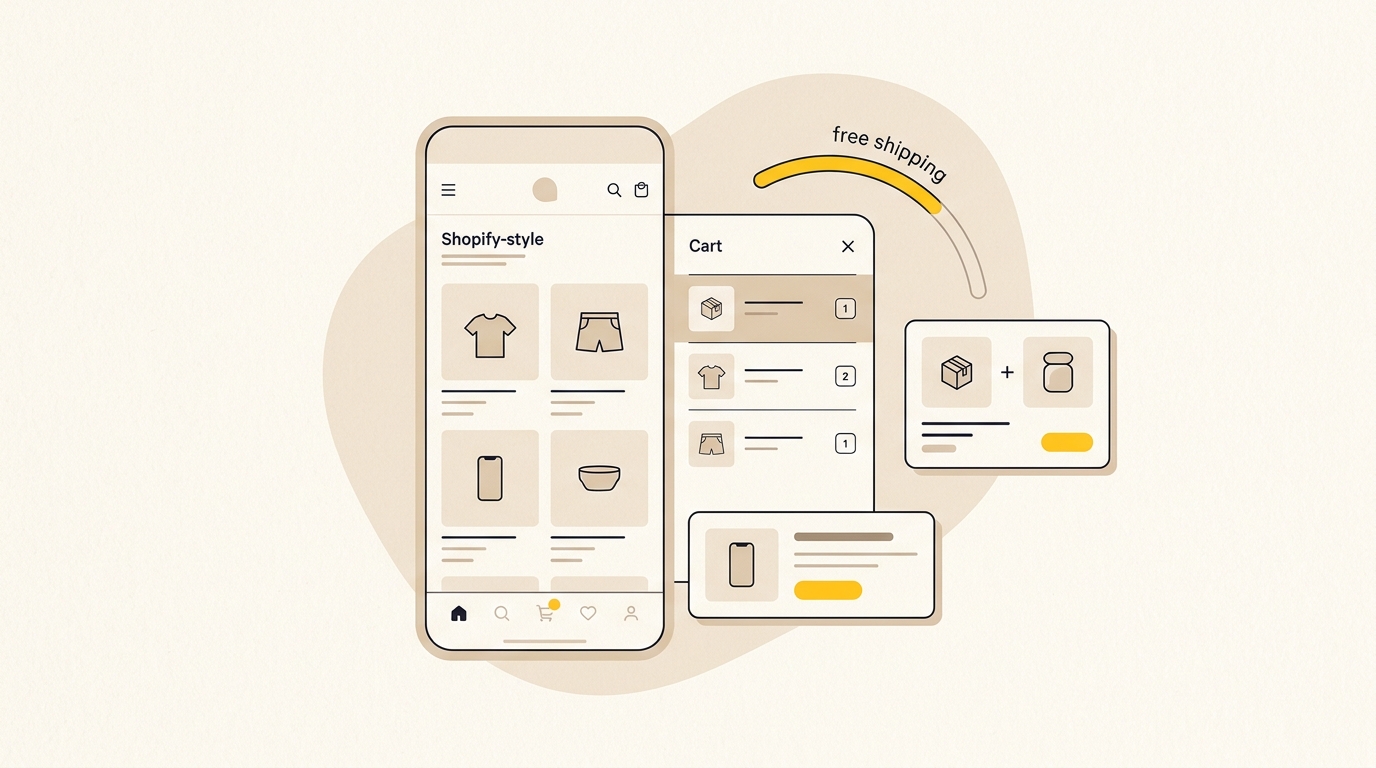
A cart drawer is a panel that slides over or in from the side of the page after a shopper adds an item. It confirms the action and lets the shopper review the basket without leaving the product page. A drawer is not automatically better than a cart page, but it can preserve browsing context when it is designed to stay clear and easy to dismiss.
Decide whether a drawer fits your store
A drawer can suit stores where customers browse several products before checkout, or where a small number of relevant accessories can be added without extensive comparison. It may be less appropriate if orders require complex configuration, if customers need to edit many options at once, or if the existing cart page is an important part of the buying process.
Do not add a drawer solely because an app advertises more upsells. First identify what your current cart does poorly. If it gives clear item details and makes checkout simple, a redesign may not be the highest-value task.
Give the drawer a clear visual order
Think of the drawer as a compact checkout review, not a miniature home page. Arrange information by importance:
- A clear cart heading and close control. Customers should know where they are and how to return to browsing. Make the close control easy to see and tap.
- A short delivery or reward message, if useful. Show a threshold only when the offer is real, relevant and calculated correctly.
- The products already selected. Give each item enough room for its image, full or recognisable name, chosen variant, quantity and price.
- At most one or two relevant additions. Keep these visually secondary to the existing basket and checkout action.
- A persistent total and primary checkout button. The shopper should not need to hunt for the next step.
Use spacing and type size to create hierarchy rather than decorating every section with a coloured box, badge or border. If every element looks important, the customer has to work out what to read first.
Make cart lines easy to check and edit
Show a useful product thumbnail, but keep it small enough that the cart does not become an image gallery. Use the product name and selected details, such as size, colour or scent. A price without its variant can leave a customer uncertain about whether the right choice is in the basket.
Quantity controls should be understandable and provide feedback. If someone changes a quantity, update the line price and subtotal promptly. If an item cannot be removed with a minus button, make the remove action visible. Avoid tiny controls, hidden gestures or controls that shift position as the cart updates.
Be careful with long product titles. Decide how names wrap or truncate, and make sure the full identity is still accessible. Test products with the longest names and most complicated variant combinations, not only the simplest example.
Keep checkout more prominent than the upsell
The existing order is the reason the shopper opened the drawer. Make the checkout button the most prominent action. An add-on should not be larger, brighter or positioned in a way that makes it look like the required next step.
If your theme or checkout setup supports accelerated payment options, consider how they fit the layout. Keep the standard checkout route clear and do not crowd the bottom of the drawer with several competing buttons. Review the complete payment area on smaller screens, including any legal or delivery note that needs to appear nearby. Extensive findings from Baymard on checkout usability show that competing actions at this stage easily derail transactions. To prevent costly drop-offs, review our guide on Shopify checkout optimization mistakes.
Avoid a drawer that behaves like a popup
A drawer can become just as annoying as a modal if it repeatedly opens, blocks product information or traps the shopper in an upsell flow. Avoid forcing customers through a separate offer screen before they can continue. The panel should be dismissible, should not repeatedly reappear without a fresh cart action, and should not hide essential controls behind a carousel.
Baymard’s cross-sell usability benchmark is a useful reference for evaluating how suggestions are presented. The practical design lesson is simple: the product recommendation should be understandable without making the customer stop and solve a new shopping problem.
Step 2: Set a free-shipping threshold with a reason behind it
A free-shipping threshold can encourage a shopper to add a worthwhile item, but it needs to feel achievable and make financial sense. Do not copy a number from another store. Work from your own order data, margins, shipping costs and customer behaviour.
Calculate a starting threshold
Begin with your recent AOV and the distribution of order values. A threshold set slightly above a common basket size may give customers a practical next step. As an initial test, some stores model a threshold around 10% to 20% above their baseline AOV. Treat that as a hypothesis to test, not a universal formula.
For example, if a store’s typical order is around $60, it could compare a threshold near $66 with one near $72. Those figures are examples only. The better threshold depends on whether customers can add an appropriate product at that price and whether the extra shipping cost can be absorbed.
Before publishing the offer, model at least three scenarios:
- How many existing orders already meet the threshold?
- What does an order just below the threshold need to add?
- How much does the offer cost when a customer qualifies?
If many orders already qualify, the offer may reward existing behaviour without changing the basket. If the gap is too large, customers may ignore it. If the extra product is a poor fit, a threshold can encourage low-value additions that increase returns or customer service issues.
Explain the offer in plain language
Tell customers what qualifies and what they get. A message such as You are $12 away from free standard shipping is clearer than Almost there. Make sure the remaining amount updates as the basket changes and uses the same rules as checkout.
State any important limits near the offer. If free shipping applies only to standard delivery, certain locations or eligible products, do not imply that it covers every shipping option or destination. A cheerful progress bar is not a substitute for accurate terms.
Design a progress indicator that informs, not nags
A simple line of text may be enough. If you use a bar, give it a clear starting point, a visible filled portion and a useful message. Use an accent colour that is already part of your brand system, but preserve sufficient contrast for readability. Do not rely on colour alone to communicate progress.
The bar should update when a product is added, removed or changed. It should not jump the page, move the checkout button unexpectedly or announce an offer that is no longer available. Test what happens when the basket passes the threshold and when a discount code changes the total.
Avoid stacking several rewards into the same small area unless each has a clear business case. A free shipping bar, a discount countdown, a gift message and a loyalty prompt can make the cart feel like advertising inventory. Choose one main incentive and make the rest of the interface quieter.
Check the threshold against profit, not just basket size
A higher AOV does not automatically mean a healthier business. Calculate whether the incremental products cover the cost of the incentive and fulfilment. Include the effect of discounts, shipping subsidies and returns where you can.
If a threshold increases the average basket but reduces contribution margin, it may not be worth keeping. If it improves both order value and profit without hurting conversion, it is more promising. Decide in advance which result you want, and do not move the goalposts after seeing the data.
Step 3: Choose cross-sells people can evaluate quickly
An in-cart cross-sell is a related product shown after a customer has added something to the cart. It works best when the connection is obvious and the choice is simple. It works poorly when the shopper must stop to compare a new range, learn a complex feature set or make several decisions on a narrow screen.
Pick products with a clear connection
Start with combinations supported by your product range or sales data. Examples might include replacement filters for a device, a protective case for a product, a compatible refill, gift wrapping or a care item. These are examples, not recommendations for every shop. A good add-on solves a nearby need that the main purchase makes apparent.
Check compatibility carefully. A cross-sell that does not fit the customer’s selected model or size creates returns and undermines trust. If compatibility depends on a variant, use the shopper’s selected product to filter suggestions or leave the item out of the drawer.
Use a quick relevance test
Before adding a suggestion, ask:
- Is it clearly related to what is already in the basket?
- Can the customer understand the benefit in a few seconds?
- Is the price easy to see?
- Can it be added without a complicated configuration?
- Is it genuinely optional, with no implication that the original order is incomplete?
If several answers are no, put the recommendation on a product page or a dedicated bundle page instead. The cart is a poor place to introduce an unfamiliar product that needs a full explanation.
Make the add action simple and honest
Show the item name, a small image, price and a short reason it fits. If the product has one sensible default option, a single add button can work. If a variant must be selected, let customers choose it clearly rather than silently adding a default they may not want.
After the add action, update the cart quantity and total and provide feedback that the item was added. Do not make the customer wonder whether the button worked. Also provide an easy way to remove the product later.
Keep the recommendation area limited. One well-chosen item is often easier to assess than a rotating row of unrelated products. If you do show two suggestions, make sure both have a clear connection and neither pushes the checkout action out of sight.
Match suggestions to the basket
Use product relationships, collection rules or Shopify’s available recommendation features to avoid showing the same generic bestseller to everyone. A customer buying a replenishment product may value a refill; someone buying a gift may want wrapping. The relevance comes from the context, not from how prominently the item is displayed.
Review the suggestions manually before launch. Check each combination, including bundles and products with multiple variants. A technically valid recommendation can still feel random when it does not make sense from a customer’s point of view.
Step 4: Create bundles that are easy to understand
A product bundle groups related products into one offer. It can help customers choose a complete set or buy a quantity that better suits their needs. The design should make the contents, price and saving clear before the customer adds the bundle.
Decide which bundle format suits the products
| Bundle format | Best suited to | Design consideration |
|---|---|---|
| Curated kit | Products designed to work together | Show every included item and explain why they belong together |
| Multipack | Repeat-use or replenishment products | Make the quantity and per-item value easy to compare |
| Quantity break | Products customers may buy in multiples | Keep the choices compact and the total price visible |
| Mix and match | Customers need control over a combination | Use only when the selection flow remains manageable on mobile |
Do not make a bundle just because several products can be grouped. It should reduce effort, meet a recognisable need or offer a clear value exchange. If the customer has to untangle what is included, the bundle is adding work rather than removing it.
Put the bundle choice where it helps
For a curated kit, introduce the bundle on the relevant product page and explain what each component does. For a multipack, show the quantity options near the price and add-to-cart action. Keep the normal single-item option visible so customers do not feel forced into a larger purchase.
A compact selector might show the quantity, total price and any saving for each option. Use one clear selected state and make the full price legible. Avoid making the smallest option look like a mistake or using a preselected large bundle that customers may miss.
The customer should be able to compare the bundle with buying the items separately. If you state a saving, calculate it from the current individual prices and ensure the comparison remains accurate when prices or promotions change. Do not use a crossed-out price unless it represents a real, valid reference price.
Set up inventory and fulfilment before promotion
A bundle can contain products that are stocked as separate items. Before launch, confirm how inventory is tracked, what happens when a component is unavailable and how the order appears for picking and packing. Test the complete order path, including refunds and partial fulfilment where relevant.
Shopify’s Bundles app documentation explains the official bundle options and setup. Its bundle eligibility and considerations page is important to read before choosing a format, because available bundle types and limitations can affect whether a particular setup fits your store.
Check stock behaviour in a test environment or with a controlled product before marketing the bundle. A bundle that appears available when one component is out of stock can create fulfilment problems. Confirm the product page, cart line and order details all describe the same contents.
Avoid making a bundle discount the whole proposition
A discount can help customers see the value, but it is not the only reason to buy a set. Convenience, compatibility, a ready-to-use routine or a gift-ready presentation can make a bundle useful without a heavy markdown.
If you discount, make the terms and final price obvious. Do not hide the saving behind a code that only appears after checkout, or show a bundle total without explaining what is included. Customers should be able to understand the offer at the decision point.
Step 5: Design for the mobile viewport
A cart drawer has less room on a phone, so every element needs to earn its place. A desktop layout that looks balanced can turn into a long scroll on mobile, leaving the checkout button or product details out of view.
Test the full journey on a real device
Test at least one smaller phone and one larger phone if you can. Check the drawer with a short product name and a long one, a single-item basket and a multi-item basket, and products with variants. Test the free-shipping message below and above its threshold.
Pay attention to the browser chrome and keyboard as well as the page. If a variant selector opens the keyboard or a quantity control sits close to another button, make sure the shopper can still use the interface comfortably. Do not approve the design based only on a static screenshot.
Keep the next step easy to find
A sticky checkout area can help keep the main action accessible, but it must not cover cart items or required information. Test how it behaves when the customer scrolls, changes quantities or views an error. If the drawer is so small that a sticky footer consumes most of the usable space, simplify the content instead.
Use a clear button label and sufficient contrast. Make secondary actions, such as continue shopping or remove, visually distinct from the primary checkout button. Avoid multiple bright buttons competing for attention.
Check loading and interaction behaviour
A cart interface should respond predictably when a shopper adds an item. Check whether the drawer opens only when expected, whether the product count updates and whether the subtotal stays in sync. Test slow connections and repeated taps. A delayed response can make shoppers tap again and accidentally add duplicate quantities.
Keep the design light. Each app can add scripts, styles and other moving parts, so only install what the store genuinely needs. Before and after a change, compare the mobile experience and watch for delayed rendering, layout shifts or controls that stop responding. For more on the relationship between storefront design and performance, see Shopify speed optimisation starts with design.
Step 6: Choose the simplest workable implementation
Start with your current theme’s cart features. Many modern Shopify themes offer some form of cart drawer, but the exact behaviour and customisation options vary by theme. Check the theme settings and test the current experience before assuming that an app is necessary.
If the native drawer meets your needs, use it and keep the setup lean. If you need an offer rule or a specific interaction the theme cannot support, compare apps against your requirements. Confirm how the app affects the theme, what data it uses, how it handles variants and discounts, and what happens if you uninstall it.
A custom implementation may make sense when the cart needs a distinctive interaction or tight control over styling and performance. It also requires design, development, testing and future maintenance. Compare the complete cost of a custom build with the ongoing cost and limitations of an app. Do not choose custom work just to avoid a small recurring fee if the maintenance burden will be higher.
Whichever approach you take, test the full customer journey after theme updates, app changes and promotion launches. Cart features often depend on several parts working together: product data, discount rules, shipping settings, theme code and checkout behaviour.
Step 7: Measure the result and decide what to keep
Treat the new design as a test. Record the original AOV, order count and conversion rate, then use a comparable period after launch. If possible, compare customers who see the new experience with a suitable control group. Avoid changing several major elements at once, because you will not know which change affected the outcome.
Track more than the headline AOV:
- Conversion rate: Did a larger basket come at the cost of fewer completed purchases?
- Revenue per visitor: Did the change improve the value of the traffic reaching the store?
- Offer take-up: How often did customers add the cross-sell or choose the bundle?
- Average discount and shipping cost: Did the incentive consume the additional revenue?
- Returns and support contacts: Did customers understand what they were buying?
- Mobile performance: Did the drawer remain usable and responsive on small screens?
Give the test enough time to include a representative mix of traffic and orders. Account for major campaigns, seasonal demand, price changes and stock availability. If traffic is low, the results may take longer to interpret. Do not call a small fluctuation a proven win.
Review the customer experience as well as the report. Watch a few session recordings if you use an appropriate privacy-conscious analytics tool, or ask customers where they hesitated. A high add-on rate is not useful if people are confused about the total or have trouble reaching checkout.
For broader store decisions, a focused Shopify design and optimisation project can review the page hierarchy, cart flow and mobile experience together. If you are planning a larger change, compare the scope against DesignFIT’s pricing before deciding whether to make targeted improvements or rebuild a section of the store.
Tips to keep the experience useful
- Start with the product, not the widget. Choose an add-on or bundle because it solves a customer need, not because an app can display it.
- Keep one main incentive in focus. A clear shipping threshold is easier to understand than a stack of competing offers.
- Show the real total. Make the basket subtotal and any known delivery terms understandable before checkout, while being accurate about costs that depend on location.
- Make the optional nature obvious. An add-on should not look like a mandatory part of the purchase.
- Use product imagery consistently. Images should help identify the item and match the rest of the store, rather than introducing a new visual style in the cart.
- Write short, specific labels. Say what the offer is and what the customer needs to do. Avoid vague messages that create urgency without useful information.
- Check the edge cases. Test discount codes, out-of-stock components, gift cards, subscription products, shipping restrictions and products with complex variants where they apply to your store.
- Keep a record of changes. Note what changed, when it launched and what you measured. This makes later decisions more reliable.
Mistakes to avoid
Adding a popup before diagnosing the problem
If customers leave because they cannot see delivery costs or do not trust the product details, an upsell will not fix that. Diagnose the point of friction first. As Shopify outlines in its analysis of how to reduce shopping cart abandonment, extra fees and unnecessary checkout steps are primary drivers of lost sales. The cart should reduce uncertainty, not add another interruption.
Setting a threshold that is detached from real baskets
A number that looks attractive in a spreadsheet may be out of reach for the customer or unprofitable for the business. Compare it with actual basket sizes, likely add-on prices and fulfilment costs. Test a practical threshold rather than copying a competitor’s promotion.
Showing irrelevant or complicated recommendations
Random products, incompatible variants and items that need lengthy explanation make the cart harder to use. Keep recommendations closely related and simple to evaluate. Put complex decisions on a product page where there is room to explain them.
Hiding important information to save space
A clean drawer is not an empty drawer. Shoppers still need to confirm the product, variant, quantity and price. Remove decorative clutter, not essential purchase details.
Measuring only AOV
A bigger average order can conceal a drop in conversion, lower margins or more returns. Review the full set of outcomes and decide what success means before you launch.
Installing multiple apps to solve overlapping jobs
Several cart and bundle apps can add overlapping controls, scripts and styling. Choose the smallest toolset that meets the need, and test the combined experience. If a feature is not used or does not help customers, remove it.
A practical launch checklist
Before publishing a drawer, threshold or bundle, confirm that:
- You have recorded a consistent AOV baseline, order count and conversion rate.
- The offer fits your margins, shipping rules and fulfilment process.
- Cart items show the selected product details, quantity and price clearly.
- The checkout action remains easy to find on mobile.
- Cross-sells are relevant, optional and simple to add or remove.
- Bundle contents, price and any saving are accurate and easy to compare.
- Inventory updates correctly when bundle components sell.
- The experience works with discounts, variants and edge cases relevant to your store.
- You have a measurement plan and a date to review the results.
Wrap-up: raise basket value by making the choice easier
To increase Shopify average order value without clutter, make the next useful purchase easy to recognise and the existing purchase easy to complete. Start with your numbers, build a cart drawer around clear hierarchy, set an offer threshold that works for both customers and margins, and place relevant bundles where they help shoppers decide.
Keep popups out of the critical path. Give customers control, show the real details and measure AOV alongside conversion and profitability. For a next step, talk to DesignFIT about improving your Shopify store.
Key takeaway
The best way to increase Shopify average order value is to make relevant additions easy to understand while keeping the original path to checkout clear.
Questions people ask
Does Shopify average order value include shipping and taxes?
AOV is a sales amount divided by the number of orders, but the exact sales figure can depend on the Shopify report you use. Check the metric definition in your Analytics report and keep the same basis when comparing periods.
What is a good free-shipping threshold for a Shopify store?
There is no universal threshold. Use your recent basket data, margins and shipping costs to choose a test value that is achievable with a relevant add-on, then check whether it improves overall performance.
Are cart drawers better than popups for increasing order value?
A cart drawer can let shoppers review their basket and see a relevant offer without leaving the page, but it still needs to be easy to dismiss and use. The right choice depends on your products and buying journey, so test it against your existing cart experience.
How many cross-sells should I show in a Shopify cart drawer?
Start with one highly relevant suggestion and add a second only if it remains easy to understand on mobile. Keep the checkout action more prominent than the recommendations.
How can I prevent Shopify bundle inventory problems?
Confirm how the bundle’s component products are tracked and what happens when one component is unavailable. Shopify’s Bundles documentation and eligibility guidance explain the available setup and considerations, and you should test inventory updates before promoting a bundle.