Healthcare Website Design: Trust, Access and Bookings
A clinic website should help patients understand their options, access information and book care with confidence.
On this page
- What does healthcare website design include?
- Why does clinic website design affect bookings?
- Start with patient tasks, not a mood board
- How should a healthcare homepage be organised?
- Make service and practitioner information easy to verify
- Accessibility is part of the patient experience
- Design the booking flow around patient questions
- Choosing between an external booking link and an embedded tool
- Protect patient privacy when measuring website performance
- Trust signals, fees and advertising rules
- Build for local search without making the pages robotic
- What should a clinic website cost and how long can it take?
- A practical clinic website review checklist
- What to do next
A good healthcare website design does more than make a clinic look professional. It helps patients quickly decide whether the clinic can help, understand what to expect and book an appointment without unnecessary effort. The strongest clinic websites treat accessibility, trust and booking as part of the care experience, not finishing touches.
That means making clear decisions about page structure, language, contrast, practitioner information and booking steps. If you are planning a new clinic website or reviewing an existing one, see how DesignFIT approaches healthcare website projects and use the guide below to assess what needs to work better.
What does healthcare website design include?
Healthcare website design is the planning and creation of a clinic’s online experience, including its visual layout, information, accessibility, appointment pathways and supporting technology. It is not just the choice of colours or a set of pages. It shapes how people find relevant care, assess whether they trust the clinic and take the next step.
A clinic website serves several kinds of visitors. Someone may be comparing providers, checking whether a service is appropriate, confirming a location, looking for fees or trying to book on a phone during a short break. Another person may be helping a parent, child or partner. Some visitors may be worried, in pain, tired or unfamiliar with clinical language.
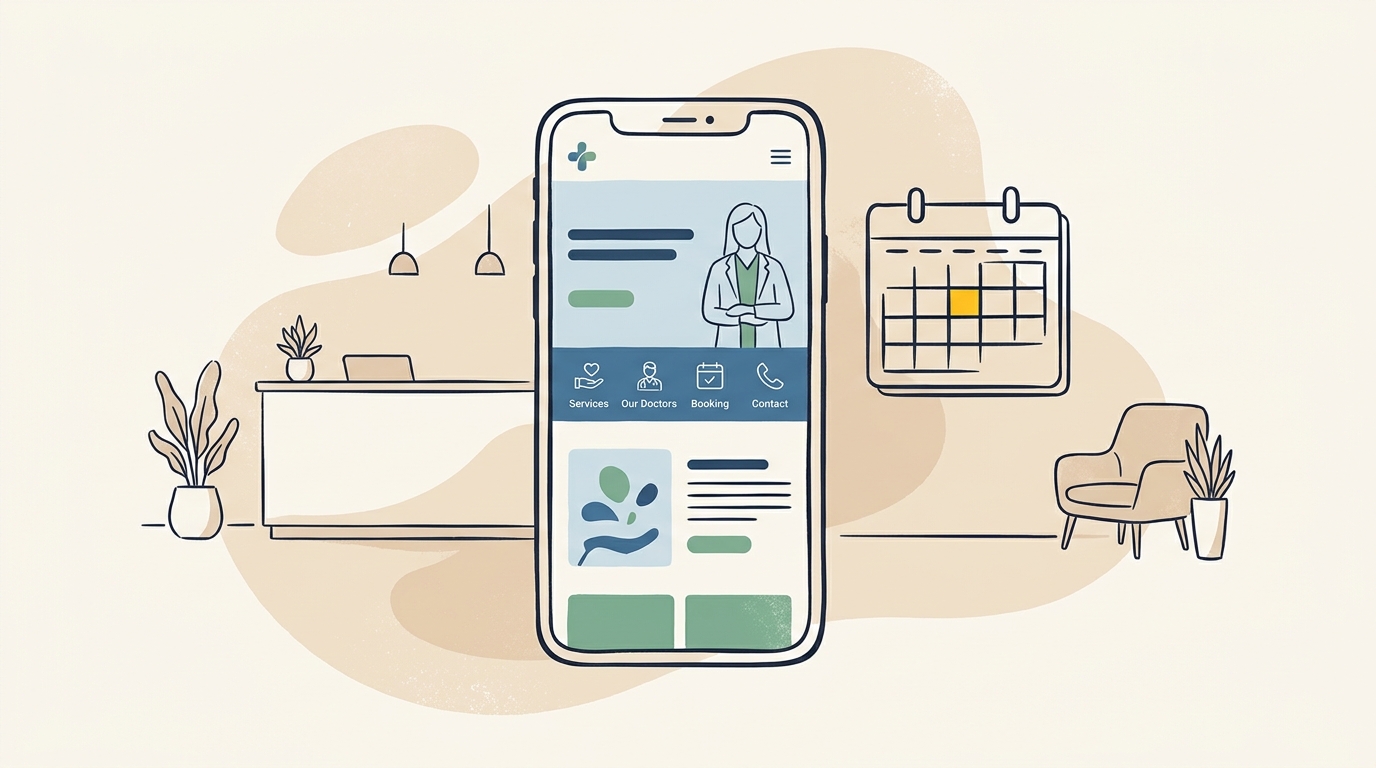
Design has to account for these situations. A striking hero image cannot compensate for an unclear service list. A prominent booking button is not useful if it leads to a confusing system that is difficult to use on mobile. A well-structured website makes important information easier to find and reduces avoidable questions for reception.
At DesignFIT, the principle is simple: pretty is not enough. Design has to perform. For a clinic, performance means supporting patient understanding, access and action while respecting privacy and professional obligations.
Why does clinic website design affect bookings?
A website is often one of the first places a prospective patient checks after hearing about a clinic or searching for a service. The site cannot make a clinical decision for them, but it can help them answer practical questions: Is this the right type of clinic? Where is it? What does an appointment involve? How do I book? Research into medical website design and what converts shows that addressing these practical concerns early is essential for patient action.
When those answers are difficult to find, people may leave, call reception for basic information or delay making an appointment. That is not always a design problem. Availability, cost, clinical fit and location matter too. But design can either make those factors clear or add extra uncertainty.
Think of a person who searches for a physiotherapist in their suburb. They need to see the clinic’s location, the kinds of appointments offered and a clear route to check availability. If the homepage opens with broad language about wellbeing but hides the services and address, the visitor has to work harder to establish relevance.
A useful way to assess a clinic website is to ask what happens at each stage:
- Find: Can the visitor tell what the clinic does and where it is?
- Understand: Can they identify the service, practitioner or appointment type they need?
- Trust: Can they verify credentials, fees, facilities and practical details?
- Act: Can they call, request information or book using a clear and accessible route?
If one stage breaks down, the next page or button cannot fully repair it. This is why the website should be designed as a connected journey, not a collection of unrelated pages.
Start with patient tasks, not a mood board
A mood board is a collection of visual references used to guide the look and feel of a design. It can help define tone, but it should not be the starting point for the whole project. Start by finding out what visitors need to do and what information they need before they can do it.
List the main patient tasks. For a general practice, these may include finding opening hours, booking a standard appointment, checking after-hours arrangements, learning about fees and finding the clinic. For a psychology practice, visitors may need to understand areas of practice, practitioner backgrounds, appointment options and what happens at a first session. A dental clinic may need to explain emergency appointments, services, payment options and location access.
Then sort the tasks by importance. The most common or time-sensitive actions should be easy to see, especially on a phone. This does not mean every page needs a booking button in every corner. It means the main action should be consistent and easy to locate.
A short discovery process can include:
- Reviewing the questions reception answers repeatedly. Platforms like Dayrun, an AI workforce for multi-location service businesses that answers calls and books customers, can also help clinics analyse frequent caller requests.
- Looking at website analytics to see which pages people visit and where they leave, if reliable data is available.
- Checking search queries that bring people to the site.
- Comparing the clinic’s service pages with the questions patients ask in person or by phone.
- Speaking with staff who help patients book or arrive at the clinic.
Do not assume the most important page is the one the clinic team talks about most. The owner may want to tell the clinic’s story, while visitors first need to confirm a fee, location or appointment type. Avoiding common healthcare website design mistakes means putting immediate patient tasks in the right order.
How should a healthcare homepage be organised?
A clinic homepage should quickly explain what the clinic offers, who it serves and what a visitor can do next. The first screen, often called the above-the-fold area, is the part visible before a person scrolls. It should provide orientation, not carry the entire brand story.
A practical homepage structure often includes:
- A clear description of the clinic. Name the main service or specialty in everyday language. Avoid relying on a slogan that could describe almost any provider.
- The clinic’s location. Include the suburb or service area, and make it straightforward to find the full address and directions.
- A visible primary action. For example, Book an appointment or Call the clinic. Use wording that accurately describes what happens when selected.
- A short route to services. Let visitors move to the relevant service or appointment information without searching through a long introduction.
- A concise trust layer. Show relevant practitioner credentials, accreditations or practical information where these can be stated accurately.
- Useful next-step details. Include opening hours, fees or payment information, accessibility details and contact options in the right places.
Visual hierarchy is the order in which design makes information seem important. Size, spacing, colour, position and type weight all contribute. If a decorative photograph dominates the screen while the clinic name, service and booking action are hard to spot, the hierarchy is working against the visitor.
Use imagery carefully. A genuine image of the premises or team can help people recognise the clinic and know what to expect. Generic stock photography can feel interchangeable, and images should not imply a service or facility the clinic does not provide. Provide useful alternative text for meaningful images so people using screen readers can understand their purpose.
Make service and practitioner information easy to verify
Patients should not have to decode the clinic’s internal service names. A service page should explain, in plain language, what the appointment is for, who provides it, what the next step is and any important practical details. It should not promise a result or imply that a treatment is appropriate for every person.
A useful service page can answer:
- What is this service or appointment type?
- Who may want to enquire about it?
- Which practitioner provides it?
- Where does the appointment take place?
- How long is the appointment, if the clinic can confirm that information?
- What should a new patient know before booking?
- What does it cost, and what rebates or payment options may apply?
- How can a patient ask a question or book?
Practitioner profiles also need more than a name and headshot. Include the practitioner’s role, relevant qualifications, registration or professional details where appropriate, clinical interests and the services they provide. Keep biographies factual and readable. A list of unexplained abbreviations is difficult for patients to interpret, while broad claims about outcomes may create compliance concerns.
A dedicated profile page can be helpful when a clinic has several practitioners or people search for a particular clinician. It can also give each practitioner a place to explain their approach and link to relevant services. The information should be reviewed when staff, qualifications, availability or services change.
Trust is built through accuracy and transparency, not simply through badges or testimonials. Explain how to contact the clinic, what happens after a booking request and where to find current information. If a service has eligibility criteria or is not suitable for everyone, say so clearly and direct people to an appropriate way to ask for guidance.
Accessibility is part of the patient experience
Web accessibility means designing and building a website so people with different abilities can use it. This includes people who use screen readers, keyboard navigation, magnification or voice input, as well as people with low vision, limited dexterity, hearing loss, cognitive disabilities or temporary impairments.
Accessibility is not a niche extra for a clinic. A patient may be using a small screen in bright light, navigating with one hand, or reading while tired or stressed. Clear structure and readable content help many visitors, whether or not they identify as disabled.
The Web Content Accessibility Guidelines, commonly shortened to WCAG, are an international set of recommendations for making digital content more accessible. WCAG includes principles such as making information perceivable, operable, understandable and robust. A target such as WCAG 2.2 AA describes a level of conformance against specific criteria. It is not a guarantee that every person will find every task effortless, and it should not be treated as a one-time plugin installation.
A cross-sectional study examining the accessibility of general practice websites reported accessibility barriers in the websites it assessed. The study is a reminder that healthcare websites can look polished and still be difficult for patients to use. Read the study on the accessibility of general practice websites for its methods and findings.
Useful design and build checks include:
- Text contrast: Text should stand out clearly from its background. Pale grey copy on white may look subtle but can be hard to read.
- Text size and spacing: Body text should be comfortable to read without zooming, and line lengths should not become difficult to follow.
- Keyboard operation: A visitor should be able to move through links and form controls using a keyboard, with a visible focus indicator showing where they are.
- Form labels: Every input needs a clear label that remains understandable when someone starts typing. Placeholder text alone is not a reliable label.
- Heading structure: Headings should describe the content below them and follow a logical order. This helps screen-reader users navigate and helps everyone scan.
- Link wording: Use meaningful labels such as View fees or Book a new patient appointment rather than repeated labels like Learn more.
- Error messages: Explain what went wrong and how to fix it. Do not rely on colour alone to indicate an error.
- Mobile layout: Check that content reflows at different screen sizes and that controls are easy to tap without accidental selections.
- Motion and media: Avoid unnecessary motion, and provide captions or transcripts where relevant for audio and video.
Automated accessibility scanners can identify some issues, such as missing labels or certain contrast problems. They cannot reliably judge every interaction or determine whether the content makes sense to a person using assistive technology. Include manual keyboard testing and, where possible, testing with people who use assistive technologies. An overlay widget cannot repair a confusing page structure, inaccessible booking provider or badly coded form.
Accessibility duties and legal requirements vary by country, organisation and service. In Australia, consider the Disability Discrimination Act and emerging healthcare accessibility compliance standards when planning a site. In the United States, requirements may depend on the clinic and its relationship to public programmes or entities. Get advice from an appropriately qualified accessibility or legal professional when you need a compliance determination.
Design the booking flow around patient questions
A booking flow is the sequence of steps a visitor follows to choose an appointment and submit a booking. A patient may leave the website to use a clinic’s practice-management system, or the booking tool may appear within a clinic page. Either way, the flow should be understandable before the patient commits.
The HotDoc survey on booking preferences reported that 60% of Australians surveyed preferred booking specialist appointments online. Preference will vary by service and patient group, but the finding supports offering a clear digital route where it suits the clinic. See the HotDoc article on how Australians prefer to book specialists for the survey context.
A 2024 study of online appointment scheduling in an ophthalmology practice examined how online scheduling affected appointment access and practice operations. Its results apply to the setting studied, not automatically to every type of clinic. Read the research on online appointment scheduling in an ophthalmology practice before drawing broader conclusions about likely outcomes.
Before selecting a booking design, map the real process. What appointment types can be booked online? Does the patient need to choose a practitioner? Are new patients and existing patients handled differently? Can the clinic safely offer immediate confirmation, or must staff review a request? The design should reflect the actual service, not imply that a time is confirmed when it is only a request.
A good booking pathway usually makes these points clear:
- The action: Is this a confirmed booking, an appointment request or a call-back request?
- The appointment type: Can the patient identify the right category without clinical guesswork?
- The practitioner or location: Does the patient know who they are booking with and where they will attend?
- The requirements: Are fees, referral requirements, new-patient conditions or other important details visible before submission?
- The next step: Does the patient know whether to expect an email, text message or call?
Reduce unnecessary steps, but do not remove information the clinic genuinely needs. Asking for a full medical history on a general enquiry form may create unnecessary privacy risk and discourage people from making contact. Collect only what is needed at that point in the process, and use the secure system intended for sensitive clinical information.
Avoid making patients create an account before they can understand what appointments are available unless the booking provider requires it for a clear operational reason. If account creation is necessary, explain why. Make sure the booking interface works on mobile, preserves readable text and does not leave the patient trapped in a small, independently scrolling window.
Choosing between an external booking link and an embedded tool
A booking system integration is the way the clinic website connects to appointment scheduling software. The right approach depends on the booking provider, the clinic’s workflows, privacy requirements, budget and the level of control needed. An embedded tool is not automatically better than an external one.
| Option | What the patient experiences | Advantages | Things to check |
|---|---|---|---|
| External booking page | The clinic button opens a scheduling page hosted by the provider. | Often simpler to set up and maintain. The booking provider manages its own scheduling interface. | The patient may notice a change in branding or domain. Check mobile usability, clear return paths and what information appears before booking. |
| Embedded booking tool | The booking interface appears inside a page on the clinic website. | Can make the journey feel more connected and keep clinic context close to the appointment task. | Test loading, keyboard access, screen-reader behaviour, mobile scrolling and how errors appear. The provider still controls important parts of the experience. |
| Custom connection | A tailored website experience connects with the scheduling system through an approved integration or API. | May support a more specific workflow or design when the clinic has complex needs. | Requires more design and development work, secure technical handling, ongoing maintenance and careful testing. |
An iframe is a way to display another web page inside the current page. It can make a booking tool appear embedded, but that does not mean the clinic controls its accessibility, performance or data handling. Ask the booking provider what can be styled, what data is collected and how updates are managed.
Before launch, test the full journey on a phone and computer. Test the most common appointment type, a less common one, an unavailable time and a form error. Confirm that patients can return to clinic information if they need to check fees or location details. Do not assume that a button working in a desktop preview means the entire booking flow is usable.
Protect patient privacy when measuring website performance
Analytics is the measurement of activity on a website, such as visits, page views or completed actions. It can help a clinic understand whether people find service information and where they leave a booking journey. But healthcare tracking needs more care than a standard retail conversion setup because a page visit or form action may reveal sensitive information.
Do not treat every analytics tag as harmless. A tracking pixel is a small piece of code that can send activity data to another company, often for advertising or measurement. Depending on the page, the details sent may expose a person’s interest in a health condition, appointment type or clinic. For instance, discussions around tag implementation on third-party booking systems show how easily tracking setups can compromise patient privacy if not configured strictly.
The safest design approach is to decide what the clinic actually needs to measure, identify what data each tool receives and avoid sending patient names, health details or appointment information to advertising platforms. A privacy policy by itself does not make an unsafe data flow appropriate.
For an Australian clinic, health information is sensitive information under the privacy framework. For a US covered entity, HIPAA rules may apply to protected health information and technology vendors. Do not assume one country’s rules are identical to another’s. Ask the clinic’s privacy lead or legal adviser to review analytics, booking integrations, consent and vendor arrangements. Technical teams should be given clear limits on what can be tracked and transmitted.
Useful measurement can often focus on aggregate, non-identifying questions: Which service pages are visited? How often do visitors select the booking option? Which general step in the booking journey causes problems? If reports cannot answer those questions without exposing sensitive details, adjust the tracking design rather than collecting more data by default.
Trust signals, fees and advertising rules
Trust signals are details that help a visitor assess whether a clinic is credible and suitable. They should be specific, current and verifiable. A long row of icons or glowing claims can be less convincing than a clear practitioner profile, accurate address, transparent fees and straightforward explanation of what happens next.
Consider including:
- Practitioner qualifications and relevant professional registration details.
- Clinic accreditations or memberships that are current and accurately described.
- Address, opening hours, transport and access information.
- A clear explanation of fees, payment methods and any applicable rebate process.
- A named contact route for questions about appointments.
- Real photographs of the premises or team when they accurately represent the clinic.
Fees deserve particular attention. If the clinic can publish them accurately, make the information easy to find and explain what a listed fee includes. Where costs vary, explain what affects the amount and tell the patient how to confirm the relevant fee. Do not use a single attractive starting price if it could give a misleading impression of what a typical patient will pay.
Testimonials and reviews need careful handling. In Australia, Ahpra advertising requirements restrict testimonials about clinical aspects of regulated health services. A clinic-controlled website or social channel may raise different considerations from a third-party review platform, so do not copy reviews onto the website without checking the applicable rules. The AHCRA resource on Ahpra-compliant marketing provides an overview, but it is not a substitute for current regulator guidance or legal advice.
A safer design system does not depend on clinical outcome claims to build confidence. It can give patients practical evidence: who provides the care, what the appointment involves, what the clinic’s facilities are like and how the booking process works. Have a clinician or compliance lead review content before publication and whenever services or advertising guidance changes.
Build for local search without making the pages robotic
Local search is the process of finding services near a particular location. A clinic’s website should state its name, address, service area and services consistently. That helps people establish whether the clinic is relevant to them and gives search engines clear information to interpret.
Create a distinct page for each major service when there is enough useful information to support one. A physiotherapy page should explain physiotherapy at that clinic, not repeat generic text across every suburb. A location page should tell people what is available at that location, including access and contact details. Avoid generating many near-identical pages that change only the suburb name.
Structured data is a standardised way to label information in code so search engines can interpret details such as an organisation’s location or a page’s subject. To set this up properly for clinics, follow our local business schema markup guide. It can support understanding, but it does not guarantee prominent search results or AI citations. The information in structured data should match the visible page and be kept current. Do not mark up claims, services or ratings that the page does not genuinely support.
Search visibility also depends on content quality, technical performance, competition and the clinic’s reputation. Design supports those efforts by making page purpose clear, headings useful and information easy to navigate. It is not a shortcut around accurate service content or a reason to stuff pages with repeated keywords.
What should a clinic website cost and how long can it take?
There is no reliable single price for a healthcare website without understanding its scope. A small clinic with a few service pages and an existing booking provider has different needs from a multi-location group with practitioner directories, complex booking rules and custom integrations. For context on national price ranges, see summaries of health website cost in Australia. Any estimate should explain what is included and what the clinic must provide.
The main cost drivers are usually:
- Number and complexity of page types.
- Whether the site uses a custom design or a pre-built theme.
- Amount of content writing, editing and clinical review required.
- Practitioner, service and location directory requirements.
- Booking system integration and testing.
- Accessibility design, development and evaluation.
- Privacy, analytics and technical review.
- Migration of existing content and search engine redirects.
- Ongoing support, updates and content changes.
A template may be a sensible starting point for a new solo practitioner with a narrow service range and a modest budget. It still needs careful editing, accessible configuration, accurate content and a reliable booking route. A template does not automatically provide accessibility, privacy compliance or effective local search.
A custom website can make more sense when the clinic has several practitioners, multiple services, a complex patient journey or a brand that needs a distinct, consistent system. Custom work should be tied to specific needs rather than treated as a mark of quality by itself. The clinic should be able to explain what the extra design or development investment changes for patients and staff. For wider project benchmarks, consult our small business website redesign cost guide.
Project timing depends on how quickly the clinic can provide approved content, credentials, fees, imagery and booking details, as well as the amount of design and technical work. Delays often come from unresolved decisions rather than page production alone. Agree on who approves clinical content, who checks compliance and who owns access to existing systems before work starts.
For a project scoped around patient journeys, accessibility and booking, explore DesignFIT’s website design service. Ask for a scope that separates design, development, content, integrations, testing and ongoing support so you can compare proposals fairly.
A practical clinic website review checklist
Use this checklist to identify issues before commissioning a redesign or changing the current site.
First impression and navigation
- Can a new visitor tell what the clinic offers and where it is?
- Is the main action visible on a phone without competing with decorative elements?
- Can visitors find services, practitioners, fees, contact details and opening hours quickly?
- Do page headings describe the content rather than repeat vague slogans?
Patient information and trust
- Are service descriptions written in plain language and clinically reviewed?
- Can patients find practitioner roles, relevant credentials and current availability information?
- Are fees and payment details accurate and easy to locate?
- Do photographs and claims represent the clinic accurately?
- Has the clinic reviewed testimonials and advertising content against current requirements?
Accessibility and mobile use
- Can visitors use navigation, forms and booking tools with a keyboard?
- Is the focus indicator visible, and are form controls labelled clearly?
- Is text readable with sufficient contrast and without relying on colour alone?
- Do error messages explain how to correct a problem?
- Has the complete journey been tested with a screen reader or other assistive technology where possible?
Booking and privacy
- Is it clear whether the patient is making a confirmed booking or sending a request?
- Can people understand appointment types before selecting one?
- Does the booking tool work well on mobile and give a clear next step?
- Does the clinic know what information its booking and analytics providers collect?
- Are sensitive details kept out of unnecessary tracking and general enquiry forms?
Record each issue with its page, the patient task it affects and a suggested priority. Fix a broken or misleading booking route before spending time polishing minor visual details. The best redesign plan is not necessarily the one that changes the most; it is the one that resolves the highest-impact barriers in a sensible order.
What to do next
A useful clinic website earns trust by being clear, usable and accurate. It makes services understandable, provides accessible ways to find information and offers a booking path that reflects how the clinic actually works. It also treats privacy and professional advertising requirements as part of the design brief, rather than issues to patch in after launch.
Start by walking through the site as a new patient on a phone. Try to find a service, check the practical details and complete the booking journey. Note where you hesitate, where information is missing and where the design asks for more effort than necessary. You can also evaluate your search presence with a free AI search audit.
If you are planning a new website or redesign, check our transparent pricing or talk with DesignFIT about healthcare website design.
Key takeaway
A clinic website performs when patients can understand the care on offer, access the information and complete the next step with confidence.
Questions people ask
Why do patients call reception instead of booking online?
The booking route may be hard to find, confusing on mobile or unclear about appointment types, fees and availability. Review the journey from the patient’s first click through to confirmation, and make clear whether the submission is a booking or only a request.
Should a clinic put its fees on its website?
If the clinic can publish accurate fees, making them easy to find helps patients understand the likely cost before booking. When prices vary, explain what affects the fee and how a patient can confirm their specific cost.
Can a clinic display Google reviews on its website?
Check the current advertising rules that apply to the clinic before copying reviews into a website or embedding a review feed. In Australia, testimonials about clinical aspects of regulated health services can raise Ahpra compliance concerns, so have the content reviewed before publication.
Does an accessibility overlay make a clinic website accessible?
No single overlay can reliably fix structural problems such as inaccessible forms, poor keyboard navigation or unclear headings. Accessibility needs to be considered in the design and code, then checked with automated tools and manual testing.


