Shopify B2B Design: Wholesale Portals Buyers Use
A useful Shopify B2B portal makes repeat ordering, account pricing and order details easy to find, without weakening your retail storefront.
On this page
- Why wholesale buyers need a different experience
- Start with the buyer’s job, not the Shopify theme
- The three interfaces every wholesale portal should get right
- Designing a blended Shopify store for both audiences
- Shopify B2B design: what should be native, customised or added?
- A real example: Buildmat’s trade experience
- How to measure whether your wholesale design works
- A four-part audit for a Shopify wholesale portal
- The practical takeaway
Shopify B2B design is the way you organise a wholesale storefront so business buyers can find their account pricing, choose products and reorder with less effort. The best portals make frequent purchasing feel like a clear task, while preserving the visual experience retail customers expect. If you are planning a blended retail and wholesale store, start by reviewing your e-commerce design and development options.
A wholesale buyer is usually not browsing for inspiration. They may be replacing stock, checking a contract price or ordering for a branch. That changes what deserves space on the page: clear product identifiers, useful quantity controls, visible price rules and a dependable route to repeat an order. These are interface design decisions, not just Shopify settings. They overlap with product and interface design, especially when account pages and custom ordering components are involved.
This guide explains the basic terms, the key screens to design, how to bring retail and wholesale together, and what to check before building. Shopify’s B2B features and plan limits can change, so check its official B2B feature comparison against your store plan before you commit to a design or development approach.
Why wholesale buyers need a different experience
A retail shopper often wants to understand a product before deciding whether to buy it. They may respond to photography, brand stories, reviews and recommendations. A wholesale buyer may already know the item and need to order the right quantities, at the agreed price, within a few minutes.
That difference is the starting point for Shopify B2B design. It does not mean a wholesale website should be plain or unattractive. It means the visual hierarchy should give priority to the buyer’s next task. A large editorial image can help introduce a retail collection. On a trade reorder page, the same space might be better used for a search box, product codes and recently purchased items.
A blended store is one Shopify store serving both business-to-business (B2B) buyers and direct-to-consumer (D2C) shoppers. D2C means a business sells directly to individual customers. In a blended store, the public storefront can support product discovery, while signed-in wholesale customers see account-specific prices and purchasing tools.
The challenge is not simply putting two audiences on one website. It is making the difference between their journeys understandable. If buyers cannot tell whether they are seeing retail or wholesale prices, or have to work through a consumer-style product page for every variant, they may fall back to email and spreadsheets. That creates manual work and makes repeat purchasing harder to track.
A Gartner survey published in March 2026 reported that 67% of surveyed B2B buyers preferred a rep-free buying experience. That does not mean every buyer wants to avoid talking to a person. It does show why the self-service parts of a trade relationship need to work well.
Start with the buyer’s job, not the Shopify theme
Before choosing a theme or commissioning a custom portal, map the common wholesale tasks. Ask buyers and account managers what happens in a normal order, not just what features they would like.
Useful questions include:
- Do buyers usually discover new products, or replenish products they already know?
- Do they order by item name, SKU, barcode, collection or a saved list?
- Do they need to choose variants such as size, colour, pack size or finish?
- Are prices the same for every account, or do they vary by company, location or agreement?
- Do buyers need to enter a purchase order number or use payment terms?
- Who places orders: an owner, a purchasing manager or staff at several locations?
- What information do buyers call or email your team to request?
A SKU, or stock keeping unit, is a code a business uses to identify a specific product or product variant. A retailer may recognise a product name, but use the SKU to make sure they are ordering the correct size and colour. That makes SKU visibility an important design decision for many wholesale catalogues.
Turn the answers into a journey map: a simple outline of the steps a buyer takes from sign-in to submitted order. Mark every moment where they have to stop, ask for help, repeat information or guess. Those are the points to improve first.
For example, if buyers regularly email a spreadsheet to ask for a repeat order, the problem may not be that your store needs more features. It may be that the website hides order history, does not show the product codes they use, or makes quantities too slow to enter. Fixing that journey can be more valuable than adding a new homepage animation.
The three interfaces every wholesale portal should get right
Most wholesale experiences depend on three connected areas: the quick order interface, account pricing and the customer account. They do not need to look identical across businesses. Their job is to make the next sensible action easy to spot.
1. A quick order list or product matrix
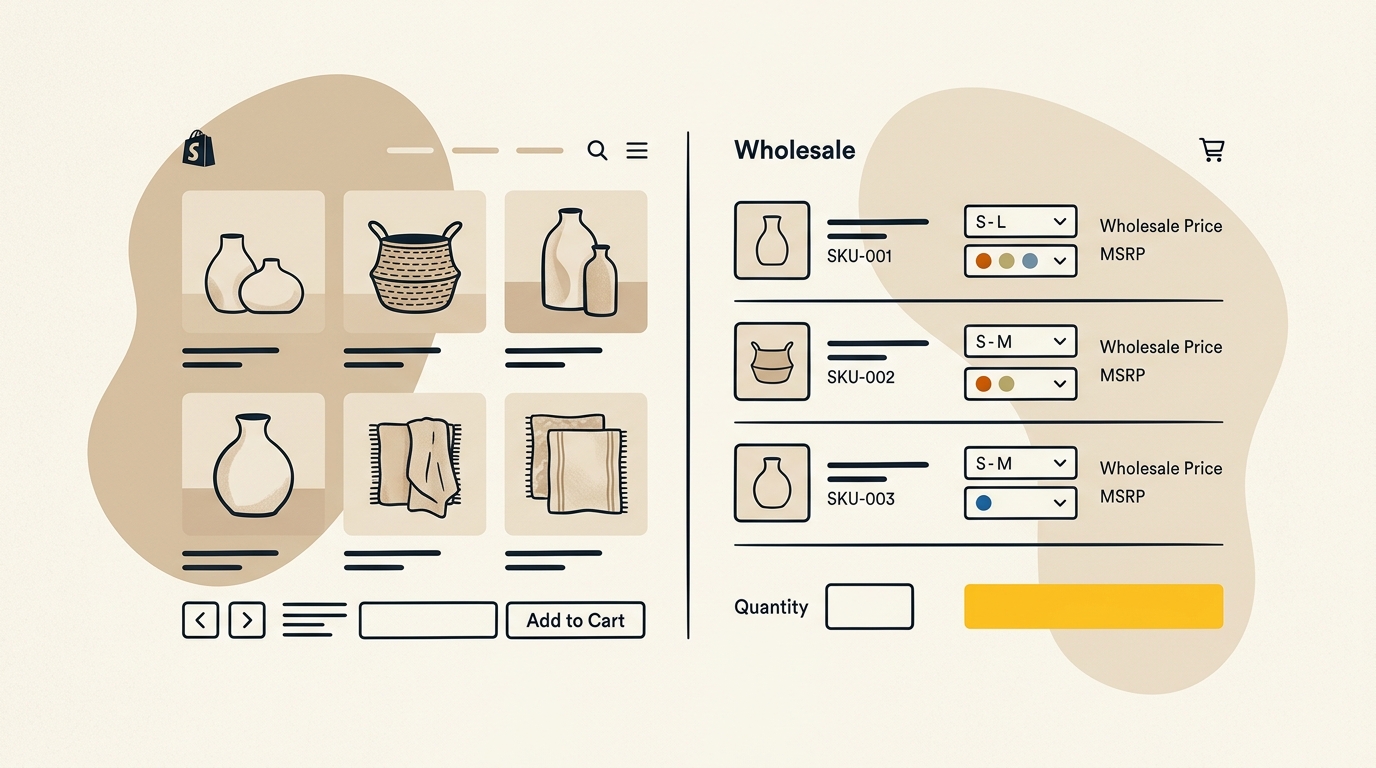
A product matrix is a table that lets buyers compare and order several related variants in one place. It might show a jacket across sizes and colours, or a food product across case sizes. A quick order list is a more compact interface that lets a buyer search or scan products and enter quantities without opening each full product page.
A standard retail product page often asks the shopper to select one variant, choose a quantity and add it to the cart. That can be a good fit for one considered purchase. It is less convenient when a trade buyer needs multiple sizes across several colours.
A wholesale matrix might show:
| Product detail | Why it helps the buyer |
|---|---|
| Product name and thumbnail | Confirms they have the right item without dominating the table |
| SKU or product code | Helps match the order to a catalogue or internal purchasing system |
| Variant name | Makes size, colour or finish differences easy to scan |
| Unit or case price | Shows the relevant price beside the item being ordered |
| Available quantity or stock note | Sets expectations before the buyer submits an order |
| Quantity field | Lets buyers enter several quantities without repeating the same steps |
| Line total | Helps buyers check the order as they build it |
The key design decision is density. Information density is how much useful information appears in a given area. Too little density creates unnecessary scrolling and page changes. Too much creates a cramped table that is difficult to read, especially on a phone.
Use clear column headings, consistent alignment and adequate spacing between rows. Keep quantity fields large enough to tap. Use colour sparingly to indicate states such as unavailable, low stock or selected, and pair colour with text or an icon so the meaning is still clear to people who cannot distinguish the colour alone.
A matrix should also handle constraints. If a product is sold in packs of six, say so beside the quantity field. If orders must use multiples of a case size, make invalid quantities difficult to enter or explain what needs to change. Do not wait until checkout to reveal a rule that affects every line item.
On mobile, do not simply shrink a wide desktop table until the labels become unreadable. Consider a stacked row layout, horizontal scrolling with a visible cue, or a mobile quick order view that prioritises the product, variant, price and quantity. Test it with real product data, not just a single neat example.
2. Account-specific price lists and volume breaks
A catalogue in Shopify B2B is a set of products and prices made available to a company or group of buyers. A price list is the pricing information assigned to that catalogue or account. These terms matter because the wholesale buyer should not have to infer whether a displayed price applies to their business.
Show the relevant price in context: next to the product, variant or quantity choice. If the account has a contracted price, make the account’s applicable price clear. Where retail and wholesale prices are both visible, label them plainly. A buyer should not need to add an item to the cart to discover what it costs.
Volume pricing means the unit price changes when a buyer orders a particular quantity. If a price changes at 25 units, show that threshold beside the quantity control or in a small, readable price-break table. Avoid presenting a discount badge without showing the actual price and the quantity needed to qualify.
For instance, a clear price display might explain that one quantity band has one unit price and the next band has another. Use your real commercial terms, rather than a decorative “save more” message that could be mistaken for a retail promotion. If the discount is calculated from a reference price, make sure the reference is accurate and legally appropriate for the markets where you sell.
Design also affects the way buyers understand their progress. If a buyer is close to a volume threshold, show the remaining quantity and the resulting price only when the calculation is accurate and relevant to that customer’s account. Do not promise a price that checkout will not honour. Where a product has a minimum order quantity, pack size or customer-specific rule, display it before the buyer enters quantities.
Shopify’s B2B plan comparison explains which features are available across plans and where capabilities differ. Check that documentation before designing complex account-specific catalogues, since the available setup can depend on your plan and store configuration.
3. Customer accounts and repeat orders
A customer account is the signed-in area where a buyer can access information associated with their customer profile or company. A useful wholesale account page should help buyers answer practical questions quickly: What did we order last time? Has this order shipped? Which address or location is active? Where can I find the relevant payment or account information?
Shopify documents sign-in options for B2B customer accounts, including one-time verification codes for eligible account setups. These codes let a user verify access through their email rather than relying on a password they may have forgotten. Check the Shopify guide to B2B sign-in and customer accounts for the current requirements and behaviour.
Passwordless sign-in can reduce password-reset friction, but it is not a substitute for good account design. Buyers still need to know which email address has access, how a company account is organised and what to do if the person who placed orders has left. Make account access instructions visible and agree on an account ownership process with your team.
An obvious reorder action can be valuable when customers buy the same products repeatedly. In streamlined B2B order management, the control should say what it does, such as “Reorder items”, and should let the buyer review quantities and current prices before submitting. A previous order may contain a product that is now unavailable, a changed pack size or a price that has been updated. Copying an old order without showing those changes can create mistakes.
A safe reorder flow should therefore:
- Show the source order and its date so buyers know what they are repeating.
- Add eligible line items to a reviewable cart rather than silently submitting a purchase.
- Flag items that are unavailable or have changed.
- Recalculate prices using the buyer’s current account terms.
- Let buyers edit quantities before placing the new order.
A reorder page is a good example of where interface detail changes operational outcomes. Clear status labels reduce uncertainty. Consistent quantity controls reduce entry errors. A visible review step gives the purchaser a chance to catch changes before the order reaches your team.
Designing a blended Shopify store for both audiences
A blended store does not need two completely separate visual identities. It needs a consistent brand with different page priorities for different jobs. Public pages can support exploration and product education. Signed-in wholesale pages can place ordering tasks, account pricing and order history first.
Shopify’s guide to blended B2B stores explains how B2B and D2C can be served within one store. The exact setup depends on your theme, plan and configuration. Treat the guide as a starting point, then test what each audience sees when signed in and signed out.
Keep the brand, change the hierarchy
A wholesale interface still represents your brand. Typography, colour, photography and tone should feel related to the retail storefront. But the balance can change. A trade buyer’s account home may need order status and quick links above a campaign banner. A product matrix may use smaller product images than a retail product page because accurate variants and prices matter more there.
This is visual hierarchy: the order in which the design makes information noticeable. A strong hierarchy guides attention to the most important item first. For wholesale, that may be the company name and active account, followed by an order task. For retail, it may be a collection or product benefit.
Think carefully about promotions. A retail countdown bar or consumer finance message may distract from a wholesale order. If it is not relevant to the signed-in buyer, avoid putting it in the middle of their primary task. At the same time, do not assume every promotional message is automatically wrong for trade customers. A trade offer or seasonal range may be useful if it is genuinely designed for that audience.
Make account context unmistakable
A company location is a buying or delivery location associated with a B2B company account. A company may have more than one. When buyers can switch locations, show the active location clearly before they add products or select a delivery address. A small but persistent location label can prevent an order being prepared for the wrong branch.
Similarly, make the signed-in state obvious. Show the buyer or company name and provide a clear route to account information. If the store changes prices after login, explain that wholesale pricing is shown once the approved buyer signs in. Do not leave a logged-out visitor looking at blank price areas without guidance.
Plan for both desktop and mobile ordering
Many wholesale buyers may use a desktop when preparing a larger order, but staff may also need to check availability or place a smaller repeat order from a phone. Design for both situations rather than assuming the buyer always sits at a desk.
On desktop, a compact table can make it easier to compare multiple variants at once. On mobile, focus on readable product labels, quantity entry and a stable summary of the basket. Make buttons easy to tap and avoid placing a sticky cart bar over a quantity field or table heading.
Do not judge mobile quality by whether the homepage fits on a narrow screen. Test the real jobs: finding an SKU, changing a quantity, switching a company location, reviewing a price break and submitting an order. These interactions are where a responsive design either helps or gets in the way.
Treat checkout rules as part of the design
A wholesale checkout may involve details that are less common in a retail purchase, such as a purchase order number or agreed payment terms. A purchase order (PO) is a buyer’s formal reference for a purchase. It can help the buyer match your invoice and delivery to their internal records.
Put required information where buyers expect to provide it, explain why it is needed and avoid asking for the same detail twice. Test that the field is present in the order information your operations team actually uses. A visually tidy checkout that loses the buyer’s PO reference downstream is not a successful design.
Payment terms, deposits, checkout customisation and other B2B capabilities vary by Shopify plan and configuration. Do not assume an app or theme setting can provide every requirement. Use Shopify’s current plan documentation and test a complete order with your finance and operations teams before launch.
For a more involved portal, interface components such as account navigation, order tables and quick order tools need to work as one system. That is where a considered product interface design process can help translate business rules into screens buyers can understand.
Shopify B2B design: what should be native, customised or added?
Shopify B2B design is not a choice between a standard theme and building everything from scratch. First, identify what your Shopify plan and theme already support. Then decide whether the remaining gap is a design problem, a configuration problem or a platform limitation.
| Approach | Usually suits | What to check |
|---|---|---|
| Native Shopify B2B features | Businesses whose account, catalogue and pricing rules fit Shopify’s supported capabilities | Plan limits, company structure, payment terms and current feature availability |
| Theme configuration | Stores that need to reorganise existing sections and templates for trade tasks | Whether the theme supports the needed product and account layouts, including on mobile |
| Custom theme components | Businesses needing a branded matrix, account dashboard or ordering flow beyond standard layouts | Ongoing compatibility, accessibility, testing and who will maintain the code |
| Third-party app | A specific requirement not met by the platform or theme | Data access, overlap with native features, app costs, support and storefront performance |
A theme controls the storefront’s visual design and page templates. A custom component is a purpose-built part of the interface, such as a matrix or account navigation element. An app adds functionality to the store, but it may also introduce another interface, data flow or dependency to maintain.
Avoid choosing an app because its feature list sounds convenient. First write down the buyer task it needs to improve. Then test whether Shopify can already support that task and whether the app works with your theme, account setup and checkout. A feature that adds a new step or creates duplicate product data may make the buyer journey worse.
Shopify’s documentation describes differences in B2B features across plans. In particular, check B2B setup considerations, catalog limits and the account-specific capabilities you need before designing around them. A design mock-up should reflect the real configuration you intend to build, not assume a feature is available because it appears in a demo.
A real example: Buildmat’s trade experience
Buildmat, an Australian architectural sinks and hardware retailer, is a public example of a business bringing retail and trade activity together on Shopify Plus. Shopify’s Buildmat case study describes the company’s move to unify its direct-to-consumer and trade experience.
The research brief reports that Buildmat increased trade revenue threefold and reduced trade customer service enquiries by 80%. These are results reported for that business, not a promise that another store will achieve the same outcome. The useful lesson is the underlying one: when buyers can access the trade information and tools they need, fewer routine tasks may have to pass through an account manager.
For your own store, use a case study as a prompt for questions, not as a template. Which manual tasks did the portal remove? What buyer information became self-serve? Did the team change its product data or account process as well as the design? The answers will help identify which parts are relevant to your business.
How to measure whether your wholesale design works
A polished screen is not proof that the portal is useful. Measure whether it helps buyers complete the tasks it was designed for. Establish a baseline before launch and compare the same measures afterwards, allowing for seasonality and changes in traffic or product availability.
Useful measures include:
- Order completion rate: the share of buyers who start an order and successfully submit it.
- Time to reorder: how long a buyer takes to repeat a typical order, measured through a consistent method.
- Support contacts about routine tasks: for example, requests for price lists, order status or product codes.
- Average order value (AOV): the average value of an order. Review it alongside order size and account type so a change is not misread.
- Order correction rate: how often submitted orders need manual correction because of a quantity, variant, address or pricing issue.
- Repeat purchase behaviour: whether approved buyers return and place subsequent orders through the portal.
Do not assume that an increase in AOV is automatically good. A larger basket might reflect better volume pricing, but it could also result from a change in customer mix or seasonality. Pair commercial measures with task measures, such as whether buyers can find a recent order and submit an accurate repeat purchase.
Use analytics to identify where buyers hesitate, then watch a small number of real users complete a task. Analytics can show that people leave a page, but a short usability session may reveal why: a price label is unclear, the SKU is hidden, or a mobile quantity field is hard to use. Keep the test focused on observable tasks and avoid prompting the participant toward the answer you expect.
A four-part audit for a Shopify wholesale portal
Before launch or a redesign, work through this checklist with someone who places orders and someone who fulfils them.
- Findability: Can a buyer find a product by the words or codes they actually use? Are quick order, order history and account details easy to locate?
- Price clarity: Does the signed-in buyer see the correct price, quantity rules and any relevant volume break before checkout?
- Order confidence: Can they check variants, locations, quantities, availability and order details before submitting?
- Repeatability: Can they review a previous order, make changes and place a new one without re-entering every detail from memory?
Then check the store in three states: a retail visitor who is signed out, an approved wholesale user signed in, and a wholesale user who needs to switch company location or account context. Test each state on desktop and mobile. Confirm that prices, product access, navigation and order information match the intended audience.
Finally, run a sample order through the full operational process. Check that the order reaches the right team with the information they need, that the price is correct, and that fulfilment sees any special instructions. Design is not finished when a button looks right. It is finished when the interface and the business process work together.
The practical takeaway
Good Shopify B2B design starts by making wholesale buying easier to complete, not by copying the retail storefront into a trade login. Put product codes, account prices, quantity rules and repeat-order tools where buyers need them. Keep the brand consistent, but give each audience a layout that fits its task.
Start with the most common ordering journey, check what your Shopify plan supports, and test the experience with actual buyers and staff before adding more features. To discuss a store built around the needs of both retail and wholesale customers, explore DesignFIT’s e-commerce design and development services, view our website design services, or review our project pricing.
Key takeaway
Design the wholesale journey around the buyer’s repeat tasks, with clear account prices, quick quantity entry and a safe way to reorder.
Questions people ask
Can one Shopify store serve both wholesale and retail customers?
Yes. A blended store can serve B2B and D2C customers in one Shopify store, with different account pricing and buying experiences where the setup supports them. Check Shopify’s current plan and configuration requirements, then test what signed-in and signed-out customers see.
Do wholesale buyers need a separate Shopify login?
Shopify B2B customer accounts have sign-in options that can include email verification codes, depending on the account setup. Check the current Shopify documentation and make sure buyers know which email address is authorised for their company.
Does Shopify include wholesale pricing and volume discounts?
Shopify provides B2B catalogue and pricing features, but availability and limits depend on the plan and store configuration. Confirm the current feature matrix before designing around account-specific catalogues or volume pricing.
Should I use a Shopify app or build a custom wholesale portal?
Start by identifying the buyer task your current store cannot support, then check native Shopify features and your theme. Use an app or custom component only when it solves a real gap and fits your account setup, data and maintenance needs.


