Shopify Hydrogen vs Liquid: Cost and Speed Compared
Headless is not an automatic speed upgrade. Compare the real costs, design trade-offs and team demands before choosing Hydrogen or a Liquid theme.
On this page
- Shopify Hydrogen vs Liquid: what are you comparing?
- What matters in this comparison, and why?
- Side-by-side comparison
- Criterion one: design freedom and product experience
- Criterion two: speed and Core Web Vitals
- Criterion three: build cost and time to launch
- Criterion four: maintenance and total cost of ownership
- Criterion five: marketing autonomy and content operations
- Criterion six: apps, integrations and operational risk
- Pros and cons: the honest version
- Which should you choose?
- A practical decision checklist for CTOs
- How to test the decision before a rebuild
- The verdict: choose the architecture that earns its cost
Shopify Hydrogen vs Liquid is a choice between a custom React storefront and Shopify’s integrated theme system. Hydrogen can support highly tailored experiences, but it does not automatically make a store faster, and it usually needs more engineering investment to build and maintain. For many growing brands, a well-designed and carefully tuned Online Store 2.0 theme is the lower-risk place to start. If you are reviewing a rebuild, compare the design and technical requirements against the work involved in a Shopify e-commerce website project.
The right question is not which technology sounds more advanced. It is whether the experience your customers need, and the way your team works, justify taking responsibility for a separate storefront application. This comparison looks at that decision through design, performance, cost, operations and team capability.
Shopify Hydrogen vs Liquid: what are you comparing?
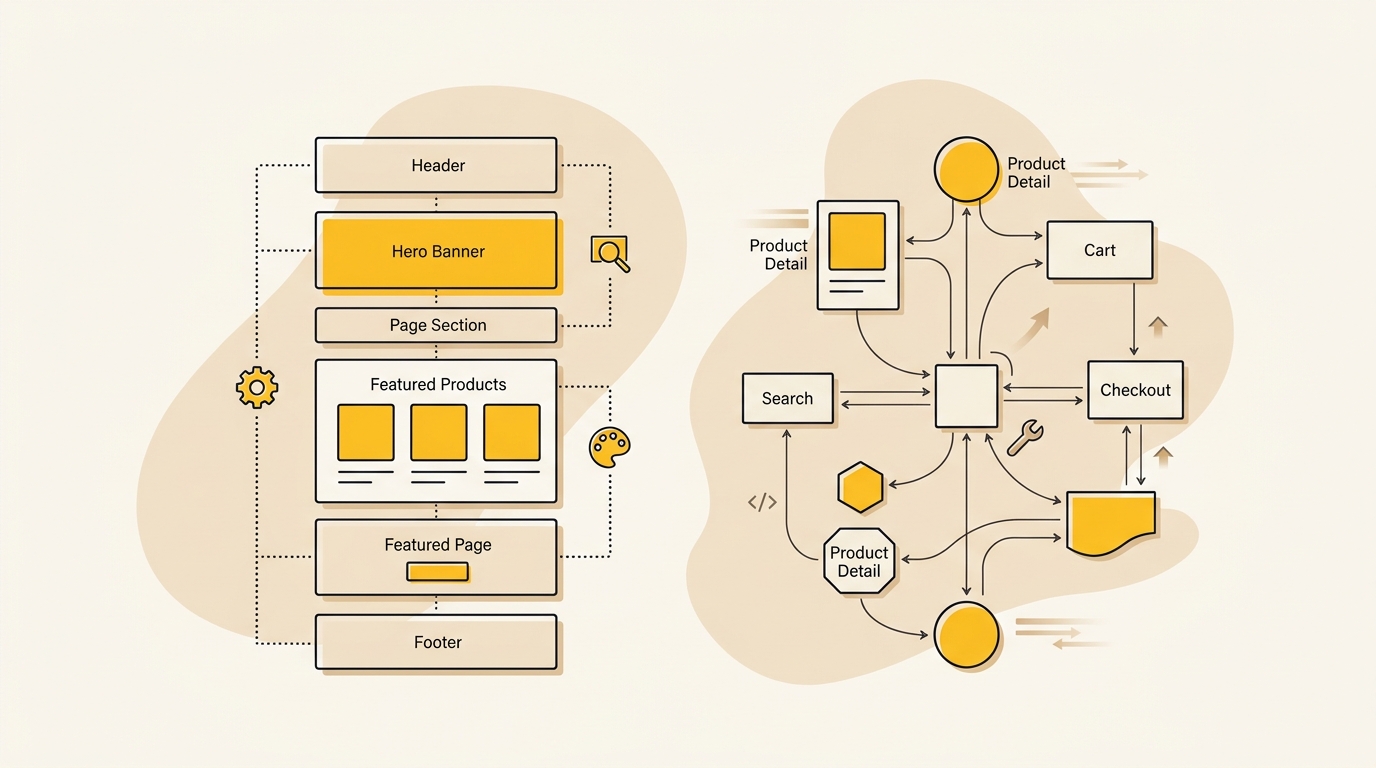
A Liquid theme is a Shopify Online Store theme rendered within Shopify’s storefront platform. Your team works with Shopify’s theme editor, sections, blocks and Liquid templates. Hydrogen is Shopify’s framework for building a custom storefront, commonly using React and Shopify APIs, with Oxygen hosting available as Shopify’s hosting option.
That difference changes who controls the storefront and who maintains it. With Liquid, Shopify provides a connected environment for product data, theme editing and many app integrations. With Hydrogen, the storefront is a separate application that your team designs, deploys and connects to Shopify’s commerce services.
It is useful to separate three things that are often bundled together in the word headless:
- The commerce backend: products, inventory, checkout and orders in Shopify.
- The storefront: the pages and interactions customers use, built with Liquid or Hydrogen.
- The content and integration stack: CMS, search, reviews, analytics and other services connected to the storefront.
Hydrogen does not replace Shopify as the commerce backend. It replaces the standard theme layer with a custom storefront. That distinction matters because headless can create more design freedom, but it also means the team owns more of the customer-facing system.
Shopify’s Hydrogen fundamentals documentation describes the framework and the tools for building custom Shopify storefronts. Shopify’s Liquid and headless performance analysis is also worth reading before assuming one architecture is faster by default.
What matters in this comparison, and why?
A useful comparison has to look beyond the first page load and the initial build quote. For a growing direct-to-consumer brand, the decision affects how customers discover products, how quickly marketing can test ideas, how reliably the site handles busy periods and how much engineering time remains for other work.
We compare the options across six criteria:
- Design flexibility: Can the team create the product and content experience the brand needs?
- Real-world speed: Does the architecture support a fast, stable experience on customers’ devices?
- Build cost: What needs to be designed, developed, integrated and tested before launch?
- Ongoing cost: What must be maintained after launch, and by whom?
- Marketing autonomy: Can non-technical teams update pages, campaigns and content confidently?
- Integration and operational risk: Do the tools and business processes work without fragile custom connections?
The design choices are not cosmetic. Product-page hierarchy affects whether shoppers can understand the offer. Image crops and loading behaviour affect both visual quality and page stability. Navigation and filtering affect how easily customers find products. A platform is the machinery that delivers those decisions, not a substitute for making them well.
For a broader view of the design and development work involved, see DesignFIT’s website design and development service. The platform choice should follow the experience and operating model, not come before them.
Side-by-side comparison
| Decision area | Shopify Liquid theme | Shopify Hydrogen storefront |
|---|---|---|
| Storefront structure | Theme templates and sections inside Shopify’s online store | Separate custom application connected to Shopify commerce APIs |
| Design approach | Flexible theme sections and custom theme development within Shopify’s system | Custom component and page architecture, with broad control over the front end |
| Content editing | Shopify theme editor, with sections and blocks designed into the theme | Depends on the implementation; often uses a separate CMS or custom content workflow |
| App integration | Many storefront apps support theme extensions, app blocks or embeds | Backend services can connect through APIs; customer-facing widgets may need custom front-end work |
| Performance control | Theme code, assets, apps and content need careful optimisation | More control over rendering, caching and front-end code, plus more responsibility for them |
| Build complexity | Usually lower when the design fits the theme architecture | Usually higher because routing, data, integrations and deployment need engineering |
| Ongoing ownership | Shopify operates much of the storefront infrastructure | The business owns more of the application, dependencies, integrations and release process |
| Strongest fit | Brands that need a distinctive, well-built store and marketer-friendly editing | Brands with specific experience requirements and dedicated engineering ownership |
This is a comparison of typical operating patterns, not a guarantee. A heavily customised theme can be difficult to manage. A carefully engineered Hydrogen storefront can be maintainable. The details of the design, code and team determine how well each option works.
Criterion one: design freedom and product experience
Hydrogen offers more control over how the storefront is assembled. Designers and developers can define custom page structures, reusable components and interactions without being limited to the conventions of a theme. That can be valuable when the experience itself is a competitive product feature.
Think about a product that needs a guided configuration journey, a visual bundle builder, a complex comparison tool or a live preview that changes as a shopper chooses options. A Hydrogen build can place those interactions inside the storefront’s component architecture. The team can coordinate state changes across product details, pricing and the cart as part of one deliberately designed flow.
Liquid can still support a highly distinctive brand. A custom Online Store 2.0 theme can use bespoke layouts, sections, product templates, metafields and carefully designed interaction patterns. The fact that a store uses Liquid does not mean it must look like a generic theme. A designer can shape hierarchy, typography, colour, imagery and responsive behaviour to suit the brand and its products.
The harder question is how far the design needs to depart from Shopify’s standard storefront patterns. If the core requirement is a distinctive product page, editorial content or a better mobile navigation, start by testing whether a custom theme can deliver it. If the store needs a web application-like journey with complex, connected behaviour across many routes, Hydrogen may be a better fit.
A useful distinction is visual freedom versus experience complexity. Liquid can allow extensive visual customisation. Hydrogen becomes more compelling when the customer journey needs custom logic and interactions that are awkward to build, test or maintain inside the theme model, as analyzed in Devan Labs' Shopify architecture guide.
What design decisions affect results on either platform?
The architecture will not rescue weak design. On both options, the team still has to decide:
- Which information shoppers need first on a product page, and what can wait below the fold.
- How product photography supports comparison, scale and confidence.
- Whether variant choices are easy to understand and use on a phone.
- Where filters and sorting belong, and whether they help customers narrow the range.
- How the cart communicates changes without interrupting the shopping task.
- Which elements should remain stable as images, fonts and third-party tools load.
Those decisions influence comprehension, trust and the effort required to buy. Hydrogen can make a custom interaction easier to organise in code, but it does not make the interaction clear by itself. Liquid can make publishing simpler, but it does not make the page hierarchy effective by default.
Criterion two: speed and Core Web Vitals
Hydrogen does not make a Shopify store fast automatically. A Hydrogen storefront can be slowed by large JavaScript bundles, inefficient data requests, unnecessary client-side work or poorly configured caching. A Liquid theme can perform well when its templates, images, fonts and apps are managed carefully.
The practical test is not a technology label or a single Lighthouse score. It is how real customers experience the pages on real devices and networks. Check the key templates, especially the home page, collection page, product detail page and cart. Look for slow visual loading, unstable layouts, delayed interactions and problems that appear after third-party scripts run, monitoring benchmarks from this Shopify Core Web Vitals guide.
Shopify’s real-user performance comparison is a useful corrective to the idea that headless is inherently faster. Its central lesson is that implementation matters: a well-optimised Liquid storefront can compete strongly, while a headless implementation has to be engineered well to realise its potential.
Where Liquid storefronts lose speed
A theme can become slower as teams add features without reviewing their combined effect. An app might add a review widget, another might add a promotional pop-up, and another might load tracking or loyalty scripts. Each feature may seem small in isolation, but together they can add work to the browser, delay interaction or shift page elements while loading.
Theme performance can also suffer from oversized images, too many font files, duplicate scripts, unused code and templates that load more content than the page needs. Customisation itself is not the problem. Unplanned customisation without a clear performance budget is.
Before replacing Liquid, review the current storefront’s heaviest pages and scripts. Identify which apps are essential, which features are unused and which design elements can be delivered with lighter assets or simpler interactions. A rebuild that reproduces the same page weight and app behaviour may simply move the bottleneck.
Where Hydrogen can help, and where it can disappoint
A custom storefront gives engineers more control over what runs in the browser and how data is requested. It can support deliberate caching strategies and a lighter front end if the team sets those goals and tests against them. That control is valuable, but control is not the same as a guaranteed outcome.
Hydrogen can disappoint when every page ships too much JavaScript, data requests block the page, or a team builds its own version of features Shopify apps previously handled. A polished transition between routes is not a substitute for a fast initial experience. Nor is a strong lab score proof that customers on mid-range phones will see the same result.
Set performance objectives before choosing the architecture. Agree which page templates matter most, how they will be tested, what devices and network conditions represent your customers, and who will monitor results after release. Then compare the options against the same measurement plan.
For a brand already struggling with performance, an audit is a sensible first step. It may show that the main problems are images or app scripts, not the theme architecture. If the team cannot identify the current bottleneck, it cannot make a sound case that headless will fix it.
Criterion three: build cost and time to launch
A Liquid theme project usually costs less to build when the desired experience fits Shopify’s theme model. The team can focus on brand design, page templates, content structure, theme development and integration testing without creating a separate storefront application and its supporting workflows.
Hydrogen projects tend to require more upfront work. The storefront must be designed and implemented as an application, connected to Shopify data, tested across routes and devices, and prepared for content publishing, analytics, search and other integrations. Even when the checkout remains in Shopify, the customer-facing steps leading up to it still need to work as a coherent system.
For early budget planning, the supplied project estimates put a custom Online Store 2.0 build in the $20,000 to $45,000 range, with a six to ten week timeline. A production Hydrogen storefront is estimated at $60,000 to $160,000 or more, with a 16 to 28 week timeline. These are broad planning allowances, not published Shopify prices or a promise that any specific project will fit the range. Scope, location, agency, integrations, content and migration complexity can move the total substantially. Treat the figures as a prompt to request comparable quotes, not a market-wide price list. Cost discussions from Taylor Sicard and Defyn can help frame the questions to ask during that process.
The first quote is only useful if the scope is comparable. Ask each supplier to state whether the estimate includes:
- Discovery, design and information architecture.
- Product, collection, editorial and campaign page templates.
- Content entry, migration and redirects.
- App and service integrations, including reviews, search and loyalty.
- Analytics events, consent behaviour and conversion tracking.
- Accessibility, responsive testing and performance testing.
- Training, documentation, launch support and post-launch fixes.
A lower build price can hide a larger amount of work for your in-house team. A higher price can include more migration, design or integration work. Compare deliverables, assumptions and exclusions rather than comparing totals alone, referencing our website redesign cost guide for planning scope.
Time also has a business cost. If a Hydrogen project takes longer to launch, consider what campaigns, product releases or conversion improvements are delayed while the team builds. Conversely, a hurried theme launch that cannot support the planned customer experience may create rework. Include both risks in the decision.
Criterion four: maintenance and total cost of ownership
The ongoing cost is often where a headless decision becomes difficult. Oxygen hosting is not the same as owning a low-maintenance storefront. A business still needs people to update the application, manage dependencies, monitor integrations, test releases and respond when Shopify or a connected service changes.
The supplied planning ranges estimate a Liquid theme support retainer at $1,500 to $3,500 per month, and Hydrogen engineering support at $4,000 to $12,000 or more per month. These are estimates for budgeting, not universal prices. Internal salaries, team location, support hours and service scope all change the real cost. Review our pricing to understand how ongoing scopes compare. Ask for a clear description of what a monthly retainer covers, including response times, planned development, monitoring and release support.
A headless project may also introduce separate subscriptions or contracts for a content management system, search and merchandising tools, or custom app support. Those costs depend on the vendor, plan, usage and number of seats. Check current vendor pricing directly before approving a business case. Do not assume that a low or included hosting charge represents the total cost of running the storefront.
A fair comparison looks at three to five years of ownership, not just launch. Model the people and services required to keep the experience working, and include a realistic allowance for new features. The key question is not whether Hydrogen has a higher maintenance line. It is whether the extra spend buys value that the business needs and can use.
Build a simple ownership model
List the following costs for each architecture:
- Initial work: research, design, development, migration, integration and launch.
- People: internal engineering capacity, external support and marketing operations.
- Tools: CMS, search, reviews, analytics, testing and deployment services where applicable.
- Change requests: the typical cost and lead time to add a campaign page, feature or integration.
- Risk allowance: support for incidents, integration changes and unexpected rework.
Then ask the team to estimate the cost of a normal month, not just the most optimistic month. A system that requires a specialist developer every time marketing needs a page adjustment may be the wrong choice even if its initial design is excellent.
Criterion five: marketing autonomy and content operations
A store is not finished when engineering hands it over. Marketing teams need to launch campaigns, update product storytelling, test landing pages and respond to trading opportunities. The editing experience is therefore a design and operating decision, not a minor CMS detail.
With a Liquid theme, the Shopify theme editor can give trained staff a structured way to update sections and blocks. The development team decides which modules are available and how much flexibility is safe. A thoughtfully designed theme can let marketers assemble pages while keeping typography, spacing, image behaviour and calls to action consistent.
Hydrogen can also offer good editing workflows, but they have to be designed and connected. A separate CMS can give teams modular content and publishing controls, while adding another system to train, govern and maintain. The editor should be tested with the people who will use it. Can they preview changes, reuse approved layouts, schedule content and recover from mistakes without asking engineering for routine help?
Consider how often the team publishes and what kinds of changes it makes. If it needs to launch a new campaign page every week, test that workflow before selecting headless. If campaign pages are rare and tightly controlled, the extra flexibility of a CMS might not earn its keep.
Good content governance protects the design. Reusable blocks can preserve hierarchy and consistency while allowing variation. Too few blocks can make every page feel identical. Too many unstructured options can produce inconsistent spacing, typography and mobile layouts. The goal is controlled flexibility, whichever platform you choose.
Criterion six: apps, integrations and operational risk
Liquid benefits from Shopify’s established theme ecosystem. Some apps can add storefront features through theme app extensions, app blocks or embeds. That can make common tools easier to install, though the brand still needs to assess their design quality, performance and data behaviour.
In a Hydrogen storefront, Shopify remains the commerce backend, but front-end app features may not work as a drop-in theme widget. A reviews provider, loyalty service or search platform may need an API integration and a custom interface. Backend connections can still be possible, but the customer-facing experience and the data flow need to be checked for each specific app.
Do not assume all apps will work in the same way on both architectures. Create an integration inventory before asking for proposals. For each tool, record the business purpose, owner, data it uses, front-end features, API support, subscription and what happens if the integration is unavailable.
The list commonly includes reviews, subscriptions, loyalty, customer support, search, merchandising, analytics, consent management, email capture and personalisation. Mark which are essential at launch and which could be removed, replaced or deferred. That exercise often reveals whether the brand is solving a real need or carrying legacy tools that complicate both platforms.
A custom integration has a lifecycle. It must be tested when the storefront changes, monitored when the provider changes its API, and maintained when business requirements evolve. Include that work in the cost model. Otherwise the apparent flexibility of headless may conceal a queue of custom components that only one developer understands.
Pros and cons: the honest version
Shopify Liquid theme
Pros
- Shopify’s theme editor and theme structure can support marketing updates without a separate content system.
- Common storefront features may be available through theme-compatible app integrations.
- The build is generally simpler when the design and business logic fit Shopify’s theme model.
- The business can invest in custom design without taking on a separate storefront application.
- Theme and app changes can be managed within a familiar Shopify operating environment.
Cons
- Complex bespoke interactions can become difficult to organise when added as exceptions to a theme.
- App scripts and third-party widgets can affect page speed, visual stability and interaction quality.
- The team needs disciplined theme architecture to prevent templates and sections becoming hard to maintain.
- A theme editor only gives useful freedom when the available blocks and rules are designed well.
Hydrogen storefront
Pros
- The front end can be designed around custom page structures and complex interaction requirements.
- Engineers can make deliberate choices about rendering, data requests and front-end code.
- A separate storefront may suit a business coordinating custom experiences across channels or services.
- Design systems and components can be built specifically for the brand’s customer journeys.
Cons
- The storefront requires more engineering ownership and a deliberate release and monitoring process.
- Content editing, previews and governance need to be built or integrated, not assumed.
- Some app storefront widgets require custom work rather than installing and styling a theme extension.
- More control creates more responsibility for integration quality and performance.
- The higher investment may not produce a commercial benefit if the customer experience is not meaningfully different.
Which should you choose?
Choose a custom Liquid theme if…
- Your main goal is a stronger brand and product experience, not a new application architecture.
- Your design needs are achievable through custom templates, sections and theme development.
- Marketing needs to publish and adjust pages without a developer for routine work.
- Your current performance problems appear to come from images, apps or theme implementation that can be improved.
- Your team wants to keep operating complexity and ongoing engineering commitments lower.
A custom theme can be a serious design investment. It can provide a distinctive visual identity, cleaner page hierarchy and better mobile product journeys without separating the storefront from Shopify’s theme environment.
Consider Hydrogen if…
- The customer experience depends on complex interactions that are awkward to maintain in a theme.
- You have a clear business case for custom storefront logic, not simply a preference for React.
- You have dependable engineering capacity to own the application after launch.
- Your app and service integrations have been checked for API support and ongoing maintenance needs.
- Your marketing and content workflows have been designed and tested with the teams who will use them.
Hydrogen is not reserved for a particular revenue threshold. Revenue alone does not prove that headless is right. A smaller company with a specific product configurator and strong engineering team may have a better case than a larger brand with straightforward shopping needs and limited developer capacity, as highlighted in this merchant evaluation on Reddit.
Keep Liquid for now if…
You are not certain which problem the migration will solve. Start with evidence. Measure the current site, review customer feedback and analytics, inspect the app stack, and prototype the most complex interaction. If the prototype works within a theme, that may be the most efficient route. If it exposes fundamental limits, you will have a clearer case for Hydrogen and a more precise project scope.
A practical decision checklist for CTOs
Before committing, answer these questions with design, engineering and marketing in the room:
- Customer need: What customer task is frustrating today, and what evidence shows it matters?
- Design requirement: Which interaction or layout cannot be delivered well in a custom Liquid theme?
- Performance cause: Have we identified the specific templates, assets, scripts or requests causing the problem?
- App readiness: Have our critical app providers confirmed how their storefront features work with the proposed architecture?
- Content workflow: Can marketing create, preview and publish the pages it needs without routine engineering intervention?
- Engineering ownership: Who will maintain dependencies, integrations, releases and monitoring after launch?
- Cost model: Have we compared launch cost and ongoing ownership over several years?
- Measurement: What customer and business outcomes will show that the investment worked?
If the team cannot answer the ownership and measurement questions, pause the platform decision. A migration plan should explain not only how the new site will be built, but how the brand will operate it and judge its success. For technical leadership on major re-platforming projects, PADISO provides fractional CTO and AI transformation leadership.
How to test the decision before a rebuild
A full migration is not the only way to learn. First, identify the pages that create the most commercial value or friction. That may be the product detail page, collection filtering, mobile navigation or campaign landing pages. Use analytics, customer support themes and search behaviour to prioritise the work rather than redesigning every page by instinct.
Next, prototype the riskiest experience. If the proposed feature is an interactive product builder, test that feature. If the concern is campaign publishing, let marketers build a representative page in the proposed workflow. A prototype should answer a decision question, not just make a polished screen.
Then run a focused technical review of the current storefront. Record the assets and scripts that matter, check app dependencies, and test the priority templates with a consistent measurement approach. If Liquid remains viable, a performance and design improvement project may solve the actual problem with less operational change.
If Hydrogen still appears necessary, use the discovery phase to agree what will be built, what will be integrated, who owns content and what is excluded. Set acceptance criteria for mobile behaviour, accessibility, analytics and performance before development starts. This gives the project a fair test and makes proposals easier to compare.
DesignFIT works with e-commerce businesses on the storefront design and build decisions that affect customer experience. Explore our e-commerce design and development work or review our website service to see how those decisions can be approached as a connected design and technology project.
The verdict: choose the architecture that earns its cost
For most growing Shopify brands, a custom, well-structured Liquid theme is the sensible starting point. It can deliver a distinctive design, effective product pages and a manageable editing workflow without taking on the full operating burden of a separate storefront application.
Hydrogen is a stronger choice when the brand has a specific experience requirement that justifies custom application architecture, and the people and budget to maintain it. Its advantage is control, not guaranteed speed or lower cost. If the customer experience does not need that control, the extra engineering may be difficult to justify.
Make the decision from evidence: customer needs, performance data, design prototypes, app compatibility, content operations and a realistic ownership model. Start with the customer experience you need to improve, then choose the least complex architecture that can deliver it well. When you are ready to evaluate your storefront, contact DesignFIT to explore the right build path.
Key takeaway
Choose Hydrogen for customer experiences that genuinely need custom application architecture and ongoing engineering ownership; otherwise, a well-designed Liquid theme is often the more practical investment.
Questions people ask
Does Shopify Hydrogen make a store faster automatically?
No. Hydrogen gives engineers more control over the storefront, but performance depends on implementation, data requests, caching and the amount of code sent to customers’ devices. A carefully optimised Liquid theme can perform well too.
Can Shopify App Store apps work with Hydrogen?
Some services can connect through APIs, but customer-facing app widgets may not install into Hydrogen as they do in a theme. Check each provider’s support and include any custom front-end integration in the project and maintenance budget.
Is Shopify Hydrogen more expensive than a Liquid theme?
It often requires more upfront engineering and ongoing technical ownership, but actual costs depend on the design, integrations, team and scope. Compare complete proposals and several years of maintenance rather than relying on a single build quote.
What does Shopify Oxygen cost?
Hosting is only one part of the ownership cost, and current plan terms should be confirmed with Shopify. A Hydrogen budget should also account for engineering, content workflows, integrations, testing and ongoing support.
Can a Liquid theme support a distinctive custom design?
Yes. A custom Liquid theme can have bespoke layouts, product templates, visual styling and interactions. Hydrogen is worth considering when the experience requires complex application behaviour that is difficult to build and maintain within a theme.


