Shopify International Store Design: What Changes by Country
A practical guide to adapting your Shopify storefront for each market, from the first country decision to launch checks and ongoing improvements.
On this page
- What changes when a Shopify store sells internationally?
- Before you start: choose the right first market
- Step 3: Decide what should vary by market
- Step 4: Design currency and prices to feel familiar
- Step 5: Localise language without breaking the layout
- Step 6: Show the real cost of getting the product
- Step 7: Make delivery and returns feel dependable
- Step 8: Show local payment and trust signals honestly
- Step 9: Adapt imagery, products and seasonal content
- Step 10: Build a market-specific quality assurance routine
- Shopify Markets, a managed option or separate stores?
- Common mistakes to avoid
- A practical plan for your first international launch
- The key takeaway
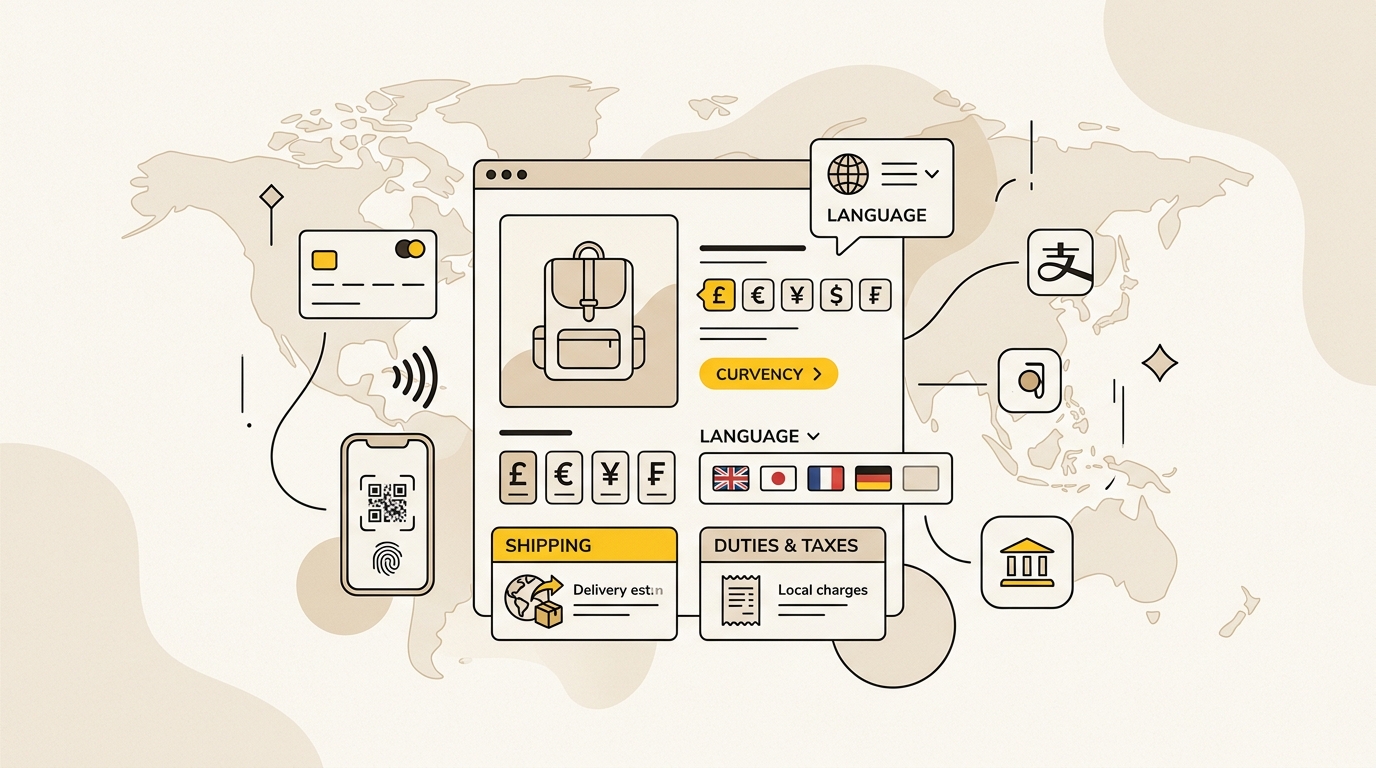
Shopify international store design means adapting the shopping experience to the expectations of each country, not simply enabling international shipping. Before launch, decide what changes by market, then make currency, language, delivery costs, payment methods and trust signals clear at the points where shoppers need them.
The most effective approach is to start with one or two priority markets, test the complete shopping journey in each, and expand when the operations and storefront are ready. If you are planning an international ecommerce project, DesignFIT's ecommerce design services can help connect the storefront decisions to the way customers browse and buy.
This guide walks through the decisions in order. It focuses on the visible experience, because settings only help when shoppers can understand them, and gives you a practical checklist for launch. For broader design and development support, see DesignFIT's website design service.
What changes when a Shopify store sells internationally?
An international store has to answer the same basic questions as a domestic one, but in a market-specific way: What does this cost in my currency? Can I understand the product and policies? What will delivery and import charges be? Can I pay in a way I trust? When will my order arrive, and who will help if something goes wrong?
Those answers affect layout and content. A price needs the right currency and formatting. A shipping message needs to distinguish an estimate from a guaranteed delivery date. A payment reassurance should reflect methods available in that market. A translated menu needs enough room to fit the words without pushing important actions off screen.
A country setting is not the same as a localised customer experience. Shopify Markets can help organise international selling, but your theme, translations, payments, fulfilment and policies still need to work together. Shopify's Managed Markets documentation explains its managed selling option. Review current Shopify documentation and your own plan before committing to a particular setup, because available features and terms can change.
Before you start: choose the right first market
Do not start by translating every product into every available language. Start by deciding which market has enough demand, a workable delivery proposition and a clear commercial reason to pursue it.
Step 1: Pick a market using evidence, not a map
Make a shortlist of countries, then compare them using evidence you can actually access. Useful inputs include:
- Website traffic and sales by country in your analytics.
- Search demand for your products in the country and language.
- Enquiries, social comments or customer requests from that market.
- Competitor prices, delivery promises and product ranges.
- Shipping quotes, likely delivery times and return costs.
- Local rules and the operational work needed to comply.
Traffic alone does not prove a market is viable. A country may send visitors because an ad was shown there, while delivery is too expensive or the product is not relevant. Look for signs of buying intent, such as product views, add-to-carts, enquiries and repeat visits, then compare them with the cost and complexity of serving customers there.
Choose a first market where you can make the experience meaningfully better. If your product is already getting enquiries from the UK, for example, a UK version with clear pounds, delivery details and returns may be a more useful test than a broad European launch with several new languages and shipping routes at once.
Step 2: Check the business model before designing the storefront
International design depends on operational decisions. Before you promise a delivery cost or tax treatment on a product page, confirm what your business can support.
Write down:
- Which countries you will ship to and which products can be sent there.
- Where orders will ship from and which carrier services are available.
- How you will calculate shipping, taxes and duties.
- Whether customers pay import charges before delivery or may be asked to pay later.
- How returns, refunds and customer support will work across borders.
- Which payment methods are enabled and in which markets.
- Who is responsible for tax, customs and other local obligations.
Shopify's Managed Markets overview describes Shopify's managed option and its role in international selling. It is one possible operating model, not a substitute for checking whether the service fits your countries, products and business requirements. If you manage taxes and customs yourself, get qualified advice for the markets you plan to serve. Do not let a design promise get ahead of the fulfilment and compliance setup.
Step 3: Decide what should vary by market
Make a market matrix before editing the theme. This stops the team from changing copy in one place and forgetting the cart, footer or customer emails.
| Store element | What to decide for each market | Design question |
|---|---|---|
| Currency and prices | Currency, formatting and price strategy | Can a shopper understand the price at a glance? |
| Language | Store language, product copy and support language | Does the translated text fit the layout and sound natural? |
| Product range | Availability, sizing, variants and exclusions | Can shoppers tell what they can actually order? |
| Delivery | Services, cost, estimated timing and restrictions | Is the delivery promise visible before checkout? |
| Duties and taxes | How charges are calculated and collected | Will a customer face an unexpected charge on arrival? |
| Payments | Methods accepted in the market | Is the preferred payment option available and visible? |
| Trust | Reviews, policies, contact details and local proof | Does the store feel relevant and credible to this audience? |
| Seasonal content | Campaigns, imagery and product priorities | Does the storefront reflect local seasons and occasions? |
Separate what must differ from what should remain consistent. Your logo, core brand voice and product quality standards may remain the same. Currency, delivery information, available products, measurements and seasonal photography may need to change. Consistency does not mean showing identical content everywhere. It means keeping the same quality and brand character while making local information accurate.
A simple spreadsheet is enough at this stage. Create a row for each market and a column for each storefront element. Mark each item as shared, translated, market-specific or not applicable. That becomes your design brief and your launch checklist.
Step 4: Design currency and prices to feel familiar
Currency is not a cosmetic detail. It helps shoppers judge affordability, compare products and understand whether the store is really serving their market.
Set up local currency display through your Shopify configuration and check the whole journey, not just the product page. A theme may show a converted price in a collection card but leave a different currency in a promotional banner or cart message. Review the announcement bar, product cards, product page, cart drawer, checkout and order confirmation.
Make price formatting consistent
Check how the currency appears in the selected market. Look for:
- The correct currency symbol or code.
- A sensible placement of the symbol and amount.
- Decimal separators and thousands separators that match local conventions.
- A clear distinction between a price and a discount.
- Consistent formatting in text, images, bundles and shipping thresholds.
Do not rely on a rough mental conversion to set your international prices. Exchange rates move, and your costs may include more than the converted domestic price. Consider product margin, shipping, payment costs, returns and local competitor positioning. Decide how often you will review the price, who approves changes and how discounts will work across markets.
Avoid awkward converted amounts if they make the store look unfinished. Price rounding can make a product price feel intentional, but the right approach depends on your brand and market. Test the final price against your margin and customer expectations rather than applying one rounding rule everywhere.
Make local currency visible before checkout
A shopper should not have to reach checkout to discover what currency the store uses. Show it clearly near the product price and keep the selected market visible in an accessible country or region selector.
If a visitor lands from an international ad, make sure the campaign link leads to the intended market experience. A visitor who clicks an ad for a UK offer should not first see a US price and then have to work out how to switch. Use explicit market links where you can, and test what happens when shoppers arrive on a product page rather than the homepage.
A selector should be easy to find, usable on mobile and clear about the result of switching. Avoid relying on a flag alone. Flags represent countries, not necessarily languages or currencies, and shoppers may not know which option changes the parts they care about. Name the market and currency, such as “United Kingdom · GBP”, where that is accurate.
Step 5: Localise language without breaking the layout
Translation changes the space your interface needs. A short English navigation label may become much longer in another language. Buttons, filter labels, size options, error messages and policy links can all expand, wrap or become unclear.
Start with the language shoppers expect for the market, then decide which content requires professional review. Product benefits, sizing instructions, care details, delivery terms and returns deserve more attention than a low-priority decorative caption. A literal translation can be grammatically correct but still sound unnatural or make a product claim unclear.
Shopify's translation tools and third-party apps can help manage translated content, but confirm which content types and theme elements they support. For a useful overview of common considerations, see Weglot's discussion of Shopify Translate & Adapt limitations. Treat app capabilities as something to verify in your own theme rather than assuming every image, app widget or custom field is translated automatically.
Make layouts flexible before adding translations
Test translated content in the actual storefront, especially on a narrow mobile screen. Check:
- Header navigation and mobile menu labels.
- Product titles and variant names.
- Add-to-cart and checkout buttons.
- Search, filter and sort controls.
- Form labels, validation messages and empty states.
- Banners and promotional messages.
- Cookie notices, policy links and footer columns.
Use flexible containers and allow buttons to grow with their labels. Avoid fixed heights that cut off translated text, and do not shrink text until it becomes difficult to read just to preserve the original layout. Set a sensible line length for headings and make sure wrapping does not separate a price from its unit or a button label from its icon.
Text baked into an image is particularly easy to miss. If a promotional banner includes English words inside the graphic, translating the page will not necessarily translate those words. Use editable text over imagery when it suits the design, or prepare a separate image asset for each market and test how it crops on mobile.
Keep translated content genuinely local
Translation is not the same as localisation. Localisation adapts language, units, terminology and examples to the audience. Check measurements, product sizing, date formats, delivery terminology and the words customers use for your product category. Where the right term is uncertain, ask a fluent reviewer who understands the market and the product.
Do not publish machine-translated policies or product claims without review. A mistranslated ingredient, material, warranty condition or delivery promise can create customer confusion and business risk. Keep a shared glossary for product names and recurring terms so that your navigation, product pages and support content use the same language.
Step 6: Show the real cost of getting the product
Shipping, taxes and duties should be understandable before a shopper commits to checkout. Baymard's checkout research on reducing friction is a useful reference for how unclear information and unnecessary effort can make checkout harder to complete. The practical design lesson is simple: do not hide a material cost or condition until the last step.
On the product page, explain what you know about delivery and import charges in plain language. If the exact amount depends on the address or order, say when and how it will be calculated. If customers may owe charges to a carrier on delivery, do not imply that all costs are included. If duties and taxes are collected at checkout, confirm that statement reflects the actual payment and fulfilment arrangement.
Place the information where it answers the shopper's question:
- Near the price or add-to-cart button: a short summary of delivery and charges.
- In a shipping information link: detailed methods, costs, timing and restrictions.
- In the cart: an estimate or explanation of what remains to be calculated.
- In checkout: a clear itemisation of applicable charges before payment.
- In confirmation emails: the order total and any relevant delivery information.
Use precise wording for duties and taxes
Terms such as “duties included”, “taxes calculated at checkout” and “no extra charges on delivery” are not interchangeable. Use only wording that matches your configuration and the way orders are actually delivered. If you cannot confirm that a charge is included, do not promise that the customer will not receive a later bill.
The same principle applies to free shipping. If free shipping begins above a threshold, show the threshold in that market's currency and make the qualifying conditions easy to find. Check any progress bar in the cart. A message that says “Spend $20 more” is confusing if the shopper is looking at euros or the threshold applies only to domestic orders.
For each market, test one realistic basket with different product types and quantities. Check whether shipping changes, whether some products are excluded and whether the final checkout total agrees with the information on the product page. If an order has a large or unusual item, test that too.
Step 7: Make delivery and returns feel dependable
International shoppers may not know your domestic carrier or delivery language. Replace vague statements such as “ships worldwide” with information that helps someone decide whether the order will arrive in time and what happens if it does not.
State delivery destinations, available services, estimated dispatch or delivery timing, and any important restrictions. Distinguish processing time from transit time. If you cannot give a reliable delivery date, use a clearly labelled estimate rather than a specific promise. Avoid showing a date that is calculated without considering weekends, holidays, stock location or customs processing.
Returns need equal attention. Explain who pays return postage, where the item must be sent, which conditions apply and how a refund is handled. A domestic returns policy may not answer the questions an overseas buyer has. Make the policy easy to find from the product page and cart, not only in a footer link that is hard to notice.
Design can make these details easier to use. Use short summaries near purchase decisions, then provide a full policy page for the detail. Break long policy text into headings and bullet points. Keep the wording consistent across the product page, shipping page, checkout and confirmation email.
Step 8: Show local payment and trust signals honestly
Payment options are part of the shopping experience. Confirm which methods are available for the market, then make them visible at a useful point in the journey. A row of payment logos in the footer can reassure some shoppers, but it is not a substitute for showing accepted methods near the cart or checkout action.
Do not display a payment badge unless that method is actually enabled and available to the shopper. Availability may depend on the market, currency, device, eligibility or checkout configuration. Test the payment options in a real market preview or an appropriate test environment, and check the final checkout on mobile.
Trust signals also need local context. Consider whether shoppers can quickly find:
- A support email or contact route that is monitored.
- Clear delivery, return, privacy and payment information.
- Reviews that are genuine and attributed accurately.
- Product details, materials, dimensions and care instructions.
- Local customer service hours or response expectations.
- Relevant certifications or guarantees, if your business holds them.
Avoid adding a trust badge just because it looks familiar in another country. A badge that is not recognised, not current or not genuinely held can create distrust. Use customer reviews and testimonials only with permission and accurate attribution. If you have reviews from customers in that market, show them in a way that makes their relevance clear without implying that every review is local.
Step 9: Adapt imagery, products and seasonal content
A market can have different seasons, climate, occasions and product priorities. A campaign that is timely in Australia may feel out of season in the northern hemisphere. Even when your product range is the same, the first image, featured collection and homepage message may need to change.
Review each market's key landing pages and ask:
- Does the hero image reflect the current season and intended use?
- Are the products shown available to customers in this market?
- Do models, settings and styling feel relevant to the audience without relying on stereotypes?
- Are product dimensions and examples in familiar units?
- Are campaign dates, delivery cut-offs and sale language accurate?
- Does the creative contain text that needs translation?
Do not create separate versions of every asset before you know which differences matter. Start with the highest-traffic entry pages and the campaigns you are actively running. Keep the underlying brand system consistent while adapting the content that makes the offer relevant.
If you use Shopify theme sections or market-specific content features, verify what your current plan and theme allow. Some setups may let you change particular content by market, while others may require a different approach. Shopify's documentation should be your source of truth for current capabilities. The Shopify Markets questions discussed by store owners can surface practical issues, but forum replies are individual experiences, not official feature or compliance guidance.
Step 10: Build a market-specific quality assurance routine
A market is not ready because its homepage looks correct in the theme editor. Check the full journey as a customer in that market, on mobile and desktop, from a real entry point through to order confirmation.
The launch test
For each country, run through this checklist:
- Entry: Does the ad, search result or shared link open the intended market and product?
- Market selection: Is the visitor shown the correct country, language and currency? Can they change it easily?
- Homepage: Are the offer, imagery, product range and seasonal messages relevant?
- Navigation: Do labels fit in the header and mobile menu without clipping?
- Product page: Are price, variants, availability, units, delivery and charges clear?
- Cart: Are the currency, shipping threshold, discounts and estimated costs correct?
- Checkout: Are the final total and available payment methods as expected?
- Policies: Can the customer understand shipping, returns, contact and privacy information?
- Confirmation: Does the order email use the right language, currency and delivery information?
- Support: Can your team answer questions about the market's order and return process?
Test more than one product. Include a discounted item, a product with variants, a product with a shipping restriction and a typical multi-item basket if those apply to your store. Check both a new visitor and a returning visitor who has previously selected another market. This helps reveal issues with saved preferences and market switching.
Measure the experience after launch
Compare results by market, but do not judge a new market by conversion rate alone. Look at the steps that show where the experience may be failing:
- Product page views compared with add-to-cart activity.
- Cart creation compared with checkout starts.
- Checkout starts compared with completed orders.
- Revenue and average order value alongside fulfilment and return costs.
- Support questions about currency, delivery, duties, sizing and returns.
- Search terms and landing pages that bring qualified visitors.
A low add-to-cart rate may point to a product relevance, price or trust issue. A gap between cart and checkout may suggest unclear shipping or cost expectations. A gap inside checkout could relate to payment availability, form friction or a total that differs from the earlier estimate. Treat these as clues to investigate, not proof of a single cause.
Review recordings or customer feedback only in ways that respect privacy and applicable rules. Use support tickets and post-purchase questions to identify confusing language. Change one important part of the experience at a time where possible, then watch whether the relevant behaviour changes.
Shopify Markets, a managed option or separate stores?
There is no one setup that suits every international business. Shopify Markets can organise country and regional selling within a Shopify store. Shopify also offers a Managed Markets option, described in its official overview. Separate stores can be useful when markets need more independent operations, catalogues, teams or customer experiences, but they also mean more work to maintain.
| Approach | May suit you when | Design and operating trade-off |
|---|---|---|
| One store with market settings | You have a shared catalogue and want a central way to manage several markets | Easier to keep shared content together, but market-specific design needs careful testing |
| Managed international selling option | You want to evaluate a provider-supported way to handle parts of cross-border selling | Confirm eligibility, service terms, costs, product coverage and how the customer experience appears |
| Separate stores | Markets have substantially different products, teams, operations or brand needs | More independent control, with additional content, theme, analytics and maintenance work |
Do not choose based on a single feature or a promise of effortless global selling. Compare the operating responsibilities, cost structure, product availability, control over the storefront and reporting you need. If you are unsure, document the requirements for your first two markets and compare how each setup would meet them before building market-specific design work.
Common mistakes to avoid
Turning on shipping and assuming the store is localised
International shipping is one part of the experience. Check currency, language, product availability, delivery costs, payment methods, policies and customer support as a connected system.
Translating only the product descriptions
Menus, banners, filters, buttons, error messages, emails and app content can remain in the original language. Review the actual buying journey rather than a few prominent pages.
Hiding possible charges until checkout
If customers may pay duties or taxes later, explain that before purchase. If you collect them at checkout, ensure the promise is accurate and that the total is presented clearly.
Hard-coding domestic assumptions into the theme
A fixed-width button, domestic shipping progress bar or baked-in English banner can break when the market changes. Build flexible components and test them with the longest realistic labels and prices.
Using automatic redirection without a clear choice
A visitor may be travelling, shopping for someone elsewhere or arriving from a campaign that names a specific market. Offer a clear market suggestion and a way to stay or switch. Check the applicable rules for the countries you serve before implementing redirects or location-based behaviour.
Launching too many markets at once
Each additional market adds content, fulfilment and support requirements. Start with a manageable test, learn from customer behaviour and expand when you can support the experience well.
A practical plan for your first international launch
Use this order to keep the project focused:
- Choose one priority country using demand and fulfilment evidence.
- Confirm products, shipping, returns, payments and tax responsibilities.
- Build a market matrix showing what is shared, translated or changed.
- Set currency and prices, then test all storefront and checkout locations.
- Translate high-value content and make the theme flexible for longer text.
- Put delivery, charges and returns information near buying decisions.
- Add only payment and trust signals that are accurate for that market.
- Adapt priority imagery and campaign content where local context matters.
- Test the complete customer journey on mobile and desktop.
- Launch, review market-level behaviour and improve the biggest point of friction.
The key takeaway
Good Shopify international store design makes each country feel considered without creating a disconnected version of your brand. Start with the questions customers need answered, design those answers into the storefront, and verify that your operations can deliver what the page promises.
To see what an international store rebuild or design project looks like in practice, see DesignFIT's clear pricing. For help planning a storefront around international customers, talk with DesignFIT about ecommerce design.
Key takeaway
Localise the buying experience, not just the shipping settings: make currency, language, delivery costs and trust clear before customers reach checkout.
Questions people ask
Can I customise a Shopify theme for different markets?
What you can customise depends on your Shopify plan, theme and current platform features. Check Shopify's latest documentation and test the specific content or layout change you need before building a market strategy around it.
Should I use one Shopify store or separate stores for each country?
One store may suit a shared catalogue and centralised operation, while separate stores can make sense when markets need different teams, products or workflows. Compare the design control you need with the extra work of maintaining multiple themes, content sets and reporting setups.
How should I show duties and taxes on an international Shopify store?
Explain clearly whether charges are included, collected at checkout or may be requested on delivery, and make sure the wording matches your actual setup. Confirm tax and customs responsibilities with a qualified adviser for the markets you serve.
Does Shopify Translate & Adapt translate text inside banner images?
Text embedded in an image is not ordinary editable storefront text, so do not assume a translation tool will replace it. Use editable text overlays where appropriate or prepare and test a separate image for each language.
What should I test before launching a Shopify store in another country?
Test the complete path from the campaign or search landing page through product details, cart, checkout and order confirmation. Check currency, translated layout, delivery costs, duties, payment methods, returns information and the mobile experience.


