Shopify Relaunch Before Black Friday: A 2026 Plan
A practical 2026 relaunch plan, with clear freeze dates, design priorities and a tested route back to your current theme.
On this page
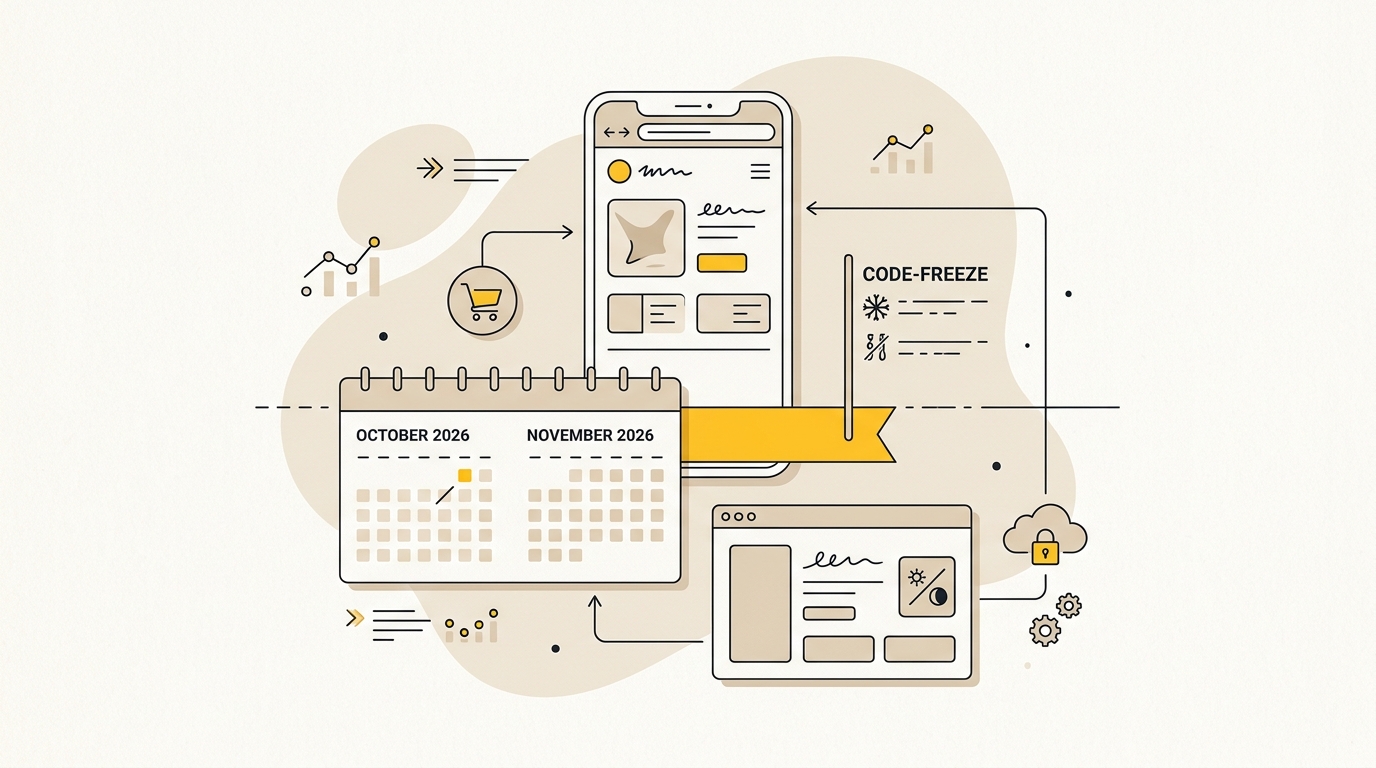
A Shopify relaunch before Black Friday can improve how customers find products, trust your offer and complete checkout, but only if there is time to test the new store and reverse the launch if needed. For Black Friday 2026 on November 27, work back from the sale date: launch by October 27 if the new theme is ready, freeze code by November 13 and keep the current theme available as a fallback. If the work cannot meet those gates, postpone the redesign rather than rush it.
The goal is not to make the store look newer for its own sake. It is to make the buying journey clearer without putting a proven store at risk. If you are still deciding what should change, DesignFIT’s e-commerce design and website work is a useful starting point for thinking through the store as a conversion experience, not just a new theme.
What you need before you plan a Shopify relaunch
Before changing layouts, collect the information that tells you what is working, where customers struggle and how you will recognise a problem. Without a baseline, a post-launch dip can be hard to diagnose. You may blame the design for a change caused by a promotion, a stock issue, an ad campaign or broken tracking.
Gather these items before approving the build:
- Current performance: Save recent traffic, conversion rate, revenue, average order value, device split and checkout completion data. Compare like with like, such as the same weekdays and campaign conditions, rather than relying on a single busy day.
- Customer friction: Review customer service questions, product returns, search terms, reviews and feedback. Note recurring questions about sizing, delivery, ingredients, compatibility or returns. Those are often clues that the page hierarchy or product information needs work.
- A theme fallback: Identify the current published theme and confirm you can publish it again. Give it a clear name and record its version or save a copy before the project begins.
- A change list: Separate must-fix problems from ideas that would be nice to have. A relaunch with a focused scope is easier to test than a redesign that also adds new apps, discount rules and checkout features.
- Named decision-makers: Choose one person who can approve design, copy and launch decisions quickly. Late feedback from several stakeholders can push testing into the high-risk period.
- Access and dependencies: Confirm who owns theme access, analytics, advertising pixels, feeds, apps, discounts and payment settings. Keep a list of integrations that could be affected by theme or checkout changes.
Agree on a baseline and a decision rule, too. For example: if checkout errors appear, or the checkout completion rate moves materially below a comparable baseline, the launch lead pauses promotion and investigates. Set the threshold with your team using your own traffic and normal variation. Do not treat one short-lived dip as proof of failure, but do not wait for a full day of lost orders before checking a serious fault.
If the work includes a wider store rebuild, map the scope and timing before committing to a launch date. DesignFIT’s website design service can support that planning, and the pricing page helps you understand how to start a project conversation.
Why design choices matter more during peak season
A redesign is not a skin placed over the same shopping experience. The order of information, size of buttons, clarity of prices, product imagery and speed of the page all influence whether someone understands the offer and can act on it. Those decisions deserve more attention when paid traffic and seasonal demand make every visit valuable.
Baymard Institute reports an average cart abandonment rate of 70.22% across the studies it lists. That number is not a prediction of your store’s abandonment rate, and it does not mean every abandoned cart can be recovered. It is a reminder that many shoppers leave before completing an order, so avoid adding uncertainty or friction during a relaunch. See Baymard’s cart abandonment research for the source and its context.
Prioritise mobile product discovery
Start with the small-screen layout, then check that the desktop version still feels balanced. A shopper should be able to understand what the product is, what it costs, why it suits them and what to do next without hunting through a crowded screen.
On a product page, check that:
- The product name, price, key benefit and available options are easy to scan.
- The main product image shows the item clearly and has a useful crop on a narrow screen.
- Variant choices are recognisable, tappable and clearly selected.
- Delivery, returns and other purchase-critical details are visible near the decision point, not buried in a long block of text.
- The Add to cart button is visually prominent and has enough space around it to avoid accidental taps.
- Any sticky purchase bar does not cover product information, chat controls or consent notices.
A sticky button is not automatically a good design decision. It can keep the next action available while someone scrolls, but it can also take over a small screen or obscure important details. Test it with real product pages, long descriptions and the full set of mobile overlays your store uses.
Make offers and prices easy to understand
Seasonal offers can create urgency, but unclear discount maths creates doubt. Show the actual selling price, the saving and any conditions in a consistent position. If a discount applies only to selected products or requires a code, make that restriction easy to spot before checkout.
Use contrast to establish hierarchy, not to make every message shout. A bright badge on every card makes it harder to identify the important offer. Make sure text remains legible over photography and that sale colours do not make regular prices or unavailable variants look like active offers.
Reduce checkout hesitation
Review the route from product page to confirmation, including shipping choices, discount entry, payment methods and error messages. Make the total cost and delivery expectations clear before the customer commits. If an app or custom feature like Shopify checkout extensibility changes the checkout experience, test that change as part of the whole journey rather than checking the theme alone.
Protect speed and layout stability
Large product images and third-party scripts can make a redesigned page feel slow or jump as it loads. Use appropriately sized images, avoid loading unnecessary media above the fold, and check that image containers reserve their space so content does not shift unexpectedly. A beautiful hero image that delays the product or pushes the purchase button down the screen may be costing more than it adds.
Deloitte and Google’s Milliseconds Make Millions research reported that a 0.1-second improvement in mobile site speed was associated with an 8.4% increase in retail conversion and a 9.2% increase in average order value in the study context. Those figures are not a guaranteed result for your store. They do show why speed should be treated as a design and business requirement, not a polish task. Read the Deloitte and Google study and use your own analytics to judge the effect of changes.
The 2026 Shopify relaunch schedule
Black Friday falls on November 27, 2026, with Cyber Monday on November 30. The schedule below assumes the store can launch the new theme on October 27. Since this plan starts on October 20, that is a short runway. If design, content or technical testing cannot be completed safely, keep the current store through peak and plan the relaunch for after the season.
| Date | Milestone | What to do |
|---|---|---|
| October 20 to 23 | Scope and final build | Confirm priorities, finish the unpublished theme, prepare content and audit integrations. |
| October 24 to 26 | Pre-launch testing | Check mobile and desktop templates, analytics, apps, offers and checkout journeys. Fix launch blockers only. |
| October 27 | Controlled launch | Publish during a staffed, lower-traffic period. Confirm the team can monitor and revert. |
| October 28 to 30 | Intensive checks | Review orders, errors, customer questions, tracking and comparable performance. |
| October 31 | Feature freeze | No new layouts, apps, integrations or major design changes. |
| November 1 to 12 | Soak period | Run normal campaigns and monitor the relaunched store. Fix only verified defects. |
| November 13 | Full code freeze | Lock theme code and checkout configuration until after Cyber Monday. |
| November 14 to 26 | Peak readiness | Load approved campaign content, check inventory and rehearse the rollback. |
| November 27 to 30 | Black Friday and Cyber Monday | Monitor, communicate and make only pre-approved merchandising changes. |
| December 2 | Controlled thaw | Resume planned improvements after reviewing peak performance and issues. |
These dates are a working plan, not a reason to ship unfinished work. A relaunch is ready only when critical journeys have passed testing, the rollback owner is available and you have time to react to problems before the freeze.
October 20 to 23: finish the right things first
Build the redesign in an unpublished Shopify theme, so the live storefront stays unchanged during development. Use the staging theme to review templates, navigation, product details, collection pages, cart behaviour and mobile layouts. Keep a written list of what is intentionally different from the existing store.
Prioritise the pages that bring visitors closest to buying. Usually that means the home page, key collection pages, best-selling product pages, cart and campaign landing pages. Do not spend the remaining runway inventing a new page type that has no time to be tested.
Check every dependency that touches sales or measurement. This can include discount apps, subscriptions, reviews, search, recommendations, consent tools, analytics and advertising pixels. Record what each one does, who owns it and how you will test it. If an app is not needed for the relaunch, do not add it simply because it looks useful.
October 24 to 26: test before publishing
Treat the staging theme as a test environment, not as proof that the live store is ready. Review the actual store configuration, then walk through the key journeys on commonly used devices and browsers. Include the experience of a new visitor, a returning customer and someone who has selected a discount or a particular product variant.
Use a structured checklist:
- Open the home page and key landing pages from a direct URL, not only through navigation.
- Navigate to a collection, use filters if available and open several product pages.
- Choose variants, add items to cart, change quantities and remove items.
- Apply the offers you plan to run and check the final price and conditions.
- Complete a test checkout using the payment methods and shipping options you support. Confirm how test orders differ from live orders in your setup.
- Check order confirmation, customer emails and any fulfilment or inventory hand-off that you can safely test.
- Confirm analytics events and advertising measurement are firing as expected, with consent settings considered.
- Check mobile text size, button reach, image crops, sticky elements and the behaviour of pop-ups.
- Review error states, unavailable products, invalid discount codes and failed form submissions.
A test order that reaches the confirmation page does not prove that every integration works. Check the parts of the business that depend on the order as well, such as fulfilment notifications or subscription handling. Record each test, who performed it and the result so the team is not relying on memory.
October 27: launch with people ready to respond
Choose a lower-traffic time when the person who can publish the fallback theme and the person who can investigate technical issues are both available. Avoid launching immediately before a weekend, a major campaign or a period when your team cannot monitor the store.
Before publishing, make sure the legacy theme is still in the theme library, the team knows how to publish it and there is no conflicting change in progress. Save the release notes and record the current theme and code version. Then publish the new theme and check the live storefront from a fresh browser session and a phone.
Run a live smoke test quickly: open the home page, a collection and a product; add a product to cart; verify the cart; and check that the path to checkout is available. If you choose to place a real order, use a documented, controlled procedure and confirm how it will be refunded and reconciled. Do not assume that a test payment mode behaves exactly like a live gateway.
October 28 to November 12: let the store settle
Give the new storefront time to operate under ordinary traffic before making more changes. Monitor comparable data rather than expecting every metric to improve at once. Check conversion, revenue, average order value, cart and checkout events, errors, page performance and customer service contacts. Segment by device and landing page so a strong desktop result does not hide a mobile problem.
If a metric changes, look for a cause before editing the design. Check traffic source, campaign, stock availability, discount activation, payment errors and tracking. Keep a change log with the time, change, reason and result. Make one controlled correction at a time when possible. Multiple simultaneous edits make it harder to learn what helped or hurt.
By October 31, stop adding features. This feature freeze is the point to protect the working experience and reduce the number of moving parts. It does not mean you can no longer fix a serious defect. It means any proposed change needs a clear reason, an owner, a test and a decision about whether the risk is worth taking.
November 13 to November 30: keep the code still
A code freeze means no planned edits to theme code, scripts, custom layouts or checkout configuration. It also means no new apps that can change storefront or checkout behaviour. The purpose is to keep the tested version stable while your traffic and promotional activity increase.
A content or merchandising update is different. You may still need to change a campaign banner, collection order or approved offer. Prepare those changes in advance, confirm the correct links and prices, and have a second person review them. Do not edit Liquid, CSS or JavaScript as part of a last-minute banner update.
Shopify announced that merchants generated $14.6 billion in sales over its 2025 Black Friday and Cyber Monday weekend. That is a platform-wide figure, not a forecast for an individual shop. It illustrates the scale of activity that makes operational discipline worthwhile. See Shopify’s 2025 BFCM results.
How to prepare a safe rollback
A theme rollback is a way to restore the previous storefront presentation by publishing the saved theme. It is not a universal undo button. It will not necessarily reverse a changed app setting, checkout configuration, discount, analytics setup, product record or order. Plan separately for each of those systems.
1. Preserve the old theme
Keep the previous published theme in the Shopify theme library and label it so an operator can identify it under pressure, for example: ROLLBACK READY - pre-relaunch - October 2026. Do not make routine edits to that copy. If it needs an essential correction, document the change and make sure the rollback version still works.
Before the relaunch, confirm which settings and integrations are attached to the theme and which are managed elsewhere. A theme copy can preserve theme files and settings, but app behaviour or merchant-level configuration may be outside that copy. Make a list of those independent changes and how to restore them.
2. Decide who can revert and what triggers it
Name the person authorised to publish the fallback theme and a backup person. Make sure both can access the Shopify admin, know the publish steps and understand when to use them. A rollback should not depend on finding an old message or asking an unavailable developer for permission.
Agree on triggers before launch. Examples include a broken product page affecting a major collection, a checkout path that cannot complete, a payment error, a critical tracking failure or a sustained performance decline that cannot be explained by traffic or stock changes. Set any numerical thresholds using your own baseline and traffic. Compare similar periods and check that measurement itself is working before deciding the new theme is underperforming.
3. Rehearse the rollback
Before peak, rehearse the process with the team. Confirm how to locate and publish the fallback theme, who verifies the live pages and who communicates with marketing and customer support. You can rehearse the decision and navigation without actually switching the live store during a campaign.
Write down this short response sequence:
- Pause new deployments and note the time the issue began.
- Identify whether the problem is in the theme, checkout, an app, a payment provider or an external service.
- If the issue is storefront code and the fallback is safe, publish the previous theme.
- Recheck the affected customer journey from a clean browser session and device.
- Check orders, tracking and support reports for continuing effects.
- Tell the team what changed and keep a record of the incident.
Do not publish the old theme automatically for every dip in sales. A drop may be caused by a campaign ending, a product selling out or measurement breaking. Conversely, do not keep a clearly broken new theme live because you hope the problem will resolve itself. The point of a rollback plan is to make a calm, pre-agreed decision quickly.
4. Keep code history and store data separate
If your team uses Shopify’s GitHub integration or another version-control workflow, identify the production branch, confirm who can merge changes and label the tested release. A developer should be able to trace the change that went live and recover a previous code version. Do not assume that reverting a Git commit automatically restores every Shopify admin setting or app configuration; verify how your actual workflow syncs changes.
Theme rollback is generally a storefront recovery step. It does not normally restore products, customers or orders to an earlier state, and it should not be used as a substitute for careful handling of those records. Avoid combining a theme relaunch with unrelated changes to product data, apps or checkout settings unless there is a clear reason and separate recovery plan.
Common relaunch mistakes to avoid
- Starting too late: A redesign that has no meaningful testing period before peak is a bet, not a controlled relaunch. Keep the existing store if the new one cannot pass its gates.
- Redesigning everything at once: New navigation, copy, pricing presentation, apps and checkout behaviour make it hard to isolate a failure. Focus the release on the biggest known customer problems.
- Approving from desktop screenshots: Real customers use different screen sizes, browsers and input methods. Test actual pages on phones, including long product details and overlays.
- Adding apps during the freeze: An app can add scripts, visual elements or new dependencies. Evaluate it well before the freeze, or defer it until after peak.
- Treating visual polish as proof: A polished home page can still lead to confusing collections, unclear product choices or a broken cart. Test the full purchase path.
- Changing several things after launch: Without a change log and controlled fixes, you may not know which edit caused a new issue. Record changes and their outcomes.
- Assuming a theme publish restores everything: Theme, checkout, app, analytics and promotion settings may be managed separately. Define what your rollback does and does not cover.
- Leaving nobody on call: A fallback theme is only useful if someone with access can publish it and check the result.
Final peak-readiness checklist
Before November 13, confirm each item below:
- The new theme is published and has been monitored under normal traffic.
- Your old theme is saved, clearly labelled and ready to publish.
- Key product, collection, cart and checkout journeys have been tested on mobile and desktop.
- Discounts, shipping rules, payment options and product variants behave as expected.
- Analytics and advertising events have been checked against your consent setup.
- Campaign links, prices, banners and stock information have been reviewed.
- App owners and technical contacts are known, and unnecessary apps are not being introduced.
- The launch lead has a written rollback trigger, a backup operator and a response checklist.
- The team knows which merchandising changes are allowed during the freeze.
Wrap-up
A Shopify relaunch before Black Friday is safest when you make fewer, better-informed design changes, leave time to observe the live store and keep a tested route back to the old theme. For the 2026 calendar, use October 27 as the latest planned launch in this schedule, October 31 for the feature freeze and November 13 for the full code freeze. If those dates are no longer realistic for your project, protect peak season by postponing the relaunch.
If you want help deciding what to change and how to stage the work, start a conversation with DesignFIT about your Shopify store and launch timing.
Key takeaway
Launch only when there is time to test the new store, freeze code before peak and rehearse a rollback to the theme you already trust.
Questions people ask
Can I redesign a Shopify store while it is live?
Yes. Build and review the redesign in an unpublished theme so customers continue to see the current storefront. Publish only after testing the key shopping journeys, and keep the previous theme available as a fallback.
When should I stop making Shopify changes before Black Friday?
For the 2026 schedule in this guide, stop adding features on October 31 and freeze theme code and checkout configuration on November 13, two weeks before Black Friday. Keep only pre-tested merchandising updates during the final period.
How do I roll back a Shopify theme if something breaks?
Keep the previous theme in your Shopify theme library, label it clearly and make sure an authorised operator can publish it. A theme rollback restores the storefront theme, but it may not reverse app, checkout, discount or analytics settings, so document those separately.
What is the difference between a code freeze and a content freeze?
A code freeze stops changes to theme code, scripts, layouts and checkout configuration. A content freeze limits changes to copy, banners or merchandising; many stores allow carefully reviewed content updates during a code freeze.


