Shopify vs Shopify Plus: When the Upgrade Pays for Itself
The upgrade makes sense when better checkout control or less operational friction returns more than the extra monthly cost.
On this page
- Shopify vs Shopify Plus: what is being compared?
- Why payment fee savings alone can be a slow break-even
- The design difference: checkout control, not a blank canvas
- Which checkout changes might justify Plus?
- What checkout abandonment research can and cannot tell you
- Break-even model one: processing fees
- Break-even model two: checkout improvement
- Break-even model three: staff time and multiple stores
- Shopify Advanced vs Plus: pros and cons
- What does a Plus upgrade cost beyond the subscription?
- How to decide: a five-point Plus scorecard
- Verdict by situation
- A practical checklist before signing
- The bottom line
Shopify vs Shopify Plus is not simply a choice between a basic store and a more powerful one. Shopify Plus can pay for itself when its checkout capabilities, multi-store setup or operational benefits solve a costly business problem. Start by comparing those gains with your actual monthly cost gap, not just your sales volume. If you are planning a store build or redesign, see our e-commerce design and development services.
The key design question is whether your current storefront and checkout are preventing customers from buying or creating avoidable work for your team. Shopify Plus gives eligible merchants more ways to extend the core checkout, but it does not guarantee a conversion lift and it does not let you redesign checkout without limits. This guide compares the plans, lays out three break-even models and helps you decide when to upgrade.
Shopify vs Shopify Plus: what is being compared?
Shopify Advanced is a standard Shopify plan intended for established stores that need advanced reporting and lower payment rates than some lower tiers. Shopify Plus is Shopify's enterprise-level offering for merchants with more complex checkout, organisation, integration or multi-store needs. It is still Shopify, but it changes which tools and extensions are available and how the commercial agreement is structured.
This comparison focuses on Advanced versus Plus because that is the decision many growing stores face. If you are currently on Basic or Shopify, use the same method but compare the Plus quote with your actual plan, payment rates and app costs. Shopify pricing and eligibility vary by country, payment setup and contract, so confirm the details against your account and Shopify's current plan features before you commit.
| Decision area | Shopify Advanced | Shopify Plus |
|---|---|---|
| Best fit | Established store with a conventional checkout and one main storefront | High-growth or complex operation with a clear need for checkout extensions, multiple stores or organisation-level tools |
| Subscription cost | Public US pricing in the supplied comparison: $399 USD monthly, or a lower effective monthly rate when billed annually | Public starting price in the supplied comparison: $2,300 USD monthly on a three-year term or $2,500 USD on a one-year term |
| Checkout | Checkout branding and settings, but no checkout UI extensions in the information, shipping and payment steps | Checkout extensibility, including eligible UI extensions in core checkout steps |
| Payment processing | Rates depend on country, payment provider and billing terms | Potentially lower rates, but the actual savings depend on your store and contract |
| Staff and organisation | Standard plan staff limits apply | More organisation-level capacity, subject to current terms and configuration |
| Multiple storefronts | Additional stores generally mean additional subscriptions | Expansion stores may be included, subject to the Plus agreement |
| Best reason to upgrade | You have reached the limits of the standard plan and have evidence of a worthwhile return | Checkout, operations or multi-store complexity has a measurable cost |
The figures above are planning assumptions, not a quote. Shopify changes plans, rates and included features. The Shopify Plus pricing page is the place to confirm current public pricing, while your account or Shopify representative can confirm region-specific payment rates and contract terms. Treat any savings calculation as provisional until you have those numbers in writing.
Why payment fee savings alone can be a slow break-even
Payment savings are easy to model, which is why they often dominate upgrade discussions. But for many stores, they are not enough to justify Plus until sales volume is very high. Under the US example in the supplied comparison, Advanced costs $399 USD per month and a three-year Plus term starts at $2,300 USD per month. That is a subscription difference of $1,901 per month.
The supplied example also compares online card rates of about 2.50% on Advanced with 2.25% on Plus. If those rates apply to your business, the difference is 0.25 percentage points. Divide the monthly subscription gap by the rate difference:
$1,901 ÷ 0.0025 = $760,400 in monthly card sales.
That is roughly $9.1 million in annual card sales, before accounting for other factors. It is not a universal threshold. Your actual break-even changes with your Plus quote, payment method mix, refunds, international transactions, average order value and eligibility for Shopify Payments. Compare the same transaction types on both plans, rather than applying one headline rate to all revenue.
The calculation also assumes the subscription gap is the only extra cost. A Plus implementation, checkout extension, custom integration or ongoing maintenance can add to the investment. Conversely, Plus may replace some store subscriptions or operational work. A fair comparison includes both sides.
So if transaction-fee savings are the only benefit you can identify, calculate the threshold using your actual rates and decide whether the wait is acceptable. Do not upgrade because a sales milestone sounds impressive. Upgrade when the total value of the capabilities you will actually use is greater than the total cost of obtaining and maintaining them.
The design difference: checkout control, not a blank canvas
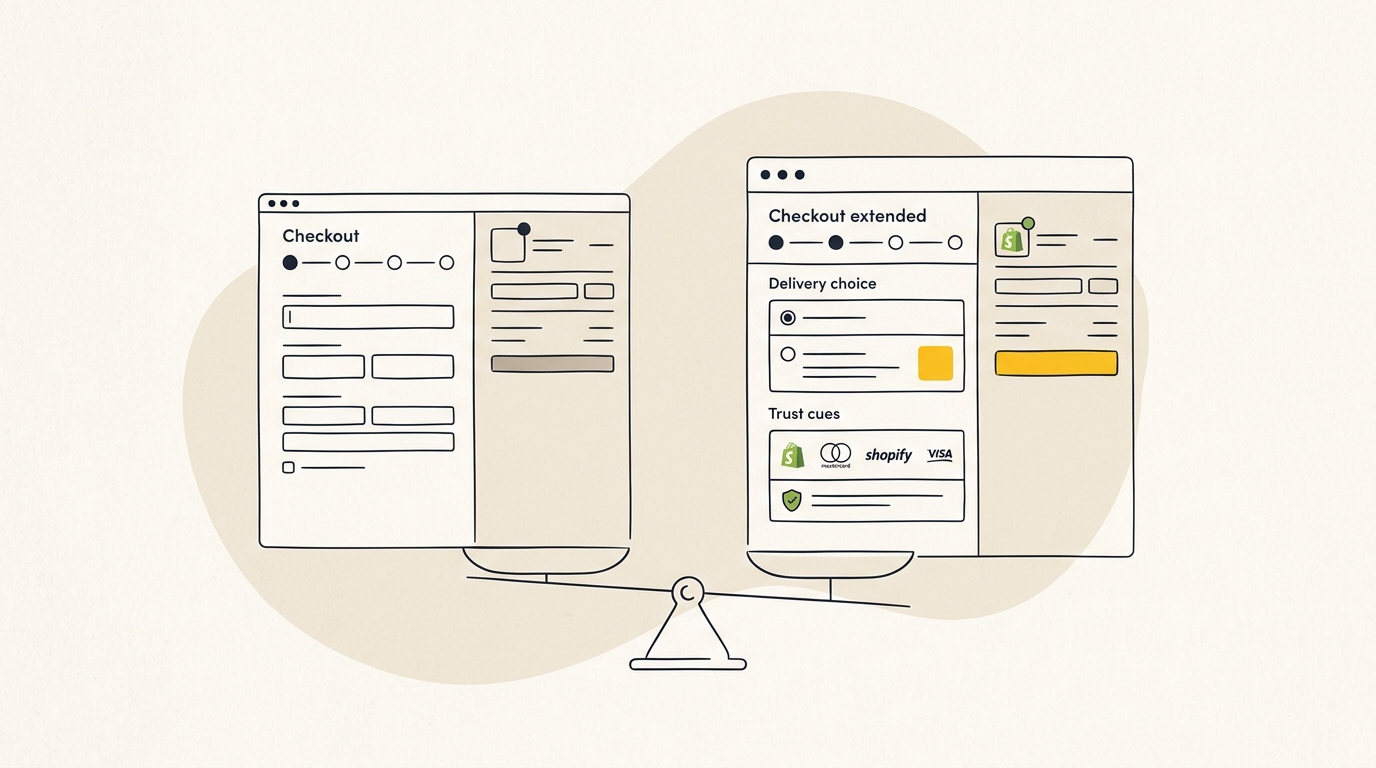
The most important functional distinction is what you can add to the active checkout. Standard Shopify plans let merchants adjust checkout branding and settings, but they do not provide the same access to checkout UI extensions in the information, shipping and payment stages. Shopify Plus supports eligible extensions in those areas through Checkout Extensibility. Shopify's Checkout UI Extensions documentation describes the available extension points and their requirements.
That distinction matters because the checkout is a decision flow, not a decoration layer. A customer needs to understand what they are buying, what delivery will cost, when it is likely to arrive and how they can pay. Visual hierarchy, clear labels, helpful validation and fewer interruptions can make those decisions easier. The goal is not to add more interface. It is to remove uncertainty at the moment it affects an order.
Plus does not give you unlimited control over every pixel or let you replace Shopify's checkout with an arbitrary custom page. Extensions run within Shopify's supported framework and are subject to platform rules, technical limits and app capabilities. The design task is to make a useful, compliant improvement within those boundaries. A flashy widget that slows checkout or distracts from payment can make the experience worse.
On standard plans, some customization remains possible. Merchants can use the checkout editor and branding options available to their plan, and apps can support eligible steps outside the restricted core checkout stages. Shopify has also moved merchants away from older methods of customising checkout. Before planning work, check the Shopify migration and deprecation guidance for checkout rather than relying on an old tutorial or a legacy app listing.
Which checkout changes might justify Plus?
The upgrade is most relevant when you have identified a specific friction point that standard Shopify cannot address. Examples include:
- Showing a delivery date or delivery method choice where it helps customers make a decision.
- Applying shipping or payment options conditionally, based on order details or customer eligibility.
- Adding an appropriate trust or information component at a point where customers have a genuine concern.
- Improving address collection or validation for a product or delivery model with special requirements.
- Supporting a complex checkout rule that an existing, supported app cannot handle on your current plan.
Each idea needs a design and commercial case. A delivery picker could make delivery expectations clearer, but it can also add effort if the customer has no meaningful choice. An extra trust message could reassure a first-time buyer, but repeating information already visible on the page adds clutter. A cross-sell could increase order value, but a poorly timed interruption may put the original purchase at risk.
Do not assume that a particular feature is available just because an app advertises checkout customisation. Ask the app provider which checkout step it uses, whether it supports your plan, what the customer sees on mobile, and what happens if the extension fails. Confirm technical eligibility with Shopify's documentation and test in a duplicate theme or test environment where appropriate.
A designer should start with evidence, not a list of widgets. Review analytics for checkout progression, device mix and abandonment points. Read customer support conversations for repeated questions about shipping, payment or returns. Then map the current journey, identify one problem and test the smallest useful change. If the proposed change cannot be tied to a customer need or measurable outcome, it is not a strong reason to pay for Plus.
What checkout abandonment research can and cannot tell you
Baymard Institute reports a global average cart abandonment rate of about 70% in its cart abandonment statistics and research. That is a broad benchmark across different stores, products and buying situations. It is not a target for your store, and it does not mean that seven in ten of your customers can be recovered by changing checkout software.
Baymard's checkout research also discusses usability problems that can cause avoidable abandonment, including long or complicated checkout flows. Its checkout usability research is useful for diagnosing form and flow issues. The findings support a practical point: unnecessary questions, unclear costs and confusing steps can create friction. They do not prove that moving to Plus alone will produce a specific conversion increase.
Separate causes before choosing a fix. Some shoppers leave because they are browsing, comparing prices or not ready to buy. Others encounter unexpected costs, a delivery limitation, an unsuitable payment method or a confusing form. Checkout extensibility can address only some of these issues. It will not fix weak product photography, an unclear returns policy, slow pages, poor product-market fit or expensive shipping.
Look at your own funnel. Compare product views, add-to-cart events, checkout starts and completed purchases. Segment by device, traffic source, product group and location, then check whether your tracking is reliable. A large drop between shipping and payment suggests a different problem from a weak product-page-to-cart rate. This diagnosis prevents an expensive plan upgrade from being used to solve the wrong part of the buying journey.
Break-even model one: processing fees
Use this model if your main reason for considering Plus is a lower payment rate. Replace the figures below with your written plan quote and actual rates.
- Calculate the monthly subscription gap. In the supplied US example, that is $2,300 minus $399, or $1,901.
- Calculate the rate difference for the transactions that qualify. In the example, 2.50% minus 2.25% equals 0.25 percentage points.
- Divide the subscription gap by the rate difference. The example break-even is $760,400 in eligible monthly card sales.
- Recalculate for your payment mix, contract term and region. Include any per-transaction fees only if they differ between the plans.
This is a break-even on subscription cost, not a profit forecast. It says that at the calculated sales volume, the estimated processing savings equal the plan-price difference under the assumed rates. It does not include development, apps, taxes, chargebacks, payment methods with different rates or the value of Plus features.
If your actual rate difference is smaller, the required sales volume rises. If it is larger, the threshold falls. For a store based in Australia, do not transfer US rates into the model. Check the rates in your Shopify account and compare the eligible Australian transactions on a like-for-like basis.
Break-even model two: checkout improvement
For checkout changes, use contribution profit rather than gross sales. Gross revenue is not the money available to pay for a platform upgrade. Product cost, fulfilment, payment fees, discounts, returns and marketing all reduce the amount retained from an additional order.
Consider a hypothetical store with 100,000 monthly visits, a 2.5% purchase conversion rate, a $120 average order value and $300,000 in monthly sales. Those figures are an example only. If a tested change moved the conversion rate from 2.50% to 2.65%, the store would gain 150 orders at the same traffic level. At a $120 average order value, that is $18,000 in additional gross sales before costs.
The right question is how much contribution those orders generate. If, purely for illustration, the store retains $72 in contribution per additional order after variable costs, the $1,901 monthly plan gap takes about 27 incremental orders to cover: $1,901 divided by $72 is 26.4. The store would need to verify its own contribution per order and the improvement through testing.
An average order value change can be modelled separately. At 2,500 monthly orders, a 4% increase on a $120 average order value would add $12,000 in gross sales, assuming order count and product mix stay constant. But this is not a forecast of what checkout upselling will achieve. A cross-sell can raise basket size, reduce conversion or do both. Measure its net effect on contribution and conversion rather than celebrating AOV in isolation.
Do not add the conversion scenario and AOV scenario together unless you have evidence that both changes can coexist. They may affect the same orders and customers. Most importantly, neither result should be attributed to Plus itself. A plan only enables certain implementation options. The design, offer, customer fit and testing determine whether the change works.
Break-even model three: staff time and multiple stores
Operational savings can be a better reason to upgrade than processing fees, particularly when the current setup involves repeated manual work. List the recurring tasks that Plus could realistically remove or simplify, then estimate the time saved and assign a fully loaded hourly cost. Include implementation and ongoing ownership time as costs too.
For instance, suppose a team spends 25 hours a month coordinating promotions, updating store content and checking changes across systems. At an assumed internal cost of $90 an hour, that is $2,250 of labour time. If a Plus workflow truly removes those hours, it could offset a $1,901 monthly plan gap. But time saved is not automatically cash saved. The team must either reduce paid hours or use that capacity for work that has measurable business value.
A multi-store calculation can be more concrete. Under the supplied example, four Advanced stores at $399 each would cost $1,596 monthly before apps and other services. If a Plus agreement includes expansion stores suitable for those markets, compare that total with the Plus quote. Confirm how many stores are included, what each store can do, whether each needs separate apps and how local currency, catalogue, tax and fulfilment settings work.
Multiple stores are not always the better design. Separate regional storefronts can make local pricing, shipping and content easier to manage, but they also create more places to maintain products, promotions and brand consistency. Markets with similar catalogues and operations may work better in a consolidated setup. Map the customer experience and staff workflow before treating included stores as savings.
Also review staff access and integrations. A team near a plan's user limit may be relying on shared credentials or asking an administrator to do routine work. That creates operational friction. Higher API capacity can matter for a high-volume operation with connected inventory, ERP or fulfilment systems, but API limits are only one part of reliability. Check the integration vendor's documentation, queues, error handling and peak-load behaviour before assuming a plan change will fix sync problems.
Shopify Advanced vs Plus: pros and cons
Shopify Advanced pros
- Lower fixed subscription cost for a store that does not need Plus-only checkout functionality.
- A strong fit for a conventional single-store operation with manageable team access and integrations.
- Lets the business concentrate on high-impact storefront work such as product page hierarchy, photography, mobile layout and clear delivery information.
- Avoids paying for enterprise capabilities that the team does not have time or expertise to use.
Shopify Advanced cons
- Does not offer the same checkout UI extension options in the information, shipping and payment steps.
- May be a poor fit if the business has a verified checkout problem that requires an extension point unavailable on its plan.
- Additional stores and operational work can add costs that do not appear in the headline subscription price.
- App workarounds can add recurring expense and complexity, and may not be able to change the core checkout experience.
Shopify Plus pros
- Supports eligible extensions in core checkout stages, giving teams more scope to address specific checkout needs.
- Can suit complex teams, integrations, promotions or multi-store operations, depending on the agreement and technical setup.
- May reduce per-transaction fees for eligible sales, subject to region, payment method and contract.
- Can create a platform for ongoing conversion experiments when the business has clear measurement and implementation capacity.
Shopify Plus cons
- The fixed subscription and implementation costs are much higher than Advanced in the supplied public pricing example.
- Checkout extensions are not a guarantee of better conversion, and Shopify's framework does not permit unrestricted redesign.
- Custom work needs design, development, testing and maintenance. A rushed extension can add friction or break after changes.
- More capability can encourage teams to add widgets instead of solving the underlying customer problem.
- Plus may be premature for a single-store D2C brand with a simple checkout and no measurable operational constraint.
What does a Plus upgrade cost beyond the subscription?
The platform fee is only one line in the budget. Add the cost of any checkout extension development, design and testing, theme or storefront changes, integration work, app subscriptions, and ongoing support. A Plus store that has no owner for testing and maintenance may not use its extra flexibility well.
A proper estimate starts with a defined scope. For each requested change, document the customer problem, plan eligibility, technical approach, analytics event, test method and maintenance owner. Separate necessary work from optional improvements. This lets you compare the upgrade with a smaller alternative, such as fixing product page content, improving mobile hierarchy or changing the shipping message before checkout.
There is no universal build price that is safe to apply to every merchant. A simple configuration is not the same as a bespoke checkout extension with business rules and a complex integration. Get an itemised proposal and clarify whether it includes discovery, design, development, QA, launch support and post-launch fixes. Review our clear project pricing to compare typical development investments. Our website design and development service covers the design and build decisions that affect how a store works, not just how it looks.
Allow time for discovery and validation before locking a launch date. The timeline depends on access to the store, integrations, app compatibility, approval processes and the number of test cases. Test key paths across mobile and desktop, including discount codes, accelerated payment options, different shipping addresses, out-of-stock products, refunds and failure states relevant to your business.
How to decide: a five-point Plus scorecard
Use this scorecard to make the decision specific. A yes is a prompt to investigate, not automatic proof that you should upgrade.
- Can you name a checkout problem that standard Shopify cannot solve? Identify the step where customers hesitate or abandon and the extension that would address it. If you cannot describe the issue, start with analytics and customer feedback.
- Does the problem have a measurable commercial cost? Estimate lost contribution, support time, errors or fulfilment cost. Keep assumptions visible and use your own data wherever possible.
- Do multi-store or team needs create recurring cost or risk? Compare current subscriptions, duplicated work, access needs and app costs with the exact Plus agreement.
- Can your team implement and maintain the change? Identify the design, development, testing and analytics owners. A feature with no operating owner is not a reliable business case.
- Does the conservative return cover the complete cost? Include the subscription gap, implementation, apps and maintenance. Use a conservative scenario and allow for the chance that a conversion test produces no lift.
A simple decision rule helps: if the case depends on one optimistic conversion assumption, wait and gather evidence. If it works under conservative estimates across more than one real need, such as a required checkout function and a reduction in multi-store overhead, Plus is easier to justify.
Verdict by situation
Stay on Advanced if your store is simple and the checkout works
If you run one main storefront, have a conventional product range, and do not have a diagnosed checkout limitation, keep the lower fixed cost for now. Focus on product-page clarity, mobile usability, shipping and returns information, trustworthy photography and a checkout that asks only for information you need. These design choices can improve the buying experience without an enterprise plan.
Consider Plus if a checkout restriction is costing you orders
If customer research and funnel data point to a specific checkout issue, and a supported extension can address it, build a test case. Check the feature's eligibility, implementation cost and success metric. Upgrade when the conservative value of the improvement makes sense against the complete cost, not because a general benchmark suggests checkout has room to improve.
Consider Plus if several stores or staff workflows are creating real overhead
If you operate multiple regional stores, need more structured access or spend significant time coordinating sales and catalogue changes, compare the current total cost with the exact Plus terms. Include the work involved in keeping each store accurate and on-brand. Consolidating operations may be worthwhile, but only if it improves the customer experience and does not create new complexity.
Do not upgrade solely because revenue has crossed a round number
Sales volume does not tell you whether the checkout needs extending, whether your payment fees will fall enough, or whether your team can use the plan's capabilities. Two stores with the same GMV can have very different payment mixes, margins, operational needs and customer journeys. Build the decision from your own numbers.
A practical checklist before signing
Before committing, gather the following:
- A written Plus quote showing contract term, monthly fee, payment rates and included stores.
- Your current monthly eligible card sales, split by payment method and region.
- A record of checkout performance by step, device and key traffic source.
- The specific customer problem each planned extension will address.
- A full implementation and support estimate, including apps and ongoing maintenance.
- An estimate of staff time or store costs that will actually disappear.
- A measurement plan with baseline, test period and a decision rule for keeping or removing the change.
Use this checklist with the people who will own the store day to day: e-commerce, customer service, marketing, operations and development. A checkout design can look good in a presentation but fail when it meets real fulfilment rules, customer questions or payment behaviours. Bring those constraints into discovery, before development starts.
The bottom line
Shopify Plus pays for itself when the extra checkout control, operating capacity or multi-store structure solves a proven business problem worth more than the added platform and implementation cost. Payment-fee savings alone can require substantial eligible sales to cover the subscription gap. A potential conversion lift is not guaranteed, so measure the issue, test the design and calculate contribution rather than relying on broad benchmarks.
If you are weighing a Shopify upgrade, redesign or store launch, talk with a team that considers the customer journey alongside the platform choice. Check how our studio stacks up in our agency comparison guide, and explore DesignFIT's e-commerce design and development work as your next step.
Key takeaway
Upgrade to Shopify Plus when a specific checkout or operations problem has a measured, conservative return that covers the full cost.
Questions people ask
Is Shopify Plus worth it for a single-store D2C brand?
It can be, but a single-store brand with a straightforward checkout and no operational bottleneck may not get enough value from the extra cost. Identify a problem Plus can solve, estimate its contribution impact and include implementation and ongoing support in the calculation.
Can Shopify Advanced use apps to customise the checkout?
Advanced supports checkout branding and settings, but it does not offer the same UI extension access in the information, shipping and payment steps as Plus. App capabilities depend on the extension point and plan eligibility, so verify the specific app against Shopify's current documentation before relying on it.
How much do you need to sell for Shopify Plus to break even?
There is no universal sales threshold because subscription prices and payment rates vary by country, contract and payment mix. In the supplied US example, a $1,901 monthly subscription gap and a 0.25 percentage-point rate difference produce a fee-only break-even of about $760,400 in eligible monthly card sales.
Does Shopify Plus guarantee a higher conversion rate?
No. Plus can enable checkout changes that are unavailable on standard plans, but it does not guarantee those changes will improve results. Use your own funnel data, test a specific design change and measure conversion and contribution together.


