Subscription Ecommerce Design: Pages and Flows to Cut Churn
A practical guide to designing subscriber accounts and retention flows that make it easier to stay, adjust or leave.
On this page
- What subscription ecommerce design needs to solve
- What to prepare before redesigning your subscriber experience
- Step 1: Make account access easy and direct
- Step 2: Turn the account homepage into a control console
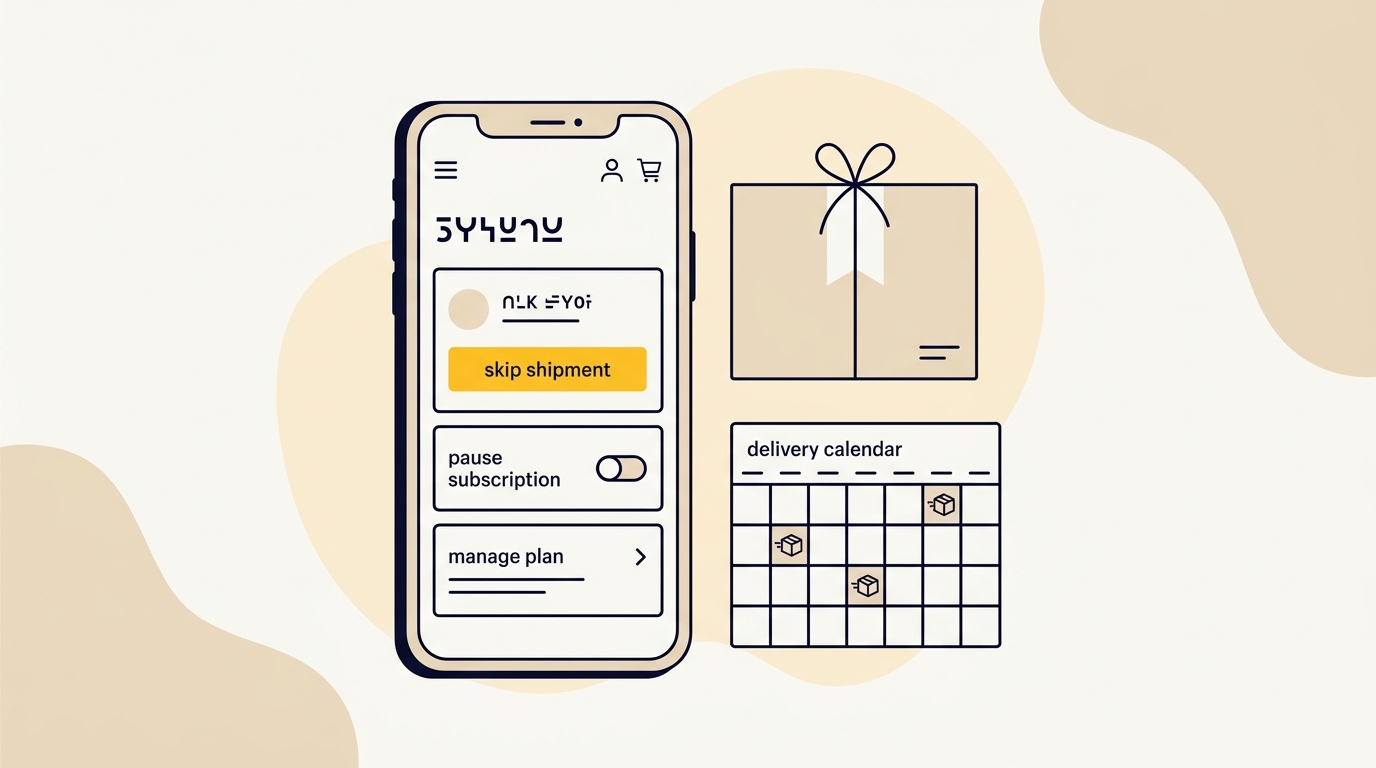
- Step 3: Design skip and pause as different choices
- Step 4: Build a transparent cancellation flow
- Step 5: Design for payment problems without confusing customers
- Step 6: Make reminders useful and consistent with the portal
- Step 7: Build a visual system for clarity and trust
- Step 8: Test the flows before release
- Step 9: Measure impact and improve in small releases
- Common mistakes that make churn worse
- Which changes should you make first?
- Subscription ecommerce design checklist
- How to improve the experience without rebuilding everything
- Wrap-up: make staying and leaving clear choices
Subscription ecommerce design can reduce avoidable churn by making it easy for customers to manage upcoming orders, adjust delivery frequency, skip or pause a shipment, and cancel without confusion. Start with the account and retention flows, not just the subscription toggle on the product page. If your shop has recurring orders, DesignFIT’s e-commerce design work can help you review the full customer journey.
A subscription is a continuing relationship, not a one-time checkout. The customer needs to understand what will happen next, when they will be charged, and what they can change. When those answers are buried or hard to act on, a customer may cancel simply to regain control. The design goal is not to trap people in a plan. It is to make the useful choice clear, whether that is keeping the next delivery, changing it, pausing or leaving.
What subscription ecommerce design needs to solve
A subscription experience includes more than the product page and checkout. It covers the path from first purchase through every renewal, delivery adjustment, payment problem and cancellation. The account area is part of the product experience because it is where customers manage the promise your store made at checkout.
A well-designed flow helps customers answer four practical questions:
- What is in my next order?
- When will it ship and what will I be charged?
- How can I change or skip it?
- How do I stop the subscription if I no longer want it?
The design choices that answer these questions affect trust, support workload and whether a customer can solve a temporary problem without ending the relationship. They do not fix a poor product, an unsuitable price or a delivery failure. They can, however, prevent interface friction from making those problems worse.
Before changing anything, separate the reasons customers leave. Voluntary churn means a customer chooses to stop. Involuntary churn means a payment fails or a billing issue interrupts the subscription. A confusing account portal can make either situation harder to resolve, but each needs a different response. A skip control will not fix an expired card, and a payment reminder will not help a customer whose cupboard is already full.
What to prepare before redesigning your subscriber experience
Do not start by picking a new subscription app or drawing a prettier dashboard. First map how the current experience works and where customers run into trouble. A short evidence-gathering phase gives you a more useful brief and helps keep the redesign focused.
1. Map the subscriber journey
Write down each step from the first subscription offer to renewal, fulfilment and cancellation. Include the messages customers receive and the places they can take action. A common journey might be:
- Customer sees a recurring purchase option on a product page.
- Customer selects a product, variant and delivery frequency.
- Customer checks out and receives confirmation.
- Customer receives a pre-renewal reminder.
- Customer changes, skips or keeps the next order.
- The renewal is charged and shipped.
- Customer manages the plan, changes payment details or cancels.
Mark the channels too. A customer might start on a laptop, open a reminder on a phone and then log in through a desktop browser. If the email link opens the account homepage rather than the relevant subscription, the person has to find their way through the portal. That extra work can be the point where they give up.
2. Collect evidence, not just opinions
Review customer service tickets, cancellation reasons, failed-payment records, customer interviews and analytics. Look for recurring phrases such as too much product, forgot the order was coming, cannot find the skip button, or password reset is not working. These observations point to different design fixes.
Check the data by cohort and subscription age. If many customers leave after their second shipment, inspect what happens before that renewal: the reminder timing, the product quantity, the cadence options and the account actions available. Do not assume the product page is the only place to improve just because that is where the subscription began.
Useful measures include:
- Subscriber portal visits before a renewal.
- Share of subscribers who successfully change a future order.
- Skip, pause and cancellation actions by reason and subscription age.
- Failed payment recovery and repeated payment failures.
- Support contacts about account access, renewals and changes.
- Renewal completion, voluntary cancellation and reactivation.
Define each measure before comparing results. For example, decide whether a skip rate is counted per subscriber or per renewal cycle. Keep the definition consistent over time. Otherwise, a change in the reporting method can look like a change in customer behaviour.
3. Check platform and app constraints
List which platform handles the storefront, checkout, customer accounts, subscription billing and fulfilment. Then confirm which app controls each part of the portal. A design concept is only useful if your systems can support the actions it promises.
Check whether the current setup supports passwordless access, deep links into a specific subscription, date changes, product swaps, different pause periods and clear cancellation confirmation. Also find out whether the portal can match your brand styles and whether account changes update the order correctly. Architectural reviews like Email Kong's guide to Loop vs Recharge vs Skio demonstrate how different platforms handle these account features. Ask your developer or app provider to demonstrate the actual customer journey, not just show a feature list.
If you are redesigning the portal as a product interface rather than only changing storefront pages, DesignFIT’s interface and product design service can help shape the account experience and its flows.
4. Establish the rules before drawing screens
Write down the operational rules in plain language. What is the cut-off for changing an order? Can a customer skip more than one cycle? Does a pause have a maximum duration? Can customers swap products in a bundle? What happens to a loyalty benefit when they pause?
When the rules are unsettled, interface design turns into guesswork. Decide what the business can reliably fulfil first, then show those options clearly. Do not promise an instant change if the fulfilment system has already locked the order. Explain the limit and give the customer the next available option.
Step 1: Make account access easy and direct
A customer who wants to change a renewal should not have to fight an account login first. Traditional passwords create extra work, especially when a customer follows an order reminder on a phone and cannot remember which password they used. As highlighted in Baymard's research on accounts and self-service, unexpected friction during account access often prevents customers from completing simple account tasks.
Consider passwordless access through an email sign-in link or a one-time code sent by text, if your platform and security setup support it. The important design decision is not simply removing a password field. It is reducing steps between the reminder and the action the customer came to take.
Design the whole sign-in handoff
A useful account access flow should:
- Explain where the sign-in link or code will be sent.
- Confirm the destination in a privacy-conscious way.
- Tell the customer what to do if the message does not arrive.
- Provide a clear way to request another link or code.
- Return the customer to the subscription or order they meant to manage.
If someone clicks a button from a shipment reminder, avoid sending them to a generic account landing page. Where possible, carry the context through authentication so they arrive at the next order. If that is not possible, make the subscription list obvious and show the upcoming order at the top.
Test the flow on a mobile device with a real inbox. A sign-in link can open in a different browser from the one that started the journey. It may also expire, be blocked or be difficult to return to. Test these failure states, and write helpful messages for them. A blank screen or generic error makes the experience feel broken, even if the account is technically secure.
Avoid treating fewer steps as the only measure
Convenient access matters, but account security still matters. Work with your platform or developer to understand how authentication works, what the customer sees and what happens when a link expires. Do not place sensitive account information in an email link or expose personal details on a shared device.
Measure successful access alongside support tickets and completion of the intended action. A high rate of sign-in starts does not prove the flow works if customers still cannot find or change their next shipment.
Step 2: Turn the account homepage into a control console
Many stores treat the customer account as a record of past orders. A subscriber needs something more useful: a clear view of what happens next and the tools to change it.
Make the upcoming shipment the visual centre of the account. Put the decision-making information together rather than scattering it across order history, a subscription tab and a separate settings page.
Show the details customers need first
The next-order card should make these details easy to scan:
- Next order or shipment date.
- Expected charge, including the currency and any relevant tax or delivery details.
- Products and quantities in the order.
- Delivery address and payment method, with clear edit routes.
- The date or rule after which changes may no longer apply.
Use product images to help customers recognise what they are receiving, but do not let imagery push the date, amount or actions below the fold. A customer opening the portal to prevent an unwanted charge needs the essential facts before decoration.
The order card can also show whether an action is complete. If a customer skipped a shipment, update the card immediately and state the new expected date. Do not rely on a toast message that disappears before the customer can check what changed.
Give high-value actions a clear hierarchy
Place the most common actions next to the upcoming shipment. Depending on your offer, these may include skip this order, change delivery frequency, swap a product, edit quantity or update payment details. Use labels that describe the result rather than internal terms from your subscription app.
For example, a button labelled Change delivery timing tells a customer more than Manage plan. A link labelled View details may be reasonable for less common information, but do not hide essential controls behind an overflow menu simply to keep the layout minimal.
Use hierarchy deliberately:
- Make the next order and its date the first thing the eye finds.
- Use a prominent button for the most common helpful action.
- Keep other important actions visible as secondary buttons or text links.
- Put less-used settings in a clearly labelled section.
- Use colour and contrast consistently so a destructive action is not mistaken for a routine change.
Do not make every button equally prominent. If every action looks primary, customers have to stop and decode the screen. A clear visual order reduces effort and helps customers choose with confidence.
State cut-offs and consequences plainly
If changes lock at a particular time, state the cut-off beside the relevant order action. Use the actual date and time zone where possible, not a vague message such as changes close soon. Explain what happens after the cut-off. For example, a customer may still be able to change the following cycle even when the current order is processing.
Do not show a countdown unless it reflects the real operational deadline. A countdown that resets, uses the wrong time zone or appears after the order has already locked damages trust. If you cannot display a reliable countdown, a clear cut-off date is better.
Step 3: Design skip and pause as different choices
Skip and pause solve different customer problems. Skip means miss one upcoming delivery while keeping the subscription schedule going. Pause means stop future renewals temporarily, usually until a selected date or a defined period has passed. Explain the difference where customers make the choice.
A single vague Pause subscription switch can leave people unsure whether the plan will restart automatically, when the next payment will happen and what will happen to their current order. Designing a clear choice, as detailed in Chargebee's guide on pause retention strategies, gives them a safer way to manage their needs. In fact, research shows stores can reduce cancellations with pause options when customers are given explicit control.
Make skipping a shipment a short, confirmed action
A skip flow should be brief. Show the order that will be skipped, the effect on the next expected order and a clear confirmation action. After the customer confirms, update the account immediately with the new schedule.
A useful sequence is:
- Customer selects Skip this order on the next-order card.
- A small confirmation panel identifies the order and explains what will happen.
- Customer confirms the skip or returns without making a change.
- The updated account shows the next scheduled date and any relevant change to the order.
Avoid a long survey before a simple skip. If you want to learn why people skip, ask an optional question after the action or in a later, relevant message. Do not make a routine account task feel like a retention interview.
Make pausing a defined period
Offer understandable options that match the way customers use the product. These might be a set period, a chosen resume date or a pause until the customer restarts. The right choices depend on your fulfilment and billing rules. Do not imply automatic resumption if the customer will need to reactivate manually.
Before confirmation, state what happens to the next shipment, the billing date and any subscription benefits. After confirmation, show the paused status and the next action the customer can take. If the plan will resume automatically, make the resume date visible in the account and include it in the confirmation message.
The visual design should distinguish skip from pause. Use concise descriptions under each option, not just icons. A calendar icon alone does not tell someone whether they are moving one order or stopping recurring orders.
Offer frequency changes as a practical alternative
Some customers do not need to stop receiving a product. They need it less often. Put the current delivery frequency beside the option to change it, and show the new expected date before the customer confirms.
Be precise about what the frequency change affects. Does it move the next order only, or every future order? Does the price per shipment change? If the interface cannot answer these questions before confirmation, simplify the choice or make the consequence explicit.
Step 4: Build a transparent cancellation flow
Cancellation is a normal account action. It should not require a customer to call, open a support ticket or negotiate with a chatbot. A respectful cancellation flow can offer alternatives, but the customer must remain in control of the decision.
A practical flow has three parts: an optional reason, a relevant alternative and a clear final choice. Keep the number of decisions proportionate. Do not insert extra pages simply to make cancellation tiring.
Ask for a reason without making it a barrier
Use a short list of clear reasons that reflect your product and support records. Options might include receiving too much, cost, product preference, a temporary change in circumstances or something else. Keep the question optional and avoid asking customers to write an essay before they can proceed.
The answer can help you improve the offer, the product or the account experience. Treat it as directional evidence, not a complete explanation of why someone leaves. A customer may choose the closest option because the form does not express their real reason.
Match one alternative to the selected reason
The offer should solve the problem the customer identified. If they have too much product, suggest skipping the next order or extending the delivery interval. If they need to reduce spending, show a lower-cost plan if one genuinely exists. If they are tired of a variant, offer a simple swap only if your catalogue and fulfilment process can support it.
Avoid presenting a stack of discounts and offers to every customer. An irrelevant offer creates work, weakens trust and can train customers to cancel to find a deal. A single, useful alternative is easier to understand and measure.
Make the choice explicit. The customer should be able to accept the alternative or continue to cancellation without searching for a small text link. Do not style the cancellation route to look disabled or use guilt-based language.
Confirm cancellation clearly
If the customer declines the alternative, show a clear confirmation step. State when the subscription ends and what happens to an order that is already being processed. If a final order or charge will still occur, explain that before the customer confirms.
After cancellation, display a confirmation in the account and send a matching email. Include the effective date and a simple way to restart if the customer chooses to return. Reactivation should be available, not used to undermine the cancellation the customer just made.
Consumer protection requirements differ across markets and can change. Ask qualified legal or compliance advisers to review your cancellation process for the countries where you sell. As a design principle, make the cancellation route easy to find, understandable and possible to complete in the same channel where the subscription is managed.
Step 5: Design for payment problems without confusing customers
A failed payment is not the same as a customer choosing to leave. The account experience should explain what failed, what the customer can do and whether a renewal or shipment is affected. If payment recovery messages are unclear, customers may contact support or assume the subscription has ended.
Show the payment issue next to the relevant order, with a direct route to update payment details. Use plain language and avoid exposing unnecessary card information. After a successful update, confirm whether the payment was retried or whether the customer needs to take another step.
Coordinate the portal with email and other notifications. If an email says an order is delayed but the account says it is shipping, customers receive conflicting information. Decide which system is the source of truth and test the messages against the actual billing and fulfilment states.
Do not use a generic failure screen for every payment problem. When the system can provide a safe and useful explanation, tailor the message to the next action. When it cannot, say what the customer can do next and how to get help.
Step 6: Make reminders useful and consistent with the portal
A pre-renewal reminder gives customers time to review an upcoming order. It should explain what is coming and provide a direct route to manage it. The reminder is part of the account interface, even though it arrives by email or text.
Include the product, expected date, amount where appropriate, and a clearly labelled link to manage the subscription. Avoid sending customers to a generic homepage or asking them to search for the right order. Ensure the message works on mobile and that its buttons remain legible in common email clients.
The reminder and account must use the same dates, product names and language. If the email says skip your next order, the account should use the same description. Consistent wording helps customers recognise that the link leads to the action they expect.
Keep the content useful rather than noisy. A reminder is not a reason to add unrelated promotions that compete with the account action. If a product use tip or replenishment guide would help customers get more value, keep it secondary and relevant.
Step 7: Build a visual system for clarity and trust
Account pages often inherit a default style from a subscription app, while the storefront has a carefully developed brand. That visual split can make the portal feel unfamiliar at the exact point customers are managing money and personal details.
Apply the same core visual system across the storefront, account, transactional emails and help content. Use consistent type, colour, button styles, spacing and product imagery. The portal does not need to copy every campaign flourish. It should feel like a reliable part of the same business.
Prioritise accessibility and legibility. Use sufficient contrast, clear focus states, meaningful labels and controls that work with a keyboard and screen reader. Do not communicate order status using colour alone. Pair a status colour with text such as Scheduled, Skipped or Paused.
Design for realistic content. Product names can be long, customers can have multiple subscriptions, and an order can include several items. Test the layout with these cases rather than only a neat sample account. Make sure buttons do not overlap, important details do not disappear below the fold and mobile customers can complete each action without horizontal scrolling.
A polished portal is not automatically a useful portal. The design needs to make the state of the subscription and the available actions obvious. That is the difference between visual consistency and design that performs.
Step 8: Test the flows before release
Review the complete journey with real customers or people who have not seen the design. Give them tasks, such as skip the next shipment, pause for a defined period, update a payment method or cancel. Observe whether they understand the result before they confirm.
Ask participants to explain what they expect to happen next. If they cannot tell you the next order date after pausing, the screen has not done its job, even if they managed to press the button.
Test at least these situations:
- A new subscriber trying to find the account from a reminder.
- A returning subscriber who has forgotten their password.
- A customer with multiple active subscriptions.
- Someone who wants to skip one order but keep future deliveries.
- Someone who wants to pause and needs a clear resume date.
- Someone whose payment has failed.
- Someone who starts cancellation and rejects the suggested alternative.
- Someone whose current order is already past the change cut-off.
Check both the interface and the underlying operation. Verify that the right subscription changed, the next date updated, the correct email was sent and the fulfilment system received the change. A successful button animation is not proof that the customer’s request was processed.
Step 9: Measure impact and improve in small releases
Choose a small set of measures tied to the problem you are addressing. If customers cannot access the portal, track successful sign-in and account task completion. If they cancel because deliveries arrive too often, examine frequency changes, skips and subsequent renewals. If payment issues create support work, review recovery completion and related contacts.
Do not treat a lower cancellation count as the only success measure. A design that hides the cancel button might reduce recorded cancellations while increasing complaints, chargebacks or distrust. Include customer effort, support contacts and the clarity of the final outcome in your evaluation.
Compare similar subscriber groups over an appropriate period. Account for changes in acquisition offers, product range, fulfilment, seasonality and customer mix. If several changes happen at once, you may not know which one affected the result. Where practical, release one meaningful change at a time or use a controlled test that does not make the experience worse for a group of customers.
Review qualitative feedback alongside the numbers. If the pause option is used but people still contact support to ask when billing resumes, the interface needs clearer confirmation. If customers reach the cancel page but cannot understand what happens to an order in progress, the gap is in the cancellation details, not necessarily the offer.
Common mistakes that make churn worse
Hiding the controls to protect revenue
Burying skip, pause or cancellation options may delay a customer’s decision, but it does not solve the reason they wanted to change the plan. It can increase frustration and reduce confidence in the business. Put useful controls where a customer expects to find them.
Offering a discount before understanding the problem
A discount is not a universal answer. It may help someone who is concerned about cost, but it will not solve product fatigue or excess inventory. Use the reason and customer context to offer a relevant choice, and let customers proceed without taking it.
Confusing a pause with a skip
If customers cannot tell whether future orders will continue, they may avoid the control altogether or contact support. Explain the difference at the decision point and show the next scheduled date after the change.
Making a beautiful dashboard with missing information
Strong typography and polished product imagery cannot compensate for a missing charge amount, unclear cut-off or hidden delivery date. Use visual design to organise the decision, not to decorate around the details.
Treating cancellation feedback as definitive research
An exit survey can help spot patterns, but its options may not capture the full story. Compare survey responses with support conversations, interviews and behaviour. Be careful not to build an entire retention strategy around one click in a form.
Launching without checking operational states
A portal may show a pause option that the fulfilment team cannot honour for orders already in progress. Confirm that the screens, billing system, notifications and fulfilment rules agree before release. If an action is unavailable at a particular stage, explain why and show the nearest valid option.
Which changes should you make first?
Prioritise by customer impact, frequency and effort. A useful first release often fixes the most confusing or risky moments rather than attempting a complete rebuild.
| Situation | Start with | Why it matters |
|---|---|---|
| Customers cannot find or enter the portal | Improve sign-in and reminder links | Customers need to reach the controls before they can use them |
| Customers cancel after a reminder | Clarify the next order card and cut-off | Customers need to understand the order, date and amount before renewal |
| Customers say they have too much product | Make skip, frequency change and pause visible | These choices address timing and quantity without forcing cancellation |
| Customers complain about a difficult exit | Simplify cancellation and confirm the outcome | A clear exit preserves trust and reduces uncertainty |
| Customers report payment confusion | Improve payment status and recovery messages | Customers need to know what failed and what action will resolve it |
If you do not have reliable evidence yet, start by reviewing recent cancellation and support records, then test the current portal with a handful of customers. Do not pick the most visually outdated screen by instinct if the highest-friction issue is account access or billing clarity.
Subscription ecommerce design checklist
Before launch, use this checklist to review the full subscriber experience:
- Can customers open the portal from a reminder without hunting for it?
- Does sign-in return them to the subscription or order they meant to manage?
- Is the next shipment date, amount and product list easy to find?
- Are order cut-offs shown accurately and in plain language?
- Can customers skip one shipment without accidentally pausing the plan?
- Does a pause explain whether and when billing will resume?
- Can customers change frequency or product where the business supports it?
- Is cancellation visible, clear and possible to complete without contacting support?
- Does each suggested alternative match the customer’s stated reason?
- Is the effect of every action confirmed in the account and in follow-up messages?
- Have mobile, accessibility, payment failure and fulfilment edge cases been tested?
- Are you measuring customer effort and support contacts as well as retention?
How to improve the experience without rebuilding everything
A full custom portal is not always the right first move. Some subscription platforms provide enough control to improve the account hierarchy, wording and available actions. Other businesses may need a more flexible interface because their product bundles, customer rules or brand requirements do not fit the default experience.
Start with the smallest change that addresses a confirmed problem. That might be a direct account link in renewal reminders, clearer labels, a more prominent skip action or a better confirmation screen. If the current system cannot support the action customers need, document the limitation before deciding whether to change apps or build a custom experience.
Compare the cost and disruption of a platform change with the value of the design and operational improvements it enables. Consider migration effort, data handling, staff training, integrations and how the new portal affects checkout and fulfilment. A feature list is not enough. Ask vendors to demonstrate the exact customer scenarios that matter to your business.
For a broader view of how DesignFIT approaches e-commerce storefronts and customer journeys, visit our e-commerce industry page. If you are planning changes to the account interface itself, explore interface and product design. You can also review DesignFIT’s website design service if the storefront, portal and customer journey need to work together as one experience.
Wrap-up: make staying and leaving clear choices
Subscription churn is not solved by adding a discount to every cancellation screen. A more useful starting point is to understand where customers lose control, then design the account so the next order, amount, date and available actions are clear. Make sign-in direct, distinguish skip from pause, offer relevant alternatives and confirm cancellation without a maze.
The strongest subscription experience respects the customer’s decision while making it easy to keep a plan that still suits them. Review the moments before renewal, test the account on mobile and verify that every change works in your billing and fulfilment systems. Then measure what customers do and where they still need help.
If you are ready to improve a subscription storefront or account journey, take the next step with DesignFIT’s e-commerce design team.
Key takeaway
Make the next order clear and give customers simple, honest controls to keep, change, pause or cancel their subscription.
Questions people ask
What is the difference between pausing and skipping a subscription?
Skipping usually misses one upcoming delivery while leaving the future schedule in place. Pausing temporarily stops future renewals, so the interface should clearly state whether and when the subscription will resume.
How do I design a customer portal for a subscription store?
Put the next order, date, expected charge and product details where customers can find them quickly. Place common actions such as skip, frequency change and payment update near that order, then confirm every change with its effect on the next renewal.
Should a subscription cancellation flow offer a discount?
Only offer a discount when it addresses the customer’s stated concern and fits your business rules. Someone with too much product may be better served by a skip or longer delivery interval, and every customer should still be able to cancel clearly.
Can customers cancel a subscription online?
Cancellation requirements depend on where you sell and the rules that apply to your business. As a practical design standard, make the cancellation route easy to find and complete in the account rather than forcing customers to contact support.


