Website Conversion Optimization Plan: A 90-Day Guide
A practical 90-day plan to find where your website loses leads, fix the highest-impact design issues and learn what to improve next.
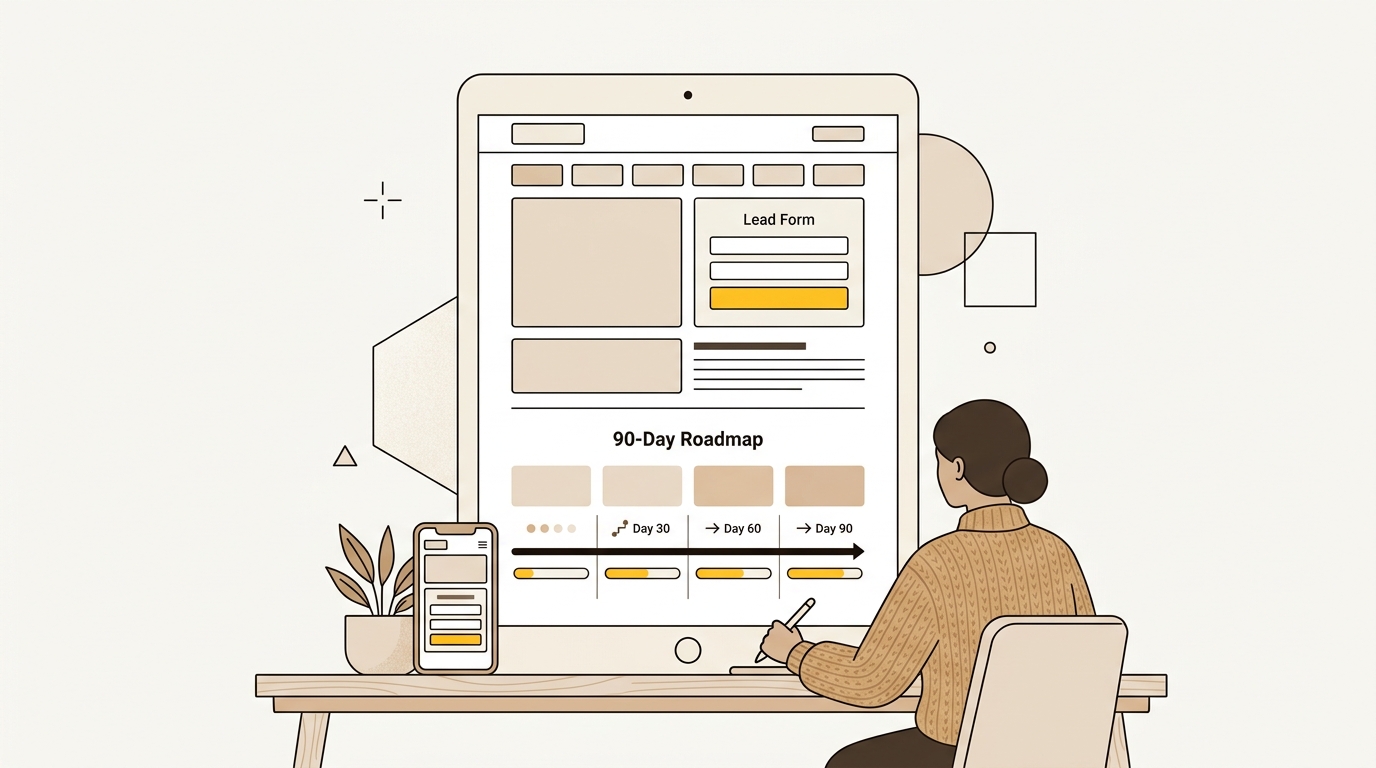
On this page
- What you need before you start
- A 90-day plan at a glance
- Days 1 to 30: Find and remove obvious friction
- Days 31 to 60: Improve the page, form and mobile journey
- Days 61 to 90: Test strategically and make improvements repeatable
- How to prioritise fixes by effort and likely impact
- How to tell whether the 90-day plan is working
- A checklist to use before each release
- Wrap-up: improve the decision, not just the button
A website conversion optimization plan helps you turn existing traffic into more qualified leads by finding and fixing the points where people hesitate, get confused or give up. Over 90 days, start with measurement and simple friction fixes, then improve key page layouts and flows, and finally test larger changes where your traffic can support a reliable comparison. If the website itself needs more than incremental fixes, explore DesignFIT’s website design service.
Conversion rate optimization, or CRO, is the practice of improving the proportion of relevant visitors who complete a useful action. For a service business, that might be an enquiry, a booked consultation or a qualified demo request. The goal is not to make every visitor submit a form. It is to make the right next step clear and worthwhile for the people your business wants to reach.
This plan focuses on design decisions because the order, size, wording and visual treatment of content shape how quickly people understand your offer and decide whether to trust it. It also covers measurement, so the changes you make are informed by evidence rather than personal preference. If you also want to review how your business appears in AI search, DesignFIT offers a free AI search audit. It is for AI visibility, not a substitute for website analytics or a usability study.
What you need before you start
You do not need an expensive testing platform or a complete redesign to begin. You do need a clear business outcome, access to basic analytics, and enough time to look at the site as a visitor would.
1. Choose one primary conversion
Write down the action that matters most for the pages you are improving. For a lead generation site, it may be a qualified enquiry or a sales meeting that gets booked. A newsletter sign-up can be useful, but it should not be treated as equal to a qualified sales lead unless that is genuinely the business goal.
Separate the main conversion from supporting actions. A click on a phone number, a visit to a pricing page and a completed form tell you different things. Record them separately so a rise in low-intent activity does not look like a business result.
2. Choose the pages that matter
Start with the pages that attract relevant visitors and have a clear role in the buying journey. Usually that means a homepage, one or two service pages, a landing page receiving paid traffic, and the contact or booking flow.
Do not assume the homepage is the priority just because it is the most visible page internally. A service page with fewer visits may be closer to a buying decision. Look at landing pages, traffic sources, enquiries and sales feedback together before choosing.
3. Gather the basics
Collect the information you can access without a major setup project:
- Visits and traffic sources for the selected pages.
- Completed enquiries, bookings or other primary conversions.
- Conversion rate by page and, where possible, by device and source.
- Form starts and form completions, if your analytics records them.
- The search terms, ads or links that bring people to each page.
- Sales feedback on lead quality and common objections.
- Mobile and desktop versions of the current pages.
If event tracking is incomplete, write that down. Do not treat missing data as proof that visitors do not use a feature. The first task may be to fix measurement rather than change the design.
4. Set a baseline and keep it consistent
A conversion rate is completed primary actions divided by the number of eligible visits, expressed as a percentage. Decide whether you will use sessions, users or another consistent denominator, and stick with it throughout the plan. Different analytics tools can count visits differently, so avoid comparing two reports as if they use identical definitions.
Record the measurement period and note anything that could affect it, such as a campaign launch, a seasonal change or a major service update. A month with a different traffic mix is not a clean comparison with the previous month. Your baseline is a reference point, not a promise that every subsequent change will improve results.
A 90-day plan at a glance
| Period | Main focus | Typical effort | What you should have at the end |
|---|---|---|---|
| Days 1 to 30 | Measurement, page review and obvious friction | Low to moderate | A baseline, prioritised issues and a short list of safe fixes |
| Days 31 to 60 | Page hierarchy, forms, mobile and performance | Moderate | Improved key journeys and a record of what changed |
| Days 61 to 90 | Intent-specific pages, structured tests and a repeatable process | Moderate to high | A tested or evidence-backed direction and a next-quarter backlog |
This is a sequence, not a guarantee of a particular lift. If you find that the site is broken on mobile or the offer is unclear, deal with that before adding a testing programme. If you discover a tracking problem, fix the tracking before judging a design change.
Days 1 to 30: Find and remove obvious friction
The first month is for understanding the current journey and making careful, low-risk changes. Resist the urge to redesign the whole site before you know which pages and problems deserve attention.
Step 1: Map the visitor journey
For each priority page, write down how someone arrives, what they likely want, what they see first, and what action you want them to take. Include the step after the page. For example, a visitor may click Enquire, reach a form, submit it, then wait for a response. The complete journey includes all of those moments.
Now compare the visitor’s likely question with the page’s answer. A person arriving from a search for a specific service should not have to work through a general brand introduction to discover whether you provide it. A person arriving from an ad should see a clear connection between the promise in the ad and the content on the landing page.
Make a simple diagram if it helps. Mark any point where visitors must guess, repeat information, choose between unclear options or leave the site to find basic details. Those are investigation points, not automatic proof of a design problem.
Step 2: Check the data before changing the page
Look at the selected pages by traffic source and device. Ask whether one source brings visitors who are less likely to convert, or whether a page performs differently on mobile. Check for a sudden tracking change or a campaign that sends people to an unrelated destination.
Use analytics to find patterns, then use direct observation to understand them. A low completion rate may be caused by a long form, but it might also reflect poor-fit traffic, an unclear offer or a technical error. The number tells you where to investigate; it does not tell you what design change to make.
If you use session recordings or heatmaps, follow your privacy requirements and configure them appropriately. Watch a small, varied sample of sessions rather than treating a few unusual visits as representative. Look for repeated behaviour: failed clicks, backtracking, repeated scrolling, or people pausing around information they may not understand.
Step 3: Review the first screen and visual hierarchy
The first screen should make it easy to answer three questions: What does this business do? Is it relevant to me? What can I do next? These answers do not have to fit into a fixed screen height, especially on mobile, but the main offer should be easy to find without searching through decorative elements or several competing messages.
Review the hero area in this order:
- Headline: Does it name the service or outcome in specific language?
- Supporting copy: Does it explain who the offer is for or how it helps?
- Primary action: Is there one visually dominant next step?
- Evidence: Is there a relevant reason to trust the claim?
- Image or illustration: Does it help explain the offer, or simply occupy space?
A useful design principle is to create a clear visual hierarchy, so the most important information is easier to notice than supporting detail. Nielsen Norman Group explains how visual design principles shape usability. Additional industry guides on visual hierarchy principles demonstrate how scale and contrast guide attention. Use that as a way to inspect emphasis and grouping, not as a rule that every page must follow one scanning pattern.
Make the primary button distinct from secondary links. Use a label that says what happens next, such as Request a quote or Book a consultation, rather than a vague label like Submit when the context allows. Keep the wording consistent between the page, button and destination so the click does not feel like a surprise.
Step 4: Make the offer and proof easier to evaluate
Visitors often need more than a slogan before they will share their details. Add the practical information that helps them judge fit: what is included, who the service suits, what the process looks like, what happens after an enquiry, and how to ask a question.
Place relevant proof near the claim it supports. A testimonial about a particular service is more useful beside that service than buried on a general testimonials page. If you show client logos, ratings, credentials or case studies, make sure they are genuine, current and permitted for use. Do not add generic trust badges simply to decorate a page.
The design decision is about proximity and clarity. A proof point near a call to action can answer a doubt at the moment it matters. It cannot make an unsupported claim credible, and it should not crowd out the actual offer.
Step 5: Reduce form friction without weakening lead quality
Review every form field and ask what decision depends on the answer. If your team does not use a field to respond, qualify or route an enquiry, consider removing it from the first interaction. You can collect more detail later, once a potential customer understands the value of continuing.
Use a single-column layout for forms that people complete in a normal reading flow. Keep labels visible, group related questions and explain why sensitive or unusual information is needed. Put error messages next to the field that needs attention and preserve entered answers when a submission has an error.
Do not remove qualification questions automatically. A field that helps prevent unsuitable enquiries may be worth keeping, even if it adds effort. Compare the cost of fewer submissions with the time your team spends following up. The aim is not the most form fills. It is a manageable number of useful conversations.
Research on form layout from Reform discusses how layout can affect completion, including the case for a more linear form flow. See its form layout research, then test the advice against your own form, audience and data. The impact will vary with the context and the questions being asked.
Step 6: Fix the obvious technical and content errors
Complete a practical review on a real phone and a desktop browser. Check that buttons work, phone numbers can be tapped, forms submit, confirmation messages appear, and the next step is clear. Look for content that is cut off, overlapping, hard to read or obscured by pop-ups.
Check page speed and layout stability using an appropriate performance tool. Prioritise fixes that affect the experience of the main page content, not a perfect-looking score for its own sake. Portent’s analysis found a relationship between faster load times and stronger conversion rates in its study, including differences across load-time bands. Treat its site speed and conversion analysis as evidence that performance matters, not a promise that a specific speed change will produce the same result for your site.
For every issue, record the page, device, evidence, proposed change and owner. That makes it easier to separate observed problems from opinions such as the colour feels wrong.
Common mistakes in the first month
- Changing several page elements at once, then being unable to tell what mattered.
- Treating every visit as equally valuable, regardless of source or intent.
- Copying a competitor’s page without knowing whether its audience or offer is comparable.
- Adding more animation or imagery when the page needs clearer information.
- Removing useful qualification fields just to increase raw form submissions.
- Assuming a click map or short sample of recordings tells the whole story.
Days 31 to 60: Improve the page, form and mobile journey
In the second month, address the issues that require more than a quick edit. Prioritise changes to the pages and journeys most closely connected to qualified enquiries.
Step 7: Rebuild the page around the visitor’s decision
A service page should help someone decide whether the service fits, whether the business looks credible and what to do next. A useful starting structure is:
- A specific headline and supporting explanation.
- A concise description of the customer problem or desired outcome.
- The service and what is included.
- Evidence that supports the offer, such as relevant work or testimonials.
- Process, timing or practical details where they are known and accurate.
- Common questions and objections.
- A clear next action, repeated where it is useful.
This is a working outline, not a template to paste onto every page. A visitor comparing providers may need scope and proof early. Someone arriving from a very specific search may need a direct answer to that service question first. Use traffic intent and customer conversations to decide what belongs near the top.
Nielsen Norman Group’s article on visual hierarchy in user experience is a useful reference for deciding how typography, size, contrast and grouping can signal importance. Use headings to make the page scannable, but ensure each section adds information rather than repeating the same sales claim in different words.
Step 8: Match landing pages to the reason people arrived
If a paid campaign or high-intent search sends people to a general homepage, check whether that page immediately answers their specific need. When it does not, create or improve a dedicated landing page that continues the same message and gives the visitor a relevant next step.
A landing page should not be a stripped-down page with no context by default. It may need service details, proof, pricing guidance, location coverage, eligibility or answers to common concerns. Choose what to include based on the decision the visitor is making and the questions your sales team hears.
Unbounce’s conversion benchmark report analyses landing page conversion data across industries. Industry research on landing page conversion benchmarks similarly shows how conversion rates vary by channel and offer type. Benchmarks can help you ask better questions, but a broad median is not a target for every service business. Page purpose, lead quality, traffic source and conversion definition all affect what a fair comparison looks like.
Step 9: Improve the mobile experience as its own design
Do not treat mobile as a smaller desktop layout. Check the full journey on a phone, including the moment a visitor opens the menu, taps the main action, reads proof, enters details and sees the confirmation.
Pay attention to:
- Whether the headline and offer are visible without unnecessary clutter.
- Button size, spacing and position for touch interaction.
- Text size, line length and contrast in real lighting conditions.
- Whether sticky headers or banners take up too much of the screen.
- Whether forms bring up the appropriate keyboard for each field.
- Whether images slow down the page or push useful content too far down.
- Whether a phone call, booking or email action works as expected.
A sticky call-to-action can help when a visitor needs a long page to make a decision, but it can also cover content or feel intrusive. Test it on common phone sizes and ensure it can be dismissed or does not compete with accessibility controls. Do not add a fixed mobile button just because another site uses one.
Step 10: Decide whether a multi-step form is appropriate
A multi-step form can make a complex request feel more manageable by showing a few related questions at a time. It can also create extra clicks and make people worry that they have started a process they cannot finish. Use it when the questions naturally fall into stages and each stage gives the visitor a clear sense of progress.
If you try it, keep the first step relevant and easy to answer. Show how many steps remain, explain why you need contact details, and let people go back without losing their answers. Measure completed qualified enquiries, not just how many people start the first screen.
For a short contact form, a single page is often simpler. For a detailed project enquiry, a short first step followed by contact details may be worth exploring. The right choice depends on the form’s purpose and the effort it asks from the visitor, not a universal claim that multi-step forms always convert better.
Step 11: Prioritise performance fixes that change the experience
Start with the page’s main content and the interactions that people need to use. Large hero images, unnecessary scripts, late-loading fonts or layout shifts can make a site feel slow or unstable. Research evaluating website speed and conversion rate demonstrates how technical delays directly reduce completed enquiries. Ask a developer to investigate if the cause is technical, but make the design implications clear: which visual asset can be lighter, which animation is not essential, and which content must appear first.
Do not remove every third-party tool without checking its purpose. A chat tool or scheduling widget may support conversions, but it may also add load time or interfere with mobile use. Test the page with and without a tool where practical, and consider whether the same task can be done with a lighter or better-integrated design.
Record the change and recheck the same pages after release. A page that scores well in a test environment may still behave differently for real visitors, particularly if scripts, location or device conditions vary.
Common mistakes in the second month
- Redesigning for visual novelty instead of making the decision easier.
- Treating a landing page benchmark as a guaranteed conversion target.
- Adding a multi-step form without checking completion quality and errors.
- Fixing desktop layouts while leaving the mobile journey awkward.
- Optimising a speed score while ignoring a broken booking or enquiry flow.
Days 61 to 90: Test strategically and make improvements repeatable
By the third month, you should have a baseline, a list of observed friction and some improvements in place. Now decide which larger ideas deserve a controlled test and which are clear enough to implement without one.
Step 12: Choose a question worth testing
A test should answer a real design or messaging question, not merely settle a preference. For example: Does a service-specific headline help visitors from a particular campaign understand the offer? Does moving relevant proof nearer the enquiry action make more suitable visitors complete the form?
Write the hypothesis in a simple format: We believe changing X for audience Y will improve outcome Z because we observed evidence A. This makes the reason for the work visible and helps you choose the right measurement. If you cannot say what evidence led to the idea, it may be too early to test it.
Prioritise ideas using three checks:
- Potential impact: How many relevant visitors experience this page or problem?
- Evidence: How clearly do analytics, recordings, sales feedback or user conversations support the issue?
- Effort and risk: How long will the change take, and could it disrupt other journeys?
This does not need a complicated scoring formula. A short list sorted by likely value and effort is better than a backlog of unranked opinions.
Step 13: Decide whether an A/B test can answer the question
An A/B test splits eligible visitors between versions so you can compare an outcome. It can be useful when you have enough traffic and conversions, a stable audience, reliable tracking and a change that can be isolated. It is not automatically the best choice for every site.
Before launching a test, check that both versions work on desktop and mobile, that conversion events fire consistently, and that the test will not send visitors to different offers by mistake. Choose one primary outcome in advance. You can monitor secondary measures, such as form errors or lead quality, but avoid declaring a winner based on whichever metric happens to look favourable.
Small businesses with limited traffic may wait a long time for a meaningful result, particularly when the conversion is uncommon. There is no universal visitor threshold that makes every test reliable. The amount needed depends on the baseline rate, the size of the change you hope to detect, the number of conversions and how the test is designed. If volume is low, use usability feedback and well-supported design principles to make a considered improvement, then monitor results without claiming a proven causal lift.
Test a meaningful page or flow change rather than making tiny cosmetic changes that have little chance of affecting behaviour. But do not change every part of the experience in one go if you need to understand which decision helped. Choose the right balance between a useful comparison and a result your team can interpret.
Step 14: Review lead quality, not just conversion rate
A higher conversion rate is not automatically better if it brings in unsuitable enquiries. Ask the people who handle leads whether the requests match the service, have the information they need and arrive from the expected audience. Where possible, compare qualified leads and booked meetings as well as form submissions.
Look for changes in the mix of leads after updating a page. A simpler form may increase enquiries but remove context that helps the team respond. A more detailed page may reduce casual enquiries while improving fit. Those outcomes should be discussed with sales or service teams before you decide whether a change worked.
Step 15: Document what changed and what you learned
Create a short change log with the date, page, audience, evidence, design decision, measurement and result. Include what you still do not know. If a test was inconclusive, record that honestly rather than calling it a tie or a win.
Turn successful patterns into reusable components: headline styles, proof blocks, form layouts, button treatments and mobile behaviour. Reuse is valuable when it makes pages consistent and easier to maintain. Do not force every service page into the same structure if the visitor’s needs differ.
If the review shows the underlying site is difficult to update, inconsistent or structurally unable to support the changes, compare the cost of ongoing patching with a rebuild. A redesign is more likely to be the right move when key journeys are broken across the site, mobile layouts need fundamental work, or the information structure no longer reflects the business. If the foundation works and the issues are concentrated on a few pages, focused improvements may be a better first step. See DesignFIT’s website work for examples of design projects, and review the website design service if you need a broader rebuild.
How to prioritise fixes by effort and likely impact
Use this table to decide what to do first. The impact is a working judgement, not a predicted conversion increase.
| Change | Effort | Likely priority when… | Evidence to check |
|---|---|---|---|
| Correct a broken button or form | Low | Visitors cannot complete the intended action | Device checks, errors and support reports |
| Clarify the headline and CTA | Low to moderate | Visitors cannot tell what you offer or what happens next | Search intent, page feedback and enquiry questions |
| Remove redundant form fields | Low to moderate | The form asks for information not needed at first contact | Form completion and lead quality |
| Move relevant proof closer to the decision | Low to moderate | People need reassurance before enquiring | Calls, objections and page behaviour |
| Rework a high-traffic service page | Moderate | The offer, proof and next step are hard to scan | Traffic source, recordings and conversion data |
| Improve mobile form and navigation | Moderate | Mobile visitors struggle to complete the journey | Device-level completion and hands-on checks |
| Build a dedicated landing page | Moderate to high | A specific campaign or query lands on a generic page | Campaign intent and page performance |
| Run an A/B test | Moderate | There is enough stable traffic to compare versions | Conversion volume, tracking and test design |
| Rebuild the site foundation | High | Structural, mobile or maintenance issues affect many journeys | Technical review and a prioritised redesign brief |
If a problem affects a high-intent page and prevents people from taking action, fix it before spending time on a small visual polish elsewhere. If evidence is weak, investigate before committing to a costly rebuild. For a practical assessment of what a website project may involve, see the small business website redesign cost guide.
How to tell whether the 90-day plan is working
Review progress using three levels of evidence:
- Experience: Can people find the offer, use the page on mobile and complete the form without errors?
- Conversion: Are more eligible visitors completing the primary action, using the same definition and measurement method?
- Business value: Are the resulting enquiries relevant, progressing and worth following up?
Do not judge every change by a short-term percentage shift. Traffic and lead volume can vary, and a page may need time to collect enough evidence. Compare like with like where possible, annotate important campaign or seasonal changes, and be clear about uncertainty.
You can use conversion benchmarks as context, not as a pass-or-fail score. Unbounce reports a 6.6% median landing page conversion rate across its benchmark analysis, but it combines different industries, offers and audiences. Read the Unbounce benchmark report for its methodology and use your own qualified-lead rate as the more relevant measure of progress.
A checklist to use before each release
- Is the page aimed at a clearly defined visitor and need?
- Can a visitor understand the service and next step quickly?
- Does the headline match the wording and intent that brought them here?
- Is one action visually primary, with secondary options still available?
- Is evidence relevant, accurate and close to the claim it supports?
- Does every form field have a clear purpose?
- Can someone complete the full journey on a phone?
- Do buttons, links, forms and confirmation messages work?
- Are page speed and layout issues affecting the main content or action?
- Is tracking in place for the primary conversion and relevant steps?
- Have you recorded what changed and why?
- Have you checked whether the resulting leads are suitable?
Wrap-up: improve the decision, not just the button
A useful website conversion optimization plan starts with the business outcome and the visitor’s decision. In the first 30 days, establish a baseline and fix obvious friction. In days 31 to 60, improve the pages, forms and mobile journey that matter most. In the final month, test carefully where the evidence and traffic support it, then keep a record of what you learn.
The design work is not a layer of decoration added after the strategy. Clear hierarchy, specific copy, relevant proof, a usable form and a dependable mobile experience are all part of how a website earns the next step. Start with the issue that most clearly blocks a qualified visitor, and make the next change measurable.
If your current site needs a more substantial design or structural improvement, talk to DesignFIT about a performance-focused website.
Key takeaway
Improve the visitor’s decision path in order: measure the journey, remove proven friction, then test larger changes only when your evidence and traffic can support them.
Questions people ask
Why does my website get traffic but no leads?
Traffic can come from people whose intent does not match your offer, or the page may not make the service, proof and next step clear. Check performance by traffic source and device, then review the full journey from landing page to completed enquiry.
What is a realistic conversion rate for a service business website?
There is no single rate that applies to every service, audience or conversion action. Use relevant benchmarks as context, but compare your own qualified leads with your baseline using the same tracking and traffic definitions.
Should I redesign my website or improve conversion on the current one?
Improve the current site when the structure works and the problems are concentrated on a small number of pages or steps. Consider a redesign when fundamental issues across the site, such as mobile usability, information structure or maintainability, prevent meaningful improvements.
How much traffic do I need before running an A/B test?
There is no universal minimum because the answer depends on your starting conversion rate, expected effect, traffic mix and test design. If conversions are sparse, focus on usability feedback and evidence-backed fixes, and treat performance changes as observations rather than proven test results.


