Website Redesign Cost: What Should You Pay?
A practical guide to comparing redesign options, setting a realistic budget and avoiding expensive surprises.
On this page
- What does website redesign cost mean?
- Template refresh versus bespoke rebuild
- What makes website redesign cost go up or down?
- Why design and performance belong in the budget
- Costs that a low quote may leave out
- How to compare two redesign proposals
- How to set a small business website budget
- Which redesign option should you choose?
- What should happen before a redesign begins?
- Frequently asked questions
- The right redesign is the one that solves the right problem
Website redesign cost depends less on how many pages your site has and more on what needs to change. A template refresh can be a sensible lower-cost option when your structure still works. A bespoke rebuild costs more because it involves decisions about customer journeys, content, design, development and migration.
As a planning guide, the supplied market estimates put a template refresh at about US$1,500 to US$6,000 and a bespoke rebuild at about US$6,000 to US$25,000 or more. These are broad estimates, not a quote or a guarantee. For a project shaped around your business goals, start by looking at what website design work involves, then compare what each provider includes.
This guide explains what those options mean, what tends to change the price, how to compare proposals and how to avoid paying for a redesign that looks new but does not work better.
What does website redesign cost mean?
Website redesign cost is the total amount you pay to change the appearance, structure, content or functionality of an existing website. It can include design and development, but also planning, copywriting, photography, search engine optimisation, integrations, testing and support after launch.
The word redesign is used for projects of very different sizes. One provider might use it to mean changing colours and fonts in an existing theme. Another might mean researching customer needs, reorganising the site, designing custom page layouts, migrating content and building a new site. Those are not equivalent projects, even if both proposals use the same label.
A useful first question is not, How much does a redesign cost? It is, What needs to improve, and what work will make that improvement possible? If the main problem is outdated typography, a new theme may be enough. If visitors cannot tell what you sell, or the site cannot support a new service, a new set of colours will not solve the underlying issue.
Refresh, redesign and rebuild: what is the difference?
A refresh changes the presentation while keeping most of the existing site structure and technology. A redesign changes how the site is organised and how key pages guide visitors. A rebuild replaces or substantially reworks the underlying site, which may include its content management system, templates, integrations and code.
These labels are not standardised. Ask the provider to describe the actual work, not just name the project type. A refresh can involve thoughtful design and careful testing. A rebuild can still be poorly planned. The label alone tells you little about quality or value.
| Project type | What usually changes | A likely fit |
|---|---|---|
| Template refresh | Brand styling, images, spacing and some page sections using an existing theme | The current structure works, but the site looks dated or inconsistent |
| Redesign | Page hierarchy, navigation, key layouts, calls to action and possibly content | Visitors need a clearer route to the right product, service or enquiry |
| Bespoke rebuild | Strategy, structure, custom design, development, content migration and integrations | The existing platform or structure blocks important business goals |
Template refresh versus bespoke rebuild
A template is a pre-built set of page layouts and styling rules. It gives a site a starting structure, which can reduce the amount of design and development work. A bespoke build is designed and developed around the specific needs of the business rather than adapting most decisions to a ready-made theme.
Neither is automatically the right choice. The better option depends on whether the template can support your content, customer journey, brand and future plans without costly workarounds.
| Consideration | Template refresh | Bespoke rebuild |
|---|---|---|
| Indicative cost | About US$1,500 to US$6,000 in the supplied planning estimates | About US$6,000 to US$25,000 or more in the supplied planning estimates |
| Typical schedule in the supplied estimates | Around 2 to 4 weeks | Around 6 to 12 weeks |
| Layout | Works within the theme’s existing patterns and limits | Layouts can be designed for your pages and customer journeys |
| Functionality | Best when the features you need are already supported | More suitable when workflows or features need custom design and development |
| Flexibility | Often faster to start, but customisations can become awkward | More control over page structure and reusable components |
| Main risk | Paying to adapt a theme that does not fit the job | Paying for unnecessary complexity or a poorly scoped custom build |
These estimates are planning bands from the supplied research brief, not published tariffs or a promise from any studio. The source material includes GoodFirms’ website development cost guide and WebFX’s website redesign pricing overview. Prices vary by country, provider, platform and scope. Confirm the currency, taxes, inclusions and exclusions in any proposal.
What is a template refresh in practice?
A template refresh typically starts with an existing WordPress, Shopify, Webflow or Squarespace theme. The designer adjusts the visual style, such as fonts, colours, image choices and page sections, then applies it to existing pages. Some projects also involve a small amount of content editing and setup.
For example, imagine a local professional services firm whose site already explains its services clearly and receives relevant enquiries. The brand has changed, but the navigation and page sequence still make sense. Updating the theme to align with consistent brand guidelines and improving the imagery could be a proportionate response. Paying for a completely new architecture may not be necessary.
A refresh can still involve real design work. The designer needs to check how the theme handles mobile layouts, text length, buttons, forms and accessibility. It is not enough for the home page to look good in a desktop screenshot. But the theme constrains the choices. If its product grid, navigation or page width cannot support your requirements, extra custom code may add cost and make future updates harder.
Before choosing this route, ask the provider to demonstrate the theme using your actual content. Check a long service page, a form, a mobile menu and any page with unusual content. A polished demo filled with short placeholder text can hide layout problems that appear when your real content is added.
What is a bespoke rebuild in practice?
A bespoke rebuild starts with the needs of the business and its visitors. The team may review existing analytics, search demand, customer questions, competitors and the current site. It then plans the structure, designs page layouts, builds and tests them, and moves approved content into the new site.
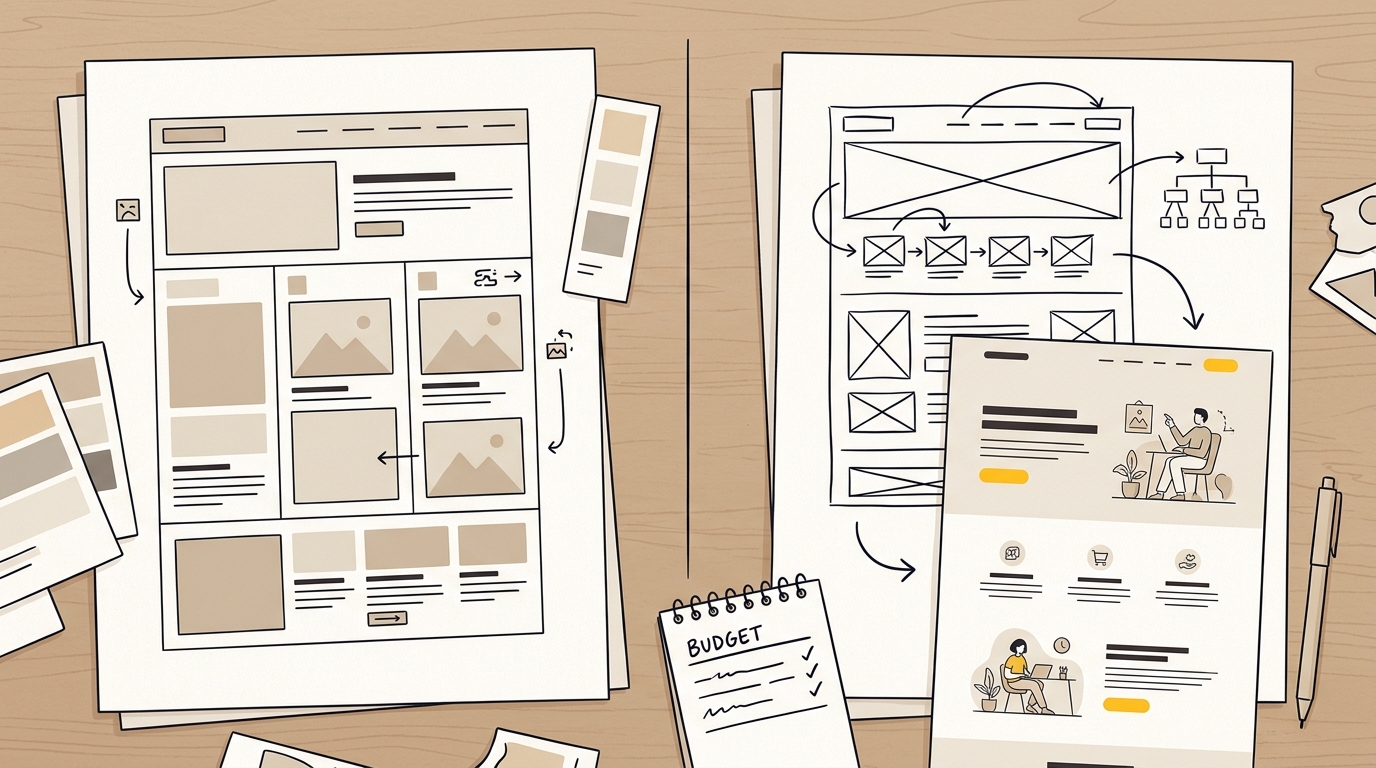
A central planning tool is the sitemap. A sitemap is a list or diagram of the pages a website contains and how they relate. A clear sitemap helps prevent important services, products or information from being buried or forgotten during the build.
A wireframe is a simple plan of a page’s layout before visual styling is added. It shows where content, navigation, calls to action and forms may go. Wireframes help a business agree on page purpose and hierarchy before spending time polishing colours and imagery.
A custom build may also use reusable components. A component is a repeatable design element, such as a testimonial panel or service card, built so it can be used consistently across multiple pages. Reusable components can make the site easier to manage, but only when they fit the content and the people responsible for updating it understand how to use them.
A bespoke project is not a blank cheque for animation or unusual interactions. The design should serve a task. A mobile service page might need its contact button to remain easy to find. A store might need product information, delivery details and returns to be clear before a shopper reaches checkout. The design choices should respond to the business problem, not just add visual novelty.
What makes website redesign cost go up or down?
A page count is an incomplete way to estimate a project. Ten pages that share one structure can be simpler than five pages with different layouts, forms, integrations and content needs. Ask providers to describe the work by deliverable and complexity, not only by the number of pages.
1. Strategy and information architecture
Information architecture is the way information is grouped, labelled and arranged so visitors can find what they need. If the current navigation is confusing, the team may need to review services, customer priorities and existing site behaviour before designing pages.
That work can save money later by preventing a build around the wrong structure. But it must be scoped clearly. Ask whether research, sitemap planning, page priorities and review sessions are included, and how many rounds of feedback the estimate covers.
2. Design scope and page variety
A site with one consistent layout is usually simpler to design than one with many distinct page types. A shop, for instance, may need a home page, collection pages, product pages, editorial content and a checkout experience. A clinic may need service pages, practitioner profiles, appointment information and forms.
Ask how many unique page layouts are included. A provider may design a small number of page templates and use them across many pages. That can be efficient, but it is different from designing every page individually. Confirm which pages will be custom and how content will fit the approved layouts.
3. Content and photography
Content is the words, images and other material on the site. If you supply final content that is organised and ready to use, the project may need less copywriting support. If the site needs a new story, clearer service descriptions or product photography, those are additional workstreams to discuss.
Copywriting is not the same as placing existing text into a new layout. A writer may need to understand your audience, clarify what makes the offer useful and shape each page around a specific visitor question. If a proposal excludes content, ask who is writing it, when it is due and who will check it before launch. Unfinished copy is a common reason a design project drifts.
Photography can also affect the design. Images influence page hierarchy, tone and trust. A stock image that does not fit the business can make a carefully designed page feel generic. Decide whether you need a photographer, licensed stock images, existing assets or a combination, and include that decision in the brief.
4. Functionality and integrations
An integration connects the website to another system, such as a booking platform, customer relationship management system, payment provider or email tool. A standard contact form is very different from a form that sends different enquiries to different teams, updates a CRM and triggers a tailored follow-up.
List every feature that must work, and name the system it needs to connect to. Ask whether setup, testing and troubleshooting are included. If a provider cannot confirm that a third-party tool supports the workflow you need, treat the cost and feasibility as unresolved until it has been checked.
5. Platform, migration and technical condition
The platform is the software used to manage and publish the site, such as WordPress or Shopify. Moving to a new platform can mean rebuilding templates, transferring content, checking links and configuring tools. If the existing platform is still suitable, keeping it may reduce disruption. If it limits essential changes, the short-term savings of staying may not outweigh the ongoing workarounds.
Practical guides on WordPress website redesign costs highlight how existing code and plugin setups influence the total migration effort. Migration means moving a site’s content, URLs or functionality from one setup to another. It needs a plan, not just a copy and paste. Ask what will happen to forms, analytics, redirects, page titles, images, user accounts and product information.
6. Accessibility and quality assurance
Accessibility means designing and building a site so people with different abilities can use it. That includes considerations such as readable colour contrast, clear form labels, keyboard navigation and useful text alternatives for important images.
The WebAIM Million report tracks accessibility issues detected on home pages in its study. Automated scans can identify some problems, but they do not prove a site is easy for every person to use. Ask what accessibility checks are included and who is responsible for reviewing the results. Do not assume a theme is accessible simply because its sales page says so.
Quality assurance is the process of checking that the site works as intended before launch. Ask whether testing includes mobile devices, forms, key browsers, links, page speed and any special functionality. Clarify who fixes issues found during testing and how long the post-launch correction period lasts.
Why design and performance belong in the budget
A redesign should be judged by more than how it looks. The design influences what visitors notice, how easily they understand the offer and how confidently they can take the next step. Layout, visual hierarchy, typography, imagery and form design all affect that experience.
Visual hierarchy is the order in which a page draws attention. A clear heading, a concise explanation and a visible next step help visitors understand what a page is for. If every section looks equally important, a visitor has to work harder to decide where to focus. Reviewing the data behind a landing page that converts shows how structure directly drives enquiries.
Page speed also matters to the experience. Large images, unnecessary scripts and poorly chosen add-ons can make pages feel slow. A Deloitte and Google study, Milliseconds Make Millions, reported that a 0.1-second improvement in mobile site speed was associated with changes in conversion and average order value for the retail brands studied. The result is not a forecast for every business, but it shows why performance deserves consideration during design and development.
E-commerce businesses should pay particular attention to product information and checkout. The Baymard Institute’s UX benchmarking reports examine usability issues in online shopping. Their research can help teams identify friction, such as unclear delivery information or unnecessary steps. A redesign does not guarantee that more people will buy, but it can address barriers that make shopping harder.
A useful redesign brief ties each major design decision to a business purpose. For example:
- Put the most requested service first in the navigation to make it easier to find.
- Place a concise explanation and a relevant call to action near the top of a service page.
- Make contact details easy to locate on mobile for visitors ready to enquire.
- Show delivery, returns and product details where shoppers need them to make a decision.
- Use consistent page patterns so visitors do not have to relearn how to move through the site.
If you cannot explain what a proposed design feature is meant to improve, ask whether it is necessary. A visual effect that adds development time but does not help users may not be the best use of a limited budget.
Costs that a low quote may leave out
A quote is useful only when you can see what it includes. A low initial number can be fair if the scope is deliberately small. It becomes a problem when essential work is excluded, then appears as an extra once the project is underway. Industry discussions on the real cost of a cheap website highlight how overlooked items quickly inflate the final budget.
Check whether the proposal includes or excludes:
- Planning, research and sitemap work.
- Copywriting, editing and content entry.
- New photography, illustration or image licensing.
- The number of unique page layouts and revision rounds.
- Mobile design and testing.
- Form setup, analytics and conversion tracking.
- Booking, payment, CRM or email platform integrations.
- Search engine optimisation during the move.
- Redirects from old URLs to new ones.
- Accessibility checks and fixes.
- Hosting, platform fees, paid themes, plugins and other licences.
- Training, documentation and post-launch support.
Search engine optimisation, or SEO, is work that helps search engines understand a site and helps the right people find its pages. SEO migration is the work of protecting useful search signals when pages or URLs change. A redirect tells a browser and search engine that an old address has moved to a new one.
For businesses preparing for visibility across emerging answer engines, platforms like SearchFIT provide automated AI search optimisation alongside traditional organic search signals. If the redesign changes URLs, ask for a page-by-page redirect plan. Also ask who will check that important page titles, descriptions, headings and internal links are carried over or improved. A redesign does not automatically destroy search visibility, but careless changes can make important pages harder to find. The Portent site speed research is one example of a source that examines how performance relates to conversion. It does not replace a migration plan or predict your own results.
Maintenance is another separate decision. The site may need software updates, backups, monitoring or troubleshooting after launch. Ask what support is available, what response times apply and what is billed separately. Do not assume a project fee includes indefinite maintenance.
How to compare two redesign proposals
When one provider quotes a few thousand dollars and another quotes much more, compare the work rather than judging the totals alone. The cheaper proposal may be a limited theme refresh. The more expensive one may include research, new page structures, custom development, content support and migration. Or it may simply have a larger margin. You need enough detail to tell. Clear scoping helps avoid situations where founders regret an expensive website redesign that failed to deliver measurable business improvements.
Use this checklist:
- Confirm the goal. What business problem is the project intended to solve? More suitable enquiries, a clearer product range or a site that the team can update?
- Confirm the scope. Which pages, layouts and features are included? What is explicitly excluded?
- Confirm the design process. Will you review a sitemap or wireframes before visual design and development begin?
- Confirm content responsibilities. Who writes, edits, supplies and uploads the content? What happens if it is late?
- Confirm migration work. Who handles redirects, existing URLs, analytics and search-related checks?
- Confirm testing. What devices, browsers, forms and integrations are checked before launch?
- Confirm ownership. Who owns the design files, content and website access after the project?
- Confirm changes. How are new requests handled, and what counts as work outside the agreed scope?
- Confirm the handover. Will your team receive training or instructions to update the site?
- Confirm aftercare. What support is included after launch, and for how long?
A clear proposal should make it possible to compare like with like. Ask each provider to list deliverables, assumptions, payment milestones, the number of feedback rounds, the expected schedule and what they need from you. If the answer is vague, the project risk is harder to estimate.
You can also review the provider’s website project examples and ask what the work included. A finished design alone does not show how the project was scoped, how the site is maintained or whether the team can update it. Ask for examples that resemble your business problem, not only examples that look visually impressive.
How to set a small business website budget
Start with the outcome, then work backwards to the scope. A sensible budget is not just the amount you hope to spend. It is a planned amount for the work needed to achieve a specific result, plus a decision about what can wait.
A simple process:
- Write down the problem. For instance, customers cannot tell which service is right for them, or the product pages do not answer common buying questions.
- Identify the pages and tasks involved. List the pages people need, the actions they should be able to take and any systems the site must connect to.
- Separate essential work from optional work. Clear navigation and working enquiry forms may be essential. A custom animation may be optional.
- Choose the lightest solution that meets the need. Refresh a working theme if it can support the required pages. Consider a rebuild when the structure or platform gets in the way.
- Include the work around the build. Set aside time and budget for content, photography, SEO migration, testing and training where needed.
- Ask for a phased option. If the full scope is not affordable, agree on a useful first phase and define what later phases would add.
For an example, imagine a business with a functioning site, a clear service offer and a small budget. It may prioritise a refreshed visual system, a stronger home page, better mobile contact details and a check of its main forms. It could defer a new blog design or complex integration until there is a business reason to add one.
A different business might have several services, overlapping navigation and a booking process that visitors struggle to use. A theme refresh may make the pages look more consistent, but it will not necessarily clarify the service choices or fix the booking journey. That business should at least compare the cost of a structural redesign with the cost of adapting the existing site.
If you need a starting point for the scope and investment, review DesignFIT’s pricing information. Then ask for a proposal based on your pages, content, functionality and goals. Treat any online figure as a guide until a provider has confirmed what the project requires.
Is a template always cheaper in the long run?
No. A template can reduce the initial design and development work when it closely fits the job. But if it needs extensive customisation, relies on several add-ons or makes updates difficult, the savings may shrink. The question is not whether templates are cheap or custom builds are expensive. It is whether the chosen approach gives you the needed functionality and control at a reasonable total cost.
Total cost of ownership means what you pay over time to use and maintain the site, not only what you pay to launch it. Include platform fees, licences, maintenance, support and future changes when comparing options. Ask the provider what your team can update without developer help and what changes are likely to need extra work.
Should you use a freelancer, studio or agency?
The right provider depends on the project, not only on the provider’s size. A freelancer may suit a clearly defined refresh with limited requirements. A studio can bring design and development together for a more involved site. A larger agency may be appropriate when the project needs several specialist teams or has complex governance.
When evaluating your options, reviewing how DesignFIT compares with traditional agencies can help clarify which model fits your goals. Ask who will do the work, who will make design decisions and how feedback is managed. You want to know whether the people you meet will stay involved, what specialist skills are included and how the team will handle changes. Do not assume a bigger company automatically produces a better site, or that a low price means poor work. Compare scope, communication, relevant experience and accountability.
Which redesign option should you choose?
A template refresh is worth considering when the site structure is still effective, your platform supports the features you need and the main problems are visual consistency or outdated content presentation. It can be a good way to improve a site without funding a full rebuild.
A redesign may be the better next step when key pages are difficult to understand, visitors cannot easily find the right information or the site’s calls to action are poorly placed. In this case, decide which pages and journeys need work before choosing whether to keep the current theme.
A bespoke rebuild is more likely to fit when the existing platform cannot support essential functionality, the navigation has grown confusing, or the business needs a materially different way to present and sell its offer. It is also worth considering when repeated workarounds have made the current site difficult to update. A custom build should still be scoped tightly around real needs.
Use these questions to test your decision:
- Can visitors quickly explain what the business offers after viewing the key page?
- Can they find the right service or product without guessing where it sits?
- Does the site work well on a phone, including the menu and forms?
- Can your team update prices, services, images or product information?
- Are the features you need supported by your current platform and theme?
- Are search, analytics and important integrations accounted for in the project?
- Can the provider explain how they will test the new site before launch?
If you answer no to several questions, do not assume that a visual refresh alone will fix the problem. If most answers are yes and the structure is sound, a focused refresh may be a better use of your budget.
What should happen before a redesign begins?
A useful project starts with a brief that gives the designer enough context to make good decisions. It does not need to be a long technical document. It should explain the business, the audience, the offer, the problem with the current site and what a successful change would look like.
Include:
- Your main products or services and the customers you want to reach.
- The pages that matter most to the business.
- The actions you want visitors to take, such as enquiring or booking.
- What customers often ask before they decide.
- What is working on the current site and what is not.
- Existing analytics or customer feedback that may help explain the problem.
- Sites you like, with a note about what specifically works for you.
- Required integrations, accessibility needs and content responsibilities.
- A realistic budget range and the date or event that affects timing.
Analytics are information about how people use the website, such as which pages they visit or where they leave. They can help you spot patterns, but they do not explain every reason behind a visitor’s behaviour. Combine them with customer questions, staff feedback and a review of the actual pages.
Set a decision-maker and a process for collecting feedback. If several people send conflicting comments at different times, the team may revisit settled work and delay the project. Ask one person to consolidate feedback and confirm who approves the final design and content.
Frequently asked questions
Does a website redesign affect SEO?
It can. Changing URLs or removing useful content without a migration plan may make important pages harder to find. Ask your provider to review existing URLs, plan redirects and check key page details before launch.
How long does a website redesign take?
The supplied estimates put a template refresh at about two to four weeks and a bespoke rebuild at about six to twelve weeks. Those are indicative project ranges, not guarantees. Content delays, approvals, integrations and changes to scope can affect the schedule.
Is a template refresh enough for a small business?
It can be, if the existing site structure works and the theme can support your content and required features. If the main issue is unclear navigation or a broken customer journey, a visual refresh may not address it.
What is the difference between a refresh and a rebuild?
A refresh updates the appearance while keeping most of the existing structure and platform. A rebuild replaces or substantially changes the site’s structure, design and technical setup. The exact scope varies, so ask the provider to describe the work in the proposal.
What should I ask before accepting a redesign quote?
Ask what pages, layouts, content, migration, testing and support are included, and what is excluded. Confirm who owns the site and files, how revisions work, and how out-of-scope requests are priced.
The right redesign is the one that solves the right problem
Website redesign cost is shaped by the decisions behind the work: whether to keep the existing theme, how much the structure needs to change, what content and functionality are required, and how carefully the site will be tested and moved. A template refresh can be a sound choice for a site that already works. A bespoke rebuild makes more sense when the current structure or platform is holding the business back.
Compare the deliverables, not just the total. If you are considering a project, talk to DesignFIT about your website with your goals, pages and must-have features. That is the best starting point for a scope and budget that fit the actual job.
Key takeaway
Choose a refresh or rebuild based on what your site needs to do better, and compare the work included before comparing the price.
Questions people ask
Does a website redesign affect SEO?
It can. Changing URLs or removing useful content without a migration plan may make important pages harder to find. Ask your provider to review existing URLs, plan redirects and check key page details before launch.
How long does a website redesign take?
The supplied estimates put a template refresh at about two to four weeks and a bespoke rebuild at about six to twelve weeks. These are indicative ranges, and content delays, approvals, integrations and scope changes can affect the schedule.
Is a template refresh enough for a small business?
It can be, if the existing site structure works and the theme supports your content and required features. If the main issue is unclear navigation or a broken customer journey, a visual refresh may not address it.
What is the difference between a refresh and a rebuild?
A refresh updates the appearance while keeping most of the existing structure and platform. A rebuild replaces or substantially changes the site’s structure, design and technical setup, though the exact scope varies by project.
What should I ask before accepting a redesign quote?
Ask what pages, layouts, content, migration, testing and support are included, and what is excluded. Confirm who owns the site and files, how revisions work, and how out-of-scope requests are priced.