Google Ads vs Meta Ads: The Ultimate Growth Guide
A practical guide to choosing between high-intent search and visual discovery, and making your first ad budget work harder.

On this page
- Table of contents
- The short answer
- How Google Ads and Meta Ads work
- Google Ads vs Meta Ads: the main differences
- What the benchmark data can and cannot tell you
- Which platform should your business start with?
- How to plan your first ad budget
- Design the journey after the click
- Tracking, attribution and measuring results
- A practical first 30 days
- Common mistakes to avoid
- When should you add the second platform?
- How design makes both channels work harder
- Next steps
Google Ads vs Meta Ads is a choice between capturing demand and creating it. Google can put your business in front of people actively searching for a solution, while Meta can introduce your product or service to people who may not be looking yet. The right first channel depends on how customers discover your offer, what a qualified sale is worth and whether your ad and landing page make the next step clear.
If you want support with the ads, creative and post-click experience as one joined-up system, explore DesignFIT’s ads service. This guide explains how to choose a first channel, set a test budget, design for conversion and decide when to add the second platform.
Table of contents
- The short answer
- How the platforms work
- The main differences
- What the benchmark data can and cannot tell you
- Which platform suits your business
- How to plan your first budget
- Design the journey after the click
- Set up tracking and assess results
- A practical first 30 days
- Common mistakes
- Next steps
The short answer
Start with Google Search when customers already know what they need and search for it. Start with Meta when your offer is visual, unfamiliar or easier to explain through a demonstration, story or strong image. If customers both search and discover, choose the channel most likely to produce a qualified first sale, then test the other when your tracking, creative and follow-up are ready.
There is no universal winner. Google can produce costly clicks in competitive categories. Meta can produce inexpensive responses that do not turn into customers. Neither platform fixes a confusing offer, an unconvincing website or slow follow-up.
A useful comparison is not simply cost per click. It is the full path from ad impression to revenue:
- How many relevant people see the ad?
- How many take the next step?
- How many of those people are qualified?
- How many buy, book or sign a contract?
- What does it cost to acquire each customer, and what is that customer worth over time?
The winning channel is the one that helps you reach a commercially useful outcome at a cost your business can sustain. That may not be the platform with the cheapest click or the most leads.
How Google Ads and Meta Ads work
Google Ads captures active demand
Google Search ads appear in response to a person’s search. Someone who types a service, product or problem into Google has taken an active step towards finding an answer. Search advertising lets a business compete to be part of that answer.
This makes Google particularly useful when people already know the category or service they want. A person searching for an emergency electrician, a particular skincare product or accounting software is showing a different kind of intent from someone who happens to see an ad while scrolling through social media.
Google Ads also covers more than text ads in search results. Depending on the campaign and setup, businesses can advertise across Search, Shopping, YouTube, Display, Discover, Gmail and Maps. Google’s Performance Max documentation explains how Performance Max campaigns can serve across Google’s advertising channels from one campaign. The available placements and controls depend on the campaign type and setup.
The opportunity is to meet an existing need. The risk is paying to reach people who are researching, looking for something different or searching with a meaning your keyword did not anticipate. Keyword choice, location settings, ad text and a well-maintained negative keyword list all affect whether your spend reaches relevant prospects.
Meta Ads creates visual discovery
Meta Ads run across placements such as Facebook and Instagram. Instead of responding only to a search query, Meta uses the platform’s advertising system to choose people who may be interested in an ad. The person might be in a browsing mindset rather than actively searching for the product or service.
This is a natural fit for products that can be shown in use, businesses with strong visual stories and offers people may not know to search for. A short video showing a product solving a common frustration can explain something that a search ad cannot easily communicate in a few lines.
Meta placements include feeds, Stories and Reels, among others. The right format depends on the campaign and the assets you provide. Meta’s Advantage+ Shopping campaign documentation describes automated campaign features for eligible shopping campaigns. Automation can help distribute creative and reach audiences, but it does not replace the need for a clear offer and useful creative assets.
The opportunity is to build interest before someone searches. The risk is interrupting someone who is not ready to act, or producing a high number of low-intent clicks and form submissions. A clear visual hook, a relevant audience strategy and a useful post-click destination matter.
Demand capture and demand generation are different jobs
Demand capture means reaching someone already looking for a solution. Search advertising is often strong at this job because a user’s query gives the advertiser a clue about what they want now.
Demand generation means helping someone notice a problem, understand a solution or develop interest in a product. Social advertising is often suited to this job because visual creative can introduce the idea in a feed.
These roles are not exclusive. A person might first see a Meta ad, later search the brand on Google and then buy. Or they may search for a product, compare options and later see a Meta retargeting ad. The platforms can contribute to the same customer journey, which is one reason their reported conversions should not automatically be added together.
Google Ads vs Meta Ads: the main differences
| Decision point | Google Ads | Meta Ads |
|---|---|---|
| What starts the ad opportunity? | A search or another Google placement | A person browsing Meta placements |
| Typical user mindset | Looking for an answer, product or service | Discovering, considering or engaging with content |
| Strongest role | Capture existing demand | Create interest and support consideration |
| Creative emphasis | Search relevance, offer, clear copy and extensions | Visual hook, demonstration, story and native format |
| Common business fit | Local services, established product categories and urgent needs | Visual products, new ideas and offers that benefit from demonstration |
| Main risk | Costly competition or irrelevant search terms | Cheap attention that does not become qualified demand |
| Best first measure | Qualified enquiries or sales against spend | Qualified sales or leads against spend, with creative learning |
This table is a guide, not a rule. A clinic can use Meta to explain a new service. An ecommerce brand can use Google to capture people searching for its product category. Choose based on customer behaviour, not the industry label alone.
Cost per click is not the same as cost per customer
A low-cost click can be poor value if the visitor does not understand the offer or never takes the next step. A higher-cost click can be worthwhile if it comes from a relevant search and leads to a profitable sale.
Compare channels using a consistent set of outcomes. At minimum, track spend, qualified leads or orders, revenue and the time it takes to close. For lead generation, record whether a lead was contacted, qualified and won. For ecommerce, include refunds, discounts and average order value where your reporting allows.
The question is not, “Which platform has cheaper clicks?” Ask, “Which platform is bringing us customers at a sustainable cost?”
What the benchmark data can and cannot tell you
Benchmarks can help set expectations, but they are not a promise about your campaign. Results vary with country, industry, competition, offer, season, targeting, creative, landing page, conversion definition and campaign setup.
WordStream’s Google Ads benchmarks for 2025 and Facebook Ads benchmarks for 2025 provide useful comparison points from campaign datasets. Treat these as directional context, not Australian forecasts. A dataset that combines businesses and campaign types cannot tell you exactly what a Sydney law firm, a regional plumber or a new ecommerce store will pay.
Australia’s advertising market is also changing. IAB Australia reported that total internet advertising spend reached $19.8 billion in FY26, with search accounting for a substantial share of the market. See IAB Australia’s FY26 internet advertising report for its market figures. Total market growth does not tell you how your own campaign will perform, but it shows why businesses need to compete on relevance and experience rather than assume that advertising attention is free.
For Australian cost context, use a current estimate as a starting point, then check your own account data. Webics’ guide to Google Ads costs in Australia discusses the factors that affect local costs. Actual auction prices can differ significantly between industries and locations, so do not use a broad average as your budget forecast.
Use benchmarks to ask better questions
Instead of copying an average CPC, ask:
- Are we targeting the same country, market and campaign type as the benchmark?
- Is the result a click, a lead, a qualified lead or a completed sale?
- Does the source describe a median or an average?
- Is the dataset recent enough for the decision we are making?
- Does the benchmark include agency fees, creative production or only media spend?
- Can our gross margin and customer value support the cost implied by the benchmark?
If a report says one platform has a lower average lead cost, that is not proof it is more profitable. The leads may differ in intent, contactability and likelihood to buy. Your own customer records are more useful than a headline average once you have enough reliable data.
Which platform should your business start with?
Local services and trades
If customers search when they urgently need a service, Google Search is often the logical first test. People may search for a trade by service and location, or search for a clinic, repair or professional service when a need arises.
Start with a tight set of specific search themes. Match the location settings to where you genuinely take work. Make the ad clear about the service area, availability and next step. If the business receives calls, make the phone number easy to find and measure calls that lead to real conversations, not just taps.
Meta can support local services by introducing a less urgent service, showing a helpful demonstration or reminding previous site visitors about the business. It can also help build local recognition. But a campaign should have a clear reason to interrupt someone who was not searching for the service.
A business serving a defined area should make its service pages clear and conversion-focused. A visitor should quickly understand what is offered, where it is available and how to get help.
Clinics, legal firms and professional services
Search can work well when people know the service name and are actively looking for a provider. But trust, suitability and privacy are central to the decision. Avoid promising outcomes you cannot guarantee, and make sure your advertising and data practices meet the rules that apply to your profession and location.
For considered services, a lead is not a sale. A person may need to check credentials, compare providers, discuss fit or get internal approval. Measure the quality and progression of enquiries, not just the form completion count.
Meta may be useful for educational content, brand familiarity or retargeting where appropriate. It is less likely to replace a considered decision-making process on its own. Build the ad around a useful, accurate explanation rather than a dramatic promise.
Ecommerce and direct-to-consumer products
Meta is often a strong starting point when a product is visually distinctive or easy to demonstrate. Short-form video, product photography, customer stories and clear use cases can help someone understand why the product matters.
Google can capture people actively searching for a product, category or brand. Shopping placements may be relevant for stores with a well-structured product catalogue. Performance Max is one campaign option, but Google recommends providing useful creative assets and information. Its Performance Max asset best practices explain the types of assets advertisers can supply.
A store should not send every ad visitor to the homepage by default. Link a product ad to the relevant product page or collection. Keep the product, price, imagery, headline and offer consistent from the ad through to checkout. For more on improving the shopping journey, see Shopify checkout design mistakes that can cost sales.
B2B, SaaS and specialised services
Start with Google when buyers search for the category, problem or solution you provide. Use specific search intent rather than assuming that a broad industry term will produce qualified opportunities. Separate information-seeking searches from people who are comparing providers or actively looking to buy.
Meta may help keep your brand visible to people who have already visited your site or engaged with your content, subject to the platform’s targeting options and applicable privacy requirements. It can also test messaging and explain a product through video. For a complex product, a simple ad may generate curiosity, but the landing page must explain who it is for, what it does and what happens after a demo request.
Sales cycles can be long. Use CRM stages to distinguish a submitted form from a sales-qualified opportunity and a closed deal. If you optimise only for form submissions, you can encourage the campaign to find people who submit forms rather than people who are a good fit.
New products people do not know to search for
If potential buyers do not know the category or language for your product, search demand may be limited. Meta can help show the product in context, explain the problem and test which message gets attention.
That does not mean every unfamiliar product should spend everything on Meta. First check whether people search for the underlying problem, an existing alternative or a related category. If they do, a small Search campaign might capture demand already in the market while Meta tests ways to create new demand.
A quick decision checklist
Choose Google first if most of these are true:
- Customers already search for the service or product category.
- The need is time-sensitive or clearly expressed in a query.
- You can identify specific, relevant search terms.
- Your business can respond promptly to calls or enquiries.
- Each qualified customer can support the likely acquisition cost.
Choose Meta first if most of these are true:
- The offer is visually interesting or easy to demonstrate.
- Customers may not know the product exists yet.
- You have several creative ideas to test, not just one static image.
- The purchase benefits from storytelling, social proof or repeated exposure.
- Your website can answer the questions the ad creates.
If both lists fit, prioritise based on where your strongest evidence is. Existing enquiries, customer interviews, search data and sales records can help. A small, properly measured test is better than splitting a small budget evenly just to be present everywhere.
How to plan your first ad budget
Work backwards from a customer, not a daily spend
Begin with the economics of the sale. Write down the average revenue from a new customer, the gross margin you keep after direct costs, the likelihood of repeat purchases and how long it takes to close. Then decide the maximum acquisition cost the business can afford while remaining healthy.
For a service business, calculate how many qualified enquiries typically become paying customers. For ecommerce, look at contribution margin after product cost, fulfilment, payment fees, discounts and returns. If you do not know these figures, treat the first campaign as a learning budget and keep the test small enough that an inconclusive result will not threaten cash flow.
A useful planning sequence is:
- Set a maximum amount you can spend to learn.
- Estimate how many meaningful conversion opportunities that budget might buy using your own early account data or a cautious estimate.
- Choose one primary conversion event, such as a qualified enquiry or completed order.
- Make sure the event is tracked accurately before launch.
- Decide how many weeks you can run without changing the campaign every few days.
- Agree in advance what result would justify continuing, changing or stopping.
Do not promise yourself a specific number of customers based on a generic CPC. Auction costs, conversion rates and customer quality are too variable for that to be reliable.
Avoid spreading a limited budget too thinly
If the same modest budget is divided across several platforms, audiences, campaign types and messages, each test may receive too little useful data. That makes it difficult to learn what is working. A focused first campaign gives you a cleaner answer about whether the offer, audience and landing page are resonating.
This does not mean you must wait for an arbitrary conversion count before testing another channel. It means you should have a clear reason for each campaign and enough spend, time and conversion volume to evaluate it fairly. If a channel cannot plausibly generate enough useful outcomes for you to judge, narrow the test or hold off until the budget grows.
Illustrative starting splits
The following are planning examples, not guaranteed allocations or vendor rules. Adjust them to your search demand, margin, market and creative capacity.
| Business situation | Possible first allocation | Why it may fit |
|---|---|---|
| Local service with urgent searches | 80% Search, 20% Meta support | Give most of the test to active demand; use social for a specific supporting role |
| Visual ecommerce brand | 70% to 75% Meta, remainder to Google Shopping or Search | Test discovery creative while retaining a way to capture active product searches |
| B2B service with known solution terms | 70% Search, 30% Meta content or remarketing | Prioritise expressed intent and use social to support consideration |
| New product with little category awareness | Start with Meta creative tests, then add Search if demand appears | Use demonstrations to explain the offer, then capture emerging intent |
A split is not a strategy by itself. Write down what each portion is meant to achieve. If you cannot say what the smaller campaign is testing, it may be better to invest that spend in the main test or improve the landing page.
Include costs beyond the platform bill
Your real campaign cost can include:
- Media spend paid to Google or Meta.
- Strategy, campaign setup and ongoing management.
- Ad copy, design, photography or video production.
- Landing page design and development.
- Analytics and conversion tracking work.
- CRM, call tracking, email or SMS follow-up tools.
- Time spent responding to and qualifying leads.
Keep media spend and service costs separate in your planning. A campaign can look inexpensive in the ad account while consuming substantial staff time through unqualified enquiries or poor follow-up.
Design the journey after the click
Build the landing page around the promise in the ad
The landing page is part of the ad experience. A click is only valuable if the visitor can quickly confirm that they have arrived in the right place and understand what to do next.
For a Google Search campaign, reflect the language and need behind the search. If the ad is for emergency plumbing in a particular area, make the service, location and contact option easy to find. Do not send that visitor to a broad homepage where they need to hunt for the relevant service.
For a Meta campaign, preserve the idea and visual cues that caught the person’s attention. If an ad demonstrates a particular product use, send the visitor to that product and continue the explanation. If the ad offers a guide or consultation, make the landing page deliver that offer clearly.
A focused paid landing page usually needs:
- A headline that makes the offer and audience clear.
- A short explanation of the benefit and what happens next.
- One primary call to action, repeated where useful.
- Relevant proof, such as reviews, qualifications or product details.
- The information a buyer needs to judge fit, price or next steps.
- A mobile layout that is easy to read and use.
- A fast, working form or a clear phone option where appropriate.
Make the call to action specific
“Submit” tells a visitor what the button does, but not why it is worth doing. A clearer action can explain the next step, such as “Request a quote” or “Book an initial call”, as long as that accurately describes what will happen.
Use forms that ask only for information you need at this stage. Every extra field adds effort, but removing all qualification can leave your team with leads that are hard to assess. Choose fields based on the value of the enquiry and how your sales process works.
On mobile, make the form controls large enough to use, labels easy to understand and errors easy to fix. Test the full journey yourself on a phone, including confirmation messages and follow-up.
Match creative to placement and intent
Google Search ads rely heavily on the relationship between the query, the ad copy and the destination page. Write copy that addresses a specific need. Avoid sending several different searches to one generic message if the landing page cannot serve them all well.
Meta creative has a different job: earn attention and communicate the offer while people are browsing. Build several genuinely different creative ideas. For example, test a product demonstration, a customer question, a founder explanation and a clear offer. Changing only the colour or first line may not give you much insight into which message works.
For video, make the first moments understandable without relying on a long introduction. Use readable on-screen text, clear framing and captions where they help people follow along. Design for the placement, including vertical formats where suitable. Do not assume that a polished brand film automatically works as a direct-response ad.
Meta’s automation can help distribute assets, but it cannot make a weak product demonstration persuasive or fix a page that contradicts the ad. The design needs to connect attention to a useful next step.
Keep the brand coherent without making every ad identical
A consistent brand helps people recognise the business across channels. It does not require every asset to use the same layout. Keep key elements, such as logo use, colour, typography, tone and product presentation, coherent while adapting the composition to the placement.
Create a small set of practical rules for paid media: safe areas for text, logo size, image treatments, headline style and approved claims. This makes it easier to produce variations without letting the brand become inconsistent. A consistent branding system across channels can make those rules easier to apply.
Tracking, attribution and measuring results
Track business outcomes, not only platform activity
A platform may report impressions, clicks, leads, purchases and attributed revenue. These metrics are useful for managing campaigns, but they do not all have the same commercial meaning.
For a lead campaign, the path may look like this:
- Ad click.
- Enquiry submitted or call made.
- Contact successfully reached.
- Lead qualified.
- Appointment or proposal completed.
- Sale won or lost.
Record the stages that matter in your CRM or a reliable tracking system. If Meta produces many forms but few qualified conversations, the issue may be the form, offer, targeting, follow-up or campaign optimisation event. If Google produces fewer leads but a stronger close rate, that channel may have greater value even at a higher cost per lead.
For ecommerce, reconcile platform reporting with the store’s sales data. Include purchase value, cancellations and refunds where possible. Review the actual order and margin outcome rather than assuming that a reported conversion equals incremental revenue.
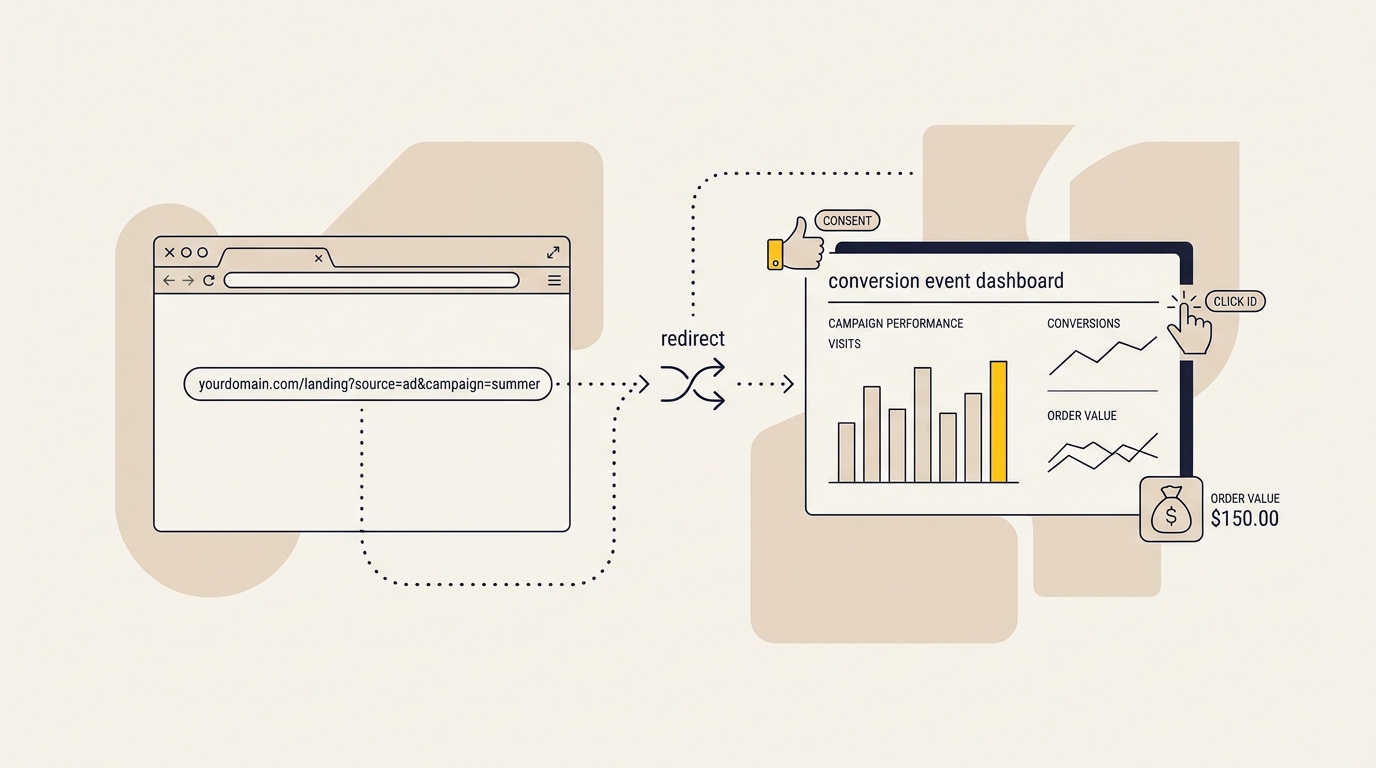
Understand attribution and double counting
Attribution is the method used to assign credit to marketing touchpoints. A person may see a Meta ad, later search the brand on Google and then make a purchase. The platforms may each report a role in that conversion under their own attribution settings.
That does not necessarily mean two separate sales happened. Avoid adding Google-reported conversions to Meta-reported conversions and treating the sum as your total. Compare platform reports with your store or CRM records, use consistent conversion definitions and examine how the customer journey changes over time.
No single dashboard will answer every question. Platform reporting can help optimise campaigns. Your CRM, ecommerce system and finance records help assess whether the campaigns are producing valuable customers. For larger budgets, consider a more deliberate measurement plan and incrementality testing rather than relying only on last-click reporting.
Check the tracking before you spend
Before launch, test the full conversion journey. Submit a test enquiry, check that the confirmation appears, and verify that the correct event is recorded. Check calls, booking links and checkout events if they are part of the campaign.
For Meta, a browser Pixel and server-side event tracking may be used together, depending on the business setup. Meta’s Conversions API is documented as a way to send web, app, offline and other event data to Meta. Implementation, privacy obligations and event matching depend on your setup. Do not send customer data without reviewing consent, platform terms and applicable Australian privacy requirements.
For Google Ads, confirm that the intended conversion actions are configured and that duplicate events are not being counted as separate outcomes. Keep a record of the conversion definition and any changes. If tracking is wrong, campaign optimisation can be wrong too.
A practical first 30 days
Before launch: make the offer and measurement ready
Write one sentence that describes the offer, who it is for and what problem it solves. Check that your website says the same thing. Define the conversion event that represents a meaningful business outcome, not merely a convenient button click.
Choose one channel for the first focused test. Select a small set of search themes for Google or a small set of distinct creative concepts for Meta. Make sure your business can respond to enquiries promptly and that someone is responsible for recording lead quality.
Prepare a landing page that matches the campaign. Test it on a mobile device. Ask someone unfamiliar with the business to find the offer, understand the next step and complete the action without help.
During the first week: check the basics, not every fluctuation
Confirm that ads are eligible, links work, locations and placements make sense, and conversion events fire as intended. Look for clear operational problems, such as irrelevant search terms, a broken page or an ad appearing outside your service area.
Do not make large changes simply because one day looks unusually good or bad. Small campaigns can fluctuate. Keep notes about each change so that you can connect cause and effect.
Weeks two and three: diagnose the journey
Look at the campaign from impression through to qualified outcome. For Google, inspect the actual search terms where available, ad relevance and the page experience. For Meta, examine which creative ideas earn attention and whether the resulting visits or leads are relevant.
Ask where the drop-off occurs. If people do not click, the message or audience may be off. If people click but do not act, the landing page or offer may be unclear. If people enquire but do not qualify, review the campaign promise, lead form and targeting. If qualified leads do not close, examine sales follow-up, pricing and fit as well as the ads.
Week four: decide what to do next
Compare the results with the goal you set before launch. Use customer quality and commercial outcomes wherever possible. Decide whether to continue, improve the page, test a different creative angle, refine keywords or move some budget to the other platform.
Do not declare a channel a failure only because it did not meet a benchmark from another country or industry. But do not keep funding a campaign without a credible hypothesis for how it will improve. The next test should answer a specific question.
Common mistakes to avoid
Splitting a small budget evenly by default
A 50/50 split can feel fair, but it may leave neither platform with a clear job or enough opportunity to produce useful learning. Start with the channel that best matches customer behaviour. Add another when you know what role it will play and how you will judge it.
Sending paid clicks to the homepage
A homepage serves many visitors with different needs. A campaign usually makes a more specific promise. Sending a visitor to a general page forces them to work out whether they are in the right place and where to go next. Build or choose a page that continues the ad’s message.
Optimising for the easiest event
A click, page view or quick form submission is easier to generate than a qualified sale. If the campaign learns to maximise a low-value action, it may bring more of that action without improving revenue. Track useful milestones and feed back lead quality where your tools and privacy arrangements allow.
Changing too many things at once
Changing budget, audience, offer, creative and landing page together makes it hard to learn what caused a result. Change one major variable at a time where practical. Keep a simple log with the date, change and reason.
Treating platform automation as a strategy
Automated bidding and audience tools can make delivery decisions. They do not decide whether your offer is commercially sound, whether the page is convincing or whether your sales team can convert a lead. Give the system accurate conversion data and strong assets, then inspect the actual outcomes.
Ignoring negative keywords and search intent
Search campaigns can match queries that are not commercially relevant to your business. Review search terms and exclude irrelevant themes where appropriate. Be careful not to exclude a useful query just because it is phrased differently from your preferred wording.
Treating every Meta lead as equally valuable
Some leads are accidental, poorly timed or outside your service area. Make the offer clear, use sensible qualification and follow up promptly. Assess qualified outcomes, not just the cheapest form submission.
Making the ad look unrelated to the landing page
A visual mismatch can make a visitor doubt whether they arrived at the expected destination. Keep the core promise, imagery and tone aligned. If the ad makes a specific claim or offers a discount, make sure the page explains the same offer and its terms.
Forgetting the sales process
Advertising does not end at the form. A slow reply, unclear booking process or confusing quote can waste good demand. Decide who owns each enquiry, how quickly the business aims to respond and how every outcome will be recorded.
When should you add the second platform?
Add the second platform when it has a distinct job, not simply because you feel you should be everywhere. A few common reasons make sense:
- Search is capturing existing demand, and you want to build awareness among people who are not searching yet.
- Meta creative is generating interest, and you want to capture people who later search for the product or category.
- You have a pool of relevant site visitors and a useful message to show them again, subject to consent and platform rules.
- Your sales data shows that customers interact with more than one channel before buying.
- You have enough creative, tracking and budget capacity to run another test without undermining the first.
Give the second channel its own objective and measurement plan. For example, Meta might test three ways to explain a product while Google captures high-intent searches. Or Google may be the main source of enquiries while Meta provides educational content that supports a longer decision.
Avoid assuming that retargeting will automatically recover lost sales. A visitor may have been researching, may not be a good fit or may have already purchased elsewhere. Frequency, creative relevance and audience rules still matter.
How design makes both channels work harder
The best media plan cannot compensate for an unclear visual hierarchy. A visitor should be able to scan the page and find the offer, proof and next step without guessing. Typography, spacing, contrast, image choice and mobile layout are business decisions because they affect whether the message is understood.
For Google, relevance should continue from search term to ad headline to landing page. If someone searched for a specific service, show that service prominently and make the call to action easy to find. For Meta, make the transition from creative to landing page feel natural. A product shown in a Reel should be recognisable on the page, with the same benefit and offer explained.
Design should also make measurement possible. Use a clear confirmation state after a form, distinguish genuine enquiries from spam and structure product pages so that key actions are trackable. Make sure your visual system can support creative testing without requiring a full brand redesign for every ad.
This is the practical meaning of design that performs: the campaign and the page work as one experience. If your ads are bringing visitors but the website is not converting them, review the page before increasing the media budget. Explore DesignFIT’s website design service if the post-click experience needs a clearer structure, stronger trust signals or a more effective mobile journey.
Next steps
Choose the platform that best matches how customers discover your offer. Set a realistic learning budget, define a meaningful conversion, prepare a focused landing page and give the campaign time to answer one clear question. Judge the result by qualified business outcomes, not the cheapest click or the biggest dashboard number.
If the ads, creative and landing page need to work together, talk to DesignFIT about your advertising project.
Key takeaway
Google captures people already searching for a solution, while Meta helps make people interested, so choose the channel that matches how your customers discover and buy.
Questions people ask
Which platform delivers better lead quality for small businesses?
Google Search can produce stronger intent when someone is actively looking for the service, but lead quality depends on the search, offer, page and follow-up. Meta can generate more responses at a lower apparent cost in some campaigns, but assess qualified leads and closed sales rather than assuming every form is valuable.
Can I run ads without a dedicated landing page?
You can, but sending paid visitors to a generic homepage often makes it harder for them to find the offer they clicked for. A focused service or product page that repeats the ad’s promise and gives one clear next step is usually a better starting point.
Should I spend on Google Ads or Meta Ads first?
Choose Google first when customers already search for your solution, especially when the need is clear or urgent. Choose Meta first when the offer is visual, unfamiliar or benefits from demonstration, then test the other channel when it has a defined role.
Why do Google and Meta both claim the same sale?
A customer may see a Meta ad, later search your brand on Google and then buy, so each platform may report the purchase under its own attribution settings. Compare platform reports with your ecommerce or CRM records, and do not add both claims together as if they were separate sales.
How much should a small business spend on its first campaign?
There is no universal minimum that guarantees results. Set a learning budget your business can afford to lose, work backwards from the maximum acquisition cost you can support and avoid splitting the budget across tests that will be too small to evaluate.