Landing Page Design for Ads: Lower Cost per Lead
A practical guide to designing paid ad landing pages that make the next step clear and help you get more value from every click.
On this page
- What is landing page design for ads?
- Why does landing page design affect cost per lead?
- What should you prepare before designing the page?
- Step 1: Give each ad group a relevant page and offer
- Step 2: Build a first screen that explains the offer
- Step 3: Make the call to action easy to understand
- Step 4: Add proof where visitors need reassurance
- Step 5: Design the form around the visitor’s effort
- Step 6: Make the page work well on mobile
- Step 7: Improve speed without stripping out useful content
- Step 8: Make longer pages easy to scan
- Step 9: Measure conversion rate and lead quality together
- Step 10: Test one meaningful change at a time
- Common mistakes that waste paid clicks
- A practical pre-launch checklist
- How to decide what to improve first
- Wrap-up: design the page around the decision
Landing page design for ads should make the visitor’s next step obvious, match the promise in the ad and remove barriers to taking action. A focused page can help improve conversion rate and the landing page experience Google considers, but no layout guarantees cheaper clicks or a lower cost per lead.
Start by checking whether the page, the ad and the offer all say the same thing. Then design for the visitor’s decision, not for the number of sections you can fit on a page. If the ad campaign and the landing page need to work as one system, see DesignFIT’s paid advertising service.
What is landing page design for ads?
Landing page design for ads is the process of creating a focused page for people who arrive from a paid campaign. Its headline, content, proof and call to action should make sense for the specific audience and offer promised in the ad.
A paid landing page is not automatically a single-screen page with no other links. It is a page with a clear job. For a quote campaign, that job might be getting a qualified person to request an estimate. For a webinar, it could be collecting a registration. The content and layout should help that visitor decide whether to act.
Why does landing page design affect cost per lead?
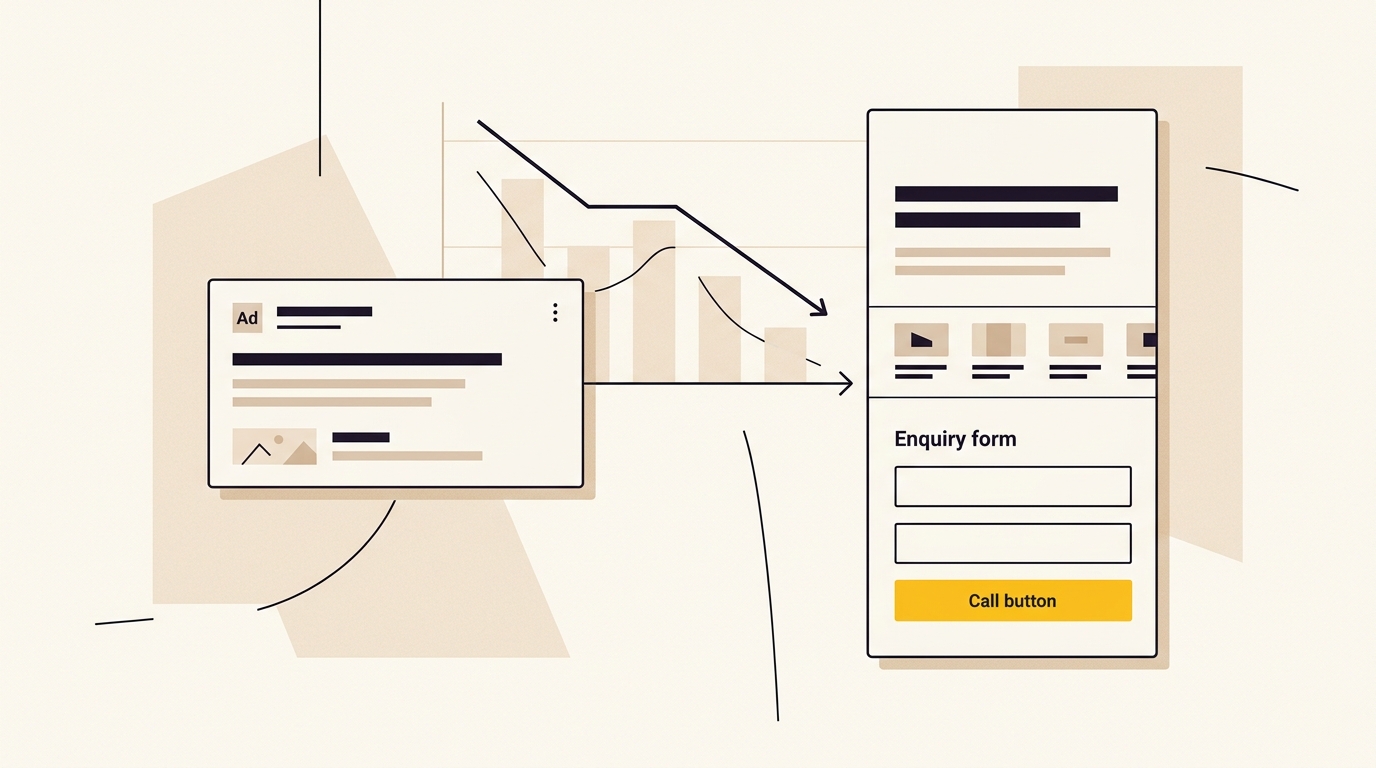
Cost per lead depends on what you pay for clicks and how many of those clicks become leads. A simple way to understand the relationship is:
Cost per lead = cost per click ÷ conversion rate
If your page turns more suitable visitors into leads without sacrificing lead quality, you may get more enquiries from the same click spend. Your actual costs also depend on factors outside the page, including competition, targeting, bidding, the ad itself and whether the people responding are a good fit.
Google Ads includes landing page experience as one of the components used to calculate Quality Score, alongside expected click-through rate and ad relevance. Google describes Quality Score as a diagnostic tool, not a direct measure of auction performance or a knob that guarantees a particular cost per click. Read Google’s explanation of Quality Score and its components. Google also outlines three ways to improve your Quality Score through tighter relevance, clear navigation and transparent business details.
That distinction matters. A clearer, more relevant, easier-to-use page may support a stronger campaign experience. But a better design does not promise a fixed CPC discount. Auction results can change with competition, bids and other factors, so judge the page using both advertising metrics and real lead quality.
| What you measure | What it tells you | What design can influence |
|---|---|---|
| Click-through rate | Whether the ad earns clicks from its audience | The relationship between the ad promise and what the page visibly delivers |
| Landing page experience | Google’s assessment of the page experience for the ad | Relevance, usefulness, navigation, transparency and mobile usability |
| Conversion rate | The proportion of visits that complete your chosen action | Message clarity, visual hierarchy, form friction, trust and page performance |
| Cost per lead | The advertising cost for each recorded lead | The relationship between click costs and conversion rate, plus tracking accuracy |
| Lead quality | Whether enquiries fit your service and become real opportunities | Offer clarity, qualification, form questions and follow-up expectations |
What should you prepare before designing the page?
A landing page is easier to design when the campaign decisions are already clear. Before opening a design tool, write down the following.
- The audience. Who is the ad for? Specify the service area, need, level of urgency and any important qualification. “Small business owners” is usually too broad to guide a useful page.
- The campaign promise. Copy the exact offer or benefit the ad promotes. If different ad groups promise different things, decide whether they need different pages or genuinely useful page variations.
- The conversion action. Choose one main action, such as call, book, request a quote or sign up. Decide what counts as a completed conversion and how it will be recorded.
- The evidence. Gather real reviews, accreditations, examples, qualifications, guarantees and service details. Only use claims you can support.
- The follow-up plan. Decide who receives the lead, how quickly they respond and what happens after submission. A design cannot rescue leads that disappear into an unattended inbox.
- The baseline. Record current spend, clicks, conversions, conversion rate, cost per lead and lead quality. Keep the date range and campaign settings so future comparisons are fair.
If you are not sure whether your campaign needs a separate page or a broader site update, compare the landing page with the rest of your website design needs. The page should fit the brand, even when its layout is more focused than the main site.
Step 1: Give each ad group a relevant page and offer
Start with the visitor’s intent. Someone searching for an emergency service is making a different decision from someone comparing providers for a project next quarter. The first visitor may need a phone number and a clear service area. The second may need proof, process details and an estimate of what happens next.
Group paid traffic by a meaningful difference in need, offer or audience. Then decide whether one page can address that group clearly. For example, a business offering both commercial and residential services may need distinct pages if the proof, language, qualification and next step differ. It does not need separate pages just because two keywords are worded differently.
Make a message-matching table before you write:
| Campaign element | Question to answer |
|---|---|
| Search term or audience | What problem is this visitor trying to solve? |
| Ad headline | What specific promise earns the click? |
| Landing page headline | Does the page confirm the same offer in plain language? |
| Supporting proof | What evidence makes the promise believable? |
| Call to action | What is the smallest useful next step? |
A search ad for “commercial roof repair in Sydney” should not lead with a vague slogan such as “Built on quality”. The visitor needs to see that commercial roof repair is available in the relevant area. A strong brand line can still appear, but it should not push the answer out of the first screen.
Do not force an exact keyword into every heading if it makes the page awkward. Match the visitor’s meaning and the ad’s offer. Google’s guidance is to provide relevant, useful information and make it easy to find what the ad promised, not to repeat phrases unnaturally. Its landing page experience guidance is useful when reviewing relevance and usability.
Step 2: Build a first screen that explains the offer
The first screen should answer three questions quickly: “Am I in the right place?”, “Why should I trust this business?” and “What do I do next?”
Use a simple hierarchy:
- A headline that confirms the service or offer.
- A short explanation of who it helps and what outcome it supports.
- A primary action, such as a short form, booking button or phone call.
- One or two trust cues that support the decision.
Keep the headline specific. “Book a consultation with a Sydney family lawyer” is more informative than “Your future starts here”. The best wording depends on the actual service and the ad promise, so do not copy this example if it does not describe your business.
Follow the headline with a concise value proposition. Explain what the visitor gets, who the service is for, and any practical detail that affects the decision. Avoid a paragraph of brand history before telling people whether you can help.
Choose imagery that reinforces the offer. A genuine image of the team, product or service can help visitors recognise what they are considering. A generic stock photo may fill space without answering a useful question. If you use a photo, check its crop on mobile, contrast behind any text, file size and whether it creates a misleading impression.
Should you remove the navigation menu?
Often, reducing the number of competing links helps keep attention on the campaign’s main action. A dedicated landing page may use a simple logo, a phone number and a focused footer instead of the full site navigation. But removing navigation is a design choice, not a universal rule or a guaranteed conversion lift.
Visitors may need to check your credentials, service area or contact information before they enquire. Keep essential trust and transparency details easy to find. You can simplify the menu without hiding your identity, privacy information or ways to contact the business. Measure how visitors behave and check whether removing links improves completed, qualified actions rather than simply making the page shorter.
Step 3: Make the call to action easy to understand
Use a button label that describes what happens next. “Request a quote”, “Book an appointment” and “Call our team” set clearer expectations than “Submit” or “Learn more”. Make the main button visually distinct through size, position, contrast and spacing. A brightly coloured button is not automatically effective if it competes with other buttons or blends into a busy design.
Explain the next step near the action. For example, if someone requests a quote, say whether the business will call or email, and whether the request is an estimate or a confirmed booking. Do not promise a response time, free consultation or no-obligation offer unless the business can reliably provide it.
Keep one primary action for the page. A phone call can be a useful secondary action, particularly for urgent services, but avoid presenting several options with equal visual weight. When a visitor has to decide between “call”, “email”, “download”, “book”, “chat” and “follow us”, the design has made the decision harder.
For long pages, repeat the primary action at sensible points after the visitor has received useful information. Repeating the same action is different from adding multiple competing goals. On mobile, consider a fixed call or enquiry bar only if it does not cover content, obstruct form fields or make the page uncomfortable to use.
Step 4: Add proof where visitors need reassurance
Proof works best when it answers a real concern. Place relevant evidence close to the claim or action it supports rather than collecting every logo and award in one decorative strip.
Depending on the business, useful proof can include:
- Specific customer reviews, with permission and accurate attribution.
- Relevant qualifications, licences or professional memberships.
- A clear service area, location or response process.
- Examples of work that resemble the visitor’s needs.
- A short explanation of what is included and what is not.
- A case study with a real, verifiable result and enough context to interpret it.
Use numbers carefully. A rating should reflect the source and date you can verify. Do not turn a handful of testimonials into a claim that “everyone recommends us”, and do not imply that a logo is an endorsement if it is only a client relationship. If you cannot substantiate a claim, leave it out.
Use a three-part benefits section if it helps visitors scan the offer. For example, describe the outcome, what makes the process practical, and what happens after the enquiry. Avoid generic cards that say “Quality”, “Value” and “Service” without explaining what those words mean for the customer.
A before-and-after image, calculator or interactive tool can support a decision when it gives useful information. It can also slow the page down or distract from the form. Only include it if it answers a question the campaign audience actually has.
Step 5: Design the form around the visitor’s effort
Every field asks for effort and personal information. Ask for the details you need to respond or qualify the enquiry, not everything your team might eventually want to know.
Start with a short form and review each field:
- Is this information required to respond to the lead?
- Can the business obtain it during the follow-up instead?
- Is the question clear to someone outside the industry?
- Does the field work comfortably on a phone?
- Does the form explain any sensitive or unusual request?
Name, contact method and a brief description may be enough for a first enquiry. Some campaigns need a location, service type or project date to route the request. Do not apply a fixed “best number of fields” to every business. A very short form may increase submissions while making lead qualification harder. A longer form may be justified when the visitor expects to provide detailed information, but it should earn that effort by explaining why it is needed.
Use a single-column layout on small screens. Give inputs clear labels that stay visible, use appropriate input types and allow sensible browser autofill. Make error messages specific and keep entered information if a validation issue occurs. Do not use placeholder text as the only label because it disappears when someone begins typing.
For more involved enquiries, a two-step form can ask a simple service or location question first, then request contact details. This can make a complex process feel more manageable, but only test it if the steps are clear and the transition works reliably. Do not disguise a long form as a short one or make visitors enter the same information twice.
Tell people what happens after they submit. Show a confirmation message, measure the completed action correctly and make sure the form works on real mobile devices. A button that looks clickable but fails to send the form is not a conversion improvement.
Step 6: Make the page work well on mobile
Many paid clicks arrive on phones, and a desktop layout squeezed onto a smaller screen can create avoidable friction. Check the actual page at common mobile widths, not just the preview inside a design tool.
Review these details:
- The headline is readable without zooming and does not wrap into an awkward stack.
- The main action is visible and easy to tap.
- Text and buttons have enough contrast.
- The form uses a single column and the right keyboard for phone or numeric fields.
- Images crop well and do not push the offer far below the fold.
- A sticky action bar does not cover the submit button or consent information.
- The page does not jump around while images, fonts or other content load.
Google has reported that 53% of mobile visits are abandoned when a page takes longer than three seconds to load. Treat that as a warning about mobile performance, not a prediction that every slow page will lose exactly that share of visitors. Your own audience, device mix, connection and page experience matter.
Step 7: Improve speed without stripping out useful content
Large images, unnecessary scripts, animations and third-party widgets can make a landing page slow or unstable. The design solution is not always to remove everything. Keep what helps a visitor decide, and reduce the weight of elements that add little value.
Start with the largest visible content. Resize images to the dimensions they are displayed at, use appropriate modern formats where supported, and avoid serving a huge desktop image to a small phone. Load content lower on the page in a way that does not delay the main content. Check whether chat tools, map embeds, tracking tags or animation libraries are necessary for this campaign.
Test the page on a real mobile connection and use performance tools to identify what is actually slowing it down. Do not assume that a high score in a lab tool means every visitor gets a fast experience. Compare field data over time where available, and check for visual shifts that move the button while someone is trying to use it.
Portent’s study of website performance found a relationship between load time and conversion in its analysis of page views. Its research on site speed and conversion is useful context, but study results are not a promise of a particular lift for your campaign. Practical tests on page load speed and conversion rates indicate that even minor delays interrupt intent before a form is filled. Prioritise measurable issues on your own page.
Step 8: Make longer pages easy to scan
A landing page does not have to be short to convert. It has to make the information relevant to the visitor easy to find. A straightforward service may need only a concise page. A high-consideration purchase, a complex service or an unfamiliar offer may need more explanation and reassurance.
Use headings that tell the reader what each section answers. Break long paragraphs into short blocks, use lists for actual steps or benefits, and place evidence near the claims it supports. An FAQ can handle objections about price, timing, eligibility or process, but avoid repeating the same information in several sections.
Accordion FAQs can save vertical space, but do not hide essential information inside them. If a visitor must know the service area or the main condition of an offer before enquiring, make that information visible without requiring extra taps. Ensure keyboard and screen reader users can operate interactive elements, and check that expanded answers remain readable on mobile.
A simple page outline could be:
- Offer and main action.
- Who the service is for and the outcome it supports.
- Relevant proof.
- How the process works.
- Answers to important objections.
- A final clear action and practical contact details.
The order can change when user research or campaign data shows a different concern should be addressed earlier. Design hierarchy is about prioritising the visitor’s questions, not following a rigid template.
Step 9: Measure conversion rate and lead quality together
Before changing the page, confirm that your tracking reflects real actions. A page view is not a lead. A button click may not be a completed form. Set up conversion events for the actions that matter, test them and check that duplicate events are not inflating results.
Track the journey from ad to outcome where your systems allow it:
- Ad impressions and clicks.
- Landing page sessions and engagement.
- Calls, form starts and completed enquiries.
- Qualified leads and booked appointments.
- Sales or other meaningful outcomes.
Use the same attribution approach and date range when comparing versions. If you change the page, the offer, targeting and bidding at the same time, it becomes difficult to know what caused a result. Note other changes, such as seasonal demand or a budget shift, so you do not mistake them for a design effect.
Unbounce’s Conversion Benchmark Report reports a median landing page conversion rate of 6.6% across its analysed landing pages. A benchmark can provide context, but it is not a target every paid campaign should hit. Reviewing what makes a good conversion rate shows how widely performance targets vary by offer and audience. Conversion rates vary by industry, traffic source, offer, audience, definition of conversion and lead intent. A campaign that generates fewer but better-qualified enquiries may be more valuable than one that maximises form submissions.
WordStream’s 2026 Google Ads benchmark report presents industry averages for metrics including CPC, conversion rate and cost per lead, based on its study of campaigns. See WordStream’s 2026 Google Ads benchmarks. Treat any broad average as a comparison point, not a forecast: campaign type, country, service, competition and conversion definition all affect results. Do not combine separate industry averages as if they necessarily describe the same campaign.
Step 10: Test one meaningful change at a time
A/B testing compares two versions of a page to see how they perform against a chosen outcome. It is most useful when each version has a clear reason for existing and enough traffic to make the comparison informative.
Choose a specific question first. For example: does a headline that names the service area help more relevant visitors enquire? Does showing the phone number beside the form improve qualified calls? Does a shorter first step increase completed forms without reducing lead quality?
Then follow a disciplined process:
- Write the hypothesis. State what you plan to change, why it may help and which metric should move.
- Choose one primary measure. Use a meaningful completed conversion, not a vanity measure such as button colour preference.
- Keep the comparison fair. Avoid changing several major elements at once or sending different audiences to each version without accounting for it.
- Check the sample and context. Small or uneven samples can produce misleading swings. Traffic volume and conversion frequency affect how confidently you can interpret a test.
- Review lead quality. Check whether the extra enquiries match the service, answer the phone and progress through your sales process.
- Record what happened. Keep the hypothesis, dates, page versions, campaign conditions and result, including tests that did not improve performance.
Do not stop a test just because one version is ahead after a brief period. Nor should you keep a weak version running indefinitely when it is clearly creating a poor visitor experience. Use a testing method suited to your traffic and get specialist help if the decision has a significant budget impact.
You can also use qualitative evidence. Review search terms, call notes, form abandonment points, sales feedback and questions from customers. Analytics may show that visitors leave, but a conversation with the sales team can reveal that the offer is unclear or attracts the wrong people.
Common mistakes that waste paid clicks
Sending every campaign to the homepage
A homepage is built to introduce the business to different audiences. A paid campaign usually has a more specific promise. If the homepage does not make that promise and next step obvious, create a focused page or improve the relevant service page.
Making the design attractive but vague
Strong photography and polished typography help a brand feel considered, but they cannot replace a clear offer. A visitor should be able to tell what the service is, who it is for and how to take the next step.
Hiding important conditions
A “free” offer with exclusions hidden below the form creates a trust problem. State meaningful eligibility, fees, service boundaries or timing clearly enough for the visitor to make an informed decision.
Optimising only for form volume
A low-friction form may increase submissions but also attract people outside your service area or with no intent to buy. Share lead quality with the people managing the campaign so the page is assessed against useful business outcomes. If poor submissions become an issue across campaigns, follow our checklist to stop low quality ad leads.
Treating Google’s Quality Score as a design score
Quality Score is a diagnostic, not a simple design grade or a guaranteed price control. Use the component ratings to identify possible relevance or experience problems, then review the actual page, campaign and auction context. Do not promise that a layout change will lower CPC by a fixed percentage.
Copying a template without checking the audience
A template can speed up production, but its default sections, colours and form fields may not suit your campaign. Keep the structure that helps visitors decide and remove anything that does not support the offer.
Forgetting the post-submit experience
A form that submits without confirmation leaves visitors uncertain. A phone lead that no one answers wastes the opportunity. Check the thank-you state, CRM routing, notifications, call handling and follow-up process as part of the campaign journey.
A practical pre-launch checklist
Before sending paid traffic to the page, confirm the following:
- The page fulfils the promise made in the ad.
- The service, audience and location are clear near the top.
- There is one primary conversion goal.
- The main action says what happens next.
- Claims, reviews and credentials are accurate and verifiable.
- The form asks only for useful information and works on mobile.
- Essential contact and privacy details are available.
- The page loads and behaves properly on real phones.
- Images, fonts, tracking and third-party scripts have been checked.
- Conversion tracking has been tested from ad click to completion.
- The team knows how leads are received and followed up.
- Baseline performance and lead quality have been recorded.
How to decide what to improve first
If clicks are coming in but few visitors take action, check message match, offer clarity, mobile usability, form effort and trust. If enquiries are plentiful but low quality, review targeting, ad promises, qualification and how prominently eligibility is explained. If conversion rate looks healthy but cost per lead is still high, examine click costs and auction conditions as well as page performance.
If Google reports a below-average landing page experience, use the rating as a prompt to inspect relevance, usefulness, navigation, transparency and mobile performance. It does not tell you exactly which design element is wrong. Compare the page with the ad and the user’s likely query, test that the page is accessible and functional, and investigate site speed. Google’s page experience documentation explains its broader page experience guidance; it is not a substitute for the Google Ads diagnostic.
If the page has good traffic but little evidence about visitor behaviour, improve measurement before making a large redesign. If the offer itself is unclear or the wrong audience is being sent to it, no amount of decorative polish will fix the underlying problem.
For businesses running campaigns across several offers, build a consistent design system for landing pages: reusable type styles, form patterns, trust treatments and mobile rules. Keep the content and proof specific to each campaign. This creates a recognisable brand without forcing every page into identical copy or an identical layout.
Wrap-up: design the page around the decision
Landing page design for ads works best when it connects the ad promise to a clear, credible next step. Start with the audience and offer, build a strong first screen, reduce unnecessary form friction, make mobile use comfortable and measure qualified outcomes. Then test focused changes against a baseline instead of assuming a fashionable layout will perform.
A landing page can support better conversion and a stronger campaign experience, but it cannot guarantee cheaper clicks or more sales on its own. Review the page alongside the ads, targeting, tracking and lead follow-up. If you want help aligning those parts, explore DesignFIT’s paid ads service and website design service, see our transparent design pricing, or run a free AI search audit to review your visibility.
Key takeaway
A landing page should match the ad, make one next step clear and be judged by qualified outcomes, not appearance or form volume alone.
Questions people ask
Should I send Google Ads traffic to my homepage or a landing page?
Use a focused landing page when the campaign has a specific offer, audience or service that the homepage does not explain clearly. A homepage can work when it directly answers the ad’s promise and makes the relevant next step easy to find.
What is a good conversion rate for a paid search landing page?
There is no single good rate for every campaign because industry, offer, traffic and conversion definitions vary. Unbounce reports a 6.6% median across its analysed landing pages, which is useful context rather than a guaranteed target.
How many fields should an ad landing page form have?
Ask only for information needed to respond, route or qualify the enquiry. A short form can reduce effort, but you should also measure whether submissions are relevant and become real opportunities.
Does removing navigation improve landing page conversions?
Reducing competing links can help visitors focus on the campaign action, but removing navigation does not guarantee a lift. Keep essential contact, privacy and trust information accessible, and compare qualified outcomes.
Why is my Google Ads landing page experience below average?
Google’s rating is a diagnostic and may point to issues with relevance, usefulness, transparency or usability. Check that the page fulfils the ad promise, works well on mobile and makes important information easy to find.