How to Turn a SearchFIT Report Into a Redesign Plan
A practical guide to turning AI visibility findings into specific page changes, without treating every gap as a reason to rebuild your whole website.
On this page
- What a SearchFIT report can and cannot tell you
- Before you start: gather the right information
- Step 1: Turn each report finding into a clear problem statement
- Step 2: Check the finding against the live website
- Step 3: Rank the findings before you plan the redesign
- Step 4: Match each problem to the right page
- Step 5: Shape the page around the customer’s decision
- Step 6: Choose page components that fit the evidence
- Step 7: Improve the path to important pages
- Step 8: Build a small, testable redesign plan
- Step 9: Measure what changed, not just the score
- Common mistakes when turning a report into design work
- A practical checklist before you publish
- How to choose what to do next
- Wrap-up: make the report earn its place
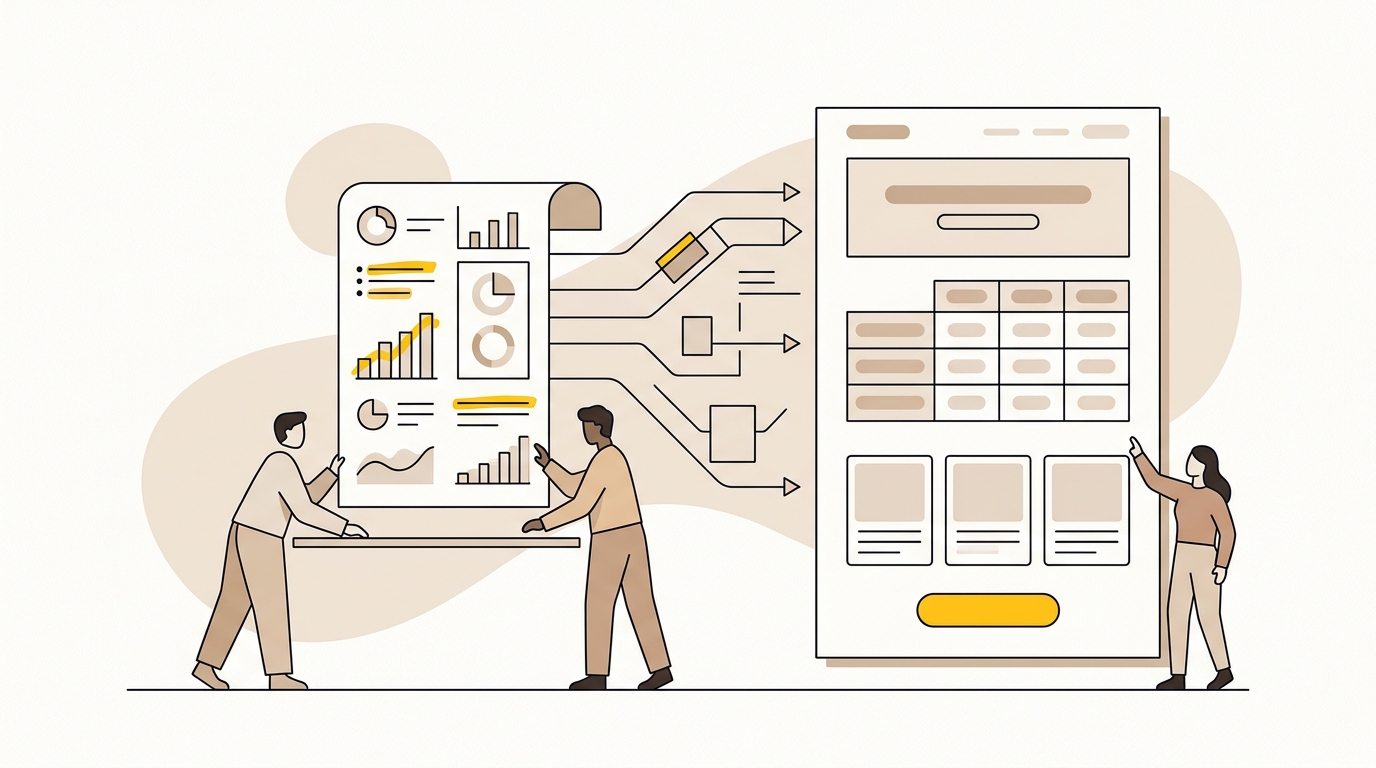
A SearchFIT report is useful when it leads to clear changes on the right pages. Start by checking the findings, connecting each one to a customer question, then prioritising page structure, content and design changes that make your business easier to understand and choose.
You do not need to redesign everything or publish a stack of new articles. In many cases, the best first move is to improve a few important pages: say what you do in plain language, show how your offer compares, make key information easy to find, and give visitors a clear next step. If you need help turning findings into a practical website plan, DesignFIT’s website design service can help connect the design work to business goals.
This guide walks through that process step by step. It is for teams who have a SearchFIT report or another AI visibility audit and want specific page-level actions, not a vague recommendation to do more SEO.
What a SearchFIT report can and cannot tell you
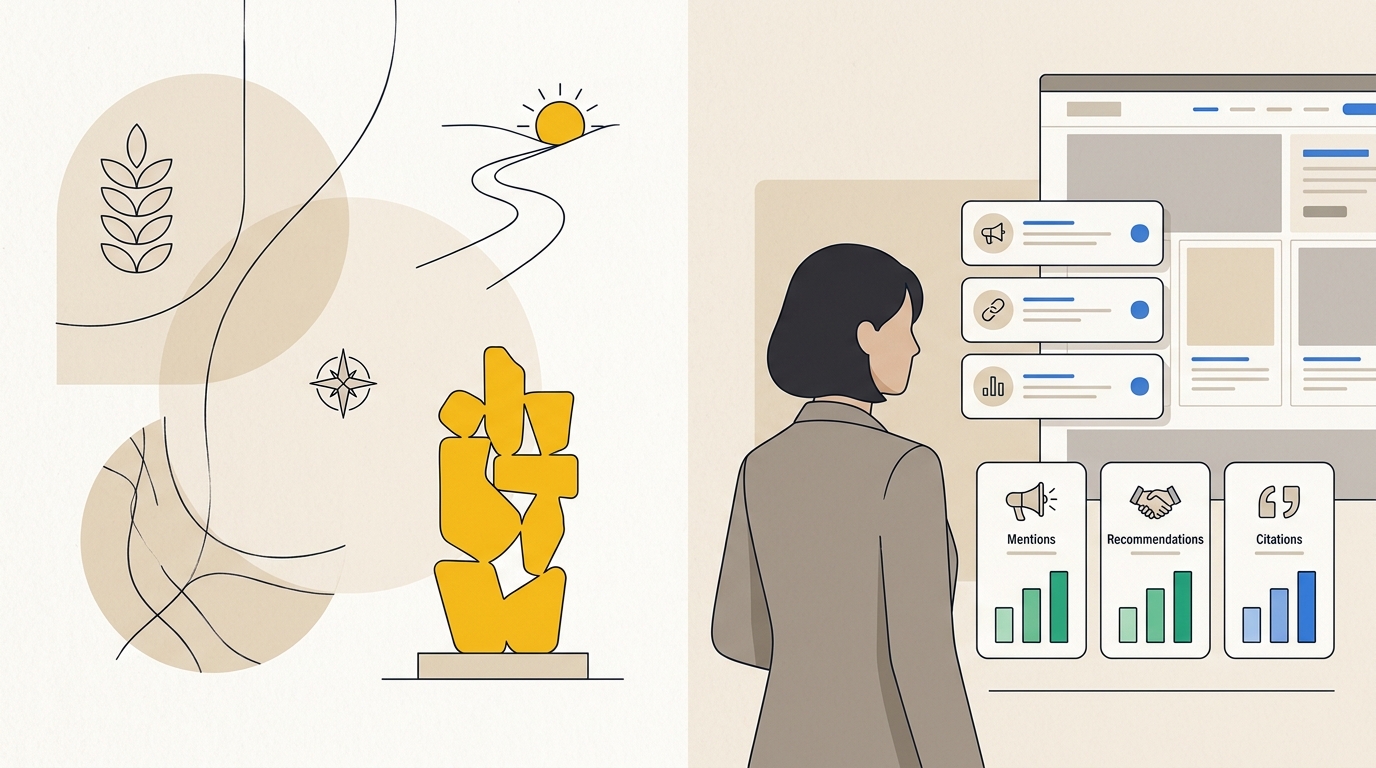
An AI visibility report gives you evidence about how a set of AI search tools describe, mention or cite your business for selected prompts. Depending on the report, you may see which prompts surfaced your brand, which competitors appeared, whether information was missing or inaccurate, and which pages were cited.
Treat these results as observations, not a complete map of how every potential customer or AI system behaves. Answers can vary by prompt, platform, date, location and other factors. A report is a useful starting point for investigation, but it does not prove that one particular design change will cause a citation or a sale.
The goal is to use the report to find a customer-facing problem you can improve. That could be a visitor misunderstanding your service, failing to find a price, or landing on a page that does not answer the question that brought them there.
An AI visibility score is a summary, not a design brief. A low score by itself does not tell you whether to change a headline, add a page, make a comparison clearer or fix an accessibility issue. You need to trace the finding back to the page and the decision a real person is trying to make.
The SearchFIT AI visibility audit overview explains the type of visibility problem an audit can help investigate. For a broader introduction to the platforms customers may use, see DesignFIT’s AI search engine comparison.
Before you start: gather the right information
Do not begin by opening a design file and changing the homepage. First, pull together the report and enough business context to decide which findings matter.
Make a working folder
Collect the report, your current website URL list, analytics if available, and any reliable documents that describe your offer. Useful documents include current service descriptions, product specifications, pricing rules, location details, onboarding steps and approved customer testimonials.
Check that these materials are current. An old brochure or an outdated sales deck can be the source of the same confusion you are trying to fix on the website. If the source of truth is unclear, agree internally on what is accurate before changing the design.
Gather a baseline
Record the date of the report and the prompts or questions it tested. Note the platforms included, whether answers linked to your website, and which competitors were mentioned. Save the exact wording of any incorrect description. A paraphrase can lose the detail you need to fix it.
If you have analytics, capture a recent baseline for the relevant pages. Useful measures may include organic visits, enquiries, sales, calls to action, form completion and engagement. Choose measures that match the page’s purpose. A service page designed to generate enquiries should not be judged only by how long people stay on it.
Do not invent a baseline if you have not been tracking one. Start tracking a small number of suitable measures and record the limitation in your plan. You can still improve a confusing page without pretending you know the exact size of the problem.
Identify who needs to approve changes
List the people who can confirm product facts, legal wording, prices, service areas and customer evidence. Make one person responsible for consolidating feedback. This prevents a simple page improvement from turning into conflicting edits from several people.
Step 1: Turn each report finding into a clear problem statement
A report finding is not yet an action. Rewrite it as a short statement that identifies what is wrong, who it affects and what information would help.
For example:
- Finding: AI answers describe your clinic software as a consumer booking app.
- Problem: A prospective clinic buyer may not understand that the product is designed for clinic teams.
- Needed information: The audience, key workflow and product category need to be clear near the beginning of the relevant page.
Or:
- Finding: Competitors appear in answers about the best platform for a particular use case.
- Problem: A buyer comparing options may not be able to see how your product fits that use case.
- Needed information: A clear explanation of the use case, relevant capabilities and limitations of your offer.
This step is important because it stops teams jumping from a report result to an arbitrary component. A comparison table is not automatically the answer to a competitor gap. First, find out whether the comparison is accurate, useful to a buyer and supportable with evidence.
Write each problem statement in plain English. If your team cannot agree on what the finding means for a customer, pause before designing a fix.
Step 2: Check the finding against the live website
Open the pages that the report cites, and the pages it does not cite but that should answer the question. Review them on a phone and a desktop screen. Look at the visible page, the navigation and the information available without interacting with complex controls.
Ask:
- Does the page clearly name the service, product or category?
- Can the intended customer tell quickly whether the offer is for them?
- Does the page answer the question in the report, or does it lead with a broad brand claim?
- Are important details current, consistent and easy to locate?
- Is the page linked from a relevant part of the site?
- Does the main call to action make sense after reading the page?
Look for more than missing text. A key answer might be buried in a long paragraph, placed in a PDF, hidden behind a tab, or shown only after a visitor fills out a form. A visual design can make correct information hard to notice even when it technically exists on the page.
Also check whether the report’s description is actually wrong. If an AI answer says your service area is unclear, compare it with the website and authoritative business profiles. The report may have exposed an inconsistency, not just a layout problem. Fix the underlying information before deciding where and how to display it.
Record the URL and the evidence for each issue. Your notes should make it possible for a designer, writer or developer to understand what needs attention without reopening the report and guessing.
Step 3: Rank the findings before you plan the redesign
You probably have more potential changes than time. Prioritise the findings that affect important customer decisions and have a plausible page-level fix.
Use a simple scoring method. Give each finding a low, medium or high rating for:
- Business value: Is it connected to a service, product or audience that matters to the business?
- Customer impact: Could it change understanding, trust or the ability to take the next step?
- Evidence: Does the report or your own site review show a specific problem?
- Effort: Can the team make and maintain the change with the people and budget available?
You do not need to pretend these ratings are precise. Their purpose is to make trade-offs visible. A high-value service page with a factual mistake may deserve attention before a blog post that is missing from one prompt.
A useful priority is often a combination of customer importance and clarity of evidence. For example, correcting a wrong service area on a high-traffic location page may be more urgent than building a new comparison page for a query with little evidence of demand.
| Priority | Typical situation | First move |
|---|---|---|
| High | Important page contains incorrect, outdated or confusing information | Confirm the facts, then correct the content and its placement |
| Medium | A useful page exists but does not answer the buyer’s question clearly | Restructure the page and improve headings, proof and calls to action |
| Explore | A competitor appears for a topic you may not serve or have evidence for | Validate demand and business fit before creating a new page |
| Later | A low-priority page has a small presentation issue | Add it to routine design or content maintenance |
If you need to estimate project scope, DesignFIT’s website redesign cost guide can help you think through the difference between a focused set of page improvements and a broader redesign.
Step 4: Match each problem to the right page
Do not assume every finding belongs on the homepage. Assign each problem to the page most likely to help the customer make that decision.
A homepage should explain what the business does, who it serves and where to go next. A service page should explain one service in enough detail for a prospective customer to assess fit. A product page should clarify the product’s capabilities, audience and buying process. A location page should make its service area and local details clear. An article can answer an informational question, but it should connect naturally to the relevant service or product page.
Create a page map before you start layout work:
| Finding | Customer question | Best page to review | Change to consider |
|---|---|---|---|
| Your offer is described too broadly | What exactly does this business provide? | Homepage or primary service page | Make the page heading and introduction specific |
| A competitor wins a use-case prompt | Which option fits my situation? | Product, service or comparison page | Explain use cases, differences and limitations |
| Pricing is missing or unclear | What does this cost, and what is included? | Pricing or service page | Publish confirmed pricing guidance or explain how quotes work |
| A location is described incorrectly | Where can I receive this service? | Location or contact page | Correct service areas and link related locations |
| A key page is not discovered | Where can I learn about this offer? | Navigation and related pages | Add useful internal links and clearer site structure |
A one-page site can work for a straightforward offer, but it may make it harder to give distinct services enough context. Equally, adding many thin pages can make a site harder to maintain. For a practical comparison of those trade-offs, see one-page website vs multipage.
Before adding a new page, check whether an existing page can answer the question better. A new URL is justified when the audience, intent or information is meaningfully different, not simply because a report contains another prompt.
Step 5: Shape the page around the customer’s decision
Once the page is selected, plan its information order. The design should help a visitor understand the offer, assess whether it fits and know what to do next. That is more useful than adding visual decoration without fixing the information problem.
Make the opening specific
The first screen should tell a visitor what the page is about. Use a clear heading, a short explanation and a relevant action. Avoid making the main message rely on a poetic slogan that could apply to many businesses.
A service page might use this structure:
- Heading: name the service and, where useful, the audience.
- Supporting sentence: explain the practical outcome or scope in plain language.
- Primary action: show the next step, such as requesting a quote or booking a consultation.
- Quick details: include the information needed to confirm basic fit, such as location, service type or typical customer.
Do not cram every claim into the opening. The point is to orient the reader, then use the rest of the page to explain and support the offer.
Give headings a real job
Use headings to describe the information in the section below them. A visitor scanning a page should be able to tell where to find process, pricing, eligibility, features, proof and next steps. Headings such as ‘How the service works’ are usually more useful than a sequence of vague labels like ‘Transform’, ‘Imagine’ and ‘Discover’.
Consistent typography helps people tell a page title from a section heading, a label and supporting detail. This hierarchy is a design decision with a practical purpose: it makes the page easier to scan and helps the team maintain a repeatable structure across related pages.
Make important information visible without making the page noisy
A short summary, feature list or callout can help when it clarifies information already supported elsewhere on the page. Avoid turning every sentence into a card or badge. Too many competing blocks make it harder to see what matters.
A good content block has a clear purpose. For example, a three-item summary might explain the service audience, scope and next step. A process section might show the stages and what the customer needs to provide. A proof block might name the person, organisation or method behind a claim, with permission and accurate attribution.
Design the next step as part of the answer
A page can explain a service well and still leave the visitor unsure what to do. Match the call to action to the stage of the decision. Someone comparing options may need a clear pricing explanation or a way to ask a specific question. Someone ready to proceed may need a direct booking or enquiry path.
Keep the action visually distinct, but avoid making every section compete for attention with a different button. One primary action, supported by a relevant secondary option where needed, is often easier to follow.
Step 6: Choose page components that fit the evidence
Components should make information clearer, not just make the page look current. Choose a layout pattern that suits the type of answer you need to provide.
Use comparison tables when the options are genuinely comparable
A comparison table can help customers evaluate options when the criteria are clear and factual. Use descriptive column headings, concise row labels and a layout that remains usable on mobile. If the comparison becomes too wide, consider stacked comparison cards or a shorter set of criteria rather than shrinking the text until it is difficult to read.
Be careful about naming competitors. Keep comparisons fair, current and supportable. Explain differences that matter to the buyer, and include limitations where they affect fit. A table of vague marketing claims will not help a customer make a decision, regardless of how neatly it is designed.
For each table, ask whether the same information remains understandable to someone using a screen reader or viewing the page on a small screen. Do not publish the table as an image. Keep the content as selectable page text, and test the actual implementation with your development team.
Use pricing cards only when the pricing is confirmed
If you can publish prices, show the amount, billing basis, inclusions and important conditions clearly. If the business quotes each project individually, explain what influences the quote and what information a customer should provide. Do not add a made-up starting price just because a design template expects one.
A PDF price list or a calculator that requires several interactions may be harder for visitors to compare than a clear page section. Whatever format you choose, check that the key information is visible, accessible and kept in sync with your approved pricing source.
Use FAQs for real, repeated questions
A FAQ section is helpful when it answers questions customers actually ask and the answers are specific. Avoid adding generic questions simply to fill a page. Put important information in the main page content as well, especially if it affects whether someone can use or buy the service.
Accordions can save space, but do not make essential details impossible to notice. Use clear question labels, visible interaction states and a keyboard-accessible implementation. Discuss structured data with your developer if it is appropriate, but do not treat schema as a guarantee of AI citations or search presentation.
Use evidence blocks that can be checked
If the report shows weak or inaccurate information about your expertise, review what evidence you can substantiate. That might include a named expert, a clearly explained process, a customer quote used with permission, a product specification or a dated source.
Make attribution clear. A number without a source, timeframe or explanation is not stronger proof because it is set in large type. If you cannot verify a claim, leave it out or rewrite it so it accurately describes what you know.
The research paper GEO: Generative Engine Optimization investigates ways to improve how generative engines present source content. It is useful background, but it is a research study, not a promise that any particular layout will increase your visibility. Use it to inform questions and experiments, then make decisions based on your own audience, evidence and results.
Step 7: Improve the path to important pages
A page can be well designed and still be difficult to discover. Review how a visitor moves through the site from the homepage, navigation, relevant service pages and useful articles.
Add internal links where they help someone continue a task. A related service link belongs near relevant service information. A guide should link to the service it helps explain. A location page should connect to the relevant booking or contact route. Use link text that tells people where it goes, rather than generic wording.
Check the header and footer on mobile as well as desktop. Make sure important services are not accessible only through a difficult hover interaction. Keep navigation labels familiar and specific. If the site has a large number of pages, organise them into understandable groups rather than forcing every page into the top menu.
Do not flatten the navigation simply to meet an arbitrary click-count rule. A shorter path is useful only if the labels and grouping still make sense. Good information architecture helps people find what they need, and it makes the site easier for your team to manage.
Technical discovery also matters. Ask your developer to check that important page content is available in the rendered page, that important links work, and that the site does not block intended crawlers through a configuration mistake. If a report flags a technical issue, verify it with someone who can inspect the live site and its settings before changing production files.
A file such as llms.txt may be worth evaluating as an experiment, but it should not replace clear, accessible website content. DesignFIT’s guide to llms.txt for small businesses explains the topic and the questions to consider before adding one.
Step 8: Build a small, testable redesign plan
Turn your selected findings into tasks with an owner, an affected URL and a way to review the change. Keep the first round small enough to ship and assess.
A useful plan might have three levels:
- Correct: Fix inaccurate descriptions, outdated prices, broken links, confusing service areas or inconsistent facts.
- Clarify: Improve headings, opening copy, page structure, calls to action, comparisons or proof so the right information is easier to understand.
- Extend: Add a page or reusable component when a real audience question remains unanswered by existing content.
For each task, write down:
- The report finding and the exact prompt or observation behind it.
- The affected customer and the decision they are trying to make.
- The page or template to change.
- The proposed content and design change.
- Who approves the facts and who implements the work.
- A measure or review date that makes sense for the page.
Here is an example:
| Plan item | Example |
|---|---|
| Finding | The report describes the service as available nationally, but the business serves selected regions |
| Customer problem | A visitor outside the service area may assume the offer is available to them |
| Page | Main service page and location information |
| Change | State the service area near the opening, clarify exclusions and link to the location details |
| Review | Confirm the facts with the service team, then check enquiry quality and the next report run |
Do not bundle every technical or visual improvement into the same launch if it makes the project hard to review. A focused first release gives you a better chance of learning which changes helped, while making rollback or correction simpler if something breaks.
Step 9: Measure what changed, not just the score
After publishing, record the date, pages changed and a short description of each update. Keep a copy of the old page or use your normal version-control process so the team can understand what changed if performance shifts.
Review measures at sensible intervals. Depending on your business and traffic, that may include:
- Whether the intended information is now clear and accurate on the live page.
- Whether important actions, such as calls, bookings or forms, are working.
- Relevant page traffic and enquiry or sales quality, if analytics are configured.
- Whether the same kinds of AI answers now describe your business more accurately.
- Whether your pages are cited or mentioned for the prompts that matter to your business.
A later report is not a controlled experiment. The prompt set, platform behaviour and external information can change. Compare similar prompts where possible, keep the report dates, and look for patterns rather than treating one answer as proof. Pair visibility observations with business outcomes so the team does not optimise for mentions that do not help customers.
If you receive AI-referred visitors, use analytics to understand what they do after arriving, where your setup permits. Do not assume that every AI visitor is labelled reliably or that a change in referral traffic was caused by one page update. The useful question is whether the arrival page gives those visitors a clear and relevant next step.
BrightEdge’s research on overlap between AI Overview citations and organic rankings is a reminder to examine AI visibility alongside conventional search, rather than assuming one measure explains the other. Its AI Overviews research and analysis also provides context for how search presentation can evolve. Treat external research as background, then check what is happening on your own pages.
Common mistakes when turning a report into design work
Redesigning the whole site because a score is low
A score points to a visibility issue, not necessarily a site-wide design failure. Check which prompts, pages and audiences are involved. Start with the few pages where a clear fix could improve customer understanding or conversion.
Writing for an AI tool instead of for a customer
A page that repeats keywords or breaks every sentence into a fragment can feel awkward and untrustworthy. Write in plain language, structure the page so people can scan it, and use accurate labels. The aim is clarity for people, with a page structure that is also understandable to machines.
Hiding the answer in a visual flourish
Large typography and striking imagery can help a page feel distinctive, but they cannot substitute for a clear explanation. If the essential description is only in a background image, an animated interaction or a decorative slogan, add a clear text version in the page itself.
Adding claims without checking them
A report may tempt a team to add statistics, customer logos or broad performance promises. Confirm the source, permission and context before publishing. If evidence is not available, say what the service does without implying a result you cannot support.
Treating every competitor mention as a page gap
A competitor appearing in an answer does not automatically mean you should create a page attacking them. Check whether the query fits your offer and whether you can provide a helpful, fair answer. If not, focus on the customers and use cases you can serve well.
Changing URLs without planning redirects
If a redesign changes a page address, preserve the route where possible. When a URL must change, plan an appropriate redirect and update internal links. Keep important content, metadata and page functionality in the release checklist. Ask your developer to review the migration before launch.
Treating a technical checklist as a visibility guarantee
Structured data, page speed, semantic markup and crawler access can be important implementation considerations. They do not guarantee that a platform will cite a page. Fix real technical problems because they affect access, usability and search performance, not because a checklist promises a particular answer.
A practical checklist before you publish
Use this checklist to review a page change that came from your SearchFIT report:
- The original report finding and prompt are recorded.
- The customer problem is written in plain language.
- The selected page is the best place to address it.
- A responsible person has confirmed facts, prices and claims.
- The opening explains the page topic and intended audience.
- Headings make the page easy to scan.
- Comparisons, pricing and proof are accurate and understandable.
- The primary call to action suits the visitor’s decision.
- The page works on mobile and with keyboard navigation.
- Important content and links are available without unnecessary friction.
- Any changed URL, internal link or technical setting has been checked.
- You have recorded the launch date and chosen a sensible review measure.
How to choose what to do next
If the report identifies incorrect information, correct and verify the facts first. If it identifies a page that is hard to understand, improve the message hierarchy and page flow before adding more content. If it shows a gap for a valuable customer question, decide whether an existing page can answer it or whether the question needs its own page.
If the site already explains the offer well but visitors struggle to take action, review the conversion path: page relevance, proof, contact options, mobile layout and form friction. If the main issue is technical, involve a developer and verify the suspected cause rather than changing design components at random.
The work can be a focused page update, a reusable template improvement or a broader redesign. The right scope depends on how many pages share the same problem, how the site is built and how much of the customer journey needs to change. DesignFIT’s pricing page outlines project options, while the free AI search audit is a useful next step if you need help identifying where to begin.
Wrap-up: make the report earn its place
A SearchFIT report becomes valuable when it helps your team make a better decision about a real page. Confirm the finding, identify the customer problem, choose the right page, make the information easier to understand and measure what happens after the change.
Lead with the design decisions that affect clarity and action: what the page says first, how information is grouped, what proof is visible and how a customer moves forward. Use AI visibility as one signal alongside customer feedback, analytics and business priorities. You do not need to chase every mention. You need a website that explains your value clearly and makes the next step easy.
For help turning report findings into a focused website plan, start with DesignFIT’s free AI search audit.
Key takeaway
Use your SearchFIT report to fix the pages that confuse or slow down customers, not as a reason to redesign everything.
Questions people ask
What does a SearchFIT report measure?
It shows how your business appears in responses to selected AI search prompts, which may include mentions, citations, competitor visibility and incorrect descriptions. The findings depend on the prompts and platforms included, so use the report as a diagnostic sample rather than a complete picture of every search.
Can a website redesign hurt AI visibility?
Yes, if the redesign removes useful page content, breaks important URLs, hides key information behind difficult interactions or introduces technical access problems. Keep valuable content and links, plan redirects for changed URLs, and review the live site after launch.
Why might an AI tool recommend a competitor when my site ranks well?
Search ranking and AI responses are not identical measures, and a strong ranking does not guarantee that a page will be selected or cited in an AI answer. Review whether your page clearly addresses the specific use case, supports its claims and makes key information easy to find.
Should I add llms.txt after receiving an AI visibility report?
Treat llms.txt as an optional experiment, not a substitute for clear website content or a guaranteed visibility fix. First address inaccurate information, page structure and discoverability, then decide whether the file fits your technical approach.
How long should I wait before checking whether the redesign worked?
There is no single interval that fits every site or platform. Record the launch date, review the changed pages and business measures, and compare later AI visibility checks using similar prompts where possible.