AI Overviews Clicks Drop: Redesign Pages to Win Visits
If rankings hold but clicks fall, make your page more useful than the answer shown in search.
On this page
- What does an AI Overviews clicks drop mean?
- Why can clicks fall when rankings stay steady?
- How do you check whether AI Overviews are affecting your pages?
- What page design gives people a reason to click?
- Which pages should you redesign first?
- How do you measure whether the redesign worked?
- Mistakes to avoid when redesigning for AI Overviews
- A practical redesign checklist
- What should a small business do next?
If you see an AI Overviews clicks drop pattern, where search impressions stay steady but fewer people visit your site, the answer is not simply to publish more generic information. Redesign affected pages to do what a short search summary cannot: help a person compare options, calculate a cost, assess a situation or take a confident next step. Start by checking the affected pages and queries in Google Search Console, then consider a website redesign built around clearer user journeys.
Google’s AI Overviews can answer basic questions directly on the results page. That can reduce the reason to click, especially for simple informational searches. It does not mean every search, page or business will lose the same amount of traffic, or that a redesign alone can restore clicks. The practical goal is to earn relevant visits by offering something distinctive, useful and easy to act on.
What does an AI Overviews clicks drop mean?
An AI Overviews clicks drop means that a page or group of pages is receiving fewer clicks from Google Search while its impressions or average ranking appear relatively stable, and AI Overviews are showing for some of its target searches. An impression is when a result is shown on a search results page. A click-through rate, or CTR, is the share of impressions that result in a click.
The pattern is a clue to investigate, not proof that an AI Overview caused the change. Search demand, seasonality, competitors, search layout changes, measurement issues and changes to your page can also affect clicks. You need to compare the right queries and dates before deciding what to redesign.
An AI Overview is Google’s AI-generated summary that may appear above or among regular search results. It can give a quick answer and show links to sources. Whether it appears depends on the search and Google’s changing systems. A page can be cited in an Overview without getting a visit from every person who sees it. For context on how different platforms handle answers, see our comparison of Google, Perplexity and ChatGPT search.
A Pew Research Center analysis of browsing activity from 900 US adults found that people clicked a traditional result in 8% of visits when an AI summary appeared, compared with 15% when one did not. Links within the summary were clicked in 1% of visits. The study looked at observed search behaviour, not every query or industry, so use it as evidence of a potential change in behaviour rather than a forecast for your site. Read Pew Research Center’s study of Google users and AI summaries.
A separate Ahrefs study, published in February 2026, reported a reduction in click-through rate for the number-one organic result on informational queries where AI Overviews appeared. Its sample and method differ from Pew’s, so do not treat the two results as directly comparable or assume the same effect across all search terms. The useful takeaway is that a top ranking does not guarantee the same number of visits when the results page changes. See Ahrefs’ updated AI Overviews click study.
Why can clicks fall when rankings stay steady?
A search result is not just a list of blue links. It can include ads, maps, image results, featured results and AI-generated summaries. When the page answers a question before someone visits a website, some searchers may get what they need without clicking. That is sometimes called a zero-click search: a search that ends without a click to an external site.
This behaviour is most likely to affect pages that answer a simple question in a short, familiar way. If a visitor asks for a basic definition, a quick conversion or a general list, a summary may be enough. If they need to make a decision, apply information to their own situation or verify a claim, a useful page can still earn the visit.
A 2026 update from Seer Interactive reported lower organic click-through rates for queries where AI Overviews appeared in its dataset. The study analysed a large set of impressions and queries across participating client websites. Its results describe that sample, not a universal decline or a promise about what will happen to any one business. Use your own search performance data to see whether similar queries are affecting you. Read Seer Interactive’s 2026 AI Overview CTR analysis.
Why does a generic information page lose the reason to click?
Imagine someone searches, “What does a bathroom renovation cost?” A page that begins with a generic definition and then repeats broad advice may offer little beyond a short search summary. The searcher has no clear reason to open the page if their basic question already feels answered.
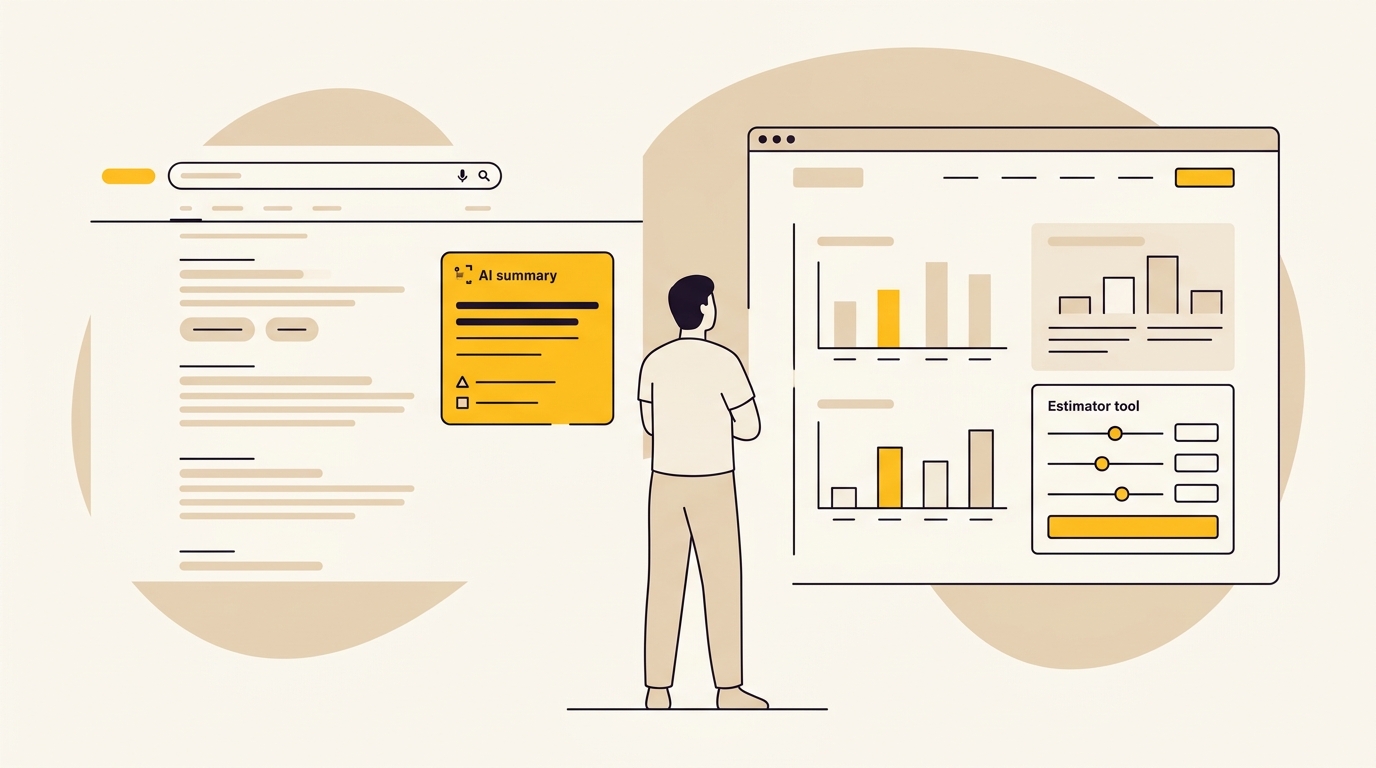
Now imagine the page lets them choose the room size, finish level and type of work, then explains which assumptions change the estimate. That tool is more useful because it helps the visitor work through their own situation. A search summary can state general information, but it may not provide the same interactive task, context or tailored guidance.
The principle is not “hide the answer so people have to click”. Give a direct, accurate answer, then make the page valuable beyond that answer. Withholding a simple fact can frustrate people and damage trust. The better design is a clear summary followed by evidence, utility and a next step.
Why can rankings and impressions mislead you?
An average position is a useful summary, but it can hide variation. A page may rank well for some searches and poorly for others. A change in the mix of queries can alter average position, impressions and CTR without a simple one-to-one cause. Search results can also look different across locations, devices and search sessions.
Impressions can remain stable while clicks fall because the page is still being shown, but fewer people choose it. However, Search Console does not give every site owner a simple, complete count of clicks caused specifically by AI Overviews. You need to use the available data carefully and avoid labelling every click decline as an AI effect.
How do you check whether AI Overviews are affecting your pages?
Begin with the evidence before changing layouts or rewriting pages. Google Search Console reports how your site appears in Google Search, including clicks, impressions, CTR and average position. These figures help you spot changes, but they do not by themselves explain why a change happened.
Use this practical sequence:
- Choose a comparison period. Compare a recent period with a similar earlier period, taking seasonality into account. For a seasonal business, compare like-for-like months where possible, not simply the last few weeks with the previous few weeks.
- Find pages with a meaningful click decline. In Search Console, look at the Pages report and identify URLs with falling clicks. Check whether impressions and average position moved at the same time.
- Inspect the queries behind each page. Filter to an affected URL and review its queries. Separate basic information searches from searches that suggest a person is comparing, buying, booking or looking for a provider.
- Check search results manually. Search the main queries from relevant locations and devices. Note whether an AI Overview appears and what it answers. Results can vary, so treat this as a sample, not a complete record of what every user sees.
- Check other explanations. Look for changes to the page, site navigation, tracking, competitors, search demand, seasonality and other result features. Confirm that analytics and consent settings have not changed the way visits are recorded.
- Record a baseline. Save the page’s clicks, impressions, CTR, average position and relevant business outcomes, such as enquiries or product sales. This gives you a fairer comparison after changes.
A practical diagnostic is a combination, not a single metric: clicks have fallen, impressions or rankings have not fallen by a similar amount, and the affected queries now show an AI Overview. Even then, call it a likely contributing factor unless you have stronger evidence. Google’s guidance explains how content can be considered for its AI search features, but there is no special layout or markup that guarantees placement. See Google Search Central’s guidance on AI features in Search.
If you want help assessing how your site appears across AI search, you can start with DesignFIT’s free AI search audit. You can also look into SearchFIT for automated AI search optimisation across ChatGPT, Perplexity, Gemini and Google. The point of an audit is to find practical opportunities, not to promise a citation or a specific amount of traffic.
What page design gives people a reason to click?
Design is more than visual styling. It is the way information is organised, prioritised and made usable. On a page affected by AI summaries, strong design helps a visitor quickly understand why the page is worth opening, find the information that matters to them and complete a useful task.
A useful page can follow a two-layer structure. The first layer gives a concise, direct answer that a visitor can scan. The second layer moves beyond the summary with details, tools, examples and decisions that require a visit. This is a content and user-experience approach, not a guaranteed method for getting cited by Google.
1. State the answer, then show what the page offers
Use a clear heading that matches the visitor’s question. Follow it with a short answer in plain language, then explain what else the page helps them do. Avoid a long introduction that delays the useful content or repeats the same broad information several times.
For example, a page about choosing a clinic software system might start with a short explanation of what the system does. Immediately after, it could offer a comparison by practice size, appointment workflow and reporting needs. The summary provides orientation; the comparison helps the visitor decide.
The first screen matters because visitors arrive with expectations. If someone clicks after seeing a summary, then lands on a page with a large image, a long preamble and no clear tool or evidence, the page has not fulfilled the promise of the result. Use a visible heading, short introduction and clear navigation to the page’s distinctive value.
2. Design a useful tool, not a decorative widget
An interactive tool is a feature that lets a visitor enter information or make choices and then receive a relevant response. Examples include a cost estimator, a product selector or a readiness checklist. The tool must help with a real task, work reliably on mobile and explain what its output does and does not mean.
A renovation estimator, for example, could ask about room size, material choices and the scope of work. It should show the assumptions behind any estimate and explain when a professional quote is needed. Do not present a rough result as a guaranteed price. A made-up or overconfident figure will hurt trust more than a plain, honest guide.
For a service business, a short self-assessment could help a visitor identify which service level fits their situation. For an online store, a product finder could narrow choices using the dimensions, use case or features the customer cares about. In each case, the design should reduce work for the visitor, not add extra steps for the sake of interactivity.
Before building a tool, ask:
- Does it answer a decision the visitor actually needs to make?
- Can the visitor understand the result and the assumptions behind it?
- Does it work with a keyboard, on a phone and without unnecessary sign-up?
- Can the business keep its inputs and output accurate as offers or prices change?
- Is there a clear next step after the result?
If the answer to most of these is no, a well-designed comparison table or downloadable checklist may serve the visitor better and cost less to maintain.
3. Make comparisons easy to scan
A comparison matrix is a table that lets people assess several options against the same criteria. It can be more useful than a series of paragraphs because readers can see differences side by side. Keep the criteria relevant to the decision instead of filling the table with every feature available.
For a business choosing a website platform, useful comparison criteria might include who updates the site, the type of content being published, the need for online sales and the level of design flexibility. The best format depends on the decision. See our Webflow versus Framer guide for small businesses for an example of how a comparison can be shaped around a particular audience.
Use clear labels and explain terms that are not familiar to the reader. On small screens, a wide table can become difficult to use. Consider a simpler set of comparison cards for mobile, or reduce the number of criteria to the ones that most affect the choice. A table that technically contains all the information but cannot be scanned on a phone is not a good design solution.
4. Show proof that cannot be reduced to generic advice
First-party information is material your business creates or collects directly, such as a documented process, original survey, anonymised project data or a detailed technical test. It can make a page more specific and more useful than a general overview, provided it is accurate, clearly explained and safe to share.
A service company might show a sample project timeline with the points where a client must make decisions. A retailer might publish a fit guide based on product measurements and explain how those measurements were taken. A software company could document a test setup and show what happened under those conditions. These examples help people assess the source and apply the information to their own needs.
Do not claim that content is original evidence if it is not. If a chart uses a third-party study, name and link the original research, explain its date and method, and distinguish its findings from your own. A visualisation is only helpful when readers can understand what was measured and what it does not prove.
5. Use visual hierarchy to guide the next action
Visual hierarchy is the order in which design makes information noticeable. Headings, spacing, type size, contrast, colour and position can help a visitor distinguish the main answer from supporting detail and decide where to go next.
Give each page a primary purpose. If the page is meant to help a visitor estimate a project, make the estimator easy to find. If the page compares products, make the comparison the focal point. Avoid presenting several equal-looking buttons and calls to action that compete for attention.
A strong call to action describes what happens next. “Book a consultation” is clearer than “Submit” if the form is for a consultation. If there is a cost, time commitment or eligibility requirement, explain it before the visitor starts. Clear expectations can reduce unsuitable enquiries and make the right visitors more comfortable proceeding.
6. Keep important information accessible to search engines and people
Some page features hide content behind tabs, accordions or client-side scripts. Client-side rendering means a visitor’s browser runs code to display some or all of the page after it loads. It can support interactive experiences, but important information should not depend on a component that fails to load, is hard to use or is difficult to interpret in the page’s underlying content.
Google recommends making content accessible and following its general Search guidance for AI features. Do not assume that a special tag, a particular word count or an AI-specific file will guarantee visibility. Keep essential facts in clear, crawlable page content, and make interactive features an additional way to use the information rather than its only representation.
For example, an interactive comparison can also include a readable table or a clear explanation of the criteria. A calculator should label its inputs and explain the result in text. This gives people more ways to understand the page, including those using assistive technology, and makes the central information less dependent on a single interface.
Which pages should you redesign first?
Do not start by rebuilding every page that has lost a click. Prioritise pages where a better experience could help both the visitor and the business. The table below is a starting point for deciding what to work on.
| Page type | Why clicks may be vulnerable | Useful design improvement | Business outcome to watch |
|---|---|---|---|
| Basic definition or short FAQ | A search summary may answer the question | Add a worked example, decision guide or links to the next relevant task | Visits to deeper pages and qualified enquiries |
| Cost or pricing guide | General ranges may not reflect a visitor’s needs | Explain cost drivers, assumptions and a responsible estimator or quote pathway | Estimate completions and suitable leads |
| Product or service comparison | A broad answer may not fit specific requirements | Build a focused matrix, filters or a clear recommendation by use case | Product views, consultations or sales |
| Local service page | General descriptions may not help someone choose a provider | Show service area, process, real proof and a prominent booking or contact route | Qualified calls and bookings |
| Tutorial or how-to | A short answer may cover only the first step | Add a complete workflow, templates, examples and troubleshooting | Useful engagement and completion of next steps |
Use the visitor’s task to set priority. A high-traffic article with no connection to your offer may not be a better first project than a lower-traffic service page that drives enquiries. Consider the page’s value to the business, the scale of the change, the quality of available evidence and the effort needed to maintain the redesign.
A redesign does not always require a new website. You may only need a new page template, an improved comparison section, clearer calls to action or a better mobile layout. If the main issue is the structure of one type of page, fixing that template can be a more focused choice than changing the whole site.
If you are weighing up the scale of work, our small business website redesign cost guide explains the kinds of factors that shape a redesign. Costs depend on scope and requirements, so use it as context for planning rather than a quote for your project.
How do you measure whether the redesign worked?
Do not judge the redesign only by whether raw clicks rise immediately. Search demand and results can change over time, and a page may attract fewer visitors while bringing in a better match for your service. Measure the search performance and the business outcome together.
Before launch, record a baseline for the pages being changed. Include the search queries you are targeting, clicks, impressions, CTR, average position and the actions that matter to your business. Depending on the page, those actions could be a completed enquiry, a booking, a call, an add-to-cart or a completed purchase.
After launch, compare like with like. Allow time for search engines to recrawl the page and for you to collect enough data to make a useful comparison. Check whether the page is still visible for the intended queries, whether people reach the useful sections and whether they take the next step. A small number of visits can make a conversion rate swing sharply, so interpret early results cautiously.
Use a short measurement plan:
- Visibility: Are impressions and average position changing for the intended queries?
- Click quality: Are visits arriving on relevant pages, and do the queries match the offer?
- Page use: Are people reaching the tool, comparison or evidence section? Use privacy-conscious analytics and ensure tracking works as expected.
- Business outcomes: Are qualified leads, bookings or sales changing?
- Usability: Can visitors complete the task on mobile, with a keyboard and with assistive technology?
This is where design and data should work together. A visually attractive feature is not a win if people do not use it or it creates confusion. Equally, a page can help fewer visitors more effectively if the people who do click are more likely to take a suitable next step. Track that outcome rather than relying on traffic alone.
Mistakes to avoid when redesigning for AI Overviews
Don’t remove the answer to force a visit
People should not have to click just to find a basic fact that you could state clearly. Give the answer, then offer additional value through context, examples, tools or evidence. A frustrating page can lose trust before the visitor sees what makes your business different.
Don’t add an interactive feature without a user need
A calculator or filter is not automatically useful because it looks advanced. If it takes longer to use than reading a short explanation, or gives an output without explaining its assumptions, it can make the page worse. Validate the problem with customer questions, sales conversations, support requests and available search data before building.
Don’t treat every traffic decline as an AI Overview effect
Check for seasonality, changed rankings, competitor activity, technical issues, altered tracking and other changes to the search results page. A careful diagnosis helps you avoid spending time redesigning the wrong thing.
Don’t promise a result you cannot support
No design layout guarantees a citation, a click or a ranking. Do not promise that a calculator will recover a particular amount of traffic, or use a benchmark from another organisation as a forecast for your business. Set a clear hypothesis, record a baseline and evaluate the results honestly.
Don’t hide useful content in an inaccessible interface
Tabs, accordions and scripts can be useful, but keep the page usable when a feature does not load. Make interactive controls understandable, provide labels and instructions, and keep important information available in an accessible form.
Don’t optimise clicks at the expense of the customer
A click is not the end goal if it does not help the visitor or the business. A clear page should help a suitable customer understand the offer, make a decision and reach the right next step. Avoid misleading buttons, unnecessary gates and forms that ask for more information than you need.
A practical redesign checklist
Before you commission or make changes, use this checklist to keep the work focused:
- Have you identified the exact pages and queries affected?
- Have you checked whether AI Overviews appear for a sample of those queries?
- Have you reviewed seasonality, rankings, competitors and tracking before naming the cause?
- Can the page answer the basic question in a short, clear passage?
- Does the page offer something useful beyond that answer?
- Is the main tool, comparison or proof easy to find on a phone?
- Are costs, estimates, dates and claims explained with their assumptions and sources?
- Can visitors use the page with a keyboard and assistive technology?
- Is important information available if a script or interactive component fails?
- Have you set a baseline for search performance and business outcomes?
- Is there one clear next action for the visitor?
If you cannot answer some of these, do not treat that as a reason to rebuild the whole site immediately. It is a signal to investigate, gather evidence and choose a focused improvement.
What should a small business do next?
When AI Overviews clicks drop, first diagnose the pattern, then improve pages that can help a visitor complete a meaningful task. State the answer clearly, and use thoughtful layout, practical tools, comparisons and trustworthy evidence to give people a reason to continue beyond the search result.
Start with one important page, not your entire site. Make a specific change, measure both search performance and business outcomes, and use what you learn to decide whether other pages need the same treatment. If you need support shaping the page structure and user journey, explore DesignFIT’s website design service or request the free AI search audit as your next step.
Key takeaway
Answer the basic question clearly, then design the page to help visitors do something useful that a search summary cannot do for them.
Questions people ask
Why are my Google search clicks dropping if my rankings have not changed?
A stable average position does not guarantee a stable number of clicks because the search results page and the mix of searches can change. AI Overviews may be one factor, but check query-level data, seasonality, competitors, tracking and other result features before deciding what caused the drop.
How much traffic do websites lose from Google AI Overviews?
There is no single loss figure that applies to every site, query or industry. Studies have found lower click-through rates in some samples when AI summaries appear, but the effect for your site depends on which searches trigger them, what the summary answers and what visitors need next.
How do I design a website for zero-click search?
Answer basic questions directly, then offer useful next steps such as a well-designed comparison, transparent estimator, detailed example or evidence a visitor can apply to their situation. Make the value easy to see, especially on mobile, and measure qualified actions as well as search clicks.
Does appearing in an AI Overview increase or decrease click-through rate?
A citation can give a business visibility, but it does not guarantee a click. Research has found that people may click less when an AI summary appears, so judge visibility alongside relevant visits, enquiries, sales and other business outcomes.
Can I block AI Overviews from using my site without affecting standard search results?
Google’s controls for previews can affect how content is shown in Search, rather than providing a simple switch that blocks AI Overviews while preserving every standard search preview. Check Google Search Central’s current documentation before changing preview settings, and consider the broader search impact before restricting snippets.