Mobile App Design Cost and Process: What to Expect
A practical guide to app design budgets, the decisions behind them and the work to complete before development begins.
On this page
- What does mobile app design cost?
- Why does design cost so much if my app has only ten screens?
- The four phases of app design and what each costs
- What makes mobile app design cost go up or down?
- Can my full-stack developer design the screens?
- Should I design for iOS and Android at the same time?
- How to prevent app design budget overruns
- What should I receive before paying a developer?
- A practical way to choose your design scope
- The takeaway for founders
Mobile app design cost depends on the product’s complexity, the number of user journeys and how much testing and documentation you need before development. As a rough guide, design-only projects can range from a few thousand dollars for a tightly scoped MVP to tens of thousands for a multi-role app with complex flows. The important thing is to budget for the decisions that make an app useful, not just the screens that make it look finished. DesignFIT’s mobile app design service helps founders work through those decisions before committing to a build.
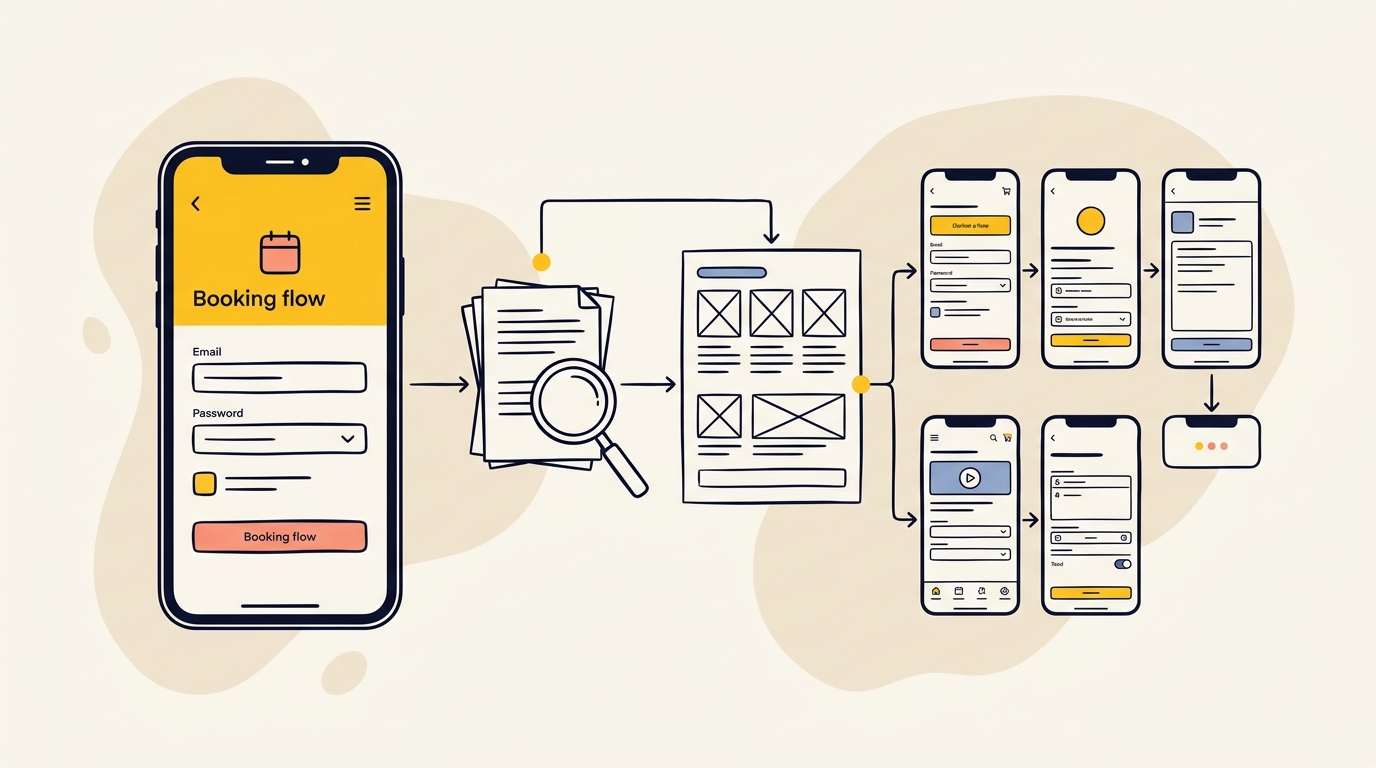
An app design project usually covers four connected types of work: research, flow mapping, interface design and testing with a prototype. Each phase reduces a different risk, from solving the wrong problem to leaving developers to guess how an error state should work. This guide explains what each phase involves, what drives the price and what you should receive before you pay a developer to build.
What does mobile app design cost?
A design-only engagement is not the same as building an app. Design covers the research, product structure, screens, interactions and handoff that tell a development team what to build. It usually does not include writing production code, setting up servers, integrating payment systems or publishing the app in an app store.
Published pricing guides give broad estimates, not a standard price list. The ranges below are indicative USD estimates drawn from SaaSfactor’s mobile app design cost guide and Cleveroad’s app design cost guide. Treat them as a first budgeting conversation, not a quote. The exact scope, location and experience of the design team will change the price.
| App design scope | Typical work | Indicative design-only budget | Indicative timeframe |
|---|---|---|---|
| Focused MVP | One main user journey, a small set of core screens, basic visual system and clickable prototype | US$3,000 to US$15,000 | 3 to 5 weeks |
| Growing business app | Multiple journeys or user roles, payments or notifications, more detailed states, reusable components and testing | US$15,000 to US$60,000 | 6 to 10 weeks |
| Complex or regulated app | Many roles, detailed permissions, integrations, substantial testing and platform-specific requirements | US$60,000 to US$150,000 or more | 10 to 16 weeks or more |
The ranges overlap because the number of screens alone does not tell you how much work an app requires. A ten-screen booking app with one user type may be simpler than a five-screen app with several account types, sensitive information and complex payment rules. A design studio should explain the assumptions behind its estimate: which journeys are included, what will be tested, how many review rounds are planned and what files will be handed over.
The full build budget is a separate question. Clutch’s app development pricing research covers development projects, which include work beyond design. Do not compare a full app development quote with a design-only estimate as though they include the same deliverables. If you are planning the overall project, use DesignFIT’s pricing page as a starting point for understanding how project scope affects investment, then request a brief based on your product.
Why does design cost so much if my app has only ten screens?
A screen is one view in the app. A state is what that view looks like under a particular condition, such as loading, showing results, displaying an error or having no data yet. A screen may need several states, and each one can change what the user sees and what action they can take.
Imagine a simple appointment app. Its booking screen might need to show available times, no available times, a time that has just been taken, a payment error and a confirmed booking. If the designer only draws the happy path, the app looks complete in a presentation but leaves the development team with unanswered product questions.
This is why an app described as ten screens may require many more design artefacts. A useful estimate considers the main journey, user types, screen states, platform behaviour and the exceptions the app must handle. Ask the design team to describe the flows and states included, rather than relying on a screen count by itself.
The same principle applies to complexity. A screen with a list of static information is usually simpler than a dashboard that changes by user role, account status or live data. A familiar pattern, such as a standard tab bar, may take less design effort than a custom gesture that users have to learn. The amount of work depends on what the interface must communicate and respond to, not just how many frames appear in a design file.
The four phases of app design and what each costs
A useful design budget accounts for research, flow and architecture, visual interface design, and prototyping, testing and handoff. The proportions below are planning guides. Some studios combine phases or price by milestone, so look at the outputs and responsibilities rather than expecting every proposal to use the same labels.
1. Product discovery and user research
Discovery is the work of agreeing what the app is for, who it serves and what success should look like before drawing detailed screens. It may include founder and stakeholder interviews, competitor reviews, user research, a review of existing analytics and a clear definition of the first release.
A product assumption is something the team believes about users or the business but has not yet proved. For example, a founder might assume that customers want to create an account before browsing a catalogue. A short research activity or prototype test could reveal that people want to compare options first. Testing the assumption early may change the order of the journey, the information shown on the first screen and the point where registration is requested.
A Jobs to Be Done interview is a way of asking what a person was trying to accomplish and what prompted them to act. It is not just a request for a list of features. If users say they want reminders, the underlying need may be to feel confident they will not miss a booking. That need could be met by clear confirmation and a calendar option rather than a complex notification centre.
Information architecture, often shortened to IA, is the organisation and naming of the content and features in an app. Good IA helps people predict where to find things. If core actions are buried under vague labels, users have to think harder and may abandon the task.
The research brief suggests allowing roughly 15% to 20% of the design budget for this phase, with an indicative cost range of US$1,500 to US$8,000 or more depending on the research and scope. Discovery should leave you with a clear product goal, a prioritised first-release scope, known assumptions and an outline of the core journeys. It should not become a long report that does not affect what gets designed.
2. User flows, wireframes and product structure
A user flow is a map of the steps a person takes to complete a task. A wireframe is a simplified layout that shows the structure and priority of information before the final visual styling is applied. Together, these help the team decide what happens, in what order, and what the interface needs to show at each step.
For a food ordering app, a flow could start with browsing, move through item selection and checkout, then end with confirmation and order tracking. The flow also needs to account for what happens if a product is unavailable, a user changes their mind, payment fails or the connection drops. Those situations are not minor decoration. They are part of how the product works.
A design decision with real commercial consequences is whether to require account creation immediately or let a user explore first. A registration wall is a screen that blocks access until someone signs up. Progressive onboarding means asking for information gradually, at the point where it is useful. For example, an app might let someone browse appointments, then request an email address when they want to save a booking. Which approach is right depends on the product’s business model, privacy needs and user expectations. A designer should help make that decision based on evidence, not assume that either pattern is always best.
Wireframes make it cheaper to discuss these choices while the product structure is still flexible. If users cannot find the main action, the team can change the layout before colours, icons and detailed styling are added. The research brief suggests allocating around 25% to 30% of design spend to flows and wireframes, with indicative costs from US$3,000 to US$15,000 or more. The range grows when there are multiple roles, complicated rules or many exception paths.
3. Visual interface design and design system
Visual interface design turns the agreed structure into the screens people will use. It includes typography, colour, spacing, buttons, icons, imagery and the visual hierarchy that tells someone what matters first. Visual design is not merely a layer of polish. It can make information easier to scan, important actions easier to find and the overall product feel more trustworthy.
A design system is a set of reusable interface rules and components. A component might be a button, form field or navigation bar. Instead of creating a slightly different button on every screen, the designer defines how that button looks and behaves across the app. This creates consistency and gives developers a more reusable specification.
Design tokens are named values for things such as colour, type size and spacing. They make it easier to update a product consistently. If the team changes the main brand colour, a token-based system can help avoid manually editing every individual screen. A design system is especially useful when more features are planned, because the team can build on shared patterns rather than start from scratch each time.
Platform conventions matter too. iOS and Android have familiar navigation patterns and system behaviours. A platform convention is a pattern people already recognise from other apps on that operating system. A designer might use platform-specific back navigation or adapt the placement of key controls, while keeping the brand and overall product experience coherent. Copying a web interface onto a phone without considering touch, navigation and platform expectations can make an app feel awkward.
The research notes suggest around 35% to 40% of a design budget for visual UI and the design system, with indicative costs from US$4,500 to US$25,000 or more. Costs rise when you need multiple themes, complex data views, a large component library, custom illustrations or designs adapted for both iOS and Android. Agree which platforms and screen sizes are included before work begins.
4. Prototype, usability testing and developer handoff
A prototype is an interactive model of an app that lets someone move through a proposed experience without the production software being built. A clickable prototype can test whether users understand the interface, find the next step and complete a task. It cannot prove that the finished app will be technically reliable, but it can expose confusing product decisions before they become code.
Usability testing means observing people from the intended audience as they try to complete realistic tasks. The facilitator should avoid explaining where to tap, because the purpose is to see whether the interface makes sense on its own. If users hesitate at the same point, misunderstand a label or take an unexpected route, the team has evidence to investigate and improve the design.
Nielsen Norman Group’s article on why testing with five users can uncover many usability problems explains the value of small, iterative rounds. It is not a guarantee that five participants will reveal every issue in every product. The result depends on how similar the participants are to the target audience, how different the user groups are and what tasks you test. For a product with distinct roles, one small test group may not be enough to understand each group’s needs.
Handoff is the package of design information the development team uses to build the product. It should include more than a folder of attractive mock-ups. Developers need to understand component behaviour, screen states, spacing, typography, assets and what happens when a user interacts with each element. The research notes suggest around 15% to 20% of the design budget for prototyping, testing and handoff, with indicative costs from US$2,000 to US$12,000 or more.
What makes mobile app design cost go up or down?
The estimate changes with the scope and uncertainty of the product. Before comparing proposals, check whether they include the following.
- Number of journeys: A journey is a complete task, such as booking, paying, inviting a colleague or managing a subscription. More journeys mean more flows, screens and states to define.
- User roles: A role is a type of user with different permissions or needs. A customer, staff member and administrator may see different information and controls.
- Rules and exceptions: A discount, cancellation rule or identity check may create additional decisions and states across the experience.
- Platforms: Designing for iOS and Android may require adapting navigation and system behaviours, not simply duplicating every screen.
- Research access: It takes time to find and speak with suitable participants. Research with existing customers may be simpler than recruiting a specialised audience.
- Testing depth: One round of testing on a single journey differs from multiple rounds across several user groups and task types.
- Visual complexity: Custom illustrations, motion, data visualisations and bespoke components need more design and review than a clear interface built from familiar patterns.
- Regulatory or sensitive data needs: Products dealing with financial, health or personal information need careful decisions about consent, permissions and how information is presented. Design work should be coordinated with appropriate legal, security and technical advice, rather than presented as a substitute for it.
- How settled the product is: A founder with a clear problem, audience and MVP scope can usually make decisions faster than a team still debating the business model.
An MVP, or minimum viable product, is the smallest version of a product that can test an important business or user assumption. It does not mean an unfinished app with missing basic states. A focused MVP may have fewer features, but those features still need to work coherently from start to finish.
Can my full-stack developer design the screens?
A full-stack developer can make design decisions, and some developers have strong product design skills. But software development and user experience design are different disciplines. Development focuses on making the software work within technical constraints. UX design focuses on how people understand and use the product, and how the product’s structure supports their goals.
If you ask a developer to build from a rough feature list, they may have to decide what goes on each screen, how navigation works, what an error says and what users can do when there is no data. Those decisions still have to be made. Leaving them until implementation can make the developer’s work harder and can turn product discussions into expensive changes in the middle of a build.
The answer is not that every founder needs a large design team. For a straightforward app, a designer can help define the main journey, produce a focused prototype, test critical assumptions and document the interface. Your developer should be involved early to flag technical constraints. The best collaboration combines design decisions about user needs with engineering decisions about what is feasible and maintainable.
If a developer offers both design and build, ask to see how they handle research, user flows, testing and design documentation. A polished screen sample is useful, but it does not show how the team thinks about onboarding, error conditions or product behaviour.
Should I design for iOS and Android at the same time?
It depends on who your first users are and what the MVP needs to prove. If your target audience is concentrated on one platform, designing and validating that platform first can keep the initial scope focused. If your customers are split across both, or the business case depends on reaching both groups at launch, you may need to account for both from the start.
Cross-platform design means creating a coherent product experience across operating systems while adapting to each platform’s established patterns. Shared design tokens and reusable components can help keep the brand consistent. Navigation and system interactions may still need to differ so the app feels at home on each device.
Discuss the decision with both your designer and developer. Consider where your target audience is, which devices your product must support, what the build approach can share and whether launching on one platform would invalidate the business test. Do not choose iOS or Android based on a general claim that one is always easier or more valuable. Make the choice from your audience and product requirements.
How to prevent app design budget overruns
Most overruns start with decisions left open, not with the colour palette. A founder may begin with a broad feature wish list, then discover that each item adds another role, flow, integration or exception. A little discipline at the start makes the estimate more meaningful.
- Write the product goal in one sentence. Describe the user, the problem and the outcome the app should help them achieve. This gives the team a way to judge whether a feature belongs in the first release.
- Separate must-haves from later ideas. Make a list of features and mark what is essential to test the product’s main assumption. Keep attractive but non-essential ideas out of the first design scope.
- Name the core user journeys. Describe the tasks users must complete, from start to finish. Include the first successful use, not only sign-up and account settings.
- Agree the platforms and user roles. State which operating systems, device sizes and types of user are included. If the design will be adapted for a second platform later, say so in the proposal.
- Ask for state coverage. Confirm that loading, empty, error, confirmation and other relevant states are included. Ask the studio to flag states that are not part of the agreed scope.
- Use a prototype to test the riskiest journey. Choose the task that would most damage the business if users could not complete it. Test the prototype before signing off every visual detail.
- Limit expensive custom work in version one. Decide whether custom motion, unusual gestures or elaborate visual effects are necessary to test the product. If not, use clear, familiar patterns and revisit them after launch.
- Set review rules. Agree who gives feedback, how many review rounds are included and how scope changes affect the timeline and fee. Conflicting feedback from several stakeholders can create rework.
A design sprint can be a useful short, structured effort to map a challenge, sketch options and test a prototype. It is not a magic way to solve every product question in a fixed number of days. Its value comes from focusing the team on one important uncertainty and putting an idea in front of users before the build.
What should I receive before paying a developer?
A useful handoff gives a developer a clear account of how the product should look and behave. The exact format depends on the design and development tools, but check that the package includes:
- A flow diagram showing the main journeys, decision points and relevant exceptions.
- An interactive prototype for the key tasks that need to be reviewed or tested.
- The agreed screen designs, including the states that are in scope.
- A component library or style system covering interface elements, colour, typography and spacing.
- Exportable assets such as icons and illustrations in the formats the developer needs.
- Notes on interactions, validation rules, navigation and feedback after user actions.
- Clear interface copy for labels, buttons, empty states and errors, or a list of copy still to be supplied.
- A record of open questions and assumptions that the development team must resolve.
- A handoff session or a clear route for asking questions during implementation.
A redline is a visual annotation showing measurements or layout details. It can help communicate a specification, but a collection of redlines is not a substitute for a clear and maintained design file. Ask the development team what information they need and agree on the handoff format together. If the product changes during the build, update the design source of truth rather than letting screens and code quietly diverge.
The design brief should also explain what is not included. For example, product branding, app store screenshots, user research recruitment, animation production or ongoing design support may be separate. A clear boundary makes it easier to compare proposals and avoid assuming a deliverable is included when it is not.
A practical way to choose your design scope
Use your business risk to decide where to invest. If you are unsure whether customers want the product at all, start with discovery and a prototype of the riskiest task. If the core idea is validated but the journey is unclear, invest in flows and usability testing. If the app already has a clear structure but feels inconsistent, a visual system and interface review may be the priority.
| Your situation | Sensible design priority | What not to over-invest in yet |
|---|---|---|
| New product idea with uncertain demand | User research, problem definition and a testable prototype | A complete library of polished screens for unvalidated features |
| Clear MVP, but complex onboarding or checkout | Detailed journey maps, edge cases and usability testing | Custom visual effects that do not help people finish the task |
| Existing app with poor completion or retention | Review analytics and user feedback, then test specific flow changes | Redrawing every screen without identifying the cause |
| Multiple user roles or sensitive workflows | Permission logic, role-based flows, error states and specialist review | Assuming one generic interface will suit every user |
| Product expanding to another platform | Shared design system plus platform-specific interaction decisions | Copying one platform’s navigation unchanged onto the other |
You do not need to commission every possible design artefact before development. You do need enough clarity to make the build a deliberate translation of an agreed product, rather than a series of guesses. Start with the decisions that could most affect whether people understand, trust and complete the app’s main task.
The takeaway for founders
Mobile app design cost is driven by the amount of product uncertainty, the number of journeys and states, the platforms and roles involved, and the depth of testing and handoff. A small screen count does not guarantee a small project, and a polished mock-up is not a complete design specification. Budget for the work that clarifies the product and reduces costly guesswork before development starts.
If you are preparing an app brief, talk to DesignFIT about mobile app design. For a broader view of project investment, review DesignFIT’s pricing information and bring your intended users, core journeys and first-release features into the conversation.
Key takeaway
Budget for the decisions, flows, states and testing your app needs, not just the number of screens in a design file.
Questions people ask
Why does app design cost so much if the app only has ten screens?
A screen may need several states, such as loading, empty, error and confirmation, and those states affect what users can do. The price also reflects research, journeys, testing and developer handoff, not only the count of polished screens.
Can my developer design the app screens?
They can, especially if they have product design experience, but development and UX design solve different problems. If you rely on a developer alone, agree who will decide the user flows, interface behaviour, error states and test plan before the build begins.
Should I design for iOS and Android at the same time?
Choose based on your first users, launch requirements and what your MVP needs to validate. You can keep the visual system consistent across platforms while adapting navigation and system behaviours to each operating system.
What files should I get before a developer starts building?
Ask for an interactive prototype, the agreed screen designs and states, a flow diagram, reusable interface components, assets and notes on interactions and rules. Also agree how open questions and design changes will be handled during development.
How can I stop app design costs from going over budget?
Settle the MVP scope, user roles, platforms and core journeys before detailed UI work starts. Agree review rounds and scope-change rules, then test the riskiest journey with a prototype before expanding the design.