AI Search Robots.txt Rules: Indexing vs Training
A practical guide to letting AI search find your public pages without confusing search access with model training.
On this page
- What does ai search robots.txt mean?
- Search indexing and model training are different jobs
- Which OpenAI crawler does what?
- What robots.txt can and cannot control
- A practical default for many small businesses
- Check these four things before changing your file
- Will blocking training reduce AI search visibility?
- How to tell whether your setup is working
- A safe implementation checklist
- What small business owners should do next
AI search robots.txt rules can let OpenAI’s search crawler access your public pages while asking its separate training crawler not to use them for model training. The key is to configure each crawler separately, then check that your website host or security tools are not blocking search access anyway. If you want to know how your site currently appears in AI search, start with DesignFIT’s free AI search audit.
This guide explains the terms, what the controls do, where the limits are, and how to review your setup without needing to be a developer. OpenAI’s crawler documentation describes distinct agents for search, training and user-requested browsing. The exact names and behaviour can change, so check the current OpenAI crawler documentation before changing your file. The examples below reflect the documentation described in the research dossier, checked in November 2026.
What does ai search robots.txt mean?
An AI search robots.txt rule is an instruction on your website that tells a named automated crawler whether it may request certain public URLs. It is a way to express your preference to crawlers that choose to follow the Robots Exclusion Protocol. It is not a password, a firewall or a guarantee that every bot will obey.
A robots.txt file is a plain text file published at the root of a hostname, such as https://example.com/robots.txt. Search engines and other automated services may check it before requesting pages. A rule can allow or disallow access for a particular crawler, identified by its user-agent name.
A crawler is a program that automatically visits web pages. A user agent is the name the program gives when it requests a page. For example, OpenAI documents OAI-SearchBot and GPTBot as separate crawlers with different purposes. An index is an organised store of information a search service can use to find and present pages. Model training is the process of using data to develop or improve a model’s learned behaviour.
Those activities are related, but they are not the same. A page might be crawled to appear in search results without being used as training data, depending on the provider’s controls and policies. Blocking a training crawler does not automatically block a separate search crawler. That distinction is the reason a blanket “block all AI bots” setting can have an unintended visibility cost.
Search indexing and model training are different jobs
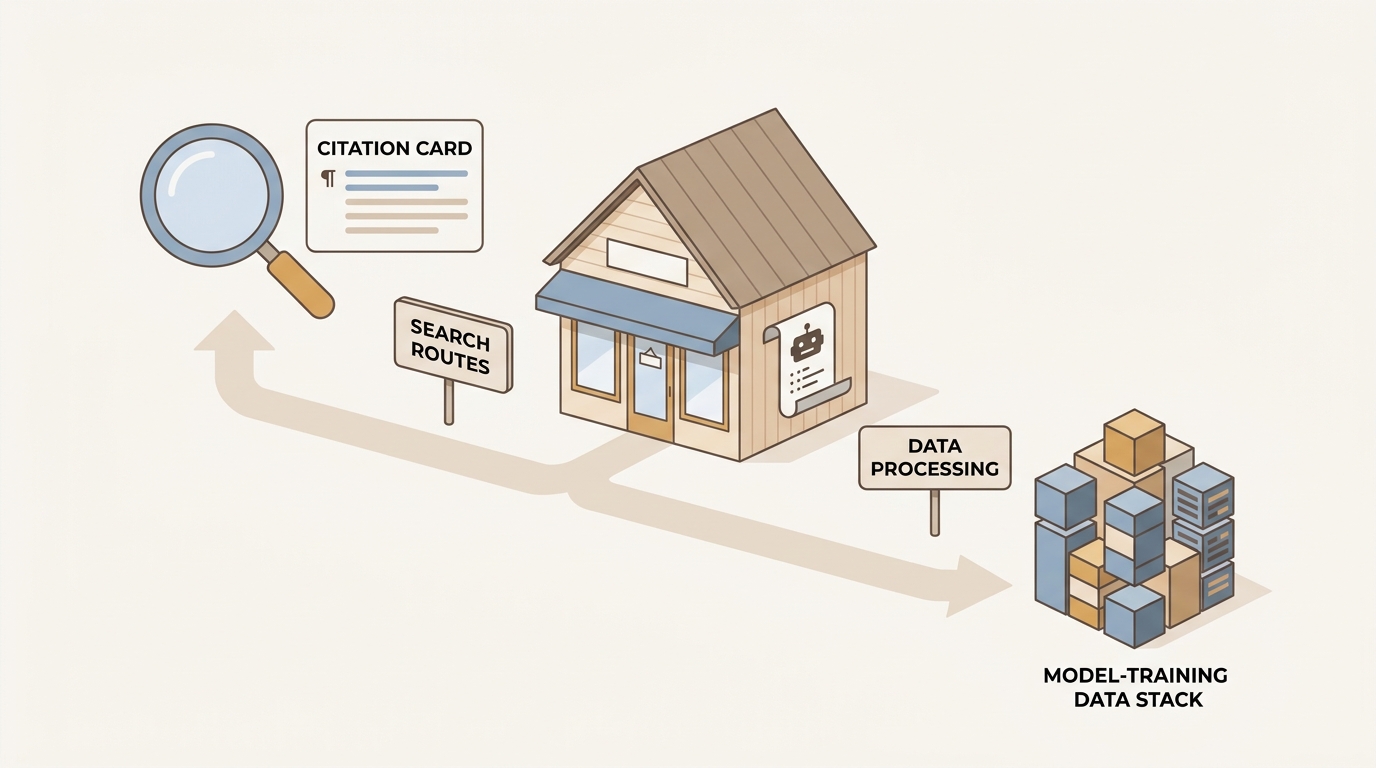
Think of your public website as a library. A search crawler makes a catalogue so a search service can find relevant books and point a reader to them. A training crawler may collect material for a different purpose: developing a model that can generate responses. A crawler may also fetch a page because one person asked an AI assistant to look at that specific page.
These are useful distinctions for a business owner, but they are not a promise about what a provider will do with every URL in every situation. The crawler’s documented purpose and the provider’s policies matter. So do the controls in your own hosting setup. Before making a change, be clear about the outcome you want: search visibility, reduced access for training, less automated traffic, or protection of confidential information. robots.txt can only address some of those goals.
| Activity | What it means | What a site owner may want |
|---|---|---|
| Search crawling | A crawler requests pages so a search service can discover and use them in search experiences. | Allow relevant public pages if you want a chance of being found or cited. |
| Model-training crawling | A crawler requests content for potential use in model training, subject to the provider’s stated policies and controls. | Disallow the relevant crawler if you do not want to permit that access. |
| User-requested browsing | A service fetches a page in response to an individual’s request, such as asking an assistant to inspect a URL. | Understand that this may have different rules from general search crawling. |
| Ad review | A crawler checks a landing page for a service’s advertising requirements. | Usually relevant only if you use that provider’s advertising features. |
For example, OpenAI’s documentation identifies OAI-SearchBot with search and GPTBot with model training. It says the settings are independent: a site owner can allow the search crawler and disallow the training crawler. Read the OpenAI crawler descriptions and controls rather than relying on an old generic list of “AI bots”. An overview from Innflows on training bots versus search crawlers also explains why the distinction matters.
Which OpenAI crawler does what?
OpenAI’s documented crawler names identify different types of access. The names are case-sensitive in the examples below only in the sense that you should copy the official spelling; follow the provider’s current instructions for your actual file.
| User-agent | Documented role in the November 2026 research notes | Practical implication |
|---|---|---|
OAI-SearchBot |
Crawls for ChatGPT search indexing. The notes say it is not used for model training. | Allow it if you want eligible public pages to be considered for ChatGPT search. |
GPTBot |
Crawls for potential use in OpenAI model training. | Disallow it if you do not want to permit this crawler to access your pages for that purpose. |
ChatGPT-User |
Retrieves pages in response to a user-initiated request, such as asking ChatGPT to open a URL. | Treat this separately. OpenAI says robots rules may not apply to user-initiated actions. |
OAI-AdsBot |
Checks ad landing pages for safety and compliance. | Relevant if you submit pages for applicable ChatGPT advertising features. |
The documented distinction answers a common question: if I block GPTBot, will my website vanish from ChatGPT search? Not necessarily. If OAI-SearchBot is allowed and can reach the pages, blocking GPTBot alone should not block that separate search crawler. However, robots rules are only one part of access. A firewall, content delivery network, site error or incorrect rule can still prevent search crawling.
Another common question is why ChatGPT-User appears in server logs after a site owner has disallowed it. It is a different user-agent associated with user-requested fetching. The OpenAI documentation says robots rules may not apply to user-initiated actions. Do not assume that a Disallow rule prevents every possible retrieval of a public URL. For current details, consult OpenAI’s crawler documentation and its guidance for allowing OpenAI web crawlers.
What robots.txt can and cannot control
robots.txt is a public request to compliant crawlers, not an access-control system. Anyone can visit the file, and a crawler can ignore it. It does not hide a URL, stop a person from opening a page, remove a page from other indexes, or secure a private document. If something should not be public, protect it with authentication and appropriate permissions, or remove it from the public website.
A disallowed URL may still be known to a search service through links from elsewhere, even if the crawler cannot fetch its content. The service might show a URL without a useful summary. Do not treat a robots rule as a way to erase a page from search. If you need to remove exposed information, take the content down or restrict access first, then use the relevant search engine’s removal process where appropriate.
A rule also does not promise that a page will be cited. Allowing a crawler only makes access possible. Whether an AI search product uses a page depends on its systems, relevance, content quality and other signals that may not be public. If a provider’s crawler cannot reliably read your service descriptions, prices, location details or expertise, simply allowing it will not fix the page.
Finally, robots.txt controls requests to URLs, not what a model already knows or what users tell an assistant. It cannot reverse prior use of content, control copies hosted elsewhere, or guarantee that every provider treats a disallow signal the same way. Each provider has its own crawler names and policies. For more on how visibility can vary by platform, see DesignFIT’s AI search engine comparison.
A practical default for many small businesses
For a business with public marketing pages, a sensible starting point is often to allow documented search crawlers on pages you want discovered and disallow a separately identified training crawler if you do not want to permit that access. Keep private, transactional and account areas out of search for the right reasons, but do not mistake a robots rule for security.
The following is an illustrative OpenAI-only example, not a complete file to paste into every site. It uses the OpenAI names described in the November 2026 research notes. It does not include controls for other providers. It also assumes your existing site does not have conflicting rules that change the result.
User-agent: OAI-SearchBot
Allow: /

User-agent: GPTBot
Disallow: /

User-agent: *
Allow: /
Disallow: /wp-admin/
Disallow: /cart/
Disallow: /checkout/
Disallow: /account/

Sitemap: https://example.com/sitemap.xml
Replace example.com with your real domain and use the correct sitemap location. Only include paths that actually exist and that you intend to keep out of general crawling. For a Shopify or other hosted store, do not copy WordPress paths such as /wp-admin/. Many platforms manage some robots rules automatically. Review their current documentation before editing a managed file.
The example allows OAI-SearchBot while disallowing GPTBot, and leaves other crawlers to the general rules. If your file already has a global Disallow: /, adding an allow rule in the wrong place or format may not produce the behaviour you expect. The Robots Exclusion Protocol defines how matching groups are interpreted; the most specific user-agent group is relevant to a named crawler, and more specific paths can affect access within a group. Check the RFC 9309 specification for robots.txt when resolving unusual rule conflicts.
Do not add every AI user-agent you find on a forum. First identify the provider, the crawler’s documented purpose and the rule you want. The Fennec SEO guide to OpenAI crawler rules and Anagram’s overview of AI crawlers can help explain the names, but use each provider’s own documentation to verify its current controls.
Allow search on selected pages, not your whole site
If you want AI search access to public service pages but not a proprietary research library, write rules that express that distinction. For example, you could allow the search crawler across the site and disallow one specific directory. Or you could start with a broad disallow and explicitly allow a limited set of paths. The right pattern depends on the rest of your file and how your site structures its URLs.
User-agent: OAI-SearchBot
Allow: /services/
Disallow: /research-vault/
Disallow: /
This sample is deliberately not presented as a universal recipe. Rule ordering and path specificity matter, and a crawler’s implementation matters too. Test the result rather than assuming that a visually tidy file does what you intend. If your research library is genuinely confidential, put it behind access controls. The robots rule is an extra instruction, not the lock on the door.
Check these four things before changing your file
1. Look at the live file on the right hostname
Open https://yourdomain.com/robots.txt in a browser. Check the version on the hostname you care about. example.com, www.example.com, blog.example.com and shop.example.com are distinct hostnames for this purpose. A robots file on one does not automatically apply to the others.
If your site redirects from one hostname to another, inspect both the starting and destination URLs. Also check whether a staging site has a different file. A developer may have disallowed all crawling on a test site and accidentally carried the same rule over to production.
2. Check the complete rule set, not one line
A single correct-looking line may be overridden in practice by another group or a broader rule. Read the whole file. Look for duplicate user-agent groups, wildcard rules, path-specific restrictions and sitemap entries. If your file is generated by a plugin or platform, find out whether a manual edit will survive the next update.
The User-agent: * group applies to crawlers without a more specific matching group. A crawler with its own group should follow the matching instructions according to the protocol and its implementation. In other words, adding an OAI-SearchBot group does not mean you should ignore a conflicting site-wide setup. Compare the file to the RFC’s rules for matching and interpreting groups, or ask your developer to test the exact URLs.
3. Check the firewall and content delivery network
A web application firewall, or WAF, filters requests before they reach your website. A content delivery network, or CDN, can also apply bot controls at the network edge. Those controls operate separately from robots.txt: a request can be blocked before a crawler gets the opportunity to read the file.
If you use a setting labelled “block AI bots”, “block AI scrapers” or similar, check exactly which user-agents it blocks. A broad switch may block a search crawler as well as a training crawler. Ask your host or site administrator whether documented search crawlers are being blocked by a WAF, rate limit or bot-management setting. Do not turn off security controls broadly just to allow one crawler; ask for a narrow, verified exception if needed.
OpenAI publishes IP range information for crawler verification, according to its documentation. This is more relevant to a server administrator than a typical business owner. If a security provider needs to validate a crawler, use the provider’s official verification instructions and current IP data rather than trusting a user-agent string alone. A user-agent can be imitated; the network request needs to be checked properly.
4. Check the page a crawler actually receives
A page can be technically allowed and still be difficult to understand. Important information placed only inside a complex interactive widget may not appear in the version a crawler can read. Some crawlers may not render every client-side script in the same way as a modern browser.
For a service business, make the basics visible in the page’s readable content: what you do, who it is for, where you operate, how a customer contacts you and any important qualifications or limitations. Use clear headings and concise explanations. If pricing or opening hours matter to a buyer, do not hide all the useful detail behind a slider, tab or pop-up that depends on JavaScript to load.
This is a design and content decision as well as a technical one. A clear hierarchy helps people scan a page and makes its core meaning easier to identify. DesignFIT’s guide to website design for AI search covers page structure, answer-first content and readable service information. If your site needs structural changes, see our website design service.
Will blocking training reduce AI search visibility?
Blocking a training crawler and allowing a search crawler can be a reasonable separation of goals, but no robots configuration guarantees a particular search outcome. OpenAI’s documented distinction means that disallowing GPTBot is not, by itself, the same instruction as disallowing OAI-SearchBot. If your goal is search discovery, make sure the search crawler has its own appropriate rule and can access the relevant pages.
There is a trade-off worth understanding. A model that has not used your content in training may not have learned brand details as part of its baseline knowledge. A live search system may still retrieve accessible pages at the time of a question. Put simply, training influences what a model may have learned earlier; search can bring in current web information when that feature is used. The experience depends on the product and whether web retrieval is active.
For most small businesses, a useful practical priority is to make accurate public information easy to find and allow the search crawlers you are comfortable with. That does not mean every business should allow every crawler. A company with valuable proprietary material may reasonably be more restrictive. A clinic, local service or retailer may place more value on discoverability of its public service information. Decide page by page where possible, and protect genuinely sensitive content with access controls.
The important question is not “Should I block AI?” It is “Which crawler do I want to access which public pages, for what documented purpose?” A discussion among digital marketing site owners illustrates the confusion around separate crawlers. Treat forum discussion as a prompt for questions, not as the authority for your configuration.
How to tell whether your setup is working
A good check has two parts: confirm the rule and confirm the result. First, load the live robots file on each hostname and review the relevant groups. Then ask your developer or host to check server logs, firewall events or bot-management reports for requests from the documented crawler. A crawler appearing in a log is not proof it read every page successfully, so inspect response codes and blocked requests too.
A response code is the number a server returns with a request. A 200 response usually indicates a page was delivered; a 403 usually means access was refused; a 404 means the URL was not found. These codes are clues, not a full audit. Redirects, rate limits, rendered content and crawler-specific behaviour can still affect access.
OpenAI’s documentation says robots changes can take approximately 24 hours to propagate through its production search systems, as described in the November 2026 research notes. Do not expect a change to appear in a search answer instantly. After waiting, test a small group of important pages and check whether they are accessible to the intended crawler. If you change a rule and see no difference, investigate the WAF, cache, hostname and page response before adding more directives.
Track outcomes that matter to your business, not just bot visits. Look for referral traffic from AI services in your analytics, branded searches, enquiries, product visits or other meaningful actions. AI referral reporting varies between platforms and analytics setups, so label your observations and avoid treating a short-term change as proof that a robots edit caused a sales result.
A safe implementation checklist
Before you publish a change, work through this list:
- Write down the goal. Are you trying to permit search discovery, limit training access, restrict a particular directory or protect confidential material?
- Name the crawler. Confirm its user-agent and purpose in current documentation from the provider itself.
- Map the pages. List public pages you want crawled and any paths that should not be crawled. Do not include private data in a public site and rely on robots rules to protect it.
- Check every hostname. Review the main site, blog, shop, help centre and relevant subdomains separately.
- Read the entire file. Check for wildcard disallows, duplicate groups and rules added by a CMS, plugin or developer.
- Review network controls. Ask whether the WAF, CDN, host or bot-protection service blocks the search crawler before it reaches your site.
- Check page content. Confirm key information is visible without depending entirely on an interactive component.
- Test after publishing. Verify the live file and ask for a check of requests, response codes and relevant logs.
- Record the change. Note what changed, when, why and who approved it. This makes it easier to diagnose a later drop in access or visibility.
- Review it periodically. Provider names, policies and website paths can change. Recheck after a platform migration, redesign or security-rule update.
If you are not comfortable editing the file, send your web developer the intended outcome in plain language: “Allow OpenAI’s search crawler on our public service pages, but disallow its training crawler. Please check existing robots rules, CDN controls and the live result on every hostname.” That is clearer and safer than asking someone to “block AI bots”.
What small business owners should do next
For a typical small business with a public website, start by checking whether the relevant search crawler is blocked. If you do not want to permit a separate training crawler, use the provider’s documented control for that crawler without assuming it also controls search. Then verify your firewall, host and actual page content. Keep private information protected by real access controls.
Robots.txt is only one part of being visible in AI search. Your pages still need clear, useful information, consistent business details and a structure people and crawlers can understand. The strongest setup is not the one with the most bot directives. It is the one that matches your business goals, protects what should be private and makes the right public information easy to find.
If you want an expert to check your AI search visibility and site structure, take the next step with DesignFIT’s free AI search audit.
Key takeaway
Allow the search crawler and disallow a separate training crawler only when that matches your goals, then verify the live rules, firewall and page content.
Questions people ask
If I block GPTBot, will my website disappear from ChatGPT search?
Not necessarily. OpenAI documents `GPTBot` and `OAI-SearchBot` as separate crawlers, so disallowing the training crawler is not the same instruction as disallowing search. Check that `OAI-SearchBot` is allowed and can reach your pages through your host and firewall.
Does robots.txt stop AI companies from using my content?
No. It is a public instruction for crawlers that choose to follow it, not authentication or a guarantee against copying. Use access controls for confidential content, and check each provider’s current policy and crawler documentation.
Why is ChatGPT-User visiting my site when I disallowed it?
`ChatGPT-User` is documented as a crawler associated with user-initiated requests, such as asking an assistant to open a URL. OpenAI says robots rules may not apply to those actions, so a disallow rule should not be treated as a universal block.
Does robots.txt protect my pricing, images or website content?
No. It tells compliant crawlers whether to request URLs, but it does not hide public pages or protect their contents. Put sensitive information behind authentication, and make important public content readable in the page rather than relying only on complex interactive elements.
How long does a robots.txt change take to affect ChatGPT search?
The OpenAI crawler documentation described in the November 2026 research notes says changes may take approximately 24 hours to propagate through production search systems. Check the current documentation and allow time for the change before testing again.