Website Design for AI Search: Layout and Structure
A practical design guide to making your website’s answers easier for people and AI search systems to find, understand and quote.
On this page
- What website design for AI search can and cannot do
- What you need before changing the page
- How to design a page for AI search, step by step
- How design decisions affect both people and AI search
- A practical pre-publish checklist
- Common mistakes to avoid
- What to prioritise if you have limited time
- Wrap-up: make the answer easy to find and trust
Website design for AI search means organising a page so people and search systems can quickly understand what your business does, who it helps and where to find the answer to a question. Start with clear page purpose, useful headings and direct answers in visible text. These choices can make your content easier to interpret, but no layout guarantees an AI citation. If you are weighing up a wider rebuild, DesignFIT’s website design service can help connect page structure, brand and conversion goals.
This guide shows you what to prepare, then how to shape a page step by step. The focus is not on making your site look plain. It is on using hierarchy, layout, typography and content structure to make a polished page easier to use and easier to understand.
What website design for AI search can and cannot do
AI search tools may generate answers using information from websites and other sources. Their systems differ, and they change. A business cannot dictate whether its page is selected, how information is summarised or whether a source link appears. But it can make its own information clear, accessible and well organised.
That starts with design. A reader should be able to scan a page and understand the service, the audience, the location or market, and the next step. A search system should encounter the same facts in readable page content, with meaningful headings and a logical relationship between sections.
Good design supports both jobs. A descriptive heading improves scanning for a person and provides context for the paragraph beneath it. A comparison table helps a visitor assess options and presents the same information in a structured format. A useful introduction reduces uncertainty before a reader scrolls.
Design is only one part of visibility. The page also needs to be relevant, accurate, crawlable and supported by a credible website and business presence. Search systems can use many signals that a page owner cannot see or control. Treat structure as a sound publishing practice, not a shortcut or citation hack.
What you need before changing the page
Before opening a design tool or asking a developer to rebuild a template, gather the information that should shape the page. This prevents a common problem: polishing a layout before deciding what the page actually needs to say.
1. Choose one main job for the page
Write down the main task this page must perform. Is it explaining a service, helping someone compare options, answering a specific question, or inviting a booking? A page can support related needs, but it should have one clear centre of gravity.
For example, a clinic service page may need to explain the treatment, who it may suit, how to book and what to expect. It should not try to be a complete guide to every treatment the clinic offers. Give each service its own page if the subject needs distinct explanations and evidence.
2. Collect real customer questions
Use the words customers use in calls, enquiries, sales meetings, reviews and support messages. Search suggestions and search result questions can reveal additional wording. Group similar questions rather than creating one section for every small variation.
Useful question groups often include:
- What is this service or product?
- Who is it for, and who is it not for?
- What does it include?
- What does it cost, or what affects the price?
- How long does it take?
- How does it compare with an alternative?
- What happens after I enquire or buy?
- What proof can I check before deciding?
Do not promise an answer your business cannot responsibly give. If the price depends on scope, explain the factors and offer a way to get a tailored estimate. If outcomes vary, say why.
3. Check what the page already does
Review the page on a phone and a desktop. Note whether it receives relevant visits, enquiries, calls or sales. If you have analytics or Search Console data, look at the queries and landing pages that bring people to it. Use those observations to inform the redesign, not as proof that one particular layout caused an outcome.
Also check the page’s current search result, if available. Does the title describe the page? Does the opening make its purpose clear? Are there outdated offers, conflicting contact details or unsupported claims? Fixing those content problems matters as much as changing the visual design.
4. Gather facts, proof and boundaries
Create a short source-of-truth document with your business name, service names, locations, contact details, operating hours, pricing information where appropriate, process, qualifications and relevant proof. Record the source for claims such as certifications, guarantees and performance figures.
This step is especially important when a business has several locations or service variations. Decide which details are shared and which are specific to one location or offer. Consistency helps customers avoid confusion and gives your team a reliable basis for updating the website.
5. Decide how the design will be maintained
A clear page can become unclear again if several people add sections, change offers or publish new claims without a shared pattern. Agree who approves content, who checks facts and who makes technical changes. A small set of reusable page components can preserve consistency without forcing every page into the same shape.
If you are planning a full redesign, use a project brief and a realistic scope. DesignFIT’s website redesign cost guide can help you think through the work involved before you request proposals.
How to design a page for AI search, step by step
Step 1: Give the page a specific subject
Choose a page title and H1 that describe the actual subject in language customers recognise. An H1 is the main on-page heading. It should tell a visitor what the page is about, not act as a cryptic campaign slogan.
A service page for an emergency plumber in a defined area could state the service and service area. A product page could name the product type and its distinguishing feature. A guide could name the decision it helps the reader make. Be accurate: do not add a location, qualification or specialism just to broaden the wording if the business cannot support it.
The page title shown in search results and the H1 can be similar, but they do not need to be identical. Keep both specific and useful. Avoid stuffing a list of near-identical search phrases into either one. A sentence people can understand is better than a string of keywords.
Design decision: Make the main heading visually dominant, but not so oversized that it pushes the useful introduction far down the screen. On mobile, check that the heading wraps into readable lines and does not collide with the navigation or call to action.
Mistake to avoid: Using an attractive but vague H1 such as Our difference, The next level or A better way. Those phrases can work as supporting brand copy, but they do not identify the page’s subject on their own.
Step 2: Put a direct, useful summary near the top
After the H1, explain the page’s main answer in a short opening paragraph. State what the offer is, who it is for and the most important qualification or next step. This is a useful design pattern, not a special AI formula. It helps a busy visitor decide whether to continue.
For instance, instead of opening a website maintenance page with a broad promise about digital peace of mind, explain what the maintenance plan covers, which sites it suits and how a business can request help. Follow with the details, limits and pricing approach on the rest of the page.
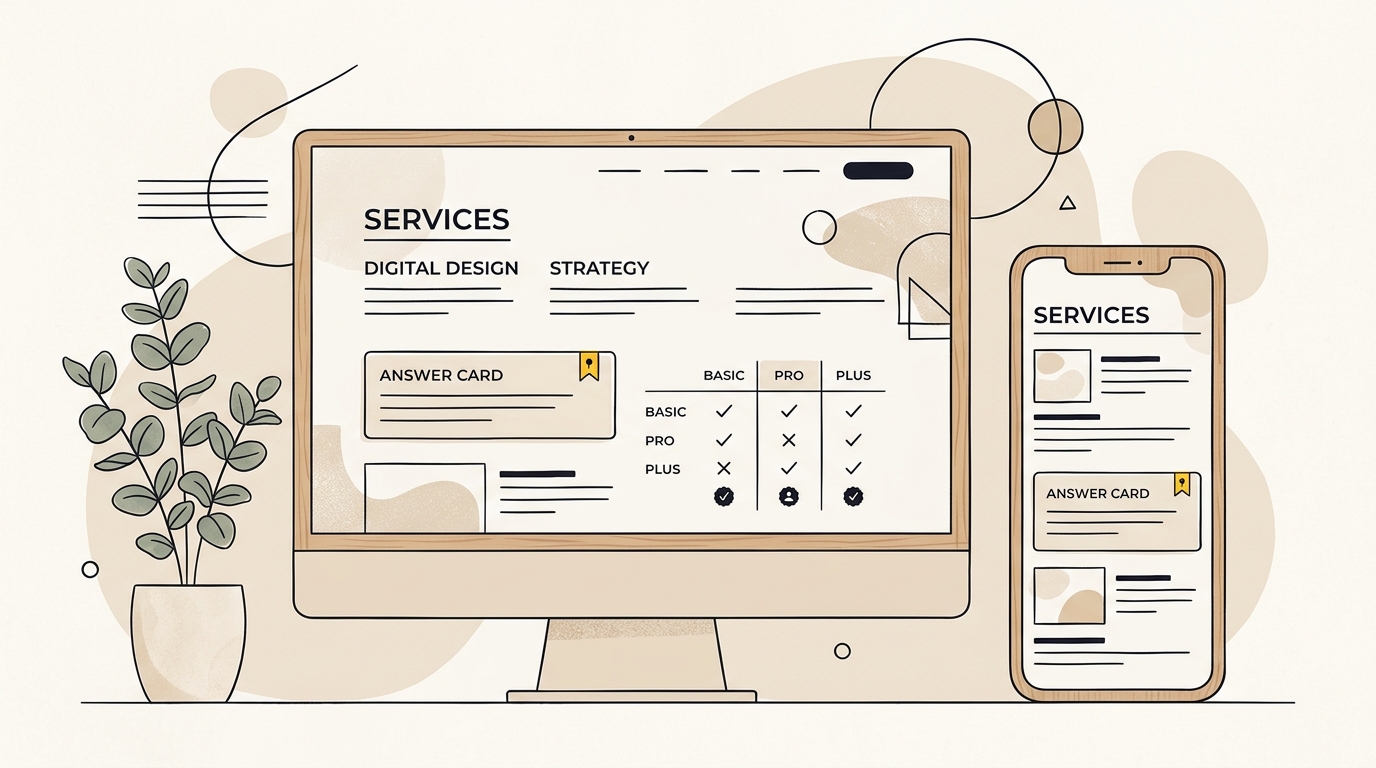
A short summary card can work when it clarifies the offer. Keep its text as real, selectable page text, not an image of text. Make sure the card is readable at small screen sizes and that colour contrast is strong enough for the text to remain legible.
The first screen does not have to contain every fact. It should answer the obvious first question and show a clear route to the next useful detail. A compact headline, summary, one primary action and a relevant image often do more than a full-screen decorative banner that delays the information.
Design decision: Use a visual hierarchy that gives the heading and summary priority, then makes the call to action easy to locate. That reduces the effort required to work out what the page offers.
Mistake to avoid: Treating the first screen as a place for slogans only. Brand personality matters, but pair it with a plain explanation of the offer.
Step 3: Build headings around the questions readers ask
Plan the page as a sequence of clear sections. Use H2 headings for the main topics and H3 headings for relevant subtopics within them. Write headings that describe what follows, such as How the consultation works or What affects the project cost.
There is no need to turn every heading into a question. A statement can be clearer when the answer is a process, a list of inclusions or a key distinction. The important point is that each heading should accurately label its section.
Keep the hierarchy logical. A page usually has one main H1, then H2s, followed by H3s where they add a meaningful level of detail. Do not choose heading tags simply because a particular size looks right. A designer can style a heading to suit the layout without changing its semantic level.
Before writing, create a heading outline and read it on its own. A reader should be able to predict what the page covers from the outline. If several headings say Our approach, Why us or Learn more, replace them with labels that describe the actual content.
Design decision: Use typography, spacing and contrast to make the levels visually distinct. Consistent heading styles help visitors scan and understand where a topic begins and ends.
Mistake to avoid: Making every heading sound like a search query. Repetitive, awkward headings weaken the reading experience and can make a business sound less trustworthy.
Step 4: Make each section understandable on its own
A useful page section introduces one topic, answers it and provides any important context. Begin with the main point. Then add the explanation, supporting details, exceptions and a sensible next action. This is often called an inverted-pyramid approach: lead with what matters most, then add depth.
For a service page, one section might explain what is included. Another can cover the process, timing, price factors and suitability. A visitor should not need to combine a sentence from the introduction, a note in a footer and a hidden tab to understand the basic offer.
Keep paragraphs focused. A paragraph should normally develop one idea, not carry the entire page. Break up long explanations with meaningful subheadings, lists or callouts when those formats make the information easier to use. Do not fragment the page into dozens of tiny blocks that interrupt the flow.
Use terms consistently. If the business calls a service a brand strategy session, do not switch between several made-up names for the same thing. Define specialist terms in plain language the first time they appear. Consistency helps customers and reduces the chance that separate page sections seem to describe different offers.
Design decision: Give content blocks enough space and a clear relationship to their headings. A well-designed grid can organise related information, but the reading order should still make sense when the page is viewed on a narrow screen.
Mistake to avoid: Spreading a single explanation across a carousel, multiple tabs or a visual sequence that requires a visitor to guess where the key detail sits. Interactive elements can be useful, but put essential information in a dependable, accessible format.
Step 5: Choose the right format for comparisons and facts
Use tables when readers need to compare the same attributes across options. A table can make differences in inclusions, service levels, product specifications or steps easier to scan. Give it clear row and column headings, and make sure it remains understandable on mobile.
Use a list for a set of related items or a sequence of steps. Use a callout for a genuinely important qualification or next action. Use a chart only when it explains data better than a short written explanation. Keep essential labels and values as selectable text rather than embedding them in a graphic.
Not every fact belongs in a table. A table that is too wide for a phone or full of long paragraphs becomes difficult to use. On small screens, consider a responsive table pattern or an alternative set of labelled cards, while ensuring the labels remain connected to their values.
When publishing a price, date, comparison or specification, state what it covers and when it applies. If a fee varies, explain the variables instead of presenting a misleading starting figure without context. Link to the source of any third-party claim when one is relevant and trustworthy.
Design decision: Use spacing, alignment and restrained colour to distinguish categories without relying on colour alone. A reader should still understand a comparison in greyscale or with assistive technology.
Mistake to avoid: Uploading an infographic that contains the only version of important details. An image can support the explanation, but it should not replace text that people need to search, select or read with assistive tools.
Step 6: Make the page structure work across devices and assistive tools
Use a responsive layout that adapts to different screen sizes. Check the actual reading order when columns stack on mobile. A page can look orderly on a large monitor but present the call to action before the explanation, or separate labels from their details, on a phone.
Use real text for headings, paragraphs, links and buttons. Give links descriptive names that make sense in context. Buttons should say what happens next, such as Request a consultation, rather than relying on a generic label. Provide meaningful alternative text for informative images and leave decorative images without distracting descriptions.
Keep navigation focused. A menu should help people find the main areas of the site, not list every page. Use consistent names for the same service across navigation, page headings and calls to action. Avoid placing long blocks of unrelated promotional content before the main page content.
Technical implementation also matters. Use semantic HTML elements where appropriate, such as navigation, main content and article regions. Keep important text available in the rendered page, and test that menus, accordions and other interactive components work with a keyboard. Ask a developer to check how the page is rendered and whether essential content depends on scripts that may not run reliably in every context.
These practices are valuable for accessibility and usability in their own right. They can also make the content structure easier for software to interpret. Do not assume that a simpler-looking page source alone will secure visibility or that a particular page builder is automatically a problem. The result depends on implementation and the page itself.
Step 7: Add trust, evidence and clear business identity
People need reasons to trust what a business says. Include relevant proof near the claim it supports: author qualifications, verifiable certifications, an explanation of the process, customer reviews displayed with permission, or a specific example of the work. Use evidence that genuinely applies to the service and audience.
Do not manufacture a statistic or imply that a testimonial proves a typical result. If outcomes depend on factors outside your control, say so. For health, legal, financial and other high-stakes topics, have qualified people review the content and make limitations clear.
Make the business identity easy to verify. Keep the business name and contact details consistent with the way the organisation presents itself elsewhere. A service area, location, opening hours or team credential should be accurate and current. The local business schema checklist can help you review structured business details as a separate part of the work.
Where relevant, show who wrote or reviewed an article and when it was updated. An update date is useful only if the content was actually checked. Remove obsolete offers and revise any statement that no longer reflects the service.
Design decision: Place relevant evidence close to the decision it supports. A review next to a booking action, for example, can help a visitor assess the next step. Keep evidence legible and avoid turning trust signals into a crowded strip of tiny logos.
Mistake to avoid: Treating testimonials, author bios or logos as decoration. Explain who is speaking, what the evidence relates to and whether it is current.
Step 8: Review structured data and technical access
Structured data is information in a standardised format that can help systems identify details about a page or business. It should accurately match what visitors can see. For a local business, relevant markup may describe the organisation and its public details; an article may use appropriate article information. The right implementation depends on the page and current search engine documentation.
Schema is not a substitute for clear content, and adding markup does not guarantee a rich result or an AI citation. Do not add facts that are hidden from visitors or use a schema type simply because a plugin offers it. Check that markup is valid, accurate and kept up to date. For a detailed checklist, see the guide to local business schema markup.
Check that the page can be accessed by the search crawlers you intend to allow. Review robots.txt rules, page-level indexing directives, canonical URLs, internal links and any login or script requirements. A developer can check server responses and rendered output. Avoid changing bot access rules without understanding which products or services may rely on those crawlers.
You may also encounter llms.txt, a proposed plain-text file intended to give language models a concise guide to a website. It is not a replacement for a well-organised site, and its adoption and effect should not be assumed. If you want to assess whether it suits your setup, read whether a business needs an llms.txt file.
Step 9: Check what the page looks and reads like in real use
Do a content and design review before publishing. Ask someone who did not write the page to answer three questions after scanning it: What is offered? Who is it for? What should I do next? If they cannot answer, improve the hierarchy or wording before adding more sections.
Then inspect the page at common phone and desktop widths. Check text size, line length, contrast, spacing, sticky elements, image crops, table behaviour and whether the primary action remains easy to find. Test keyboard navigation and forms. Check that the page still works when images are slow or disabled.
Read the page aloud or use a screen reader for a sample. This often reveals headings that are out of order, links with unclear labels or calls to action that depend on visual context. Check that the accessible name of a control describes its purpose.
Finally, verify each factual statement against your source-of-truth document. Check prices, inclusions, service areas, contact details, dates and qualifications. A polished page with conflicting details can create more doubt than a simple page with accurate information.
Step 10: Measure, learn and maintain
After publishing, measure what the page is meant to do. For a service page, that might include relevant enquiries, completed forms, calls or bookings. For an educational article, useful measures could include qualified visits, engagement with related pages and enquiries that refer to the article. Choose measures that match the business goal rather than focusing on a single traffic number.
Search Console can help identify search queries and indexing issues for a site. Analytics can help show how visitors move through a page, if tracking is configured appropriately and with respect for privacy requirements. AI search monitoring tools may report mentions or citations, but treat their coverage as a sample rather than a complete account of every answer shown to every user. For more on testing tools, see Discovered Labs’ guide to citation tracking in Google AI Overviews.
Check a small set of relevant prompts in the AI tools your customers use. Record the date, wording, location or market, whether your business appears, which page is cited and whether the information is accurate. Results can vary by query and over time. Use observations to find gaps, not to claim a guaranteed ranking position.
Review the page when your service changes, when a key fact becomes outdated or when user and search data point to a real issue. Do not rewrite the whole page every time a tool produces a different answer. Look for a pattern, confirm the underlying facts, and make a change you can explain.
How design decisions affect both people and AI search
| Design decision | What it helps a person do | Why it can help interpretation |
|---|---|---|
| Specific H1 and page title | Recognise the page topic quickly | Makes the subject and scope more explicit |
| Direct introduction | Decide whether the page is relevant | Places the main explanation in visible text |
| Descriptive headings | Scan and return to a section | Connects each section with a clear topic |
| Focused paragraphs and lists | Read details without losing the thread | Keeps related facts together |
| Semantic tables | Compare options and specifications | Preserves relationships between labels and values |
| Accessible, responsive layout | Use the page on different devices and with assistive tools | Keeps information available beyond one visual presentation |
| Accurate business details and proof | Check whether the offer is credible | Clarifies who is making the claim and what supports it |
These are practical design principles, not a formula for ranking. For broader context on AI search and citations, you can read the reporting from Search Engine Journal on changes in the relationship between organic rankings and AI Overview citations, Ahrefs’ analysis of AI Overview citations, and Blue Tree’s guide on how Google AI Overviews choose sources. The findings in any study depend on the dates, queries and methods examined, so do not treat a single result as a universal rule for your website.
A practical pre-publish checklist
Use this checklist before a new page goes live or an existing page is redesigned:
- The page has one clear purpose and a defined audience.
- The H1 accurately describes the page, offer or topic.
- The introduction gives a direct explanation without burying the main point.
- Headings describe the content beneath them and follow a logical hierarchy.
- Each section contains the context needed to understand its main answer.
- Prices, timelines, inclusions and limitations are accurate and explained.
- Tables, lists and callouts make information clearer rather than more decorative.
- Important text is actual page text, not only embedded in an image.
- The page works on mobile, with a keyboard and with assistive technology.
- Business details, author information and proof are accurate and current.
- Structured data, if used, matches the visible content.
- Indexing settings, internal links and technical rendering have been checked.
- A clear next step is visible and works as expected.
- There is a plan to review the page when the offer or facts change.
Common mistakes to avoid
Designing for a bot instead of a customer
AI visibility is not a reason to remove character, imagery or brand identity. A distinctive visual system can make a business memorable and help people trust what they see. The problem is not beauty. It is when styling obscures meaning, makes text hard to read or forces visitors through decoration before they reach the useful information.
Keep the brand, but make the page purpose clear. Use photography that supports the offer. Use animation only when it improves understanding or interaction. Ensure motion does not prevent people from reading or using the page.
Adding question headings without giving satisfying answers
A page full of question headings can still be unhelpful if the answer is vague, incomplete or irrelevant. Answer the question directly, then give the qualifications and practical detail. If the honest answer is that a decision depends on the customer’s situation, explain which details matter and how to assess them.
Hiding key content in an interaction
Tabs and accordions can make long pages easier to scan when they are implemented accessibly. But placing the only explanation of a service, price or important limitation inside an interaction creates risk for visitors who miss it and for systems that do not process the content as expected. Keep essential information in a clear, accessible page structure and test the rendered result.
Treating schema or llms.txt as a replacement for page quality
Markup can describe content, but it cannot rescue a confusing page or make an inaccurate claim trustworthy. A text file cannot replace clear service pages, useful internal links and consistent business information. Fix the information architecture first, then consider technical additions that have a clear purpose.
Publishing unsupported facts to sound authoritative
A statistic without a traceable source, an invented case study or an unqualified promise can damage trust. Keep a record of sources and update dates for meaningful claims. If the evidence is uncertain or comes from a limited sample, state that rather than presenting it as a rule.
What to prioritise if you have limited time
You do not need to redesign every page at once. Start with pages that matter most to a business decision: core service pages, important product pages, location pages and high-value guides. Pick one, review the questions customers ask, and make the opening, headings and next step clearer.
Then check the page on mobile and verify the facts. Fix obvious accessibility and technical barriers. Only after that should you spend time on optional elements such as a new illustration system, elaborate animation or a special AI file. This order keeps the work tied to customer needs and business outcomes.
If a page performs poorly, diagnose the likely issue before changing it. Low-quality enquiries may point to unclear suitability or pricing context. Visitors who leave without scrolling may not see a clear reason to stay. A page that gets impressions but few relevant clicks may have a mismatch between its title and the page promise. These clues can guide a test, but they are not proof on their own. Combine measurement with customer feedback and a careful review of the page.
Wrap-up: make the answer easy to find and trust
Website design for AI search is not a separate visual style. It is the practice of making a page clear, accessible, accurate and useful, with a layout that helps readers understand the offer and move forward. Start with one page purpose, put a direct explanation near the top, organise the details with descriptive headings, and use the right format for each kind of information.
Then check the page as a real visitor would. Confirm the facts, test mobile and accessibility, and measure the action the page is meant to support. These steps cannot guarantee that an AI assistant will cite your website, but they give people and software a clearer page to interpret.
If you want to find where your site’s information is unclear or difficult to discover in AI answers, take the next step with DesignFIT’s free AI search audit.
Key takeaway
Make each page’s purpose, answer and supporting evidence clear to people first, then make sure the structure is accessible and easy to interpret.
Questions people ask
Does a visually beautiful website hurt AI search visibility?
No, good visual design does not inherently hurt visibility. The issue is when decoration, inaccessible interactions or unclear hierarchy make the important information difficult to read or interpret.
Should every page have question-based headings for AI search?
No. Use headings that accurately label the section, whether they are questions or clear statements. Direct answers and a logical heading hierarchy matter more than turning every heading into a search query.
Does adding schema guarantee an AI citation?
No. Structured data can describe information on a page, but it does not guarantee a citation or ranking. Keep it accurate, aligned with visible content and secondary to creating a useful page.
Do I need an llms.txt file to appear in AI search?
An llms.txt file is not a replacement for a clear, accessible website, and its effect should not be assumed. Prioritise accurate page content, sensible structure, crawlability and consistent business details first.
Can I improve AI search visibility without rebuilding my whole website?
Often, you can start by improving the most important pages: clarify the introduction, headings, facts, proof and next step, then check mobile and accessibility. A rebuild may be useful when the site’s structure or technical implementation prevents those improvements.