DTC Packaging Design: From Dieline to Unboxing
A practical guide to packaging decisions that protect your product, manage shipping and make the moment of opening feel like your brand.
On this page
- What is DTC packaging design?
- Start with the job the packaging needs to do
- What is a packaging dieline?
- Choosing the right structure and material
- Designing artwork for production
- Plan the unboxing as a customer journey
- Packaging dimensions can affect shipping costs
- How much does custom DTC packaging cost?
- Common mistakes that make packaging harder to produce
- A practical checklist before you approve packaging
- A simple process for developing DTC packaging
- When should you work with a packaging designer?
- Make the package work from first glance to first use
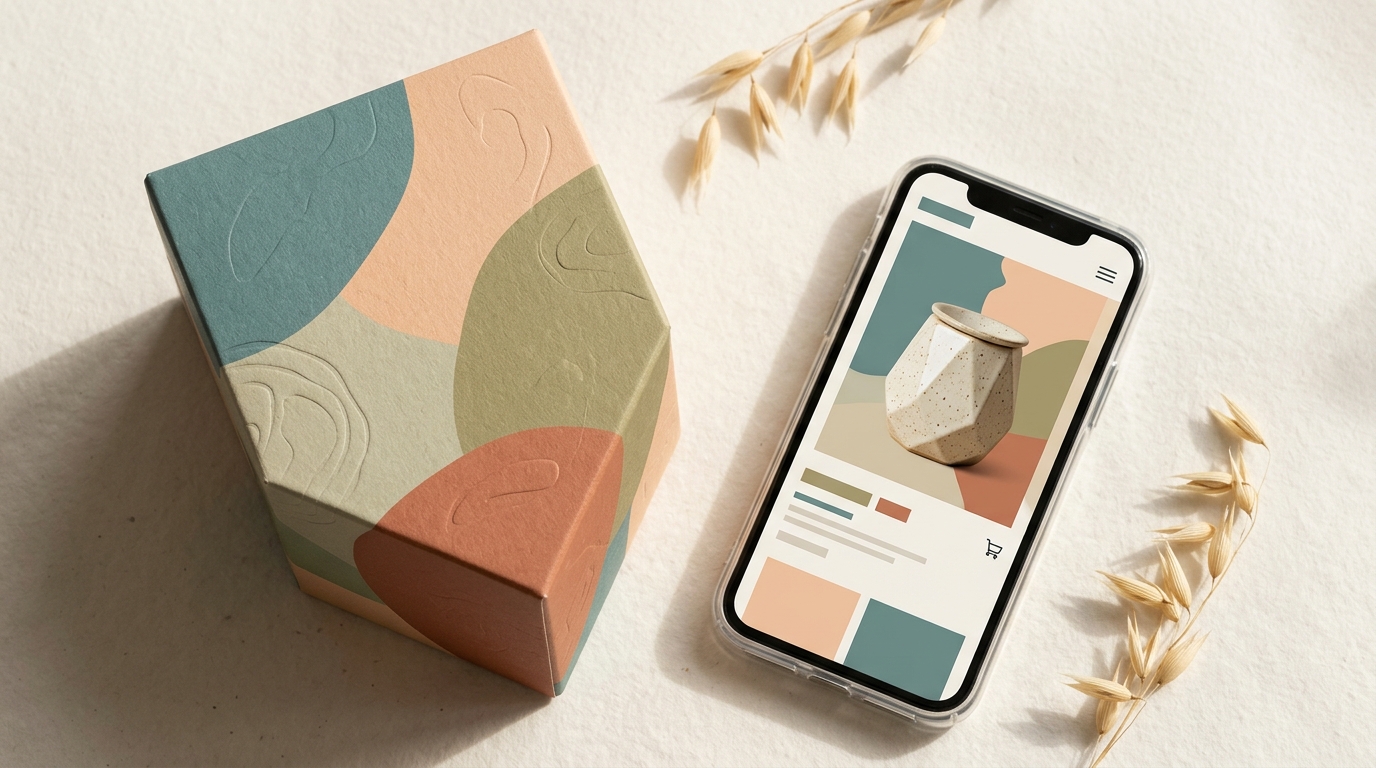
DTC packaging design is the work of shaping a product’s packaging for direct-to-consumer sales, from its structure and printed artwork to the way a customer opens it at home. Good design has to do more than look polished: it should protect the product, fit the way you ship and make the brand feel consistent from delivery to first use. If you are planning a packaging project, DesignFIT’s packaging design service can help connect those decisions into one system.
This guide starts with the basics, then walks through dielines, materials, print preparation and the unboxing sequence. The aim is to help you make better choices with your supplier, not to replace their technical specifications. Packaging requirements vary by product, printer, board and shipping route, so confirm the final structure and artwork with the people who will manufacture and ship it.
What is DTC packaging design?
DTC packaging design is the design of packaging for products sold directly by a brand to customers, usually through an online store. It includes the box or mailer, product packaging inside it, protective components, printed information and the sequence a customer experiences when opening the order.
DTC stands for direct to consumer. Instead of selling only through a retailer, the brand sells directly through a channel such as its own website. That changes the packaging job. The parcel has to survive a delivery network, represent the brand without a shop shelf around it, and help a customer understand and use what they have bought.
Think of the system in three layers:
- Shipping packaging: The outer parcel or mailer that protects the order in transit.
- Product packaging: The container or carton that holds and presents the product.
- Experience details: Inserts, tissue, labels and instructions that help the customer open, understand or use the order.
Not every brand needs three separate layers. A garment might ship in one mailer. A set of glass skincare bottles may need an outer box, a printed carton around each item and a fitted insert. The right system depends on the product, fragility, order size, fulfilment method and brand promise.
Packaging is also a brand touchpoint customers physically handle. In an Ipsos and Paper and Packaging Board survey, 72% of respondents said packaging design can influence their purchase decisions, and 67% said packaging materials can influence their choice. Those figures are from a US survey published in 2018, so treat them as a useful indication of packaging’s role, not a current forecast for every market or product category. Read the Ipsos survey results.
The design question is not simply, “How do we make this box look premium?” It is, “What must this package do, and which design choices make that easier?”
Start with the job the packaging needs to do
Before choosing colours or finishes, write down the functional requirements. A useful brief describes the product, its journey and the experience you want to create.
Start with these questions:
- What are the product’s dimensions and weight, including any parts that can move or break?
- Does it need protection from impact, moisture, light, heat or leakage?
- Is it shipped alone, with other products or as part of a subscription or gift set?
- Will a fulfilment team pack each order by hand, or will it run through an automated process?
- Does the package need to be easy to open, reseal, store or recycle?
- What information must appear on the pack for legal, product or safe-use reasons?
- Which parts should feel branded, and which should stay quiet or practical?
These answers influence structure and graphics. For example, a bottle that must remain upright may need a snug insert, not just extra loose fill. A product sold in several combinations may need a flexible outer carton with a consistent internal arrangement. A frequently reordered item may benefit more from efficient, repeatable packing than a complex reveal that adds time to every order.
Separate must-haves from nice-to-haves. Product protection, required information and a reliable closure are must-haves. A foil logo, printed tissue or special opening strip may be useful, but only if it supports the customer experience and fits the production budget.
A brand system should also guide packaging choices. If your logo, colour palette and typography are still changing, settle the essentials before sending final artwork to a printer. DesignFIT’s brand design service can help create a consistent visual foundation for packaging and other customer touchpoints. Documenting those standards in practical brand guidelines keeps suppliers aligned as your product range expands.
What is a packaging dieline?
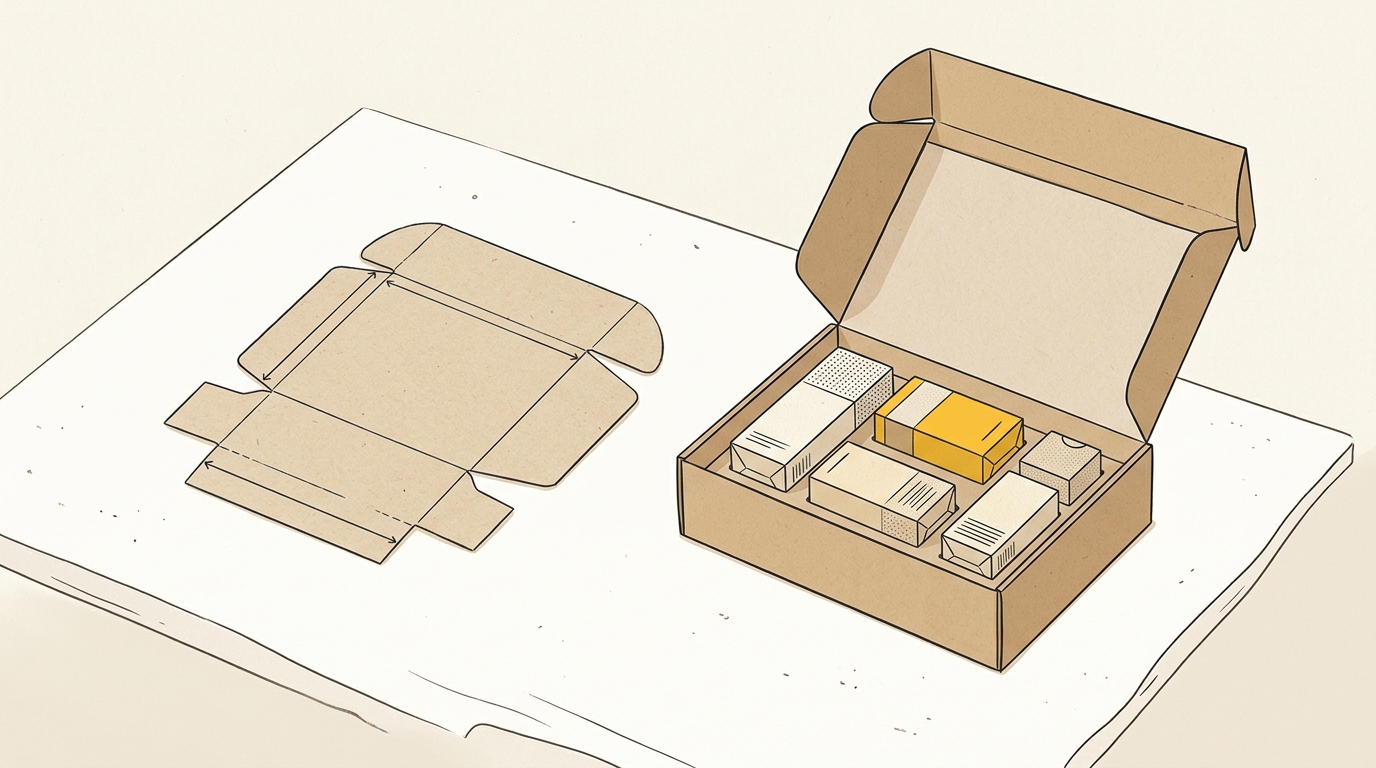
A packaging dieline is a flat technical drawing that shows where packaging material is cut, folded and glued so it can be made into a three-dimensional package. The printed design is placed on this template, with artwork positioned to match the finished box or carton.
A dieline is not just a drawing of a box. It is the bridge between a structural design and a printable, manufacturable item. It needs to reflect the material, its thickness, the product’s fit and the supplier’s production method. A template that looks right on screen can still fail if panels, folds or glue areas have not been allowed for.
Common dieline elements include:
| Element | What it means | Why it matters |
|---|---|---|
| Cut line | The path where the material will be cut. | Defines the edges and flaps of the flat package. |
| Crease or fold line | A compressed line that helps the board fold in a controlled place. | Keeps folds neat and makes assembly more reliable. |
| Bleed | Artwork extending past the final cut edge. | Helps prevent an unprinted sliver showing if the cut shifts slightly. |
| Safe area | A margin inside cut and fold lines. | Keeps important text and logos away from edges and folds. |
| Glue area | The section intended for adhesive. | May need to be kept clear of inks or finishes, depending on the supplier’s process. |
The printer or packaging manufacturer should provide the approved dieline and explain its line conventions. Do not assume that every supplier uses the same spot colours, layer names or bleed settings. A practical introduction to the parts of a dieline is available in Die Cut Templates’ dieline guide.
How does the dieline become a box?
The manufacturer starts with a flat sheet or roll of packaging material. The dieline indicates where to cut and crease it. The material is printed, cut, folded and, where needed, glued to form the package. A structural sample lets you test how that shape behaves before a larger order is produced.
For a brand, the important point is that the flat layout and the finished package are different views of the same design. Artwork that looks upright on the dieline might be upside down when the lid opens. A logo may cross a fold, land on a seam or disappear beneath a flap. Always check the opened and assembled package, not just the flat file.
A plain paper mock-up is useful for checking panel order, opening direction and basic fit. It does not prove that production board will fold or protect the product correctly. For that, request a sample made from the intended material and review it with your packaging supplier.
Choosing the right structure and material
The structure is the shape and construction of the package. The material is what that structure is made from. You need to choose them together: the same box shape behaves differently in thin paperboard, corrugated board or rigid board.
| Option | Common role | Design strengths | Trade-offs to consider |
|---|---|---|---|
| Corrugated mailer | Outer shipping box for DTC orders. | Can provide a structured parcel and offer room for a branded interior. | Board thickness, flute type, dimensions and print method affect the finished look and protection. |
| Folding carton | Product box inside a shipper, or for products sold in retail settings. | Smooth surfaces can support detailed printed artwork and finishes. | A carton alone may not provide enough protection for delivery. |
| Rigid box | Presentation packaging for higher-value or giftable products. | Holds its shape and can create a substantial, keepsake-like feel. | Can use more material and storage space; check weight, packing time and shipping implications. |
| Paper or moulded-pulp insert | Holds products in place inside a package. | Can organise a set and reduce movement when properly engineered. | Needs to be tested with the actual product and shipping conditions. |
| Tissue, labels and cards | Secondary details inside a package. | Adds brand cues, information or a simple opening ritual. | Adds components and handling steps, so check that each piece earns its place. |
These are broad categories, not a specification. Ask your manufacturer which board grades and constructions are suitable for your product and route to market. Terms such as “E-flute” or “B-flute” refer to corrugated board profiles, but the precise performance and appearance depend on the supplier’s material and construction. Do not select a flute or board thickness from a generic chart alone.
Corrugated mailer or folding carton?
A corrugated mailer is often considered when the package itself must travel through a parcel network. A folding carton is commonly used to present or contain a product inside a more protective outer shipper. Some products need both; others can use a single well-designed package.
A useful example is a skincare set with three glass bottles. The outer shipper takes the knocks of delivery. A fitted insert keeps bottles separated and oriented. Individual cartons may add product information or shelf presentation, but they may not be necessary if the bottles and labels already do that job.
For a lightweight apparel order, a rigid box and a complex insert could add expense without solving a real problem. A well-sized mailer and a simple branded detail might be a better fit. Design is not about adding layers. It is about choosing the fewest layers that meet the job and still feel considered.
What should you consider with sustainable materials?
Start with the package’s actual job: protect the product, use material thoughtfully and fit your customer’s disposal options. A material claim does not make a package sustainable by itself. The overall picture depends on what the material is, how much is used, how it is sourced, how the package is made and what happens after use.
The McKinsey survey on sustainable packaging reports research across consumers in 11 countries and explores differences in packaging preferences and sustainability perceptions. It is useful context, but it does not mean one material is automatically preferred by every customer or suitable for every product. Read McKinsey’s research on consumer views of sustainable packaging.
Ask suppliers specific questions: what is the material made from, what claims can they substantiate, and how should customers dispose of it in the markets you serve? Avoid vague front-of-pack claims unless you can support them. Also test protection. A package that uses less material but lets products break in transit can create waste, replacement work and a poor customer experience.
Designing artwork for production
Packaging artwork has to work on a three-dimensional object and survive a print and finishing process. Begin with the supplier’s current dieline and production instructions. Confirm which software and file formats they accept, how they want cut and crease paths supplied, and whether the artwork needs special colour or finish separations.
Here are the checks to make before final artwork approval:
- Colour mode: Confirm whether the job will use process colour, spot colours or a combination. A screen colour is not a guarantee of the printed result, particularly on uncoated or coloured stock.
- Bleed and safe areas: Use the measurements provided by the printer. Keep small text and critical information clear of cuts, folds and glue seams.
- Panel orientation: Label the lid, base, front, back and sides on a working proof. Check the assembled package to catch rotated or hidden artwork.
- Text and symbols: Check legibility at actual size. Fine type, small icons and low-contrast text can become hard to read on textured or uncoated material.
- Barcodes and required information: Confirm size, placement and any category-specific rules with the relevant experts and supplier. Do not treat packaging design advice as legal approval.
- Finishes and coatings: Make sure each effect is technically available on the chosen stock and will not interfere with folds, gluing or readability.
- Proofing: Review a production-relevant sample or proof, not only a digital screen preview.
For instance, a pale beige background designed on a bright monitor may print differently on natural kraft board. A small white logo may not be printable as expected on an uncoated brown surface without a specific print approach. The designer and printer should resolve those questions before the full run, not after the boxes arrive.
A Canva file or a flattened image may be enough to communicate a visual idea, but it may not contain the technical information a manufacturer needs. That does not mean one tool is always wrong. It means the production file needs to meet the supplier’s requirements for vector paths, colour handling and separation. Ask the supplier before you commit to a workflow. An artwork file should be treated as production-ready only after they confirm it is suitable.
Plan the unboxing as a customer journey
Unboxing experience design is the planning of how a customer discovers, opens and uses a product after delivery. It is a small physical journey, with each step creating an opportunity to clarify, reassure or delight.
A practical sequence has five moments:
- Arrival: What does the parcel look like when it reaches the customer?
- Opening: Can they open it easily without damaging the product or needing an awkward tool?
- Reveal: What do they see first when the lid or seal is lifted?
- Presentation: Is the product secure, correctly oriented and easy to remove?
- Next step: What should the customer understand or do after seeing the product?
Arrival: decide how visible the brand should be
A printed exterior can make a parcel recognisable and communicate the brand before it is opened. A quiet exterior with more expressive artwork inside can make the surprise more private. Neither approach is right for every business. Consider your product, customers, delivery context and the cost difference between print options.
A plain outer box is not automatically safer from theft, and visible branding is not automatically a problem. If discretion matters for your category or customer, ask whether a neutral shipper is more appropriate. If your packaging is part of a gift or a premium first impression, a visible mark may be worth keeping. Make the choice deliberately rather than assuming that every parcel should be covered in brand graphics.
Opening: remove unnecessary effort
The opening action should be clear and comfortable. A self-locking construction, a tear strip or a simple seal can reduce the need for scissors, depending on the package and supplier. Test the closure with someone who has not seen the design. If they cannot tell where to start, the package needs clearer cues.
Do not add a pull strip simply because it sounds convenient. Check that it works with your product’s weight and the way the box closes, and that it does not compromise protection. A package should arrive intact and open cleanly, not trade one problem for another.
Reveal: manage what appears first
The first view can establish order and make the package feel considered. A simple brand message, a neat tissue wrap or a clearly visible product can all work. The right choice depends on what the customer bought and what information they need first.
Imagine a customer opening a three-item skincare set. If the instruction card sits on top and tells them which product to use first, it helps them get started. If the card is buried underneath loose filler, the design has missed a useful moment. The layout should support the customer’s next action, not just decorate the interior.
Presentation: secure and orient the product
An insert is a shaped component that holds products in place. It might be made from folded board, corrugated material or moulded pulp. Its job is to prevent unwanted movement and present the items in a deliberate arrangement.
Test the product in the insert in the same orientation it will be packed and shipped. Check that the team can pack it quickly, that the customer can remove it without a struggle, and that the product does not rattle or tip when the box is moved. If the product is fragile, ask the supplier how they will validate protection. A beautiful arrangement is not useful if the product arrives damaged.
Activation: give one useful next step
An insert card can explain setup, care, registration or replenishment. A QR code can link to instructions, but make sure the destination works on a phone and is likely to remain available. A card can also invite a review or a social post, but avoid filling it with several competing requests.
Choose the action that helps the customer most at that point. A device may need a quick-start guide. A refill product may need clear care or reorder information. A gift may benefit from a short note. One clear instruction is usually easier to act on than a card crowded with a discount, a social prompt, a warranty pitch and a newsletter sign-up.
Packaging dimensions can affect shipping costs
Dimensional weight is a shipping calculation that uses a parcel’s size as well as its actual weight. A carrier may charge using whichever measure applies under its service rules. That means a large, light parcel can cost more to ship than its scale weight suggests.
The general idea is to calculate the parcel’s volume and divide it by a carrier-specific divisor. The formula, divisor, rounding and services covered vary by carrier, destination and account. For US services, FedEx explains dimensional weight and how it can affect shipping charges. You can model how volume impacts costs across major couriers using a dimensional weight cost calculator. Check the current rules with the carrier or fulfilment provider you actually use before estimating a saving.
The design implication is straightforward: avoid shipping empty space when you can do so without compromising protection. Measure the packed parcel, not just the product. Include the insert, closure and any clearance needed for the goods to fit. Then ask your fulfilment provider to compare likely parcel sizes against the services and destinations you use.
Do not shrink a box based only on a sketch or a product’s bare dimensions. Packaging materials have thickness, products can have awkward shapes, and the packing process needs room to work. The smallest possible box may be difficult to assemble or may damage the item. The useful target is the smallest practical package that protects the product and can be packed reliably.
This is where structural design can influence operating costs. A millimetre of change may not matter for every carrier or parcel, but a different box size can move an order into a different pricing bracket. Ask your carrier or fulfilment partner to model the actual dimensions and weight before treating a package change as a saving.
How much does custom DTC packaging cost?
There is no reliable universal price for custom DTC packaging. The quote depends on the dimensions, material, print method, finishes, order quantity, tooling, shipping to your warehouse and the supplier’s production setup. A small digital-print order and a high-volume production run are not directly comparable.
Ask suppliers to separate the quote into clear parts:
- Unit cost at more than one order quantity.
- Any setup, cutting die or plate charges.
- Sample or prototype costs.
- Print, coating and finishing options.
- Freight, delivery timing and any storage fees.
- Minimum order quantity and the cost of reordering.
Then calculate the cost per packed order, not just the cost per box. Add the insert, tissue, card, label, protective material and packing labour. If packaging changes parcel size, include the shipping effect using your real carrier rules. A cheaper box can be a more expensive system if it takes longer to pack or needs extra protective material.
Request samples before placing a significant order. A physical sample can reveal a fit issue, a confusing opening, poor colour reproduction or a finish that does not match your expectations. Confirm what the sample represents: a structural mock-up may not use the final board or print method. Ask what will be different in production and get approval on the relevant proof.
Before choosing a supplier, compare like with like. Use the same dimensions, material assumptions, print coverage, order quantity and delivery destination. Ask how changes to the dieline or print artwork could affect cost and timing. You can also view our studio pricing to understand design investment alongside manufacturing budgets. Keep a record of the approved specification so a reorder does not rely on someone remembering which version was signed off.
Common mistakes that make packaging harder to produce
Designing before confirming the structure
A designer may create a striking graphic before the box shape, board and fold positions are settled. Later, the supplier changes the structure and the artwork no longer lines up. Start with the product and the packaging manufacturer’s structural direction, then build artwork around the approved dieline.
Treating a flat proof as the finished experience
Flat artwork cannot show every issue with assembly, orientation or opening. Make a folded mock-up, check the inside and outside, and place the real product in it. For complex or fragile products, involve the manufacturer or fulfilment partner in testing.
Adding decorative layers without a job
Tissue, stickers and printed cards can add a sense of care, but each part also uses material, adds a packing step and can complicate recycling. Give every component a purpose: protection, product information, brand recognition or a useful next action. Remove it if it does none of those well.
Choosing a finish before checking the substrate
A finish that looks good in a digital mock-up may not be available or suitable on the chosen material. Ask the printer about the result, cost and placement. Review a sample under ordinary lighting and handle it as a customer would.
Leaving fulfilment out of the design process
A pack that is difficult to assemble can slow orders and create inconsistent results. Invite the person or team who packs orders to test the process. Watch them pack several products, not just one sample, and note where they hesitate, need extra tape or struggle to position an insert.
Assuming environmental claims are self-explanatory
Words such as recyclable, compostable or recycled need context and evidence. Requirements can differ between locations and waste systems. Confirm the wording with a qualified source and the supplier, and make disposal guidance clear for the markets where you sell.
A practical checklist before you approve packaging
Use this list with your designer, printer and fulfilment partner:
- Have we defined the product’s protection and information requirements?
- Does the structure fit the real product, including components and variation between items?
- Have we checked the assembled mock-up from the customer’s point of view?
- Is the first thing the customer sees the most useful or reassuring thing?
- Can the package be opened and the product removed without unnecessary effort?
- Can the fulfilment team pack it consistently with the materials provided?
- Have we checked the parcel’s final dimensions and weight with our carrier or provider?
- Does the artwork follow the supplier’s current dieline and file requirements?
- Have colour, small text, folds, glue areas and finishes been reviewed on a relevant proof?
- Do we know the complete packed-order cost and reorder terms?
- Can we support every material or sustainability claim on the pack?
- Is there one clear next step for a customer who needs help or instructions?
A simple process for developing DTC packaging
A well-managed project can follow six stages. The exact schedule depends on product complexity, supplier response times, sampling and production capacity, so agree dates with your manufacturer rather than relying on a generic timeline.
- Brief: Define the product, audience, shipping needs, constraints and customer experience.
- Structure: Work with the supplier to choose an appropriate construction and obtain a dieline.
- Concept: Explore visual direction, information hierarchy and the unboxing sequence.
- Prototype: Make a physical sample and test fit, opening, protection and packing.
- Artwork and proof: Prepare production artwork to the supplier’s specifications and review the proof carefully.
- Production review: Confirm the final approved files, sample, quantity, delivery details and reorder reference.
Keep one owner responsible for collecting feedback and signing off changes. Late edits can affect the dieline, proofing or production schedule. If someone changes a logo, product name or required information after approval, make sure the supplier knows which file is final and which version is obsolete.
When should you work with a packaging designer?
A packaging designer can help when the product needs a custom structure, the current pack is difficult to use, several products need a consistent system, or the packaging no longer reflects the brand. A designer can also help translate a brand identity into a hierarchy that works across a box, label, insert and product carton.
The designer should work with your manufacturer, not in isolation from them. Your supplier understands production constraints and can confirm technical requirements. The designer shapes the customer-facing experience and artwork. Your fulfilment team knows how the package behaves in daily packing. Bringing those perspectives together early can prevent avoidable rounds of rework.
Packaging is also one part of the wider brand system. If the website, product labels and parcel all use different visual cues, customers may not recognise them as one business. DesignFIT’s brand service can help align the identity across those touchpoints, while the packaging design service focuses on the physical package itself.
Make the package work from first glance to first use
Strong DTC packaging design starts with the product and its journey, not a decorative idea. Choose a structure that protects the item, build artwork on the manufacturer’s dieline, test the assembled package, and shape the opening sequence around what the customer needs. Check real dimensions, production requirements and packed-order costs before approving a run.
The most effective package is not always the most elaborate. It is the one that arrives safely, is easy to use, feels recognisably yours and makes sense for the way your business fulfils orders. If you are planning a new pack or revising an existing one, talk to DesignFIT about packaging design.
Key takeaway
The best DTC packaging design connects a manufacturable dieline and a protective structure with a clear, useful experience from delivery to first use.
Questions people ask
What is a packaging dieline?
A packaging dieline is a flat technical drawing showing where a package is cut, creased and folded. Designers use it to position artwork, and manufacturers use it to produce the finished structure.
Can I design packaging dielines in Canva?
Canva can help explore a visual concept, but it may not provide the production controls your supplier needs for dielines, colour separations or cut paths. Ask the printer what file format and technical setup they require before creating final artwork.
How does packaging affect shipping costs?
Some carriers calculate charges using parcel dimensions as well as actual weight, under service-specific dimensional-weight rules. A box with unused space may therefore cost more to ship, but check your own carrier’s current formula and pricing before changing its size.
What makes a good unboxing experience?
A good unboxing is easy to open, presents the product in a secure and clear way, and helps the customer understand what to do next. It does not need lots of extras; each layer should protect, inform or reinforce the brand.
How much does custom DTC packaging cost?
Cost depends on the package dimensions, materials, print method, quantity, finishes, tooling and delivery. Compare supplier quotes using the same specification, and include inserts, packing time and shipping effects in the cost per order.