Google Ads Budget Small Business Planning Guide
Work backwards from the clients you need, then check whether your clicks, landing page and sales process can support the spend.

On this page
- What you need before setting a Google Ads budget
- Step 1: Set a customer acquisition limit
- Step 2: Estimate how many leads you need
- Step 3: Estimate clicks from your landing page conversion rate
- Step 4: Find a realistic local cost per click
- Step 5: Calculate your monthly media budget
- Step 6: Set the Google Ads daily budget safely
- Step 7: Keep the first campaign focused
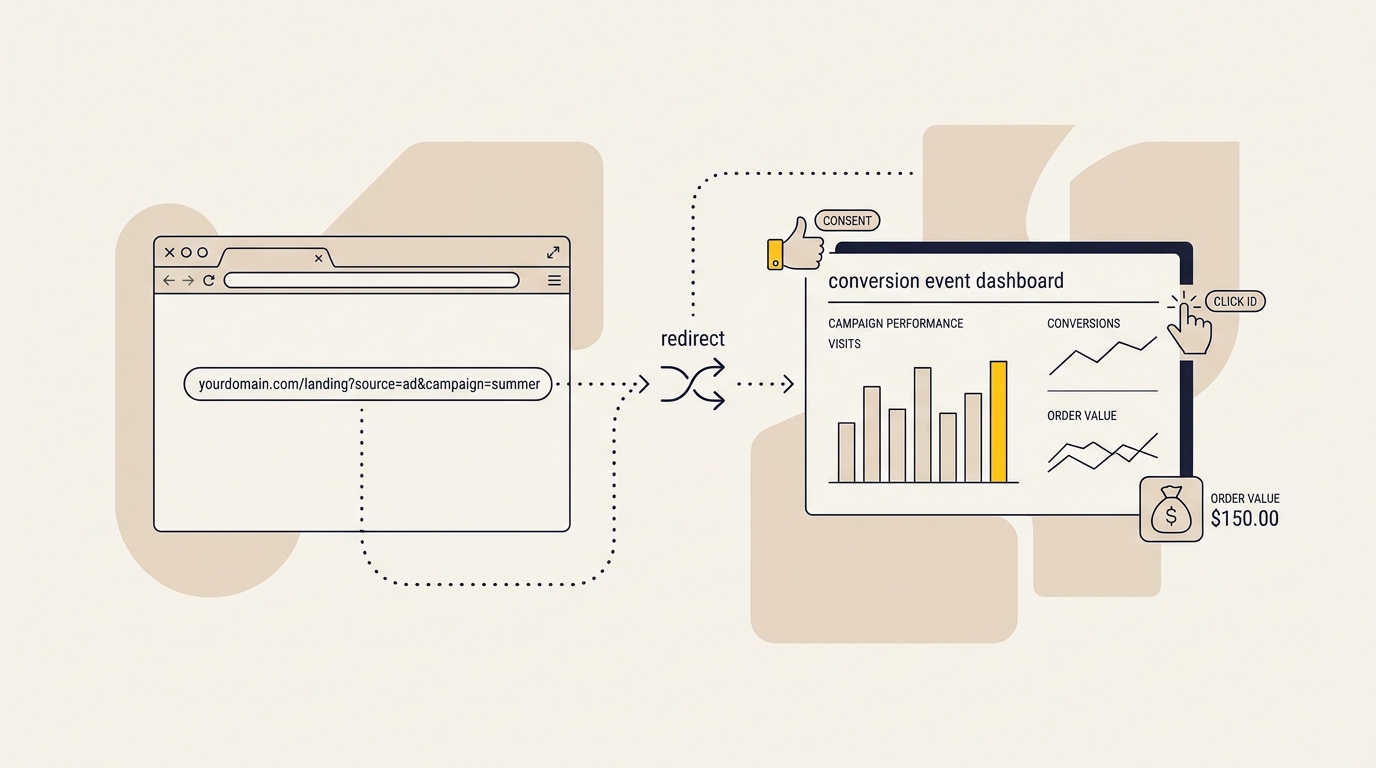
- Step 8: Track the actions that lead to revenue
- Step 9: Review results before changing the budget
- Common budget mistakes to avoid
- A pre-launch budget checklist
- Wrap-up: budget from the customer backwards
Google Ads budget for a small business should be calculated from the number of new clients you want, how many leads you need to win them, and what a relevant click costs in your area. Start with your affordable cost per client, then work backwards through your close rate and landing page conversion rate to find a monthly test budget you can actually evaluate.
That calculation is only half the job. A focused campaign and a page that makes the next step clear can help each click work harder. If you are planning campaigns alongside a new landing page, DesignFIT’s website design service can help align the page structure with the ad and the customer’s intent.
What you need before setting a Google Ads budget
Do not choose a daily amount just because it looks affordable in the campaign setup screen. First gather a few business numbers and decide what the campaign is meant to achieve. Your budget is the amount you can afford to put at risk while you learn, not a promise that Google will deliver a certain number of customers.
Before you start, write down:
- The service you want to advertise and the area you serve.
- The average value of a new customer, and preferably the gross profit from that sale.
- The share of qualified enquiries that become paying customers.
- The maximum cost to acquire one customer while still making the sale worthwhile.
- A realistic landing page conversion assumption, meaning the share of ad clicks that become enquiries.
- A local estimate of cost per click, or CPC, for relevant searches.
- Whether you can answer calls and follow up enquiries promptly.
Keep advertising spend separate from management fees, landing page work, call tracking and other costs. If your total marketing allowance is $1,500 a month and campaign management costs are paid from that same allowance, you cannot put the full $1,500 into Google Ads. Decide whether your calculation refers to media spend only or the full campaign cost, and keep that definition consistent.
Step 1: Set a customer acquisition limit
Start with the value of a new customer to your business, not the amount you hope to spend. Revenue alone can be misleading. A $2,000 job may have very different material, labour and servicing costs from another $2,000 job, so use gross profit where you can.
Suppose a service generates $800 in gross profit from a new customer. If you are willing to use up to a quarter of that gross profit to acquire the customer, your maximum customer acquisition cost would be $200. The quarter is an example assumption, not a universal rule. Your own margin, repeat business and cash flow determine what is sensible.
Use this simple formula:
Maximum cost per customer = gross profit per customer × share of gross profit available for acquisition
If a new customer is worth $800 in gross profit and your chosen share is 25%, the maximum acquisition cost is $200. If the customer returns regularly, you might consider the expected value of that relationship, but do not count future revenue as guaranteed. Use conservative assumptions, especially if the business is new or customers rarely return.
There is an important difference between a target and a ceiling. Your target cost per customer is what you would like to achieve. Your ceiling is the point beyond which the campaign is not profitable enough for your business. Use the ceiling to assess whether an estimated budget is commercially viable, and give yourself room to stop or change the campaign if actual results are worse.
Check the sales journey, not just the ad account
A good lead is not automatically a new customer. You may miss calls, take days to reply, or receive enquiries from people outside your service area. If your close rate is based on every enquiry rather than qualified enquiries, the budget calculation may look better than the actual sales process.
Define what counts as a qualified lead before launch. For a trade business, it could mean a person in your service area requesting the advertised job. For a clinic, it could mean a suitable patient who wants the advertised treatment. Track these separately from general calls, wrong numbers and spam.
Step 2: Estimate how many leads you need
Once you have a customer target, use your close rate to calculate the number of qualified leads required. The close rate is the proportion of qualified enquiries that become paying customers.
Qualified leads needed = target new customers ÷ close rate
For example, if you want four new customers and close one in every four qualified enquiries, your close rate is 25%. You need 16 qualified leads to reach that target on the stated assumption:
4 customers ÷ 0.25 = 16 qualified leads
Use your own sales records if you have them. If you have not tracked leads consistently, do not present a guess as a known fact. Start with a cautious assumption, label it clearly, then replace it with observed campaign data. Close rates can differ between services, lead sources and staff members, so a company-wide average may not describe the specific campaign you are planning.
If you sell a high-consideration service, the sale may happen weeks after the first enquiry. Keep the original enquiry source attached to the lead and record the eventual outcome. Otherwise, a campaign can appear to produce no customers simply because the business has not connected later sales back to the ad.
Step 3: Estimate clicks from your landing page conversion rate
A landing page conversion rate is the share of ad clicks that complete a valuable action, such as calling, booking or submitting a suitable enquiry. Use a dedicated page’s actual data where possible. If you have no relevant history, choose a cautious planning assumption and test it. Do not borrow a high conversion rate from an unrelated business and treat it as a forecast.
Clicks needed = qualified leads needed ÷ landing page conversion rate
Using the example of 16 leads and an assumed 8% click-to-lead conversion rate:
16 ÷ 0.08 = 200 clicks
That means the example needs about 200 clicks to generate 16 enquiries if the assumed rate holds. It does not mean 200 clicks will definitely produce 16 qualified leads or four customers. Some enquiries may be unsuitable, and the actual page rate may be lower or higher.
Design choices that affect the maths
The landing page is part of the advertising cost equation. If the page does not make the service, location and next step obvious, more paid visitors may leave without enquiring. Better page design and strong Google Ads landing page experience cannot guarantee a lower CPC or a sale, but it can reduce avoidable friction between the search and the enquiry.
Check the page for these basics:
- Message match: The ad, page heading and service should describe the same need. A search for emergency drain repair should not land on a generic home page that leads with every service you offer.
- Local relevance: State where you work and make service coverage easy to understand. Do not imply you operate in suburbs or regions you do not serve.
- A clear next step: Make calling, booking or requesting a quote easy to spot, especially on a phone.
- Useful trust signals: Show relevant qualifications, service details, real reviews where permitted, and clear business contact information.
- A proportionate form: Ask for the details needed to respond, following practical lead form design rather than creating a long questionnaire before a conversation starts.
- Mobile usability: Check that headings, buttons and forms are readable and usable on a phone.
For practical guidance on building a page around a visitor’s decision, see service page design that turns visitors into enquiries. Page design and conversion tracking should be considered before you increase spend. Sending more clicks to a page that is confusing or difficult to use can simply make the same problem more expensive.
Step 4: Find a realistic local cost per click
CPC varies by service, location, competition, search intent and campaign settings. Treat industry averages as context, not a quote for your business. Both WordStream's Google Ads benchmarks and LocaliQ’s 2026 search advertising benchmarks report differences across industries, including higher average click costs in some professional and home service categories. The figures in that report are in US dollars, so they are not a direct forecast for an Australian campaign.
Use Google Keyword Planner to estimate search demand and bid ranges for the locations and terms you plan to target. Google explains how to use Keyword Planner to research keywords and forecasts. Estimates are not guaranteed auction prices. Actual CPC can move as competitors, location, ad quality and search conditions change, particularly given how ad quality score affects CPC.
Build a small list of high-intent searches rather than budgeting around every possible phrase. Someone searching for “emergency electrician near me” may have a different level of urgency from someone searching “how to replace a light switch”. The second search may not be a suitable paid lead for an electrician who sells call-outs.
For each priority service, check:
- Does the search clearly signal a need you can meet?
- Is the person searching within your genuine service area?
- Are there enough relevant searches to spend the proposed amount?
- Do the estimated clicks fit the acquisition ceiling you calculated?
- Can the landing page answer that searcher’s question directly?
If the estimated CPC is shown in a different currency from your budget, use a consistent currency throughout your calculation. Do not multiply an Australian-dollar budget by a US-dollar benchmark without converting it and checking that the benchmark is relevant to your market.
Step 5: Calculate your monthly media budget
Now combine the assumptions. The complete reverse calculation is:
- Target customers ÷ close rate = qualified leads required.
- Qualified leads required ÷ page conversion rate = clicks required.
- Clicks required × estimated CPC = estimated monthly media budget.
For example, suppose a local clinic wants four new customers. Assume it closes 25% of qualified enquiries, the dedicated page converts 8% of clicks into enquiries, and relevant clicks are estimated at $8 in the campaign’s chosen currency.
- Four customers ÷ 0.25 close rate = 16 qualified leads.
- 16 leads ÷ 0.08 conversion rate = 200 clicks.
- 200 clicks × $8 CPC = $1,600 estimated monthly media spend.
These are illustrative assumptions, not a clinic benchmark or a guarantee. Replace each assumption with your own data when possible. If your actual CPC is $12, the same 200 clicks would cost $2,400. If your page converts at 4% rather than 8%, the same 16 leads require about 400 clicks. This sensitivity is why a budget should be tested against optimistic, expected and cautious cases before it is approved.
| Planning case | CPC assumption | Page conversion assumption | Clicks for 16 leads | Estimated media spend |
|---|---|---|---|---|
| More favourable | $6 | 10% | 160 | $960 |
| Expected example | $8 | 8% | 200 | $1,600 |
| More cautious | $12 | 4% | 400 | $4,800 |
The figures in this table are examples for showing how the calculation changes. They are not sourced market averages. In a live plan, insert CPC estimates for your actual location and service, and conversion assumptions that you can defend.
Compare the budget with what you can afford
A mathematical requirement is not the same as an affordable budget. If the model suggests $4,800 a month but your cash flow only supports $1,000, do not spend $4,800 because a spreadsheet says you need it. Narrow the service, target area or hours; improve the landing page; use another source of demand; or delay the campaign until the economics work.
A smaller campaign can still be useful for testing a specific service and search intent. But it may not generate enough qualified data quickly to support a confident conclusion. Be clear whether the aim is to learn, produce a steady volume of leads or reach a specific customer target. Those goals need different budgets and patience.
Step 6: Set the Google Ads daily budget safely
Google Ads uses an average daily budget, not always a strict maximum for each calendar day. Google says a campaign may spend up to twice its average daily budget on a particular day, as outlined in guides explaining the Google Ads daily budget 2x rule and monthly cap, while monthly charging limits apply. Read Google’s explanation of overdelivery and average daily budgets and its monthly spending limits before setting a daily amount.
For a campaign running across the month, a useful starting calculation is:
Average daily budget = planned monthly campaign spend ÷ 30.4
For a planned monthly media spend of $1,600, that is about $52.63 per day. The average daily amount is a budget setting, not a guarantee that the account will spend the same amount every day. Google describes monthly charging limits based on the average daily budget and an average month of 30.4 days. Check the current account billing and campaign settings rather than assuming a daily setting is a hard day-by-day cap.
If you schedule ads for fewer days or hours, do not assume the monthly spend will automatically fall in proportion to the days switched off. Decide how much you actually want to spend in a month, set the budget with the campaign schedule in mind, and monitor spend against the monthly target. For example, dividing a target monthly amount by active scheduled days can help estimate the spend pace on those days, but it does not itself set the monthly billing ceiling. Check the account’s current budget and billing controls before making schedule changes.
Keep a cash buffer for day-to-day variation. Do not set a daily amount that would cause a cash-flow problem if a busy day spends more than the average. If spending surprises you, review the campaign’s served and billed cost and its budget settings rather than treating one day as the final monthly outcome.
Step 7: Keep the first campaign focused
A limited budget is easiest to interpret when it is not split across too many services, locations and campaign types. Choose the service with the clearest demand and strongest economics. Create a campaign structure that lets you see which search intent, location and landing page produce useful leads.
Start with a small set of closely related keywords. Phrase and exact match can help keep the initial traffic closer to the intended search, although match types do not make every query perfectly predictable. Google explains its keyword matching options. Review actual search terms regularly and add negative keywords for irrelevant searches.
For example, a plumber promoting paid emergency repairs may want to exclude searches clearly about jobs, training, free advice or do-it-yourself fixes. Do not add a negative just because a phrase is unfamiliar. Check whether the query could reasonably lead to a profitable customer before excluding it.
Avoid launching several unrelated services on tiny budgets at once. If one campaign promotes emergency call-outs, bathroom renovations and commercial maintenance, the traffic and conversion data may be spread too thin to reveal what is working. Begin with the service that best meets your acquisition limit, then expand when you understand its lead quality and cost.
Match campaign choices to your control needs
A more automated campaign can reduce setup work, but less setup work does not automatically mean less wasted spend. Choose a campaign type based on your available tracking, the kind of leads you need and how much control you require over search intent and geography. Before increasing automation, make sure the campaign can record the actions that matter and that someone will review the resulting search traffic.
Google’s recommendations are suggestions, not a business plan. Read what a recommendation changes, how it affects targeting and what extra spend it might enable before applying it. Keep a record of important settings so you can tell whether a change in leads came from a new keyword strategy, a budget increase or a landing page update.
Step 8: Track the actions that lead to revenue
A campaign that counts every page view or button tap as a conversion can look successful while generating few genuine enquiries. Track meaningful actions, such as completed forms, calls that last long enough to be relevant, or confirmed bookings. Where possible, distinguish new leads from existing customers, job applicants and spam.
Then follow each lead through the sales process. Record whether it was qualified, whether you reached the person, whether they became a customer and the eventual value of the sale. This is how you discover whether a low cost per lead is producing good business or just more admin.
A simple weekly tracker can include:
- Campaign spend and clicks.
- Search terms and locations receiving spend.
- Calls and forms, separated by lead quality.
- Qualified leads and booked appointments.
- Customers won and gross profit where available.
- Cost per qualified lead and cost per new customer.
If you need a clearer view of how campaign activity connects with enquiries and sales, DesignFIT’s advertising service covers the creative and campaign side. Your tracking setup still needs to match how your business actually receives and qualifies leads.
Step 9: Review results before changing the budget
Use a consistent review rhythm. Check spending and search relevance regularly so obvious issues do not run unchecked. Review lead quality and sales outcomes over a longer period that fits your sales cycle. A few days of clicks may reveal an irrelevant query, but they rarely tell the whole story about a considered service purchase.
When results are weak, diagnose the stage that is failing:
- Few impressions: Check search demand, location, eligibility and campaign settings.
- Clicks but few enquiries: Check search intent, page relevance, mobile usability and whether the next step is clear.
- Enquiries but few qualified leads: Tighten search targeting, clarify service areas and make the offer more specific.
- Qualified leads but few sales: Review response speed, call handling, pricing, availability and sales follow-up.
- Customers at an unsustainable cost: Reassess CPC, conversion rate, close rate and gross profit before increasing spend.
Change one meaningful factor at a time where practical. If you simultaneously change the keywords, ad copy, page, schedule and budget, it becomes harder to identify what improved or caused a drop. Keep notes on the date and purpose of each significant change.
Do not raise the budget just because a campaign has spent its daily allowance. Increase it when you have evidence that additional relevant searches are available and the leads are within your acquisition limit. If you are still seeing irrelevant queries or poor page engagement, fix those issues before buying more traffic.
Common budget mistakes to avoid
Choosing a round number without checking demand
A budget of $500 may sound reasonable, but it could buy very different volumes of clicks depending on the service and location. Calculate expected clicks from relevant CPC estimates, then compare those clicks with the leads you need. If the result is too small to evaluate, narrow the campaign rather than pretending the budget will achieve a full customer target.
Treating a benchmark as your forecast
Industry benchmarks combine advertisers with different locations, services, offers and account quality. LocaliQ’s search advertising data is useful for context, but your local Keyword Planner estimates and actual account results matter more for your plan. Check the report’s currency, date and methodology before using a figure in a business decision.
Sending every paid visitor to the homepage
A homepage has to serve many visitors and intentions. A person who searched for a specific service should land on a page that confirms the service, the location and the next step without making them hunt. Build a focused page for a valuable service when the existing page cannot do that well.
Applying broad recommendations without checking search terms
Broad targeting can reach searches that are related to a keyword but not valuable to your business. Review the queries that triggered ads and exclude genuinely irrelevant intent. Keep the campaign focused enough that you can understand where the money is going.
Ignoring lead handling
A missed call is not a landing page conversion problem. Make sure the business can answer or return calls and respond to forms during the hours promised. Track lost leads and the reason they were lost so you do not spend more to compensate for a follow-up problem.
Calling early results proof of success or failure
A small number of clicks can create noisy results. Set a review point before launch, allow enough time for your sales cycle, and judge the campaign using qualified leads and customers rather than clicks alone. Pause sooner if the campaign is clearly attracting irrelevant traffic or spending beyond a limit you cannot afford.
A pre-launch budget checklist
Before turning on the campaign, confirm that you can answer yes to each of these:
- Have I set a maximum affordable cost per new customer using gross profit?
- Have I calculated required leads from a realistic close rate?
- Have I estimated clicks using a defensible page conversion assumption?
- Have I checked local keyword estimates in the correct currency?
- Can I afford the cautious scenario, not only the optimistic one?
- Does the landing page match the advertised service, location and search intent?
- Are calls, forms and qualified leads tracked separately?
- Have I set a monthly spend limit and understood average daily budget variation?
- Is the campaign focused on a service and audience I can actually serve?
- Have I assigned someone to review search terms and respond to leads?
If several answers are no, the next step may be to fix the offer, page, tracking or sales process before buying clicks. A smaller, well-instrumented test is more informative than a larger campaign with unclear targeting and no way to connect ad spend to sales.
Wrap-up: budget from the customer backwards
A realistic Google Ads budget for a small business comes from its customer economics, not a generic daily figure. Work backwards from the customers you want, use your close rate and landing page conversion rate to estimate clicks, then multiply by a local CPC estimate. Test cautious assumptions, keep the first campaign focused and measure qualified leads through to sales.
The campaign does not end at the ad. The page, the offer, the tracking and the speed of your follow-up all influence whether paid traffic becomes a profitable customer. If you want help planning the page and campaign together, review DesignFIT’s advertising and website services and choose the next step that fits your business.
Key takeaway
Work backwards from the profit you can afford to spend per customer, and do not buy more clicks until the campaign can turn relevant visits into tracked, qualified leads.
Questions people ask
How much should a small business spend on Google Ads?
There is no useful universal amount. Calculate the clicks you need from your customer target, close rate and landing page conversion assumption, then multiply by local CPC estimates and check that the result fits your acquisition limit and cash flow.
Can I run Google Ads on $300 a month?
Possibly, but whether that is enough depends on your local CPC and what you need the campaign to achieve. Estimate the clicks that $300 could buy, focus on one high-intent service, and treat the campaign as a limited test if the volume is too small to reliably meet your lead target.
Why did Google Ads spend more than my daily budget?
Google Ads uses an average daily budget, so spend can be higher on an individual day and lower on another. Check Google’s current guidance on [overdelivery and monthly spending limits](https://support.google.com/google-ads/answer/2375423) and review your account’s billing settings.
What is a good cost per lead for a small business?
A good cost per lead is one that leads to customers at an acquisition cost your business can afford. Compare qualified leads, close rate and gross profit rather than judging a lead cost against an industry average alone.
Should I use broad match keywords on a small budget?
Broad match can reach a wider range of searches, so it needs close monitoring and reliable conversion measurement. If you have a limited budget, begin with tightly related search intent, review the actual search terms and exclude queries that cannot become customers.