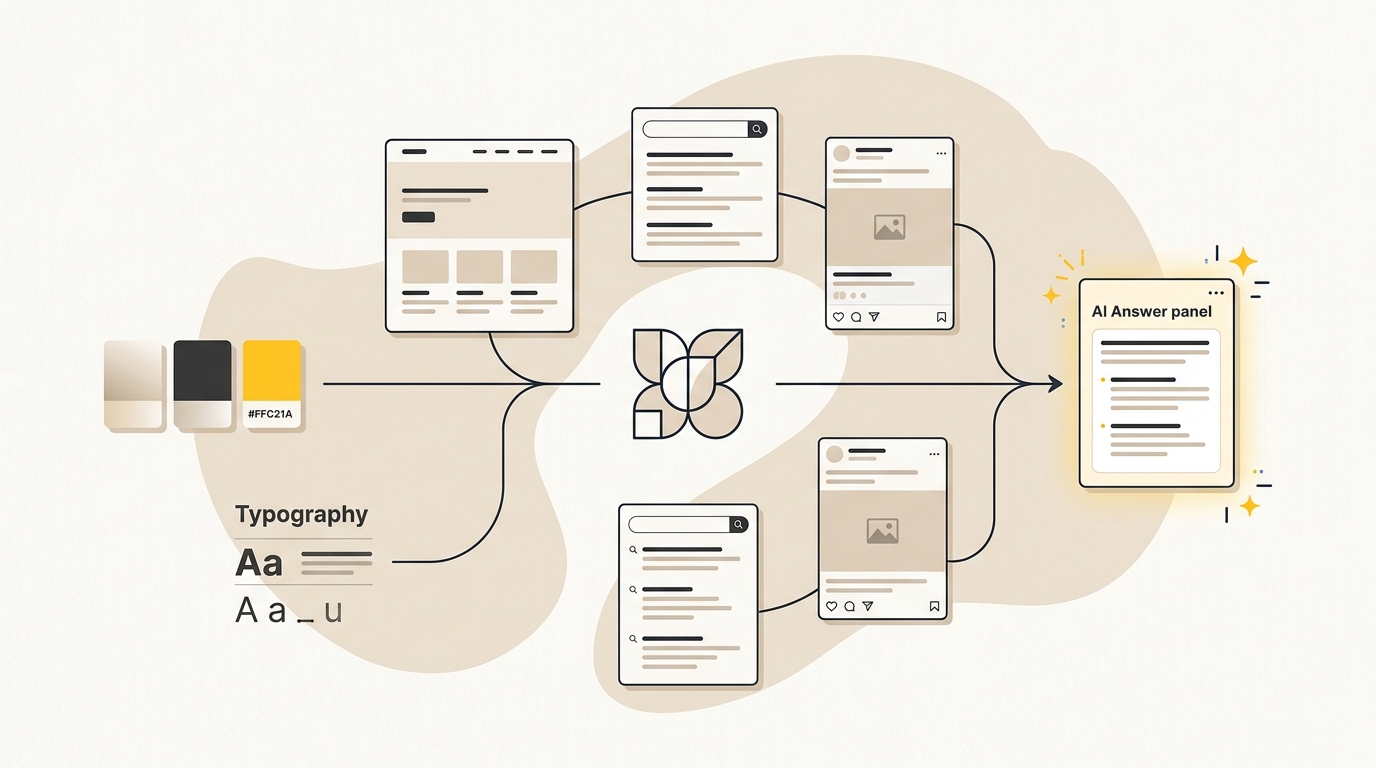
Structured Data for AI Search: Help Machines Understand Your Business
A practical, design-first guide to choosing, adding and checking schema markup on your business website.
On this page
- What is structured data for AI search?
- Before you add schema: prepare the facts
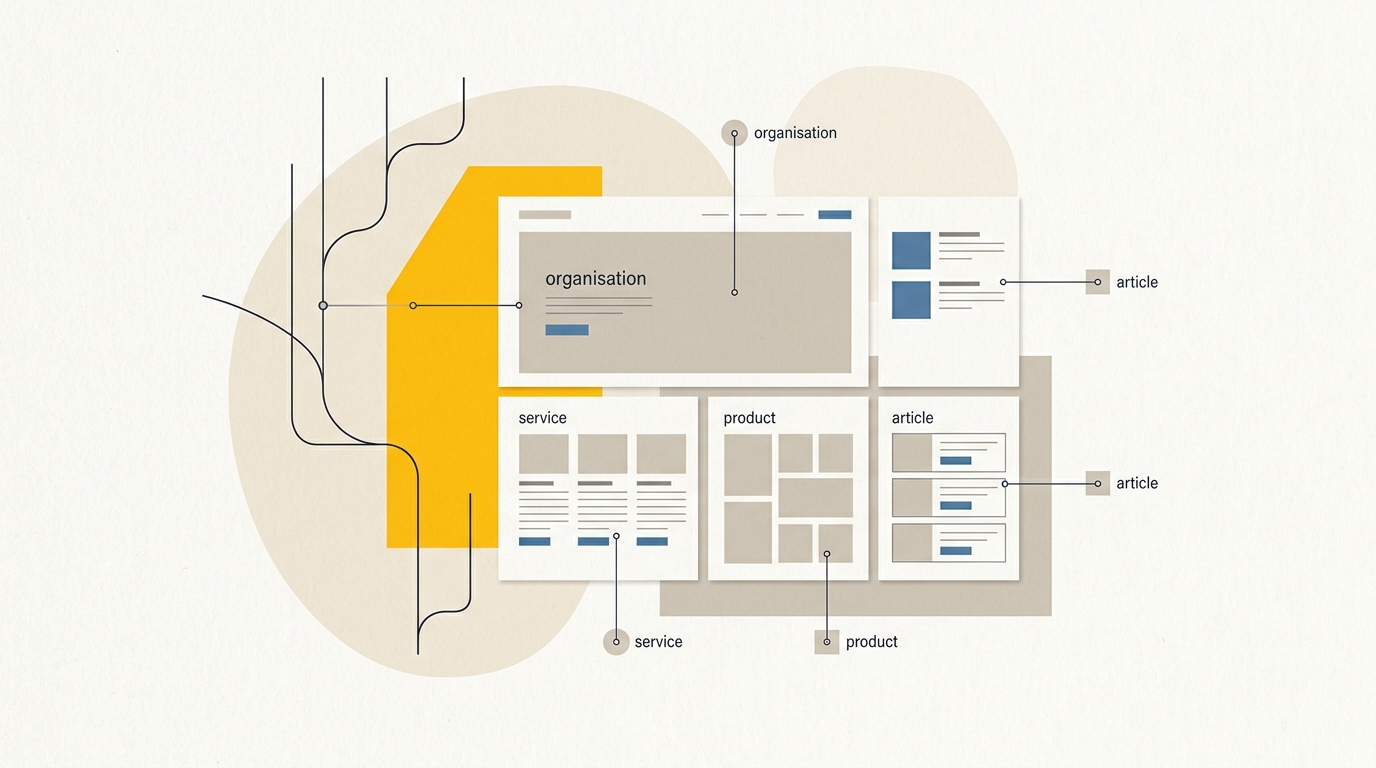
- Step 1: Choose the right schema type for the page
- Step 2: Fix the page design before encoding it
- Step 3: Add a business identity example
- Step 4: Describe one service page
- Step 5: Add product markup only where it fits
- Step 6: Mark up an FAQ or article without overclaiming
- Step 7: Add the markup through the right route
- Step 8: Validate the markup and the page together
- Common mistakes that undermine structured data
- A practical rollout plan for a small business
- When should you get help?
- Wrap-up: make the page clear, then mark it up
Structured data for AI search is information written in a consistent format that helps search engines identify what your business does, where it operates and what your pages offer. Start with accurate business identity details, then add markup for your services or products and the content on each page. Structured data can clarify your website, but it cannot guarantee rankings or citations in AI answers. If you are not sure what your site currently communicates, begin with a free AI search audit.
Schema is not a shortcut around good content or clear design. The best results start with a page that tells people what you offer, who it is for and what to do next. The markup should describe those same visible facts in a format search systems can process. This guide walks through what to prepare, which schema types to prioritise, and how to add and validate JSON-LD without pretending a code snippet can fix an unclear website.
What is structured data for AI search?
Structured data is machine-readable information that labels facts on a web page, such as a business name, address, service, product, author or publication date. Schema.org provides a shared vocabulary for those labels. JSON-LD is one way to write that information as a block of structured code.
Think of the page as the human-facing explanation and the schema as a set of labels for some of the same facts. A visitor might read a page title, opening hours and address. Structured data can identify those items explicitly as a business name, hours and address. It does not replace the visible page, and it should not introduce claims that visitors cannot see.
Search engines can use structured data to understand a page or determine eligibility for certain search features. AI search systems may also use information available in page text and other sources when building answers. But there is no special schema type that guarantees your business will appear in ChatGPT, Google AI Overviews, Perplexity or another answer engine. Google's guidance on AI features in Search says that the usual SEO fundamentals still apply. Treat schema as clarity and consistency work, not a citation switch.
Schema and visual design solve related problems. A clear heading hierarchy, readable service descriptions and consistent business details help people understand your site. They also make it easier to mark up the right facts without guessing. When planning a new site or redesign, include information structure and machine readability in the brief for your website design project.
Before you add schema: prepare the facts
Do not begin by pasting code into a plugin. First decide which facts are true, visible and current. Schema makes a claim easier for a machine to interpret. It does not make a wrong claim more trustworthy.
Collect these details in one document:
- Your public business name and canonical website address.
- Whether you are a physical local business, an organisation without a public storefront, or both.
- Your official logo URL and public contact details.
- Your physical address and opening hours, if customers can visit or your business publishes them.
- Your main services or products, with a dedicated page for each important offer.
- Your service area, if you publish one and can describe it accurately.
- Your public social profile URLs, if you want to connect them to your business identity.
- Page authors, publication dates and update dates for editorial content, where applicable.
Then check the site itself. Is your business name written consistently in the header, footer and contact page? Does each service page explain its scope in plain language? Are prices and opening hours visible where you refer to them? Do page headings make the relationship between your main offer and its sub-services clear?
These are design decisions as much as SEO decisions. A vague headline such as “Solutions that transform” gives a person little context and leaves a machine to infer what you sell. A heading such as “Custom website design for growing service businesses” names the service and intended audience. A clear hierarchy then lets supporting sections explain what the service includes, how the process works and what the next step is.
Make a fact sheet before creating markup. If the team cannot agree on the correct public business name, location or service description, fix that source content first. An AI search audit can help identify inconsistencies and questions to check across your website and search presence.
Step 1: Choose the right schema type for the page
Prioritise schema by business value and by how confidently you can describe the page. You do not need every available type. Begin with the information that establishes who you are, then describe the pages that help customers choose you.
| Priority | Schema type | Best place to use it | What it clarifies |
|---|---|---|---|
| 1 | Organization or a suitable LocalBusiness subtype |
Homepage or business identity template | Who the business is and its official details |
| 2 | Service or Product |
The matching service or product page | What is offered and who provides or sells it |
| 3 | Article or BlogPosting with author details |
Editorial pages | What an article is about and who wrote it |
| 4 | FAQPage |
A page with visible, genuine questions and answers | The question-and-answer structure of that page |
This is a starting order, not a ranking formula. A clinic with multiple locations may need location-specific business details. An online store may have a stronger case for product markup than service markup. A business without a public customer-facing address should not add a made-up one just because a local business example includes it.
Schema.org is a vocabulary, not a promise that Google will show a rich result. Different schema types have different requirements and search features change. The Google documentation explains which structured data features Search supports. For a particular type, check the current documentation and the page's actual eligibility before expecting a visible search enhancement.
Use Organization or LocalBusiness for identity
Use Organization when the page describes an organisation that does not fit a more specific public-facing local business type. Use an appropriate LocalBusiness subtype when the business has a real local presence, such as a clinic, hotel or restaurant. Select the narrowest accurate type supported by the business. Do not choose a subtype simply because it sounds more specific.
Keep one stable identifier for the business, often a URL fragment such as https://www.example.com/#organization. Refer to that same identifier from related pages. This helps keep references connected rather than creating a different apparent business entity on every page.
Use Service for a service page
A Service type can describe a service and its provider. Put it on the page that explains that service, not on every page in the site. Make sure the visible copy explains what is included, who it is for and any genuine geographic coverage.
Do not add a price, guarantee, response time or service area unless it is accurate and visible on the page. If the page only says “contact us for a quote”, the markup should not invent a fixed fee. In many cases, clear service copy is more useful to a buyer than an elaborate offer catalogue.
Use Product for products that customers can buy
Use product markup for a genuine product page. The name, description, image, price, currency and availability should match what a customer can see and purchase. Product markup is not a way to label a service as a retail product just to get a different search appearance.
For an online store, check that variant, price and availability information stays in sync with the shop system. A mismatch between a sale price in schema and the product page creates confusion for customers and search systems. If the platform or an app already outputs product schema, inspect it before adding another source.
Use Article or BlogPosting for editorial content
Article markup can identify editorial information such as a headline, author, publisher and publication or modification date. It is most useful when the article page visibly shows those details and the information is kept current.
An author should be a real person or entity associated with the article. Do not add credentials, profile links or biographies that are not accurate. Marking an article as written by an expert does not establish expertise by itself. A visible author biography, transparent editorial process and useful content give readers the context they need.
Use FAQPage only for visible questions and answers
FAQ schema describes questions and answers that appear on the page. It is not a licence to hide extra keywords or answers in code. Write the questions for customers, show the answers on the page, and keep the wording in the markup aligned with the visible version.
Google has restricted FAQ rich result display, so do not add FAQ markup expecting dropdowns to appear in search. It may still describe the page's content in a standardised way, but there is no guarantee that a search engine or AI system will use it. Add an FAQ section because it helps answer real customer questions, not because the code promises extra visibility.
Step 2: Fix the page design before encoding it
Structured data works best when it describes a page that already makes sense. Before writing JSON-LD, check the visible design and copy. The layout should help a visitor scan the same facts you plan to mark up.
Start with the heading structure. Use one clear main heading to state what the page is about. Use supporting headings to group related details, not to make every paragraph look important. A service page might have sections for outcomes, scope, process, price approach and next steps. This creates a usable reading path and a more explicit description of the offer.
Next, check the content elements that matter to the schema:
- Put the business name and a route to contact details where visitors can find them.
- Give each service its own meaningful page if it has a distinct audience or scope.
- Show a product's current price and availability on its product page.
- Display opening hours and a full address if customers rely on them.
- Identify article authors and show a real publication or update date.
- Make FAQs readable and accessible, including when an accordion is used.
An accordion can work well when it is keyboard accessible and clearly labelled. The question should remain understandable when collapsed, and the answer should be available to visitors when they open it. Do not place a question in schema if it does not appear in the visible FAQ component.
Design decisions affect more than machine interpretation. A well-structured service page helps people compare the offer with their needs. A clear contact block reduces the effort of finding a phone number or address. Consistent product information avoids uncertainty at the point of purchase. Schema should reinforce those decisions, not substitute for them.
Step 3: Add a business identity example
The example below shows the shape of an Organization block. Replace every placeholder with real information before publishing. Remove optional properties that do not apply. This is JSON-LD data, not a complete HTML page.
{
  "@context": "https://schema.org",
  "@type": "Organization",
  "@id": "https://www.example.com/#organization",
  "name": "YOUR PUBLIC BUSINESS NAME",
  "url": "https://www.example.com/",
  "logo": "https://www.example.com/path-to-your-logo.png",
  "sameAs": [
    "https://www.linkedin.com/company/YOUR-PUBLIC-PROFILE",
    "https://www.instagram.com/YOUR-PUBLIC-PROFILE"
  ]
}
Only include social profile URLs that belong to the organisation. sameAs is for matching public identities, not a place to list unrelated directories or pages. If a property does not apply, remove it rather than leaving placeholder text in the published code.
For an eligible local business, use a suitable local business type and include the real public details. This example is deliberately a template, not a real business listing:
{
  "@context": "https://schema.org",
  "@type": "LocalBusiness",
  "@id": "https://www.example.com/#localbusiness",
  "name": "YOUR PUBLIC BUSINESS NAME",
  "url": "https://www.example.com/",
  "telephone": "+61-REPLACE-WITH-PUBLIC-NUMBER",
  "address": {
    "@type": "PostalAddress",
    "streetAddress": "YOUR PUBLIC STREET ADDRESS",
    "addressLocality": "YOUR SUBURB OR CITY",
    "addressRegion": "YOUR STATE OR REGION",
    "postalCode": "YOUR POSTCODE",
    "addressCountry": "AU"
  }
}
Do not publish an invented phone number or address. If the business serves customers remotely or works across a region without a customer-facing premises, choose an appropriate organisation type and describe the service area accurately on the site. Not every field in an example belongs on every website.
Some businesses have multiple physical locations. In that case, represent each real location clearly and ensure the page users visit for that location shows the same details. Avoid copying a single address across branches. For a more detailed local implementation, see the Local Business schema markup checklist.
Step 4: Describe one service page
Add service markup to the relevant service page and connect its provider to the business identifier. The following is a minimal pattern. Replace the name, description, URL and provider identifier with your real details. Keep the description consistent with the visible page.
{
  "@context": "https://schema.org",
  "@type": "Service",
  "@id": "https://www.example.com/services/example-service/#service",
  "name": "YOUR SERVICE NAME",
  "serviceType": "A plain description of the service",
  "url": "https://www.example.com/services/example-service/",
  "description": "A concise description that matches the visible service page.",
  "provider": {
    "@type": "Organization",
    "@id": "https://www.example.com/#organization"
  }
}
This does not automatically make a service page eligible for a special Google result. Its purpose is to describe the service and connect it with its provider in a standard vocabulary. The page itself still needs to answer the questions a buyer has: what is delivered, what is not included, how the engagement works and how to enquire.
Only add areaServed if the page says where you work and the information is reliable. If your service is available across Australia, for example, do not also list countries you do not serve just to appear broader. For pricing, use an offer only when there is an actual public offer with accurate, visible terms. A made-up or stale price is worse than no price.
Step 5: Add product markup only where it fits
For a product page, use the product information that the customer sees. This simplified pattern illustrates the relationship between a product and a visible offer. Before using it, check the current Google requirements for product structured data and make sure your ecommerce platform is not already generating a fuller version.
{
  "@context": "https://schema.org",
  "@type": "Product",
  "@id": "https://www.example.com/products/example-product/#product",
  "name": "YOUR PRODUCT NAME",
  "description": "A description that matches the product page.",
  "image": [
    "https://www.example.com/images/your-product.jpg"
  ],
  "offers": {
    "@type": "Offer",
    "url": "https://www.example.com/products/example-product/",
    "priceCurrency": "AUD",
    "price": "REPLACE_WITH_VISIBLE_PRICE",
    "availability": "https://schema.org/InStock"
  }
}
The example's placeholder price is not valid for publication. Replace it with the current visible price, use the correct currency and set availability to match the product page and inventory. If the product is not available, do not mark it as in stock. If product variants have different prices, use a setup that accurately reflects the variants rather than displaying one misleading amount.
Images and product descriptions are also design assets. Use an image that represents the item clearly, and ensure the product name and key details remain legible on mobile. Markup can label the product, but it cannot repair confusing photography, missing dimensions or unclear shipping information.
Step 6: Mark up an FAQ or article without overclaiming
For a page with a visible FAQ, you can represent its question and answer structure like this:
{
  "@context": "https://schema.org",
  "@type": "FAQPage",
  "mainEntity": [
    {
      "@type": "Question",
      "name": "Does structured data guarantee an AI search citation?",
      "acceptedAnswer": {
        "@type": "Answer",
        "text": "No. Structured data can clarify facts about a page, but it does not guarantee that an AI search system will cite the page."
      }
    }
  ]
}
The question and answer must also be visible on the page. Do not create a large hidden FAQ in markup, and do not copy the same FAQ block onto every URL if the questions are not actually present on each page. A small set of useful, page-specific questions is clearer for readers.
For an article, keep authorship factual and connect the author to a public profile only when that profile is genuinely theirs. The fields below are an example structure, not a claim about a real writer:
{
  "@context": "https://schema.org",
  "@type": "BlogPosting",
  "headline": "YOUR ARTICLE HEADLINE",
  "datePublished": "2026-10-20",
  "dateModified": "2026-10-20",
  "author": {
    "@type": "Person",
    "name": "REAL AUTHOR NAME"
  },
  "publisher": {
    "@type": "Organization",
    "@id": "https://www.example.com/#organization"
  },
  "mainEntityOfPage": "https://www.example.com/blog/your-article/"
}
Replace the example dates with the actual publication and modification dates. Do not change a modification date just to make a page appear fresh. If the article is substantially updated, reflect that change on the page and in the markup. The author should be visible to readers and the publisher reference should point to the same organisation identifier used elsewhere.
Step 7: Add the markup through the right route
How you publish JSON-LD depends on your website platform. The important thing is to have one reliable source of truth and to avoid duplicate, conflicting blocks.
For a WordPress site, check what your theme and SEO plugin already create. Many setups can output basic organisation, article and breadcrumb information. A second plugin or manually pasted code may duplicate those types. Review the rendered page source or a structured data testing tool before adding more. If you use a custom theme or page builder, ask the developer where sitewide and page-specific markup is generated.
For Shopify, check the theme and installed apps. Product markup may already be produced from the product record. Adding another product block with a different price or availability can create conflicting data. If the theme's output is incomplete, adjust it carefully or use an app that fits your store and verify its output on real product pages.
For Webflow or another website builder, check whether the platform supports custom code at the page or site level. Put business identity markup in the appropriate global location only if it belongs across the site. Add service or article markup to the matching page, not as a universal block with changing details.
For a custom website, give the developer a short implementation brief: which schema type belongs on which template, where the data comes from, which identifier is stable, and how changes are tested before release. During a redesign, include this in the content model and page template design. This is more reliable than asking someone to paste a code fragment into a footer at the end of the project.
Whatever the platform, test the published URL, not just a code editor preview. Some systems alter, remove or duplicate code when a page is rendered. Confirm that the final HTML contains the intended JSON-LD and that the values match the visible page.
Step 8: Validate the markup and the page together
Validation has two parts. First, check that the JSON is syntactically valid and uses the properties correctly. Second, check that the page is useful and that the markup accurately describes what people can see.
Use Google's Rich Results Test for supported Google rich result types. A page may have valid schema without being eligible for a rich result. A clean test result is not a promise of a search feature or an AI citation. Use Schema.org's validator to inspect the vocabulary and graph more broadly; the test tools answer different questions, so one should not be treated as a substitute for the other.
Then review the page manually:
- Is every business name, address, phone number and opening time correct?
- Does the schema match the exact page being tested?
- Are prices, availability and service areas visible and current?
- Are article authors and dates genuine?
- Is the markup duplicated by a plugin, theme or app?
- Does the page have a clear layout and readable content on mobile?
- Does the page give a visitor a sensible next step?
Fix errors before adding more types. Warnings are not always fatal, but understand what is missing and whether the property applies. Do not add optional information simply to silence a warning if the information is not true or not available.
After publishing, check important pages again when the theme, plugin, ecommerce app or content template changes. Schema can break during a redesign even if the page still looks normal. Add a structured data check to the website launch checklist and regular content maintenance process.
Common mistakes that undermine structured data
Marking up facts that visitors cannot see
The most important rule is consistency. Google says structured data should reflect the page content. Hidden prices, invented reviews or a service claim that appears nowhere on the page can mislead people and undermine search eligibility. Keep the content visible and the code aligned.
Treating schema as an AI ranking trick
There is no verified schema recipe that guarantees an AI citation. Research and commentary about the relationship between structured data and AI visibility varies in method and quality. For example, Stackmatix's discussion of structured data for AI search explores the topic, but do not turn any claimed correlation into a promise for your own website. Use schema to describe real entities and pages, then measure visibility and enquiries over time.
Adding too much markup too early
A complete stack of every possible type is not a sensible first project for a small business. Start with the business identity and the key commercial pages. Add editorial or FAQ markup when those elements exist and are maintained. More fields mean more chances to create inaccurate or duplicated data.
Copying demo data into production
Example code often includes fake phone numbers, prices, dates, addresses and social profiles. Replacing only the business name is not enough. Search every placeholder and test the final rendered page before publishing. Never leave a sample offer price or test address in live schema.
Making schema and the page contradict each other
A page might show one price while the JSON-LD says another. The footer may show a different address from the local business block. A blog template might say one person wrote every post when that is not true. Resolve the page content first, then update the markup and any connected systems.
Expecting every platform to consume every type
Schema.org offers many types, but search engines and AI products do not all support or use them in the same way. Google documents its own supported search features. Other AI systems may rely on different retrieval and ranking processes. Build for clear, accurate information, not an assumption that one property will be used everywhere.
A practical rollout plan for a small business
If your site currently has no structured data, a sensible first release can be small. Use this sequence:
First, establish the source facts. Confirm the public business name, contact details, service areas and the official pages for your main services. Fix visible inconsistencies in the header, footer, contact page and service pages.
Second, clarify the key page. Improve the homepage or principal service page so its heading, supporting sections and calls to action explain the offer. Make sure the page has enough detail for a customer to decide whether to enquire.
Third, add identity markup. Publish an accurate Organization or appropriate LocalBusiness block. Use a stable identifier and connect relevant page markup to it.
Fourth, describe the commercial pages. Add Service to genuine service pages or Product to product pages. Keep the structured information aligned with the visible content and the business system that owns the data.
Fifth, add editorial details where useful. Use article markup when the page has a clear headline, a genuine author and current dates. Add FAQ markup only for visible questions and answers that help readers.
Sixth, test and document the setup. Save the validated source, the templates or plugin settings that generate it, and the person responsible for updates. Recheck after significant site changes.
Do not judge the project only by whether a rich result appears. Track whether your key pages are crawlable, whether your business facts are consistent, whether the pages answer customer questions, and whether organic and AI-referred visits or enquiries change. AI visibility can vary by platform, query and location. Keep a record of the prompts and questions you monitor so comparisons remain useful.
When should you get help?
You may be able to handle basic identity markup yourself if your site is simple, the information is settled and your platform has a clear way to add JSON-LD. Get a developer or designer involved when schema is generated by several plugins, you have multiple branches or product variants, your page templates are custom, or the site is being rebuilt.
It is also worth getting help when the bigger issue is not the code but the information design. If service pages are thin, business details conflict, or your offer is difficult to understand, structured data will not solve the underlying problem. A designer can improve the page hierarchy, content patterns and mobile experience, then make sure the technical markup reflects the final design. That is the approach behind DesignFIT's website design and redesign work.
For another perspective on FAQ and article implementation, read StudioHawk's guide to article and FAQ schema. Treat third-party advice as a starting point and check current official documentation before deploying a type or relying on a search feature.
Wrap-up: make the page clear, then mark it up
Structured data for AI search is most useful when it makes accurate business information easier to identify. Start with your organisation or local business details, describe your real services or products on their own pages, then add article or FAQ markup where the content supports it. Keep every claim visible, consistent and current.
The design comes first: clear page structure helps customers understand your offer and gives schema something reliable to describe. Validate the live page, check for duplicated markup and review it after site changes. To find out what your website currently communicates to AI search systems, request a free AI search audit.
Key takeaway
Make the page clear and accurate for people first, then use structured data to label the same facts for machines.
Questions people ask
Does structured data help a website appear in AI search results?
Structured data can make facts about your business and pages easier to interpret, but it does not guarantee that an AI search system will cite you. Clear, helpful page content and accurate business information still matter.
What is the difference between Schema.org and JSON-LD?
Schema.org is a shared vocabulary for describing things such as businesses, products and articles. JSON-LD is a format for expressing that structured information in code.
Does FAQ schema still work if Google no longer shows FAQ rich results for most sites?
FAQ schema can describe visible question-and-answer content, but you should not expect Google to show a FAQ rich result. Add FAQs because they answer real customer questions, not as a guarantee of extra search visibility.
Can incorrect structured data cause problems?
Yes. Markup that conflicts with visible content, uses false details or describes information that is not on the page can mislead users and affect eligibility for search features. Check the live page and remove inaccurate or duplicated data.
Should every page on my website have the same schema?
No. Use business identity markup consistently where it belongs, then add page-specific types that accurately describe each page. A product page, service page and article have different content and should not all use the same page markup.