WordPress to Shopify Cost: Migration Budget Guide
A practical AUD budget for moving a WooCommerce store to Shopify, including the work and ongoing costs that are easy to miss.

On this page
- What does WordPress to Shopify cost in Australia?
- First, what is actually being migrated?
- The main one-off costs
- Ongoing platform and app costs
- Payment processing and the cost of each sale
- Is Shopify more expensive than WooCommerce?
- Which migration budget fits your store?
- A practical migration timeline
- How to protect rankings and sales during the move
- What should a migration quote include?
- A migration budget checklist
- The decision in one minute
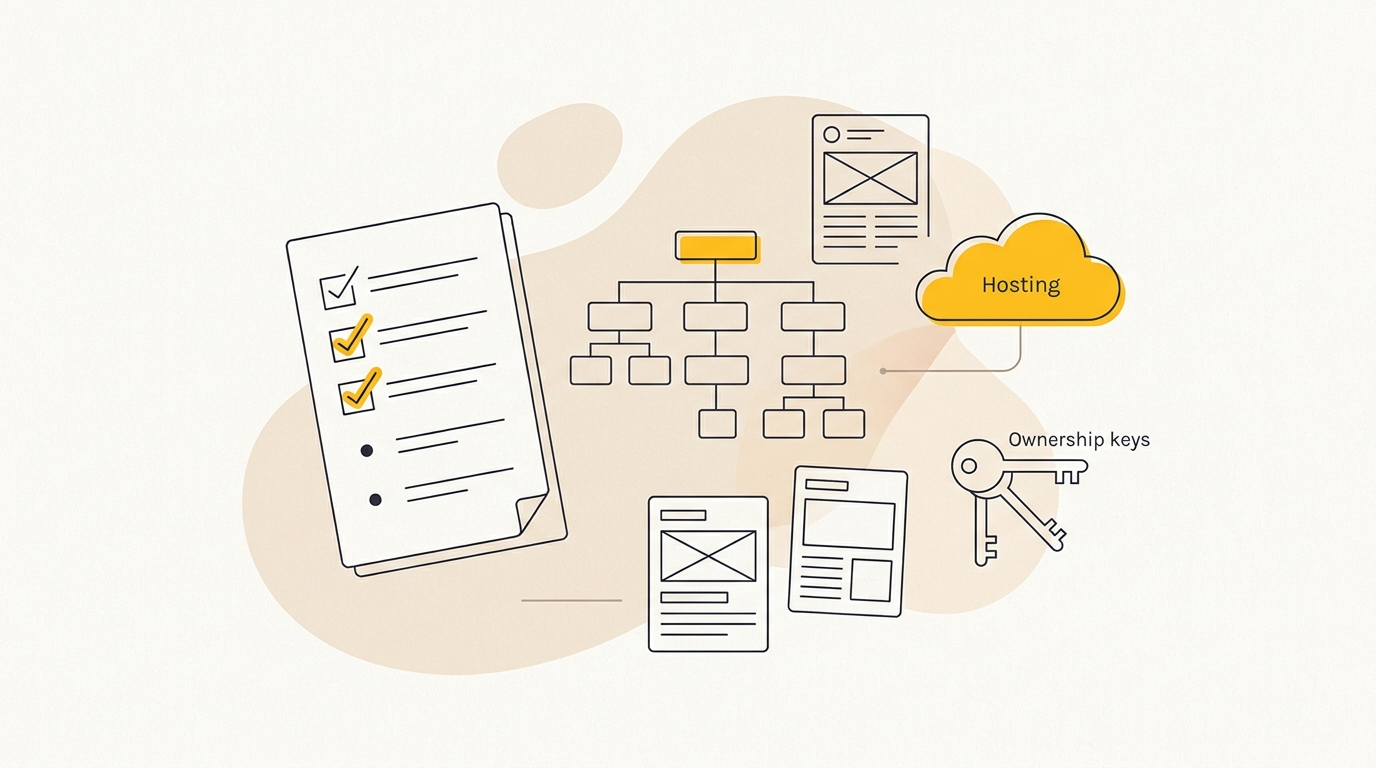
Moving from WordPress and WooCommerce to Shopify can cost about AU$3,500 to AU$18,000 for a small to mid-sized store, while complex migrations can exceed AU$25,000. The total depends less on the number of products alone than on how much needs to be redesigned, cleaned, connected and protected from lost search traffic. If you are weighing up a rebuild, compare the migration scope with our Shopify website design service before treating a data import as the whole project.
This guide gives you a planning budget in Australian dollars, explains what each line item pays for, and shows how ongoing Shopify and app fees affect the decision. Figures are estimates, not fixed quotes. Vendor prices and exchange rates change, so confirm current charges directly before committing. The reference figures below are planning estimates for November 2026.
What does WordPress to Shopify cost in Australia?
For planning, a straightforward DIY move may cost roughly AU$600 to AU$1,800 in direct purchases, while specialist support is commonly budgeted around AU$3,000 to AU$6,500. A designed and tested migration for a growing brand is more like AU$7,500 to AU$16,500. Complex stores with custom integrations, wholesale requirements or multiple warehouses can reach AU$25,000 to AU$80,000 or more.
These bands are not interchangeable packages. A DIY figure usually leaves out the value of your own time and the risk of errors. An agency estimate may include strategy, design, implementation, redirects and launch support, or may only cover development. Always compare the work listed, not just the headline price.
| Migration scope | Typical fit | Indicative one-off budget | Indicative timeline |
|---|---|---|---|
| DIY | Under 50 products, standard theme, simple catalogue | AU$600 to AU$1,800, plus your time | 2 to 4 weeks |
| Freelance specialist | Around 100 to 1,000 products, standard integrations | AU$3,000 to AU$6,500 | 3 to 5 weeks |
| Design studio or boutique agency | Growing store needing custom UX, SEO protection and integrations | AU$7,500 to AU$16,500 | 4 to 8 weeks |
| Complex or enterprise project | ERP, warehouse, B2B, international or bespoke build | AU$25,000 to AU$80,000+ | 8 to 16 weeks |
These timelines assume the business can supply content, access and decisions without long delays. A project can take longer if the catalogue is inconsistent, an integration partner is slow, or the team changes the design direction mid-build. For broader project benchmarks and the trade-offs in agency scope, see our guide to Shopify design agency pricing.
The outside cost references are useful as cross-checks, not guarantees. For example, WP Creative’s Australian Shopify development cost guide describes local development pricing, while LitExtension’s WooCommerce to Shopify migration information explains a tool-led migration route. Neither substitutes for a scoped quote based on your store.
First, what is actually being migrated?
WooCommerce is the e-commerce plugin that adds products, carts and orders to a WordPress website. Shopify is a hosted commerce platform with its own product database, theme system and checkout. A migration is the work of moving the business’s important content and operations from one platform to the other, then checking that the new store behaves correctly.
A database is an organised collection of records. In an online store, those records can include products, variants, customer details, orders, coupons and page content. A migration tool can copy certain records, but it cannot automatically make every record accurate, attractive or useful in the new store.
That difference matters. A spreadsheet can move a product title and price. It cannot decide whether an old product category should become a Shopify collection, how a custom size chart should display on mobile, or which URL should inherit the search value of a retired page. Those are information architecture and design decisions.
The main one-off costs
1. Catalogue and customer data transfer
Automated transfer tools are a sensible starting point for standard products, images, customers and orders. The research estimates a basic migration tool at around AU$120 to AU$450 as a one-off, depending on scope and vendor. A bulk spreadsheet and API tool such as Matrixify’s Shopify migration and data plans can be useful when you need to inspect and manipulate records in more detail. Its plan prices can change, so confirm them directly.
An API is a defined way for software systems to exchange information. It can move data more flexibly than a basic CSV, but it does not remove the need to map fields correctly. A field is one piece of information, such as SKU, colour, product material or a customer tag. If WooCommerce stores product material in a custom field, Shopify needs a deliberate destination for it, often a metafield.
A metafield is an extra data field attached to a Shopify resource, such as a product. It can hold details that do not fit Shopify’s standard fields, such as care instructions, ingredients or compatibility notes. Poorly planned metafields can make the admin harder to manage and leave important details invisible to customers.
Budget around AU$1,200 to AU$3,500 for hands-on data cleanup and mapping in a typical project, according to the supplied planning estimates. The work can include:
- Removing duplicate products, customers or categories.
- Normalising product names, SKUs, sizes and colours.
- Matching WooCommerce custom fields to Shopify fields or metafields.
- Checking parent and child relationships for products with variants.
- Spot-checking images, inventory, prices and historical orders.
- Deciding what old records are genuinely needed in the new store.
A variant is a purchasable version of a product, such as a T-shirt in a particular size and colour. WooCommerce catalogues can be structured in many different ways. Shopify’s product option model has limits, so a product with a tangled set of attributes may need restructuring rather than a direct copy. Check the current platform documentation and test a representative set of products before assuming the import will work.
The hidden expense is often not the transfer itself. It is the time required to resolve exceptions: bundled products, custom line-item notes, subscriptions, product add-ons, unusual tax rules or inventory held in more than one place. Ask your migration provider to name the data types they will test and the types they will exclude.
2. Theme rebuild and design
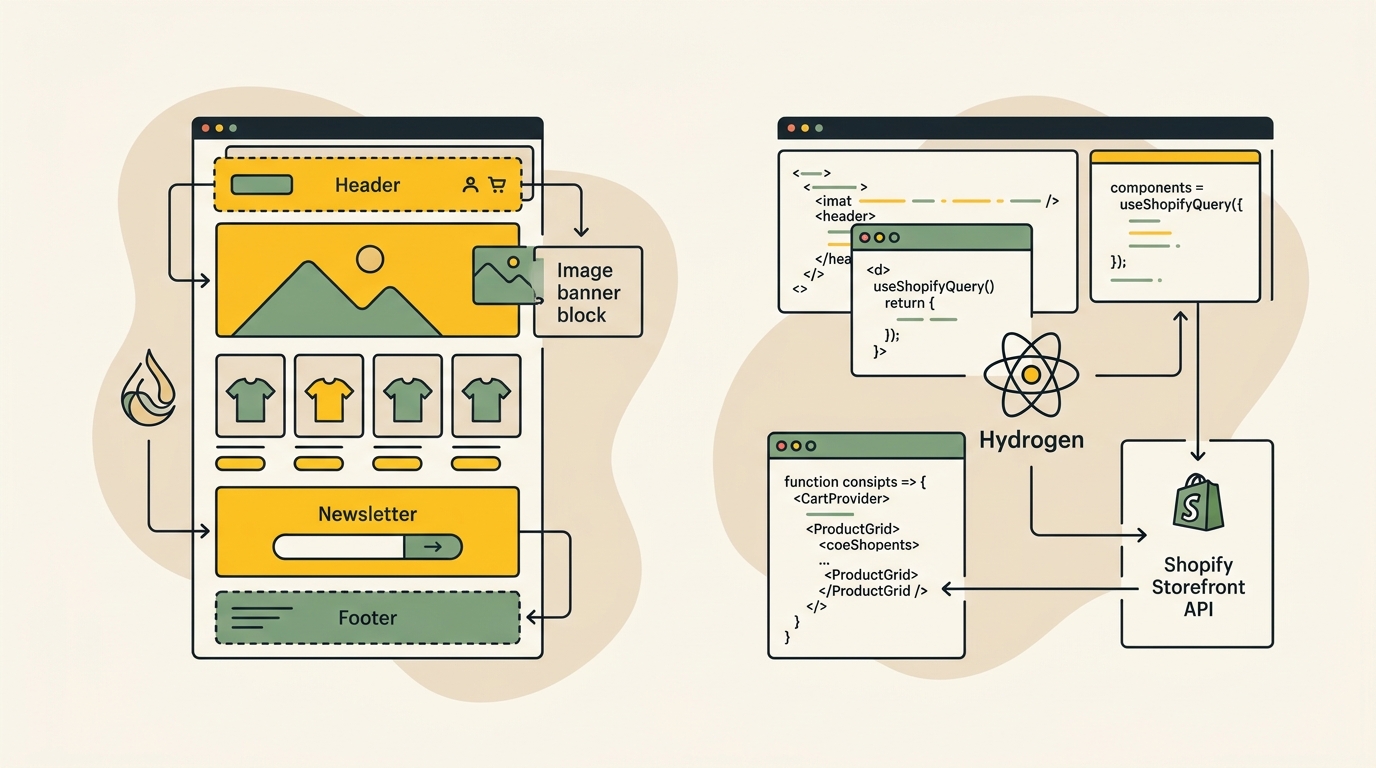
A WordPress theme cannot simply be installed in Shopify. WordPress themes typically use PHP and WordPress-specific functions. Shopify themes use Liquid, Shopify’s template language, along with different theme files and settings. The platforms are built differently, so a move means recreating the storefront in a Shopify theme, not converting the old theme file.
A paid theme may be enough if your existing brand and shopping journey are simple. The supplied estimate is around AU$380 to AU$770 for a premium theme licence, with the price varying by theme and exchange rate. Browse the official Shopify Theme Store and check a theme’s product page, collection layout, filtering, mobile navigation and accessibility before choosing it. Theme prices and features can change.
Theme styling and custom development are a separate cost. Budget roughly AU$3,500 to AU$10,000 or more for design and front-end work where the store needs a considered layout, custom sections or brand-specific interactions. A section is a reusable block in a Shopify page, such as a testimonial row, promotional banner or product comparison module.
The right redesign is not a pixel-for-pixel copy. It should preserve useful brand recognition while fixing friction in the shopping experience. For example, a store whose mobile product pages bury delivery information might move shipping details beside the add-to-cart button. A shop with many similar products might need clearer filters and comparison details. Both are design decisions that affect how quickly a shopper can understand and choose.
Before approving a theme budget, agree what the design includes:
- Key page templates, such as homepage, collection, product, cart and editorial pages.
- Mobile layouts and navigation, not just desktop screenshots.
- Reusable sections your team can edit without a developer.
- Product photography treatment, cropping and image ratios.
- Cart behaviour, trust information and delivery or returns details.
- Any custom functionality that a standard theme does not provide.
A theme licence is not a finished store. Even an inexpensive theme can require substantial configuration, content entry, testing and customisation. Conversely, a custom theme is not automatically better. If your brand can work well within a maintained theme, investing in product page clarity and mobile hierarchy may deliver more value than building every component from scratch. See our comparison of custom and premium Shopify themes for the decision factors.
3. URL redirects and search protection
A URL is the address of a page on your website. A redirect sends a visitor and search engine from an old address to a new one. A 301 redirect tells the browser that the move is permanent. It is essential to plan these when WordPress URLs change on Shopify.
For example, a WooCommerce product might live at example.com.au/product/leather-bag/, while the equivalent Shopify product commonly uses example.com.au/products/leather-bag. A WordPress article might use a short root-level URL, while Shopify blog posts commonly sit under a blog path. The exact paths depend on your site setup, but the structural differences need attention.
The supplied planning estimate for a proper redirect map and technical SEO work is around AU$1,000 to AU$2,500. That should cover more than uploading a few rules. A thorough process includes:
- Crawl the live WordPress site and export the URLs that matter.
- Identify valuable product, collection, category, article and landing page URLs.
- Match each old address to the closest equivalent new page.
- Create redirects for changed or retired URLs, avoiding irrelevant blanket redirects.
- Test representative old URLs after launch and check for redirect chains or errors.
- Review Search Console and analytics for crawl and traffic issues after the move.
A canonical URL is the preferred address for a page when similar or duplicate URLs exist. Redirects and canonicals solve different problems, so do not treat one as a replacement for the other. Your technical SEO scope should say who checks both, along with page titles, metadata, structured data and indexing settings.
A migration does not guarantee stable rankings. A careful URL map reduces avoidable disruption, but search performance can also change because content, internal links, page speed, page structure or product availability changed. If organic traffic is an important sales source, treat search preservation as part of the build, not a final tidy-up.
4. Integrations, content and custom features
List every service connected to the current store before you request quotes. Common examples include email marketing, reviews, subscriptions, accounting, shipping labels, inventory management, analytics, customer support and product feeds. For each one, check whether there is a Shopify integration, whether it transfers historical data, and whether the new connection needs a paid plan or custom development.
Content often needs rebuilding, even when the words can be imported. WordPress shortcodes are small snippets that trigger a plugin feature or layout. Page-builder layouts from tools such as Elementor or Divi do not become Shopify theme sections automatically. Text may transfer, but columns, buttons, accordions, product grids and custom styling can break or appear as unformatted content.
Plan time to rework high-value pages by hand. A brand story page, buying guide or product care page may need a new layout to fit the Shopify theme. A simple legal page can be transferred with less design attention, but still needs a content check. Ask the agency to list the number and type of pages it will rebuild, not just say that content is included.
Custom integrations are a major reason complex projects climb above the standard range. An ERP is software used to manage business operations such as stock, purchasing and finance. A WMS manages warehouse processes. If either system exchanges data with WooCommerce, the migration needs to define which system owns each record and how often information syncs. A new connection that merely works in a demo is not enough; test failed orders, out-of-stock products and duplicate updates too.
5. Customer accounts and passwords
Customer records and order history may be transferable, but existing passwords generally cannot be moved into Shopify in a usable form. Passwords are stored as protected hashes, not as readable text. A hash is a one-way representation used for verification, so the destination platform cannot simply reveal the old password and reuse it.
That means returning customers may need to activate a new account or reset their password, depending on the account system configured for the new store. This should be communicated clearly. An unexpected account reset can create support requests, so budget for an email sequence, helpdesk preparation and an easy path to access order information.
The planning estimate supplied for account activation communications and support preparation is AU$500 to AU$1,200. That might include designing a short email series, writing clear instructions, preparing customer service responses and testing the reset flow. Do not imply that customers can keep their old password if that is not supported by your chosen setup.
Ongoing platform and app costs
The build cost is only part of the WordPress to Shopify cost. You also need to budget for the platform plan, payment processing and the apps that replace features in your old store.
Shopify is a subscription platform, while WooCommerce is software that runs on WordPress. The supplied November 2026 planning figures place Shopify Basic at about AU$56 per month when billed monthly or AU$42 per month when billed annually. The Shopify plan, also called Grow in some contexts, is about AU$149 monthly or AU$114 annually. Advanced is about AU$575 monthly or AU$431 annually. Treat these as estimates only and confirm the current Australian plans on Shopify’s official pricing page, including billing terms and included features.
| Ongoing cost | What it covers | Planning note |
|---|---|---|
| Shopify subscription | Hosted commerce platform and plan features | Check monthly versus annual billing and current plan names |
| Theme | Storefront design foundation | Often a one-off licence, but confirm terms and support |
| Apps | Functions such as reviews, filters and backups | Usually recurring monthly or usage-based charges |
| Payment fees | Card processing and possibly platform transaction fees | Depends on plan, payment provider and payment method |
| Maintenance and support | Updates, troubleshooting and improvements | Shopify reduces server work, but does not remove all support needs |
An app is an add-on that extends Shopify’s features. A common app stack might handle reviews, search filters, subscriptions, backups and email marketing. The estimates in the supplied research put typical monthly app overhead around AU$140 to AU$550 or more, but the true total depends on your customer list, order volume, chosen plans and which features you need.
| Function | Example app from the research | Indicative monthly planning range |
|---|---|---|
| Product reviews | Judge.me | Around AU$23 |
| Email and SMS marketing | Klaviyo | Around AU$70 to AU$230+ |
| Search and filters | Boost AI Search or Searchanise | Around AU$30 to AU$75 |
| Subscriptions | Recharge or Loop | Around AU$155 plus possible fees |
| Backups | Rewind | Around AU$14 to AU$45 |
These are not recommendations or verified live prices. App plans can change, and some charge based on contacts, orders or usage. Check the app’s official pricing before modelling your costs. For example, compare your needs against Klaviyo’s Australian pricing information, rather than assuming the lowest advertised tier will cover your list and send volume.
Do not install an app just because the feature exists. Each app adds cost, another vendor relationship and sometimes extra scripts on the storefront. Ask whether a feature can be handled by the theme, Shopify’s native tools or a simpler process. On the other hand, trying to replace every paid app with custom code can cost more to build and maintain than the subscription.
Payment processing and the cost of each sale
Payment processing is the fee a payment provider charges to handle a customer transaction. It is separate from the Shopify subscription. The supplied Australian planning figures show domestic card processing rates for Shopify Payments of around 1.75% plus 30 cents on Basic, 1.6% plus 30 cents on Shopify, and 1.4% plus 30 cents on Advanced. These can change and may vary by card type or transaction conditions, so check the current rates and terms on Shopify’s Australian pricing page.
An additional platform transaction fee may apply if you use a third-party payment provider rather than Shopify Payments. The supplied research lists example rates of 2.0% on Basic, 1.0% on Shopify and 0.6% on Advanced. Confirm the exact current charge and exemptions with Shopify before deciding which provider to use. Payment provider fees and platform transaction fees are separate costs, so compare the full combination rather than one percentage in isolation.
Buy now, pay later services can have their own merchant charges, which are usually separate from the Shopify plan. The supplied research gives a broad 4% to 6% range for Afterpay and Zip, but actual pricing depends on the merchant agreement. Ask each provider for your written rate and include it in your margin calculations.
A useful way to compare payment plans is to estimate the monthly sales volume that will pass through each payment setup, then model the total fee under each option. For a store with modest transaction volume, a higher plan may not be justified by a small processing-rate difference. For a high-volume store, the maths can change. Include average order value, refunds, payment mix and third-party transaction charges in the calculation.
Is Shopify more expensive than WooCommerce?
It can be more expensive in visible monthly software fees, but the comparison is not simply free software versus a paid plan. WooCommerce core is free, but an established store may pay for managed hosting, paid plugins, developer maintenance and fixes when extensions conflict. The supplied research estimates established-store hosting at around AU$60 to AU$250 per month, with plugin renewals and maintenance potentially adding AU$1,500 to AU$3,600 per year. These are broad planning figures, not a bill that every store will have.
Shopify bundles hosting and platform operations into its subscription, which can make recurring costs easier to predict. It does not remove the need for theme work, app subscriptions, integration support, content updates or a person who understands the store. Compare what you actually spend today, including internal hours and emergency fixes, with the full Shopify plan and app stack.
A simple total cost of ownership model helps. Total cost of ownership means the combined cost of using a system over a chosen period, including the initial build and ongoing bills. For a three-year comparison, add the migration project, subscriptions, apps, payment fees, maintenance and any planned redesign or integration work. Keep transaction fees separate from fixed monthly charges because they rise with sales.
Which migration budget fits your store?
A small store with a standard catalogue
DIY may be reasonable if you have a small catalogue, few custom fields, no complex subscriptions and time to check every key page. Choose a standard theme, test a sample import, and keep a written list of products, customers and orders that must be present. Have someone experienced review redirects and checkout before you switch the live domain.
The low direct budget is not the same as low risk. If a product import duplicates variants or loses images, the fix can consume the savings. If the store is a side project with little search traffic, the risk profile is different from a business whose best-selling product pages bring in steady organic sales.
A growing store with valuable search traffic
A design studio or experienced Shopify specialist is usually a better fit if the store is an important sales channel, has a large catalogue, or relies on Google traffic and email flows. Budget for data mapping, deliberate UX, redirects and a proper pre-launch test. This is where the AU$7,500 to AU$16,500 planning range may be more realistic than a basic import price.
The design opportunity is worth spelling out in the brief. Identify the three places customers hesitate: perhaps finding the right product, understanding shipping, or choosing a variant. Use analytics, customer service questions and search data to decide what the new layout should clarify. A migration is a costly moment to copy a confusing product page without asking why it underperforms.
A business with custom operations
Get a specialist technical scope if you rely on several warehouses, wholesale pricing, an ERP, subscriptions, international markets or custom product configuration. Before you select an agency, document where product, price, stock and customer data are currently mastered. Your project may require custom development, a new integration or a change to how staff work.
For this kind of move, a low fixed quote can be misleading if it excludes integration testing and exception handling. Ask for a discovery phase or a written assumptions list. Confirm what happens if the data model turns out to be different from the original estimate, and how changes are approved and priced.
A practical migration timeline
A small, uncomplicated migration might take a few weeks. A design-led project with catalogue cleanup, redirect mapping and integration testing can take four to eight weeks. A complex project may run for eight to sixteen weeks or more. These are planning ranges from the supplied research, not guarantees.
A sensible sequence is:
- Discovery: audit the current store, integrations, content, data and business requirements.
- Structure and design: decide the new collections, product information, navigation and page templates.
- Build and data preparation: configure the theme, map fields, clean records and prepare integrations.
- Test migration: move sample data or run a trial, then review exceptions before the final transfer.
- Quality assurance: test devices, products, discount codes, checkout, emails, stock and redirects.
- Launch: freeze changes where needed, take a final data export, run the migration and switch the domain.
- Post-launch checks: monitor orders, customer messages, crawl errors and key landing pages.
Quality assurance, often shortened to QA, is a structured check that a website works as intended. Do not leave QA until the last afternoon. Test real customer journeys: use mobile navigation to find a product, select a variant, apply a discount, check delivery information, add an item to cart and complete a test payment in the approved test mode.
A zero-downtime launch is a goal, not a promise that nothing can go wrong. Prepare a rollback or recovery plan, agree who can make decisions during launch, and keep the old store accessible until the new one has been checked. Do not accept orders on both platforms unless you have a clear plan for reconciling inventory and customer records.
How to protect rankings and sales during the move
The most damaging mistake is treating SEO as a redirect spreadsheet alone. Before launch, record the current pages that receive visits, links or sales. Use analytics and Search Console where available, then make sure those pages have a relevant destination on Shopify. A redirect from a product page to a generic homepage is not a useful substitute for a product that still exists.
Check these items before launch:
- Product, collection and blog URLs have a relevant redirect where the address changes.
- High-value content has been rebuilt and checked for broken formatting.
- Page titles, descriptions, headings and image alt text have been reviewed.
- Internal links point to the new site paths, not repeatedly through redirects.
- Sitemap and indexing settings are appropriate for the live store.
- Analytics and conversion tracking are tested on the new checkout journey.
- Out-of-stock, discontinued and renamed products have an agreed destination.
A redirect sends a person to another address. Internal links are links between pages on your own site. Search engines can follow redirects, but keeping internal links current makes the site cleaner and avoids unnecessary hops. An XML sitemap is a file that lists pages a search engine can discover. It helps search engines find pages, but it does not replace a good redirect map or guarantee rankings.
After launch, watch for 404 errors. A 404 means the requested page cannot be found. Review Search Console and server or crawl reports, then fix meaningful errors with a direct redirect or a restored page. Track organic sessions, sales and conversion rate, but do not judge the result by one day of data. Compare similar periods and account for seasonality, campaigns and changes to stock.
What should a migration quote include?
Ask each provider to show the same scope so you can compare like with like. A clear proposal should state:
- Which products, customers, orders, pages and images are included in migration.
- How custom fields, variants, tags and historical orders are handled.
- Whether data cleanup is included, and how many rounds of corrections are allowed.
- Which page templates will be designed and built, including mobile views.
- Whether theme licensing, apps and third-party services are included or extra.
- Who builds the redirect map and checks it after launch.
- Which integrations are included and what the integration test covers.
- What content the business must supply and when.
- How many review rounds are included and what counts as a change request.
- Who provides launch support and how long post-launch fixes are covered.
A change request is a documented addition or alteration to the agreed scope. For instance, adding a wholesale portal after design approval may affect both the build and integration budget. Agree how change requests are estimated so there are no surprises when the project is underway.
Ask for a test plan and acceptance criteria. Acceptance criteria are clear conditions that must be met before you consider the work complete. Examples might include all specified product records imported, selected redirects returning the expected destination, and test orders appearing correctly in the relevant systems. Avoid vague completion language such as migration finished if it does not say what was checked.
A migration budget checklist
Before approving the project, make sure your budget includes:
- One-off discovery, migration and data cleanup.
- Theme licence, design and custom development.
- Rebuilding important pages and product templates.
- Redirect mapping, SEO checks and analytics setup.
- Integration work, including testing unusual cases.
- Customer account activation communications.
- Shopify subscription and payment processing.
- Apps for the features you genuinely need.
- Your team’s time for content, decisions and QA.
- A contingency for data or integration issues discovered during testing.
If you cannot yet estimate every line, ask the agency to label costs as fixed, estimated or dependent on discovery. A fixed fee is only meaningful when the deliverables and assumptions are clear. Get app and platform costs separated from project labour so you can see what repeats each month.
The decision in one minute
Choose Shopify because its commerce workflow, support model or app ecosystem fits the way you want to run the store, not simply because someone says it is easier. Choose a migration budget based on the cost of protecting the catalogue, shopping experience, integrations and search value that your business already has.
A small store with uncomplicated data may manage a careful DIY move. A growing store with valuable traffic should invest in design, data mapping and redirects. A business with custom operations needs a technical discovery and integration plan before anyone promises a final price.
For a project that needs more than a data import, compare the scope with DesignFIT’s Shopify website service, review our website work, and use the pricing page to decide whether the project fits your budget. The right next step is to prepare your current store URL, product count, integrations and sales-critical pages, then contact DesignFIT to discuss the migration.
Key takeaway
Budget for the new store’s design, data cleanup, SEO protection and recurring app stack, not just the act of importing products.
Questions people ask
Will I lose Google rankings if I move from WordPress to Shopify?
A migration does not automatically remove rankings, but changed URLs, missing content or technical errors can harm visibility. Map important old URLs to relevant new pages, test redirects and monitor Search Console after launch.
Can I import a WooCommerce CSV directly into Shopify?
A CSV can work for a simple catalogue, but WooCommerce and Shopify structure product fields and variants differently. Test a sample first, and expect to map custom fields, check images and resolve exceptions.
Can customer passwords and order histories be moved?
Order history and customer records may be transferable, depending on the data and migration method. Existing passwords generally cannot be reused on Shopify, so plan a clear account activation or password reset message for customers.
What happens to WordPress blog posts and Elementor pages?
Text and basic content may transfer, but WordPress shortcodes and page-builder layouts do not become Shopify sections automatically. Rebuild important pages in the new theme and test formatting, links and images.
Is Shopify more expensive than WooCommerce?
Shopify has a visible subscription and often recurring app costs, while WooCommerce costs can include hosting, plugin renewals and developer maintenance. Compare the full cost of ownership, including payment fees, internal time and support, rather than comparing Shopify’s plan with free WooCommerce software alone.