WP Site Plan Checklist: Scope Your WordPress Build
Map your pages, design, hosting and key features before you hire, so your WordPress quote is based on a clear and shared scope.
On this page
- How to use this WP site plan checklist
- 1. Business goals and conversion paths
- 2. Site architecture, pages and content
- 3. Design direction, brand and content assets
- 4. WordPress features and technical approach
- 5. Hosting, security, backups and launch
- 6. Scope, costs, ownership and handover
- What to send a WordPress developer
- Final checklist before you request a quote
A wp site plan is a practical brief that sets out what your website needs to do, which pages and features it needs, and how it will be designed, hosted and handed over. Preparing one before you request quotes helps you compare proposals on the same basis and reduce costly assumptions. If you are planning a WordPress website build with DesignFIT, use the checklist below to make the important decisions before development starts.
A good plan is not a technical manual. You do not need to choose every plugin or write code requirements. You do need to explain your business goals, audience, content, essential user journeys, design expectations and ownership requirements in plain language. Your developer can recommend the technical approach and flag trade-offs.
How to use this WP site plan checklist
Work through the sections with the people who will make decisions about the site. Write down what is known, mark uncertain items as questions, and assign someone to resolve each open decision. A question left unanswered is not a failure. It is a prompt to get advice before it becomes a change request during the build.
Keep the plan concise enough for a developer to read, but specific enough to guide a quote. A sitemap, a small collection of examples and a list of required integrations can be more useful than a long document full of assumed technical solutions. If you are not sure how to explain your needs, our guide on how to brief a designer can help you structure the discussion, alongside advice on how to write a WordPress website brief.
A developer may offer a paid discovery phase before estimating the full build. This is reasonable when the project includes complex content, custom functionality or integrations. The scope creep management guidance from the Project Management Institute is a useful reminder to agree what is included and how changes will be handled, rather than relying on informal assumptions.
1. Business goals and conversion paths
Start with the outcome the website should support. A website can look polished and still underperform if the important action is hard to find, the page does not answer a visitor’s questions, or the contact pathway breaks on mobile. Your plan should describe the visitor’s next step, then let that guide page hierarchy, calls to action and proof points.
- Write the primary business goal. State the main result the site should support, such as qualified enquiries, consultation bookings, online purchases or visits to a physical location, because this gives design and development decisions a clear priority.
- Choose the primary conversion action. Describe the exact action you want a visitor to take, such as submitting a quote request or booking an appointment, so the design can make that action clear rather than giving every link equal weight.
- List secondary actions. Note useful alternatives such as calling, downloading a guide, checking opening hours or subscribing to updates, because different visitors may be ready for different steps.
- Describe your best-fit customer. Record what they need, what they are worried about and what they need to know before buying, because useful page content should answer real decision questions rather than repeat internal business language.
- Map the journey from landing to action. For each key audience, note where they may arrive and what they need to see next, because a visitor coming from a service search may need a direct path to proof and an enquiry form.
- Set the call-to-action hierarchy. Choose the main button wording and where it should appear, then identify supporting actions, because competing buttons can make the next step less obvious.
- Specify what happens after an enquiry. Explain who receives the lead, what information they need and how quickly the team aims to respond, because a form that sends an email to an unattended inbox is not a complete lead flow.
- Decide whether calls or bookings matter. Tell the developer if phone taps, appointment bookings or directions are important, because these actions may need prominent mobile placement, booking software or tracking.
- Identify trust evidence. List genuine reviews, accreditations, qualifications, case studies and client logos you can use, and note any permissions or claims that need checking, because proof should be both relevant and credible.
- Define how you will judge the result. Choose the measures you will review, such as form submissions, completed bookings or sales, and confirm who will have access to analytics, because a launch without measurement makes later improvement harder.
Ask your developer how the proposed design supports the conversion goal. The answer should be about layout, content and user behaviour, not only a list of components. For example, a service page might lead with the customer problem and a clear next step, then answer common objections, show relevant proof and provide a form. That is a stronger brief than simply asking for a hero banner and a contact section.
2. Site architecture, pages and content
Information architecture means how your pages are organised and connected. It affects whether visitors can find the right information, whether search engines can understand the site and how easy it is to add content later. Sketch the structure before discussing individual page designs.
- List every page you expect at launch. Separate required pages from ideas for later, because a clear launch list helps a developer estimate the real build instead of pricing an undefined collection of pages.
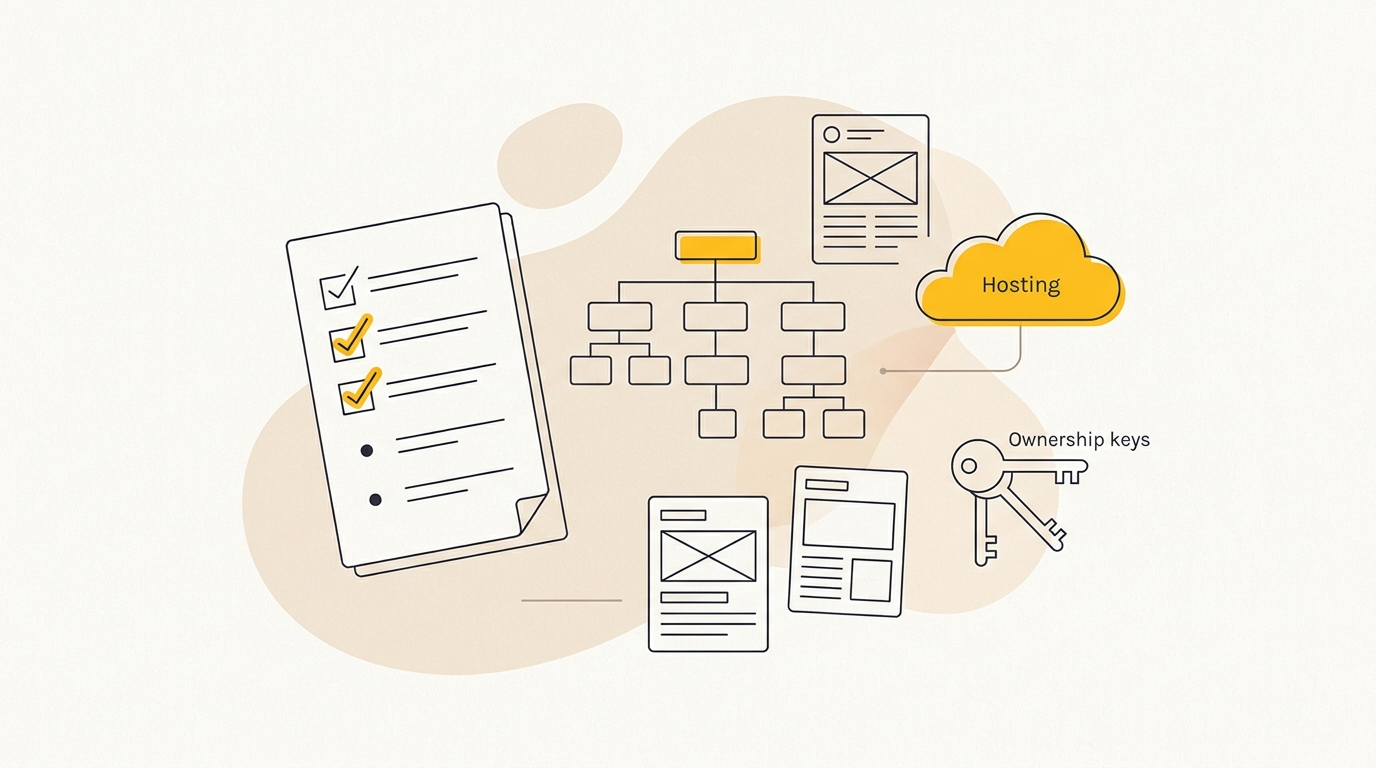
- Group pages into a visual sitemap. Show the main navigation, subpages and footer links, because a simple diagram makes missing pages and confusing navigation easier to spot.
- Give every page a purpose. Write one sentence explaining what the page is for and what a visitor should do next, because pages without a clear role often become repetitive or hard to prioritise.
- Separate important services or products. If each offering has a different audience, search intent or buying decision, consider whether it needs its own page, because one generic page can make distinct services difficult to understand and discover.
- Keep important pages easy to reach. Check whether visitors can reach key services, products and contact details through a clear route from the navigation or related content, because deep or vague navigation adds effort.
- Plan category and detail page patterns. Decide whether you need repeatable layouts for services, products, projects, locations, team members or articles, because a consistent pattern is easier to maintain than a collection of unrelated pages.
- List the content types you will publish. Identify content that repeats and needs its own fields, such as staff profiles or case studies, because your developer can decide whether WordPress should manage it as structured content.
- Draft page titles and URL ideas. Use short, readable names that reflect the page content, because sensible URLs are easier for people to recognise and simpler to keep consistent.
- Inventory current URLs if this is a redesign. Export the pages you have now and identify which ones bring traffic, links or enquiries, because a new sitemap should not accidentally discard useful content.
- Request a redirect plan for changed URLs. Ask how old URLs will send visitors and search engines to their closest relevant new pages, because changing addresses without a considered redirect map can create broken links and lost visits.
- Plan internal links between related pages. Note where articles, projects or FAQs should point to commercial pages, because useful links help visitors move from learning to taking action.
- Decide what goes in the main menu. Keep the primary navigation focused on the choices visitors need most, because adding every page to the menu can make the whole site harder to scan.
- Specify footer essentials. List contact details, service areas, legal pages, social profiles and any required registration information, because visitors often use the footer to confirm details or find secondary links.
- Confirm whether a blog or resource library is needed. Decide who will publish, what topics matter and how articles connect to services, because a blog should have a role and an owner rather than being an empty menu item.
For an existing site, do not assume that a new page structure means every old page should disappear. Ask which pages attract useful visitors, which need better content, which can be combined and which should be retired. Search Console, analytics and a crawl of the current site can inform those decisions. A developer or SEO specialist can help you interpret the data if you are unsure.
3. Design direction, brand and content assets
Design decisions influence trust and action. Your plan should describe the feeling the site needs to create and the practical assets available to create it. Reference sites are useful, but explain what you like about them. A reference may have a strong colour palette, a clear navigation pattern or a confident use of photography, even if its overall style is not right for your business.
- Gather current brand files. Collect the approved logo, colour values, fonts and existing brand guidelines, because developers need usable source files rather than screenshots copied from an old website.
- Identify whether the brand needs work first. Note if the logo, colours or visual style no longer fit the business, because designing a new website around an unsettled brand can lead to repeated revisions.
- Choose a small set of design references. Share examples and annotate what works or does not work, because specific feedback is more useful than asking for a site to feel modern or premium.
- Describe the personality the design should convey. Use a few plain-language traits and explain what they mean in practice, because visual direction needs to reflect your audience and market rather than personal taste alone.
- List the photography you have and need. Identify team, product, location and process images, because authentic imagery can support trust and help the design feel specific to your business.
- Confirm image rights and permissions. Check whether you own or can use each image, logo and testimonial, because using an asset without permission can create legal and reputational problems.
- Decide whether new photography is part of the project. Assign responsibility for the photographer, brief, shot list and approvals, because photography cannot be assumed to appear automatically within a website build.
- Prepare copy or assign a copywriter. Decide who will write each page and when drafts will be ready, because development often stalls when key content is missing or arrives after layouts are approved.
- Agree on the design approval stages. Ask whether the proposal includes page structure, visual design and mobile layouts, because approving a visual direction before development reduces late changes to layout and components.
- Ask how responsive design will be handled. Confirm that layouts will be designed and checked for smaller screens, because a desktop design squeezed onto a phone can bury key information and make actions difficult to use.
- Discuss accessibility expectations. Ask how colour contrast, keyboard access, headings, labels and focus states will be considered, following practical website accessibility compliance standards, because accessibility affects whether people can use the site in different ways.
- Decide how much flexibility editors need. Tell the developer who will update pages and whether they need to rearrange sections, because editing freedom should be balanced with the need for consistent layouts and brand quality.
Ask to see how the design system will work beyond the homepage. A strong system includes repeatable components for headings, buttons, cards, forms and page sections. It should make new pages easier to create while preserving a clear hierarchy. If every page is built as a one-off, future edits can become slow and the site can drift visually.
4. WordPress features and technical approach
Your plan should describe what the site must do, not prescribe a plugin for every requirement. Plugin choices change, and the best solution depends on the design, hosting, support needs and other software. Ask the developer to explain the trade-offs in plain English and identify any recurring licence or maintenance costs.
- List each required feature with its user and purpose. Explain who needs it and what problem it solves, because a feature request without context can produce the wrong experience or unnecessary complexity.
- Describe forms in detail. Include required fields, optional fields, confirmation messages, spam prevention and where submissions should go, because the phrase contact form does not define a complete enquiry process. Following proven lead form design rules will help ensure potential customers complete them.
- Map form data to your follow-up process. Note whether enquiries should go to email, a CRM or a booking tool and which fields need to be captured, because manual copying can delay responses and lose useful context.
- Specify booking or appointment needs. Explain services, availability rules, confirmation messages and calendar requirements, because a booking feature can range from a simple external link to a more involved workflow.
- Describe search and filtering needs. Say what visitors need to find and which fields matter, because filters for products, staff or projects should be designed around how people actually browse.
- Decide whether the site needs payments. List products or services, payment methods, shipping or tax considerations, refunds and confirmation flows, because adding online sales changes both the design and operational scope.
- Identify membership or restricted content. Explain who can access it, how accounts are created and what users should see after login, because private content can require additional workflows and support.
- List external systems and integrations. Name your CRM, email platform, analytics, booking system or inventory tool, and identify the data that should move between them, because integrations need testing and may have separate fees.
- Clarify search engine basics. Ask how page titles, descriptions, headings, canonical URLs, XML sitemaps and redirects will be managed, because the site needs a clear foundation for search visibility.
- Ask how structured content will be managed. If your team will add staff, projects or locations, ask whether those should be editable records rather than individually designed pages, because structured content makes repeated updates more consistent.
- Discuss the editing experience. Ask to see how a staff member will change text, swap an image or add a page, because a site that looks good but is confusing to update may create avoidable ongoing costs.
- Set a plugin and update approach. Ask how the developer chooses, updates and removes plugins, because each dependency should have a reason, an owner and a support plan.
- Confirm supported WordPress and server requirements. Ask the host or developer to check the current WordPress requirements before the build, because software support changes and an old server stack can limit future updates.
- Ask how speed will be protected. Discuss image sizing, fonts, scripts, caching and page-builder choices, because visual effects and third-party tools can add weight that affects loading and interaction.
- Agree on device and browser testing. Ask which screen sizes and browsers will be checked, including common mobile browsers used by your customers, because responsive issues can remain hidden if testing happens only on a developer’s desktop.
- Plan analytics and consent needs. List the measurement tools and any privacy or consent requirements you need reviewed, because tracking should be deliberately configured rather than added without a clear purpose.
Do not make a plugin count the main quality test. A site with few plugins can still be poorly built, and a necessary plugin is not automatically a problem. The useful questions are whether each tool is maintained, whether it creates a dependency, how it affects the visitor experience and who is responsible for renewing or supporting it.
5. Hosting, security, backups and launch
Hosting affects how the site is served and supported, but a server location alone does not guarantee speed, search performance or legal compliance. Ask your provider to explain the complete setup, including backups, staging, support, performance and where data is handled. Compare what is included, not just the advertised monthly fee.
| Hosting route | May suit | Ask before you choose |
|---|---|---|
| Managed WordPress hosting | A business that values WordPress-specific support and managed maintenance options | What backups, staging, updates and support are included, and what are the resource limits? |
| Australian-based hosting | A business that wants an Australian provider or local support options | Where are the site and backups stored, and how does the provider handle support and restoration? |
| General-purpose hosting | A simpler site with a hands-on owner or developer | Who manages WordPress updates, performance, backups and troubleshooting? |
Compare current offers directly with providers such as WP Engine, VentraIP and Kinsta, or consult reviews of the best WordPress hosting in Australia. Their plans and inclusions can change, so confirm the current price, renewal terms, storage, traffic limits, support and backup policy before committing. An Australian business should also ask where the data is stored and whether its privacy obligations require further advice. Local hosting is not, by itself, proof of compliance.
- Name the account owner. Confirm that your business controls the domain registrar, hosting account and DNS access, because access should not depend on a former staff member or supplier.
- Choose who purchases hosting. Decide whether you will contract directly with the provider or use a developer-managed plan, because the choice affects billing, support, access and what happens if the relationship ends.
- Ask for the hosting location and data handling details. Record where the live site and backups are stored and who can access them, because location and access can matter to performance, business continuity and privacy review.
- Require a separate staging environment. Ask for a safe place to review changes before they reach the live site, because testing new layouts or updates on the public site can interrupt visitors.
- Agree on backup frequency and retention. Confirm how often backups run, how long they are kept and who can restore them, because a backup is only useful if it is recent, accessible and restorable.
- Ask how updates are tested. Find out whether WordPress, themes and plugins are checked in staging before production, because untested updates can disrupt forms, layouts or integrations.
- Set the security responsibilities. Ask who handles user permissions, updates, malware response and account access, because security is an ongoing responsibility rather than a one-time launch task.
- Specify how website emails will be sent. Confirm how form notifications and transactional emails are delivered and tested, because website email can fail or be filtered if delivery is not configured correctly.
- Plan launch responsibilities. Name who approves the final site, who changes DNS and who checks the live pages, because launch work can be delayed if responsibilities are unclear.
- Agree on launch checks. Include working forms, mobile layouts, links, redirects, analytics, page titles and error pages, because visual approval alone does not confirm the whole site is ready.
- Ask what happens if something breaks after launch. Record the support contact, response process and any warranty or care period, because the first days after release should not rely on an informal promise.
- Document rollback and recovery. Ask how the previous site can be restored if a serious launch issue occurs, because a clear recovery plan reduces uncertainty during a high-impact change.
The WordPress hosting requirements outlined in technical documentation are a starting point for a compatibility discussion, not a complete hosting comparison. Ask your developer to confirm that the chosen environment supports the versions and features required by the site at the time of launch. For a broader discussion of what website builds can cost in Australia, review WP Creative’s website cost guide and ask what each quote includes before comparing figures.
6. Scope, costs, ownership and handover
A proposal is easier to assess when it clearly separates included work from assumptions and optional items. Comparing standard pricing models upfront can give you a baseline for agency deliverables. Request a breakdown that covers design, content, development, integrations, testing, launch and post-launch support. The Australian website cost guide from WP Creative can help frame questions, but a published range is not a quote for your specific requirements.
- Write what is in scope. List the pages, templates, features, integrations and deliverables the developer is expected to provide, because an item not named in the proposal may be treated as extra work.
- Write what is out of scope. Note items you are not asking for, such as copywriting, photography, product entry or ongoing SEO, because explicit exclusions make comparisons fairer.
- Ask how the quote was estimated. Request assumptions about page count, design rounds, content readiness and functionality, because a low headline price may depend on work you thought was included.
- Separate essential features from later options. Mark each requirement as launch-critical, useful soon or optional, because a staged plan can preserve the core user journey if budget or timing is constrained.
- Ask about discovery and specification work. Confirm whether research, sitemap planning and functional decisions are part of the project or a separate phase, because a developer may need paid discovery to estimate complex requirements accurately.
- Agree on review and approval rounds. Specify who gives feedback, how it is collected and when a phase is considered approved, because scattered comments from several people can create rework.
- Set a process for changes. Ask how new requests are priced and approved after scope sign-off, because a documented change process protects both the business and the developer from unplanned work.
- Confirm who supplies content and by when. Assign an owner for copy, images, product data and legal text, because late or incomplete material can affect design decisions and delivery dates.
- Agree on project milestones and dependencies. Ask what needs to be completed before each stage can begin, because a schedule depends on timely approvals, assets and access as well as development work.
- Clarify recurring costs. List hosting, premium themes, plugins, email delivery and third-party tools, because ongoing fees can continue after the build invoice is paid.
- Clarify plugin and theme licence ownership. Record which products are licensed to your business and which rely on a supplier’s account, because a transfer or cancellation can affect updates and support.
- Confirm ownership of design and code deliverables. Ask what you receive at handover and whether any third-party terms apply, because the ability to access, edit or move the site depends on clear rights and credentials.
- Keep admin access in the business. Ensure at least one appropriate business representative has administrator access and recovery details, because access should not be lost when a contractor changes.
- List all accounts to hand over. Include hosting, domain, DNS, WordPress, analytics, Search Console, email and relevant integrations, because scattered accounts make future maintenance harder.
- Request a handover session and notes. Ask for a walkthrough of editing, backups, support and common tasks, because a technically complete site can still be difficult for your team to operate.
- Agree on post-launch support. Define what counts as a defect, what is a new feature and how ongoing care is quoted, because these categories are often confused once the site is live.
- Plan for future growth. Note likely next steps such as new service pages, another location or ecommerce, because the initial build should make realistic growth easier without overbuilding for hypothetical needs.
Watch for proposals that promise a fixed result but do not explain assumptions, approvals or exclusions. Also be cautious if the business will not receive access to essential accounts, or if the site relies on licences that cannot be transferred without a clear ongoing arrangement. The point is not to negotiate every detail before a first conversation. It is to surface decisions that affect the cost, control and future flexibility of your website.
What to send a WordPress developer
Once you have completed the checklist, package it into a short brief. Attach your sitemap, current website address if you have one, brand files, references and a list of integrations. Separate must-haves from preferences, and include any existing analytics or search data that can help explain what is already working.
Invite developers to respond to the same scope. Ask them to identify assumptions, exclusions, risks and questions, then compare their proposed approach as well as the price. A clear proposal should explain how design, development, testing and handover fit together. If one quote is much lower, check whether it excludes design, copy, redirects, integrations or ongoing licence costs before deciding.
Your plan can evolve as you learn. The important thing is to keep a record of decisions and changes, and to make sure each one has an owner and an agreed effect on budget or delivery. That turns the website from a vague wish into a project your team and developer can manage together.
Final checklist before you request a quote
- The business goal and main conversion action are clear.
- The launch pages and their purpose are listed.
- Existing URLs and valuable content have been reviewed if this is a redesign.
- Brand assets, photography and copy responsibilities are identified.
- Required features and integrations are described in plain language.
- Hosting, backups, staging and account ownership are part of the discussion.
- The quote request distinguishes essential work from later options.
- Review rounds, changes, handover and post-launch support will be agreed in writing.
A well-prepared wp site plan does not lock you into a technical solution. It helps you explain what the website must achieve, compare proposals fairly and make design decisions around real customer needs. For help shaping the scope and design of a WordPress build, talk to DesignFIT about your website project.
Key takeaway
A useful wp site plan defines the customer journey, content, responsibilities and ongoing costs before it specifies how the site will be built.
Questions people ask
What should be included in a WordPress site plan?
Include business goals, conversion paths, a sitemap, page content, design direction, required features, integrations, hosting, ownership and launch responsibilities. Mark what is essential for launch and what can wait.
How do I write a brief for a WordPress developer?
Describe your audience, the problem the site should solve, the pages and features you need, and who will provide content and approvals. Ask the developer to state assumptions, exclusions, recurring costs and how changes will be handled.
Do I need Australian hosting for a .com.au website?
Not automatically. Ask where the site and backups are hosted, how the location affects your audience and support needs, and whether your organisation has specific privacy obligations; server location alone does not establish compliance.
How do I preserve SEO when redesigning a WordPress site?
Review the current URLs and identify pages that attract valuable visits or links before changing the structure. Create and test redirects for changed URLs, retain useful content and check the live site after launch.