Shopify vs Webflow Ecommerce: Small Catalogue Guide
A practical comparison of Webflow’s visual freedom and Shopify’s commerce tools for Australian boutiques with a focused product range.

On this page
- Shopify vs Webflow ecommerce: what are we comparing?
- Shopify vs Webflow ecommerce at a glance
- 1. How much design freedom do you actually need?
- 2. Checkout, payment choice and customer friction
- 3. Australian GST, displayed prices and invoices
- 4. Catalogue, variants and store operations
- 5. Pricing and total cost of ownership
- 6. Pros and cons by platform
- 7. Three practical ways to build the store
- 8. What should you choose? A verdict by situation
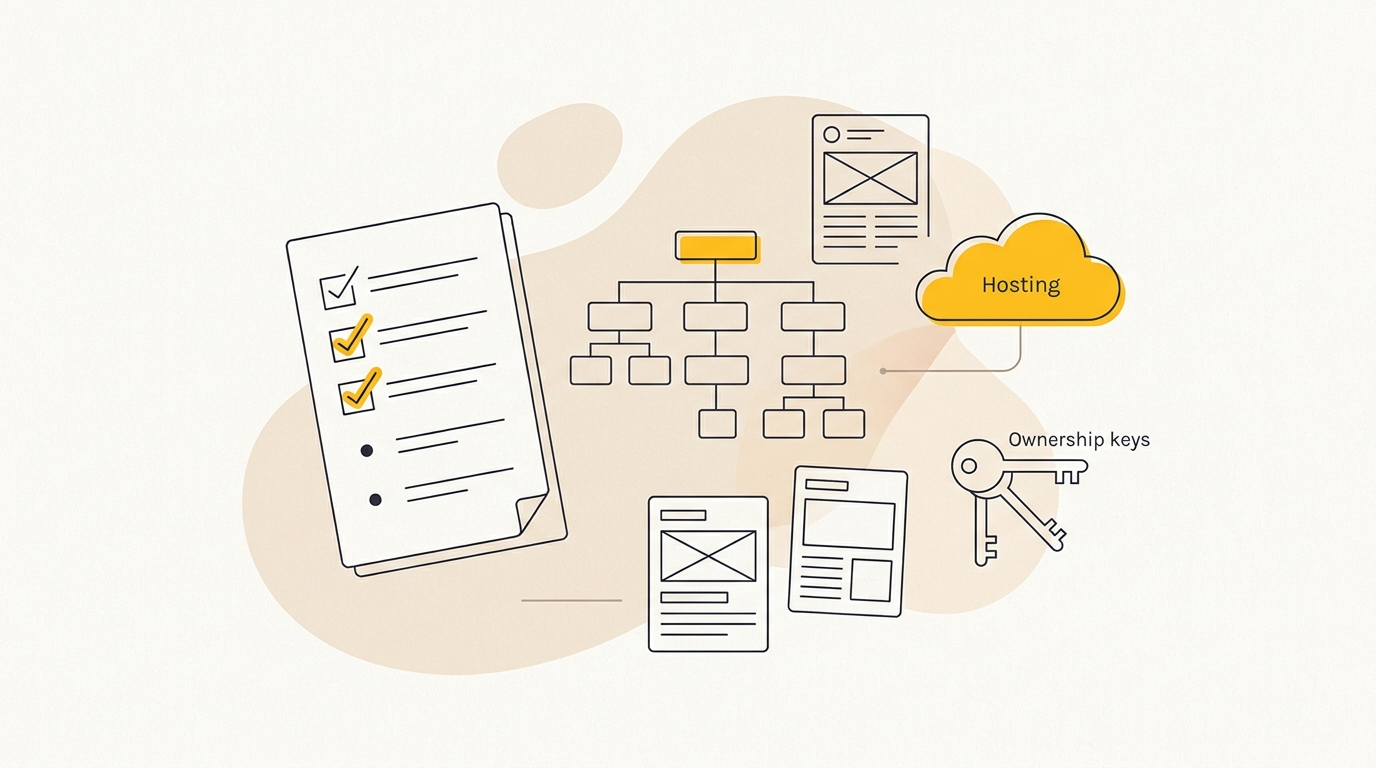
- 9. A platform selection checklist
- 10. Common mistakes when comparing Shopify and Webflow
- Summary: which platform is right for your boutique?
Shopify vs Webflow ecommerce comes down to what your store needs to do most: create a distinctive brand experience, or manage transactions with less friction. Webflow gives designers more direct control of layouts and interactions. Shopify is generally the safer choice when checkout options, payments, tax settings and day to day store operations matter most. For many Australian boutiques, the best choice is a well-designed Shopify store, not a choice between attractive design and reliable commerce.
This guide compares both platforms for a small catalogue, including the trade-offs that matter after launch. If you are already planning a build, you can also compare DesignFIT’s Shopify website design service and Webflow website design service. Community discussions comparing Webflow ecom or Shopify often echo these same core trade-offs. Platform features and pricing change, so treat the dated figures below as a starting point to verify before you commit.
Shopify vs Webflow ecommerce: what are we comparing?
Shopify is an ecommerce platform with a website builder, product catalogue, checkout, payment options and order management in one system. Webflow is a visual website design platform with an ecommerce product that lets a designer build more of the storefront visually, while its native commerce features have a narrower set of options.
This comparison is for a boutique store with a modest catalogue, roughly one to 50 products. That could be a ceramics studio, fashion label, skincare brand, homewares shop, printmaker or maker selling a focused set of products. A small catalogue does not necessarily mean simple operations. A store with 12 products can still need multiple sizes, colours, bundles, gift notes, international shipping, subscriptions or wholesale pricing.
The question is not which platform has the most features. It is which set of compromises best fits the way you sell and the experience your customers need.
| Decision area | Why a small store should care |
|---|---|
| Brand and layout control | Product presentation can help communicate quality, make the range easier to understand and support a premium price. |
| Checkout and payments | Extra friction, unavailable payment methods or confusing delivery costs can stop an interested shopper from ordering. |
| Australian tax and invoices | Displayed prices, tax calculations and receipts need to make sense for your business and customers. |
| Catalogue and variants | A small product count can still create complexity when each item has multiple sizes, colours or configurations. |
| Shipping and fulfilment | Shipping rules need to reflect what you actually send, where you send it and how you pack it. |
| Ownership and maintenance | Your team needs to update products, content and promotions without breaking the design. |
| Total cost | Plan fees are only one part of the cost. Payment charges, apps, design work and maintenance also matter. |
The DesignFIT view is simple: a beautiful store is useful when it helps customers understand the product and buy with confidence. A highly animated homepage is not a win if product details are hard to scan, mobile pages are slow or checkout feels unfamiliar.
Shopify vs Webflow ecommerce at a glance
| Criteria | Shopify | Webflow Ecommerce |
|---|---|---|
| Best suited to | Stores where reliable selling operations, checkout and payment choice are priorities | Small, carefully curated stores where a distinctive visual experience is central and commerce needs are straightforward |
| Visual design approach | Start with a theme and customise its sections, templates and styles, or build a custom theme | Design the storefront visually with broad control over layout and interactions |
| Checkout | Shopify-managed checkout with Shopify payment options and supported accelerated payment methods | Native checkout with a more limited set of payment gateway options, listed in the research notes as Stripe and PayPal |
| Product catalogue | Built for product, variant and order management | Works for smaller catalogues, but check the details of variants, shipping and other requirements against current limits |
| Australian tax | Shopify provides tax settings for tax-inclusive prices; configure and test them for your circumstances | Tax setup may require more manual configuration or connected tools, depending on your store and tax needs |
| Payments and fees | Fees depend on plan, country, payment method and whether Shopify Payments is used | Plan fees and payment processing apply; the research notes identify a platform fee on Webflow’s Standard Ecommerce plan |
| Design flexibility | Strong within the theme and section system; custom development can extend it | Greater direct control of the storefront canvas and responsive layouts |
| Ongoing work | A store owner can manage many day to day tasks in Shopify, with additional apps or development as needed | Content and design are manageable in Webflow, but commerce edge cases can call for workarounds or third-party tools |
This table is a decision aid, not a promise that every plan or feature remains unchanged. Before signing up, check Webflow’s current ecommerce pricing and plan details, Shopify’s current Australian plans and payment fees, and the specific checkout features you plan to use.
1. How much design freedom do you actually need?
Webflow has the stronger case when the design itself is a major part of the product story. Its visual canvas gives a designer direct control over how page elements are positioned and how layouts change across screen sizes. That makes it a natural fit for editorial pages, considered brand storytelling and unusual art direction.
For example, a studio selling handmade lighting might want a product page that moves from a full-width room photograph to close-up material details, then into a story about the maker and a set of care instructions. In Webflow, a designer can compose these sections with close control of spacing, type, imagery and responsive behaviour. A product page can feel like a deliberate piece of the brand rather than a standard product template.
Shopify’s design model is different. A theme provides a structure of templates, sections and settings. That structure can make it faster for a store owner to build and maintain common pages, but it can feel restrictive if the design concept does not fit the theme’s patterns. You can choose a theme that is close to the intended look and customise it, or commission a bespoke theme with custom Liquid, HTML and CSS. You can weigh the options in our breakdown of a Shopify custom theme vs premium theme.
That is a real trade-off, not a simple win for either platform. A custom Shopify theme can give a store a highly distinctive look while keeping the commerce system in Shopify. But custom development takes planning, budget and careful testing. A low-cost theme with dozens of add-on apps can also become harder to manage than a focused custom build.
What should design freedom be used for?
Visual freedom matters when it helps customers make a decision. Consider where a design choice supports understanding or trust:
- Product hierarchy: Make the product name, price, key options and purchase action easy to find.
- Product photography: Show scale, texture, finish and use. A boutique product often needs more than one image on a white background.
- Editorial context: Explain provenance, ingredients, materials, process or care in a clear order.
- Variant selection: Make size, colour or finish choices easy to see and hard to misinterpret.
- Mobile flow: Keep essential details and the purchase action accessible on a small screen.
- Brand consistency: Use type, colour, image treatment and spacing consistently across collection pages, product pages and checkout communications.
Webflow can make it easier to realise a very specific visual concept without fighting a theme’s structure. Shopify can still support thoughtful, premium design. The work is to choose the right theme architecture and create a clear design system, rather than adding decoration after the fact.
The decision should not be “How many animations can we add?” Ask instead: “What does this interaction help the customer understand?” If a product has a meaningful transformation or needs a guided explanation, an interaction may be useful. If it delays product details or makes the page feel busy, it is probably visual noise.
When is Shopify’s theme structure an advantage?
Theme structure is not just a limitation. It can provide guardrails for a small team. Reusable sections let staff build a landing page using approved modules instead of moving every element freely. Product templates can keep prices, variant selectors and key information in consistent places. That consistency can make a catalogue easier to browse and reduce the chance of one product page being accidentally formatted differently from another.
A Shopify build can also separate design decisions from everyday content updates. A designer defines the templates and the store team changes product descriptions, images and selected modules within those boundaries. This is valuable when a founder needs to update the store without asking a designer to fix every page.
For either platform, design quality depends on the system and the content, not simply the tool. Before selecting a platform, sketch the product page and a collection page. Include the real content, such as variant labels, shipping notes, returns information and product photography. If the layout only works with placeholder copy and perfect images, it is not ready to build.
2. Checkout, payment choice and customer friction
Shopify’s advantage is the depth of its commerce system. It manages the transaction flow and supports a wider commerce ecosystem than Webflow’s native ecommerce product. Shopify’s checkout is also a familiar part of many customers’ online shopping experience, and eligible stores can offer accelerated checkout methods. The available payment options depend on country, plan, payment provider and merchant eligibility, so confirm what is supported for your Australian business before designing around it.
Webflow’s native checkout is more limited in payment gateway choice. The research supplied for this article lists Stripe and PayPal as its supported native options. That can be sufficient for a simple store, but it may not suit a business that depends on particular local payment methods, a complex payment flow or a specific fraud and fulfilment setup. Check current Webflow documentation before relying on any payment feature.
The difference matters because checkout is the point where customers hand over payment and personal information. A beautiful product page cannot compensate for a checkout that does not accept a customer’s preferred method or introduces unexpected costs late in the process. Understanding common Shopify checkout optimization mistakes helps keep customers from dropping off at the final step.
Baymard Institute’s research reports an average online cart abandonment rate of 70.22%. Its checkout research also identifies unexpected extra costs and a checkout that feels too long or complicated among reasons shoppers leave. These figures describe broad ecommerce research, not a forecast for your particular store. They are useful reminders to make delivery costs, payment options and order details clear before the customer reaches the final step. See Baymard Institute’s checkout UX research for the underlying discussion.
Shopify’s own published checkout research says its checkout converts better than competing commerce platforms in the studies it references. That is a vendor claim, so consider it alongside the specifics of the study and your own store data, rather than treating it as a guaranteed result. Shopify describes its evidence in its article on Shopify checkout performance.
How should you assess checkout for your own store?
Write down the customer’s path from product discovery to order confirmation. Then check each point:
- Can a shopper choose the right size, colour or finish without guessing?
- Are shipping costs and delivery expectations visible before payment?
- Can the buyer pay with methods relevant to your customers?
- Are discount codes, gift cards or promotional rules part of your launch plan?
- Does the order confirmation tell the customer what happens next?
- Can your team find and manage the order without copying details between several systems?
Do not assume that a short, visually polished checkout is always the most useful checkout. Customers may need a clear delivery address form, a gift option or a tax breakdown. The goal is to remove unnecessary steps while retaining the information needed to complete and fulfil the order.
Does Webflow support Afterpay or Zip in Australia?
The research notes for this comparison describe Webflow’s native ecommerce checkout as supporting Stripe and PayPal, not native Afterpay or Zip integration in its core checkout. Because gateway and regional payment support can change, verify the current options directly in Webflow’s documentation and with each payment provider before choosing it.
If a specific payment method is important to your customers, make it a platform requirement, not a feature to investigate after the design is finished. Confirm how the method appears in checkout, what fees apply, whether refunds are supported and how it affects your accounting and fulfilment workflow.
3. Australian GST, displayed prices and invoices
For an Australian consumer store, price presentation needs to be clear. If your business is registered for GST and the sale is taxable, you generally need to account for GST correctly. Consumer-facing prices should be configured and presented with your legal and accounting obligations in mind. The exact rules depend on your business and what you sell, so confirm them with the Australian Taxation Office or your accountant.
Shopify provides settings for including tax in product prices. Its guide to including taxes in product prices explains the relevant configuration. A store owner still needs to set the right markets, tax registrations and product treatment, then test the resulting prices and order records. The platform does not decide whether your business is registered or whether a particular product is taxable.
Webflow can also be configured to calculate tax, but the supplied research notes say tax-inclusive pricing and international tax presentation may need more manual work or connected services. That can be manageable for a single-market store with a simple product range. It is a risk to investigate early if you sell to several countries, need different tax treatment by market or depend on automated tax calculation.
How to test GST setup before launch
Do not test only one product and one local address. Create a small test matrix based on how you will actually sell:
| Test case | What to check |
|---|---|
| Australian customer, taxable product | Does the product page show the intended consumer price? Does the order record show the expected tax treatment? |
| Australian customer, shipping charge | Is shipping treated and displayed as intended for your setup? |
| International customer | Does the store show a clear price and currency? Are tax and delivery expectations explained accurately? |
| Discount or sale | Does the final amount make sense after the discount? Check the displayed price and order record. |
| Refund or cancellation | Can staff understand the original tax and payment details when processing the change? |
A useful test is to compare the customer-facing total with the amount your accounting process expects to record. Check both the order summary and the invoice or receipt. If something is unclear, pause launch and ask your accountant or payment provider to verify the configuration.
What about tax invoices and the ABN?
A platform’s default order confirmation is not automatically a compliant tax invoice for every business. Australian tax invoice requirements can depend on the transaction, the seller and the information shown. Do not rely on a theme, email template or third-party app description as legal advice.
Shopify’s order notifications and invoice tools can be customised, and the research notes identify Shopify Order Printer as one route to creating invoice documents. Webflow’s order emails may require a connected invoicing workflow if the default message does not meet your operational needs. Either way, test the exact document your customer receives and confirm its contents with your accountant.
Practical launch preparation involves listing the fields you need on invoices and receipts, such as business name, ABN, date, order number, total and any required tax information. Then decide whether the platform’s native documents can meet that need or whether you need an accounting integration. This is not a reason to choose a platform from an assumption. Check the workflow before you select one.
4. Catalogue, variants and store operations
A small catalogue is often a good fit for either platform, but product count is a poor measure of operational complexity. A store with eight products and six sizes per product may need more careful variant management than a store with 40 one-off prints.
Before choosing, write down the actual structure of your products:
- How many products will be available at launch?
- How many variants does each product have?
- Do variants change price, stock, image or shipping weight?
- Do customers need to personalise a product or add a gift message?
- Are products made to order, pre-ordered or limited in quantity?
- Will you sell bundles, gift cards, subscriptions or wholesale packs?
- Do you need to manage stock in another system?
Shopify is built around selling and managing products and orders. Its ecosystem can help when the store needs integrations, additional payment methods or fulfilment support, but each app can bring cost, configuration and maintenance. Add only what solves a defined need. A large app stack can make the store harder to diagnose when a checkout or page behaves unexpectedly.
Webflow can suit a focused range with straightforward product options and a strong content component. The main risk is discovering late that an essential sales or fulfilment rule is awkward to implement. Verify the current limits for variants, custom fields, shipping and order workflows against your exact use case before committing. Articles outlining Webflow ecommerce limitations flag constraints around custom checkout fields and more involved commerce requirements, but features may change over time.
Product storytelling is part of the catalogue system
A good catalogue does not merely list items. It helps people compare them. That is particularly important when products are handmade, high value, made from different materials or sold in several options.
Design the information hierarchy before deciding on page effects. On a product page, shoppers may need to find:
- Product name and price.
- Available size, colour or finish.
- The main product image and supporting views.
- What the product is made from and how it is made.
- Dimensions, fit, care or compatibility details.
- Delivery, returns and warranty information.
- A clear action to add the selected item to the cart.
Webflow offers more freedom to shape this experience visually. Shopify offers a structured product system and can be extended with custom fields and templates. Either platform can present rich product information, but the task is not complete until the information can be updated reliably by the team.
A useful compromise is to give products a consistent core template, then use flexible content blocks for meaningful differences. A ceramic vase may need dimensions and care instructions. A garment may need a size guide and fit notes. Do not create a completely bespoke page for every product unless the differences genuinely justify the extra design and content work.
5. Pricing and total cost of ownership
Platform pricing is only one line in a store budget. Total cost can include the subscription, payment processing, platform transaction fees, themes, apps, design and development, tax or invoice tools, and the time spent maintaining the site.
The research supplied for this comparison lists Webflow Ecommerce Standard at US$29 per month when billed annually or US$42 month to month, with a 2% Webflow transaction fee. It lists Plus at US$74 per month annually or US$84 month to month, with no Webflow transaction fee. Those figures are presented in the notes as October 2026 pricing. Confirm current Webflow plan pricing before using them in a budget. Webflow bills in US dollars according to the notes, so an Australian business should allow for currency conversion and any card fees charged by its bank.
The supplied research notes list Shopify Basic in Australia at A$56 per month billed monthly, with a lower effective monthly amount on annual billing. They also list payment processing fees that vary by plan and card type. Detailed breakdowns like White Peak Digital’s analysis of how much Shopify costs in Australia provide useful context, though these numbers can change. Check Shopify’s official Australian pricing and payment fee information at the time you sign up. The notes also describe a third-party transaction fee if a merchant uses a payment provider other than Shopify Payments. Confirm whether that applies to your planned setup and plan.
| Cost category | Shopify | Webflow Ecommerce |
|---|---|---|
| Subscription | Plan fee in the selected billing currency and cycle | Ecommerce plan fee, listed in the research notes in US dollars |
| Card processing | Depends on plan, payment method and provider | Depends on the connected payment processor and method |
| Platform transaction fee | May apply when using a third-party payment provider, depending on plan and conditions | Research notes list a 2% Webflow fee on Standard and no platform fee on Plus and Advanced |
| Design and build | Theme configuration or custom theme development | Visual design and build, with commerce setup and testing |
| Apps and integrations | Optional apps may add recurring cost | Third-party tools may be needed for some commerce workflows |
| Maintenance | Product, app, theme and integration updates | Content, design, integration and commerce workflow maintenance |
Do not compare a Shopify monthly plan with a Webflow monthly plan and call that the total cost. Model your expected monthly sales and average order value, then calculate payment costs using the actual rates available to you. Include the extra tools you know you need. If the Webflow plan has a percentage platform fee, estimate its impact at your expected sales volume. If Shopify requires an app or custom theme work for a key feature, include that cost too.
A simple way to compare fees
Use this worksheet before you choose:
- Estimate monthly orders using a conservative sales forecast.
- Estimate your average order value, excluding assumptions you cannot support.
- Calculate monthly gross sales as orders multiplied by average order value.
- Apply the payment processing fees for your likely card mix and provider.
- Add platform transaction fees, if applicable.
- Add the recurring cost of necessary apps, invoice tools and integrations.
- Add the cost of the initial design and build, spread over the period you expect to use the site.
- Compare the result with the operational time required to manage the setup.
A platform with a higher monthly plan may still have a lower overall cost if it avoids a percentage fee or replaces tools you would otherwise pay for. Conversely, an inexpensive plan can become expensive if it needs several paid workarounds. The important point is to compare a realistic version of each store, not a bare subscription price.
You can review DesignFIT’s website pricing when budgeting for the design and build work alongside the platform costs. The scope affects price: number of templates, product content, integrations, custom design and testing all matter.
6. Pros and cons by platform
Shopify: pros
- Commerce comes first. Product, order and payment workflows are central to the platform.
- Broader commerce ecosystem. There are integrations and apps for additional store requirements, though each needs evaluation.
- Managed checkout. Shopify provides a checkout system with accelerated options for eligible merchants and customers.
- Australian tax settings. Shopify documents tax-inclusive pricing settings, which can support a clear local pricing setup when configured correctly.
- More operational guardrails. Themes and product templates help store owners make updates without designing every page from scratch.
- Room to customise. A carefully designed theme can be extended with custom sections and development.
Shopify: cons
- Theme structure can constrain a design concept. A theme may not support a layout without custom work or compromises.
- Custom development has a cost. Bespoke templates and interactions need skilled implementation and testing.
- Apps can add complexity. More tools mean more subscriptions, dependencies and potential maintenance.
- Payment fees depend on setup. The actual cost changes with plan, payment provider and card type.
- Visual polish is not automatic. A default theme still needs strong content, art direction and design choices to feel distinctive.
Webflow Ecommerce: pros
- Direct visual control. Designers can shape layouts and responsive behaviour with fewer theme conventions.
- Good fit for editorial storytelling. A small collection can be presented as part of a considered brand experience.
- Design and content can sit together. The storefront and marketing pages can be built within a visual design system.
- Useful for focused catalogues. A simple product range with straightforward checkout needs may not require a large commerce ecosystem.
- Freedom to create distinctive page structures. Product, collection and campaign layouts can be designed around the brand rather than a standard theme pattern.
Webflow Ecommerce: cons
- Native commerce options are narrower. Verify payment gateways, checkout fields and regional options before building.
- Tax and invoicing can require extra work. The right workflow depends on your business, markets and integrations.
- A percentage platform fee may affect the economics. The research notes list a fee on the Standard Ecommerce plan, so check current plan terms and model your sales.
- Complex selling requirements need careful validation. Variants, shipping logic, custom fields and integrations may be more limiting than the visual design suggests.
- The design can outpace the store operations. A bespoke front end is not useful if the fulfilment and order process needs manual workarounds.
7. Three practical ways to build the store
Path one: use Webflow Ecommerce for the whole store
Choose this when the range is small, the buying process is straightforward and the visual presentation is a top priority. It can be a reasonable fit for a maker with a few products, one primary market and no dependence on specialised payment or fulfilment features.
Before choosing this path, test a complete order from product page to receipt. Check the real payment methods you plan to offer, variant behaviour, shipping rates, tax treatment, order notifications and refunds. If one of those steps needs a workaround, document it and price the maintenance before launch.
The key is to keep the store’s requirements within the platform’s strengths. If the business expects to add subscriptions, many payment methods, complex shipping rules or several international markets, do not assume those needs will remain simple.
Path two: build a bespoke Shopify storefront
Choose this when you need Shopify’s commerce system but want more character than an off-the-shelf theme provides. A designer can create a visual direction, define page templates and build custom sections that fit the brand. The result can retain Shopify’s product and checkout foundations while presenting a distinctive storefront.
This approach is often the most balanced option for an Australian boutique that wants to grow. It avoids treating a commercial checkout as an afterthought, while still allowing the brand experience to be carefully designed. The investment should focus on the pages and interactions that affect customer understanding and confidence, not on customising every detail simply because it is possible.
A practical scope might include a homepage, collection page, product page, standard content page, navigation and mobile behaviour. The build should also include product data setup, payment and tax tests, email review and staff handover. See DesignFIT’s Shopify design and development service if this is the direction you are considering.
Path three: use a hybrid Webflow front end and Shopify commerce
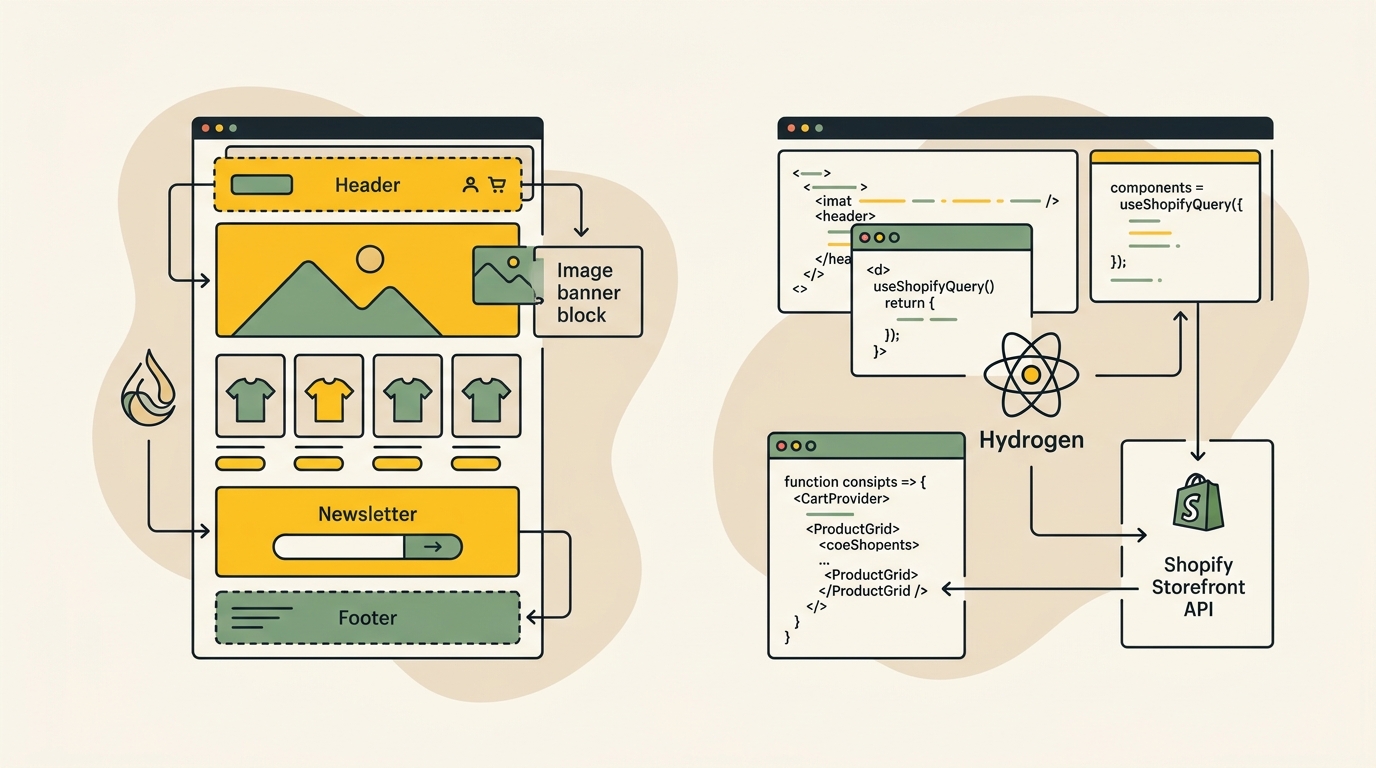
A hybrid approach puts the marketing and storytelling experience in Webflow and connects it to Shopify’s commerce system. The research notes mention tools such as Smootify and Shopyflow, as well as Shopify’s Storefront API, as possible implementation routes. Treat this as a technical architecture to investigate, not a simple plug-and-play choice.
A hybrid build may suit a brand with unusually demanding editorial design that still needs Shopify’s commerce capabilities. It can also create more moving parts: product data, cart behaviour, checkout links, analytics, SEO, inventory and integrations all need to work together. Decide who maintains the connection and what happens if the tool or integration changes.
For a small store, a hybrid architecture is not automatically more premium. It can add cost and operational overhead without improving the customer experience enough to justify them. Use it only when the design requirements are specific, valuable and difficult to deliver in a well-built Shopify theme.
| Build path | Strongest fit | Main risk |
|---|---|---|
| Webflow native ecommerce | Simple, curated range with high design needs and straightforward selling | Discovering commerce, tax or payment limitations after the storefront is built |
| Bespoke Shopify theme | Store that needs a strong brand experience with established ecommerce operations | Paying for custom work that does not improve the customer journey or staff workflow |
| Webflow front end with Shopify commerce | Distinctive editorial experience that cannot be delivered well in the chosen Shopify setup | Higher technical complexity and more systems to test and maintain |
8. What should you choose? A verdict by situation
Choose Shopify if checkout and operations are your priority
Choose Shopify if you need a store that can handle a broader set of commerce needs, want to use payment options supported by Shopify in Australia, or expect your catalogue and fulfilment needs to grow. It is also the stronger starting point if your team wants a well-established store management workflow and you do not want the design layer to dictate the limits of your selling setup.
This does not mean you need a generic storefront. Start with a clear visual direction, choose or build the right theme structure and invest in product photography and page hierarchy. A strong design can make Shopify feel distinctive without replacing the commerce engine.
Choose Webflow Ecommerce if the store is deliberately simple
Choose Webflow if your product range is small and stable, the purchase flow is uncomplicated, and the freedom to create a highly specific visual experience is a clear business requirement. It is most appealing when your brand depends on art direction and storytelling, and the platform’s current commerce limits do not conflict with how you sell.
Be disciplined about validating payments, tax, invoices and shipping before you commission the build. If your business needs a payment method that Webflow does not support natively, or your staff would have to manage orders manually, a beautiful design will not make that friction disappear.
Choose a custom Shopify theme if you want both control and commerce depth
For many boutique owners, this is the sensible middle ground. You get a more distinctive brand experience than a lightly customised theme, while keeping products, orders and checkout in Shopify. The best custom work is selective: it focuses on the product page, collection navigation, mobile purchase flow and brand details that matter to customers.
Ask a designer to explain how the proposed design will remain editable. A site that only its developer can update is a poor fit for a busy small business. Request a handover and a clear explanation of which sections your team can manage.
Choose a hybrid only when the design case is strong
A hybrid build should solve a real constraint, not satisfy a general preference for Webflow’s canvas. Choose it if you can name the experience that a Shopify storefront cannot provide within your budget and if the benefit is worth the added integration and maintenance work.
If you cannot describe that difference in concrete terms, begin with Shopify. You can build a polished branded store without introducing another commerce layer.
9. A platform selection checklist
Use this list before you sign up or hire a designer:
- Catalogue: Have you listed every product, variant and option you need at launch?
- Payments: Have you confirmed the actual payment methods your customers expect and your business can use?
- Tax: Have you checked how displayed prices, tax calculations and order documents will work for your business?
- Shipping: Have you tested the delivery methods, rates and destinations you plan to support?
- Content: Do you have product descriptions, photography, size or specification information and returns details?
- Mobile: Have you reviewed the product and checkout journeys on a phone, not just a desktop mock-up?
- Operations: Can your team update products, process orders, handle refunds and find customer information?
- Integrations: Have you identified required accounting, fulfilment, email and inventory connections?
- Costs: Have you calculated plan, payment, platform, app and build costs together?
- Growth: Does the setup still work if you add a new market, product line or selling method?
- Ownership: Who will maintain the site, integrations, products and design system after launch?
- Testing: Who will test a complete order, confirmation email, refund and invoice before launch?
If several answers are unknown, the next step is discovery, not choosing a template. A short requirements list can prevent a costly rebuild caused by discovering an important limitation after the design is finished.
10. Common mistakes when comparing Shopify and Webflow
Comparing the best Webflow design with a default Shopify theme
This is not a fair comparison. A visually refined Webflow build compared with an untouched Shopify theme says little about what a custom Shopify design can achieve. Compare the design quality you can afford on both platforms, including the development time and maintenance needed to get there.
Comparing subscription prices only
A monthly plan is only one cost. Add card processing, platform fees, applications, tax and invoice tools, design work and the time your team spends managing workarounds. Use your expected sales and requirements to model the total.
Leaving payment and tax decisions until the end
Payment providers, tax settings and invoice workflows affect the architecture of a store. They are not small finishing touches. Confirm them before the page designs are approved, then test them in the actual platform.
Assuming a small catalogue means simple operations
A dozen products can have many variants, stock rules and shipping requirements. Map the product data and customer options before selecting a platform. A catalogue spreadsheet can expose complexity that is easy to miss in an early conversation.
Adding effects before fixing the information hierarchy
Animations and bespoke transitions cannot clarify a confusing product page. Establish what customers need to know, then use the visual design to make that information easier to scan and act on.
Building for launch day only
A store needs to work after the first campaign. Consider who will update prices, add a product, change a promotion, process a return and maintain integrations. Design the system for the people who will use it every week.
Summary: which platform is right for your boutique?
Shopify is usually the better fit when payment choice, checkout, tax configuration and store operations are the main concerns. Webflow Ecommerce can be a good fit when the range is deliberately simple and visual design freedom is more important than having a broad commerce toolkit. A custom Shopify theme can provide a distinctive brand experience without giving up Shopify’s commerce foundation.
Choose based on the customer journey and the work your team needs to do, not on a platform’s reputation or a single feature comparison. Write down the selling requirements, test the awkward edge cases and compare the full cost of each realistic setup. For help planning a store that balances brand design with ecommerce performance, talk to DesignFIT about your website project.
Key takeaway
For most Australian boutiques, Shopify is the safer commerce foundation, while Webflow is worth choosing when its design freedom clearly outweighs its narrower native selling tools.
Questions people ask
Is Webflow Ecommerce better than Shopify for a small store?
It depends on what the store needs to do. Webflow can suit a simple, carefully curated range where visual control is a priority; Shopify is generally a stronger fit when payment options, checkout and store operations matter more.
Does Webflow support GST-inclusive prices in Australia?
Webflow can be configured for tax, but the setup may need more manual work or connected tools than Shopify’s documented tax-inclusive pricing settings. Check Webflow’s current tax features and ask your accountant to verify the setup for your business before launch.
Why do some store owners prefer Shopify checkout?
Shopify provides a managed checkout and supported accelerated payment options for eligible stores. Shopify publishes research comparing its checkout performance, but results vary by store, audience and setup, so treat platform claims as evidence to consider rather than a guaranteed outcome.
Can I use Webflow for design and Shopify for checkout?
Yes, a hybrid setup can connect a Webflow storefront with Shopify commerce using integration tools or Shopify’s Storefront API. It adds technical parts to build and maintain, so it makes sense when the design requirement justifies the extra complexity.
Which platform is cheaper for a small Australian store?
There is no universal winner because the total depends on plan, billing currency, payment fees, platform fees, apps and design costs. Calculate the full cost using current vendor pricing and your expected order volume before choosing.